
Complex form
Description
Complex form is designed to facilitate the process of selecting a service and scheduling an appointment for a client who does not know what exactly he wants (exact name of a doctor). If the client is unsure about the exact service or preferred time slot, the form allows selecting a service first, then choosing an available time slot, and finally sending an offer for client confirmation.
Design
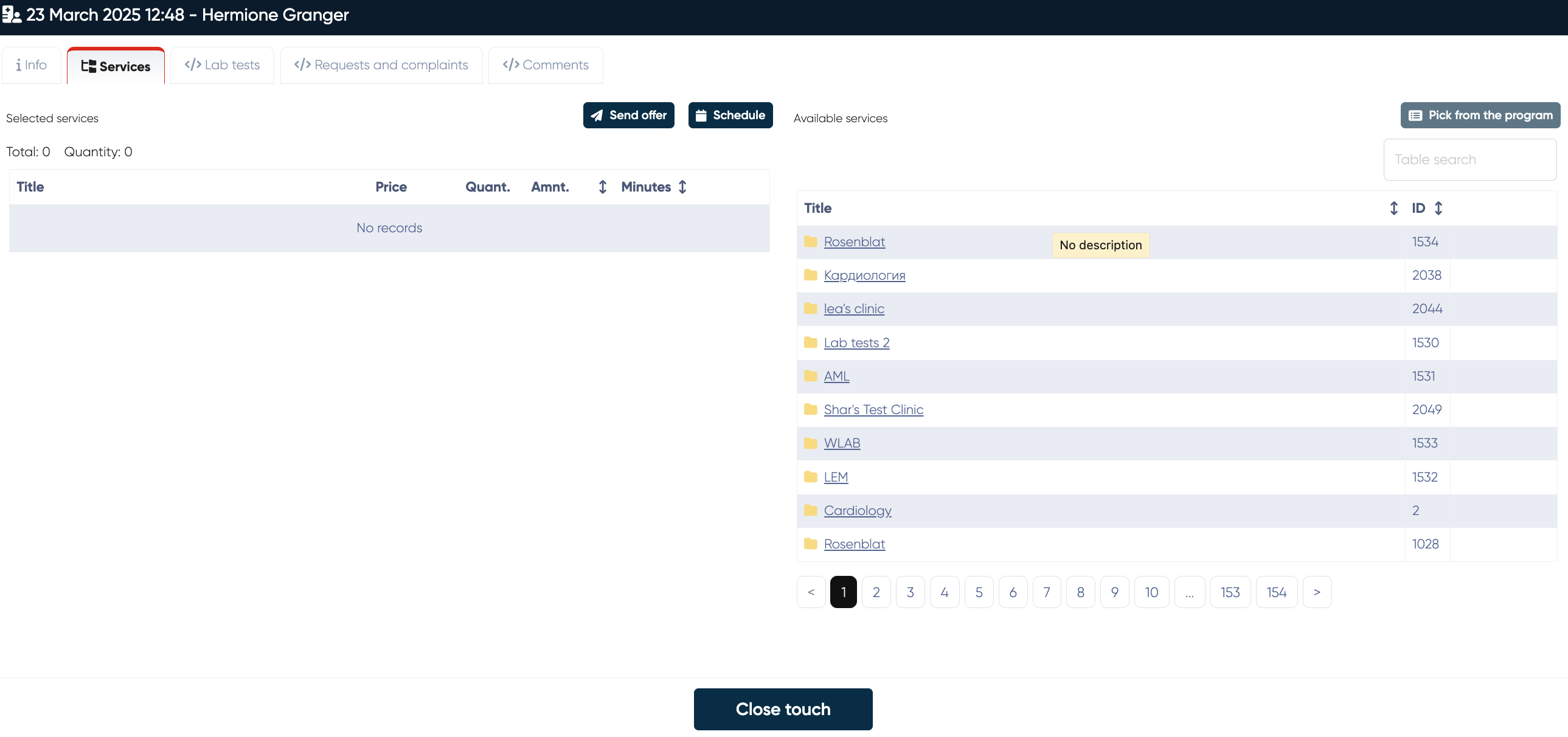
Functionality
Services tab
1. Service Selection
The user can browse a categorized list of available services.
Services are displayed with their title, price (for one service), quantity, amount (final price for several same services).
The user can search for a specific service using the Available services.
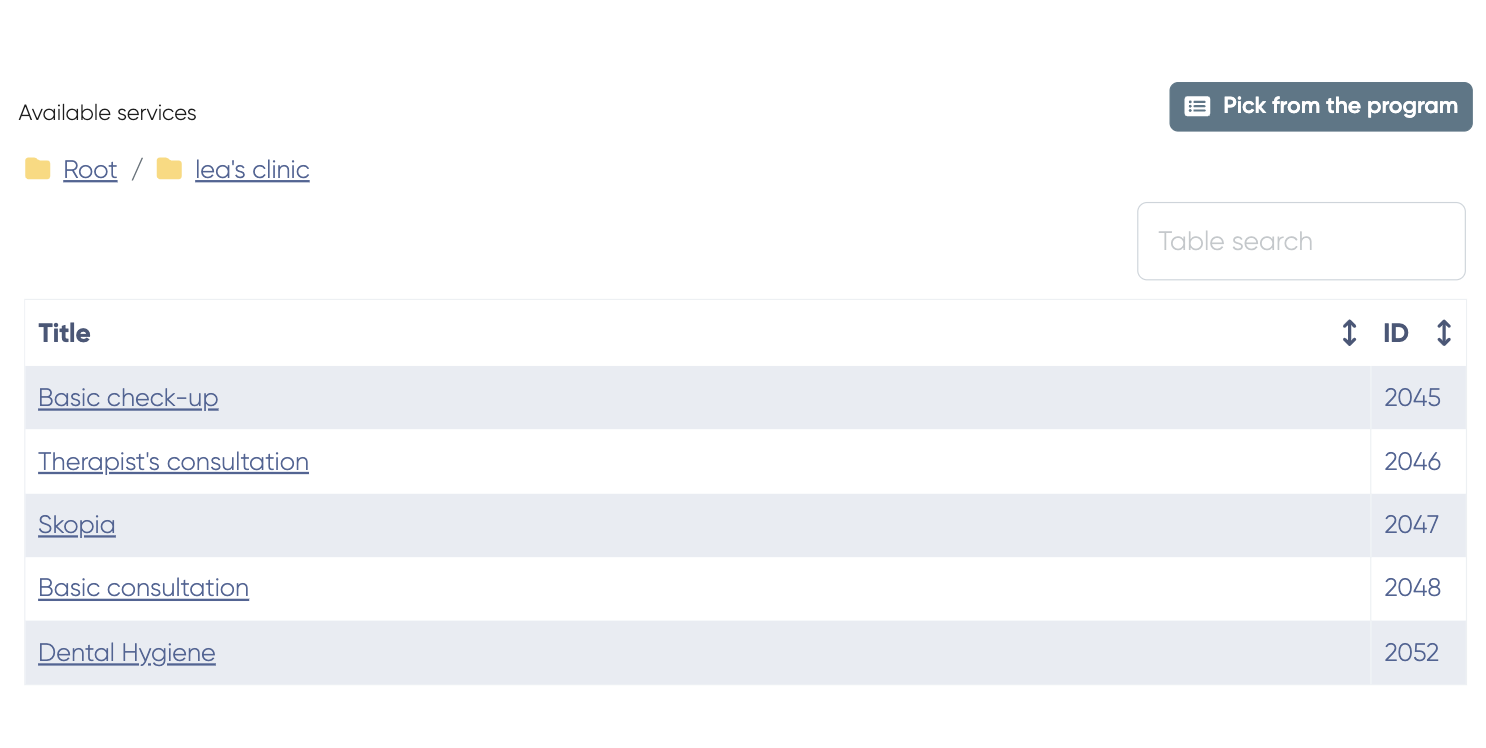
Services can be added to the selection list by clicking on them.
Selected services appear in the Selected services table with details:
Title
Price
Quantity
Amount
Duration (Minutes)
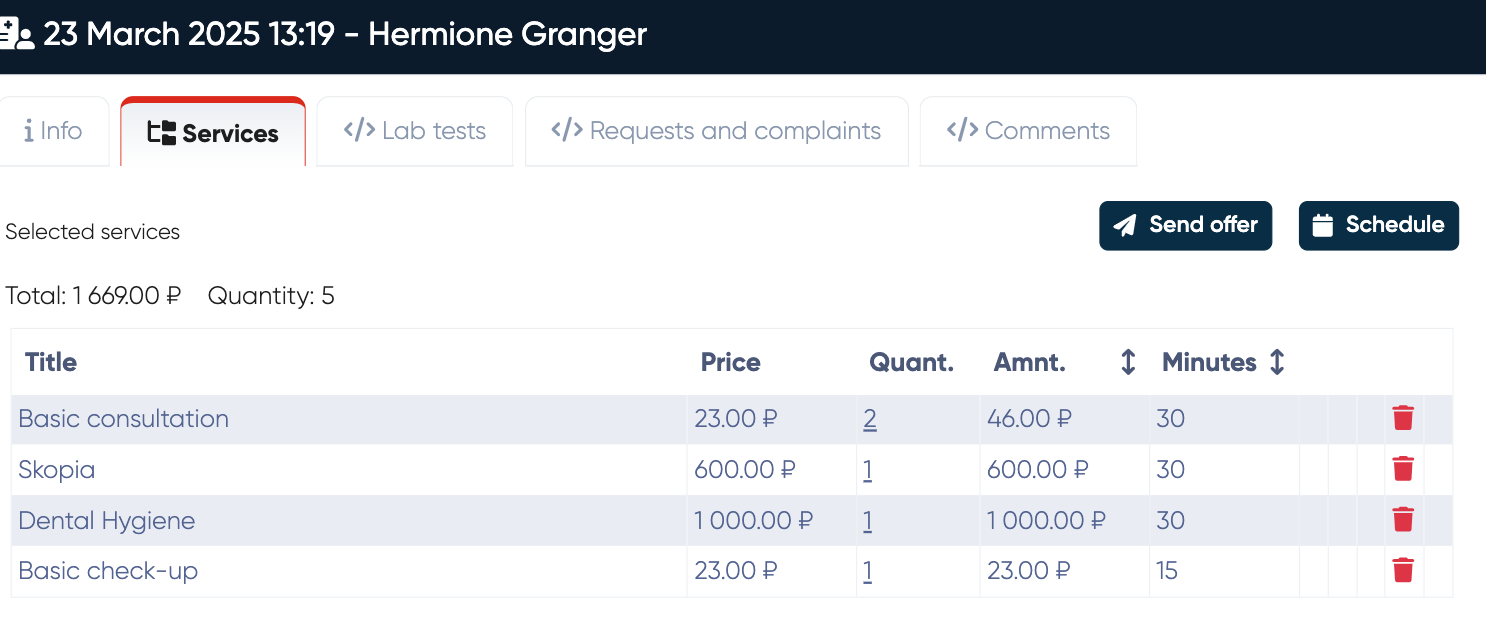
The system updates the Total price and Total quantity dynamically.
Send an offer
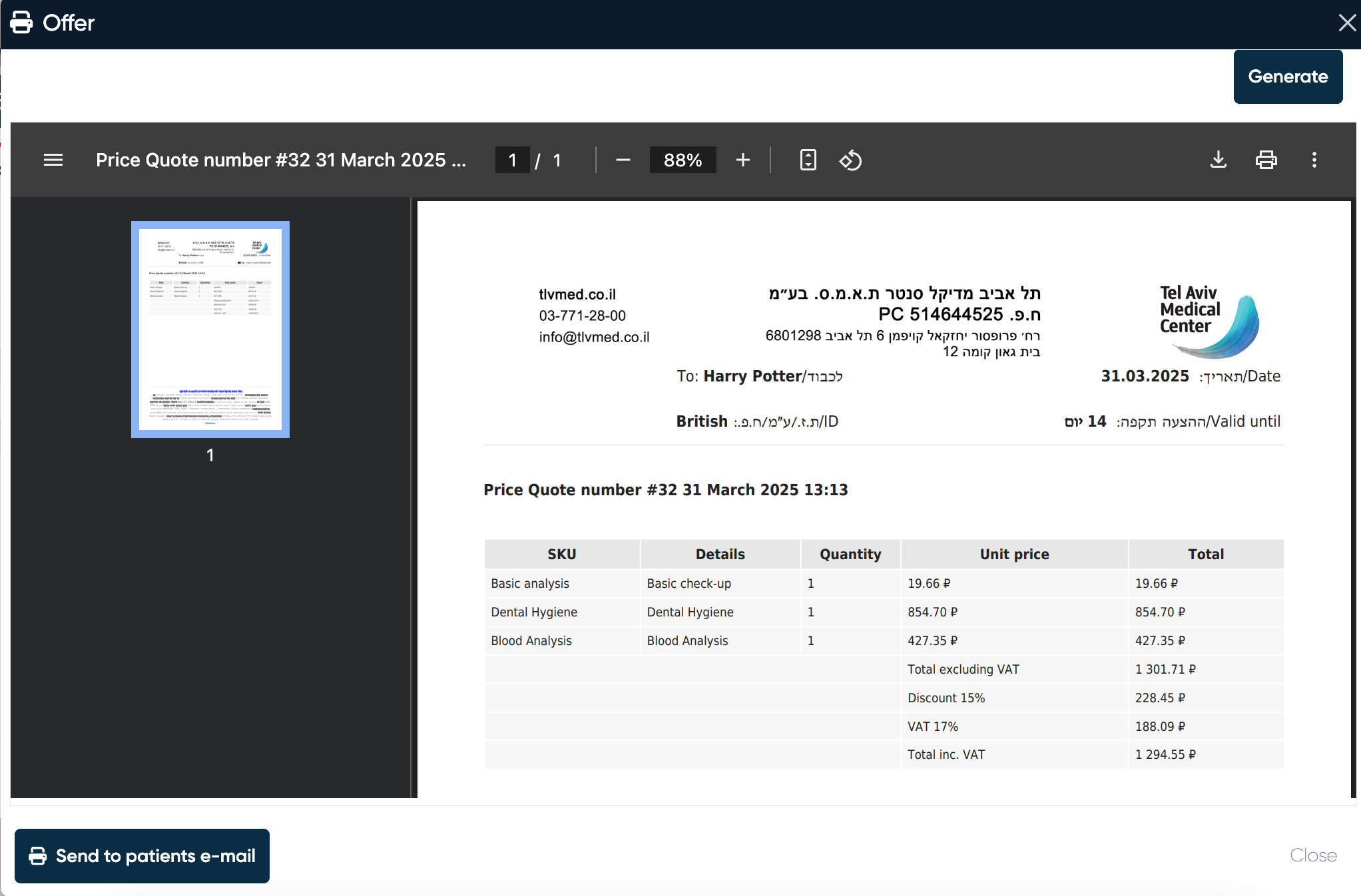
An offer can be sent to a client to confirm all the information about the services.
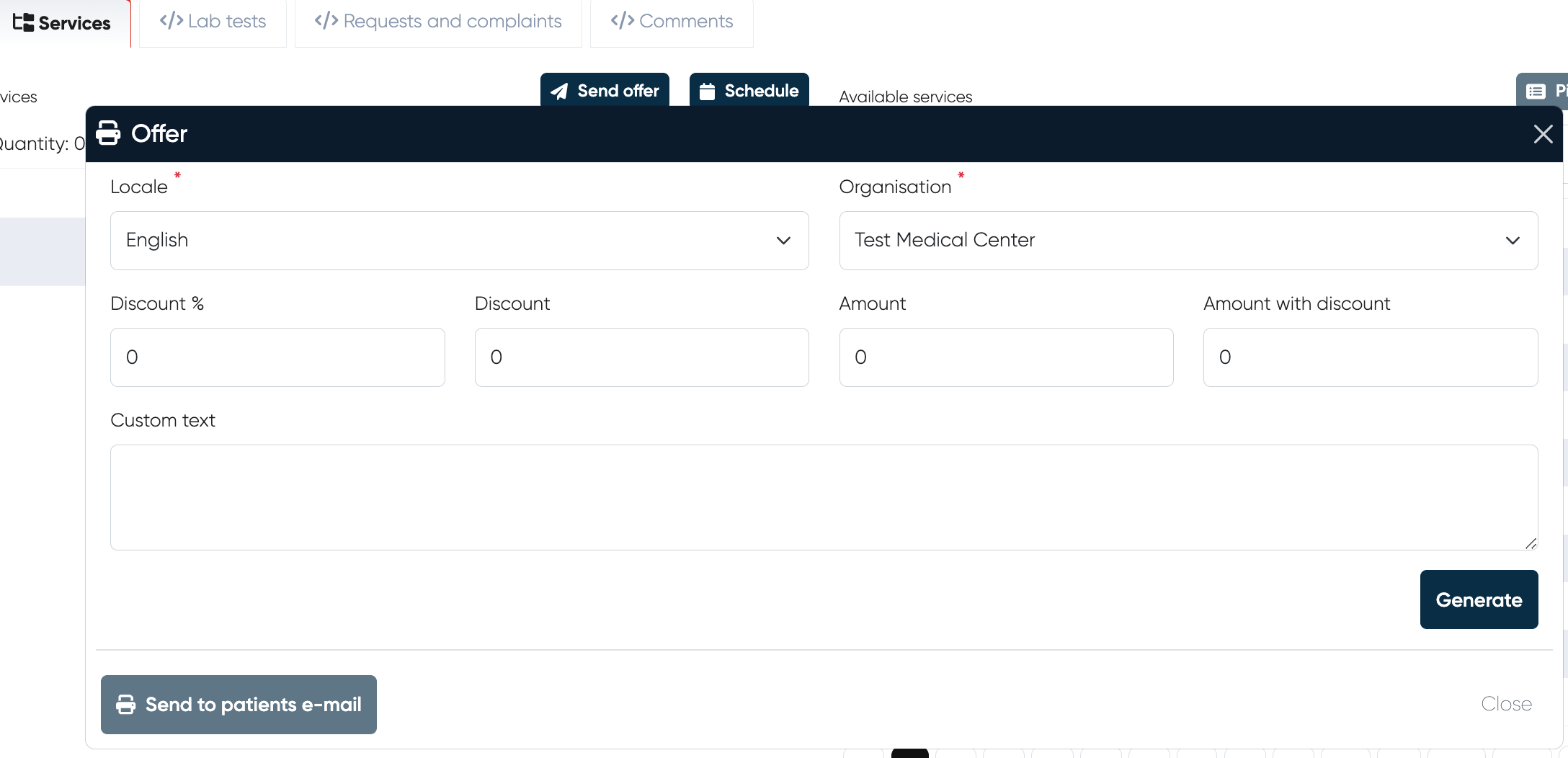
Example of an offer
The generated offer can be sent to the patient’s email.
Schedule
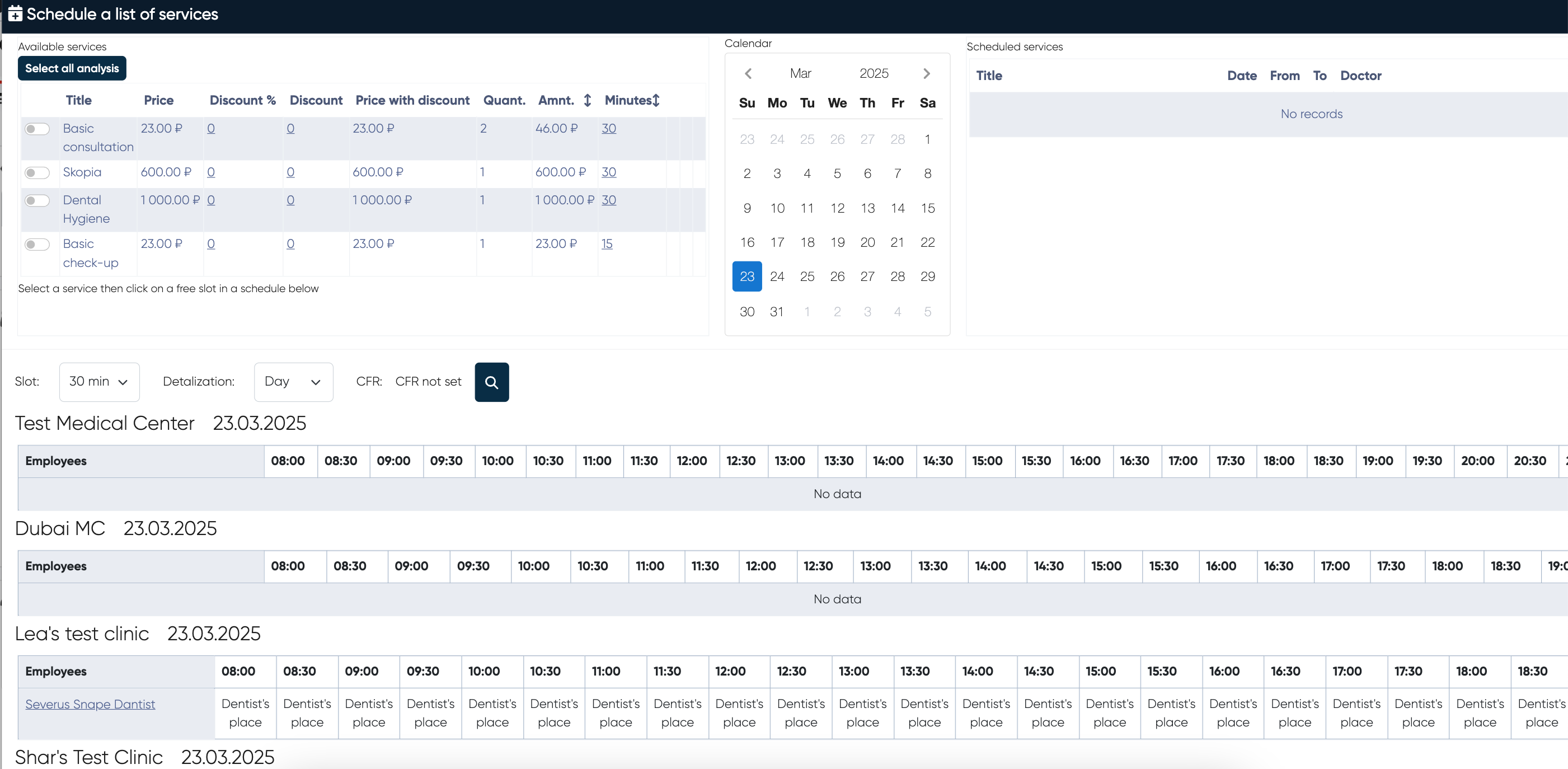
After selecting a service, users can view available time slots and choose a suitable appointment for the client.
Selecting services
Displays a list of selected services with the following details:
Title (e.g., Basic Consultation, Dental Hygiene)
Price
Discounts
Price with discount
Quantity
Total Amount
Duration (Minutes)
Users can enable/disable a service for scheduling using a toggle button next to each service. Only one service can be chosen at the moment.
The total cost and time required are calculated dynamically based on selected services.
Calendar widget
A calendar widget allows users to pick a date for the appointment.
Users can navigate between months to schedule in advance.
The selected date is highlighted.
Available Time Slots & Medical Centers
Displays a list of medical centers available for the selected date.
Displays a list of doctors who provide the chosen service inside each clinic.
Service Price Display by Doctor
When selecting a service through the Complex Form, the system now dynamically displays the exact price of that service as provided by each doctor.
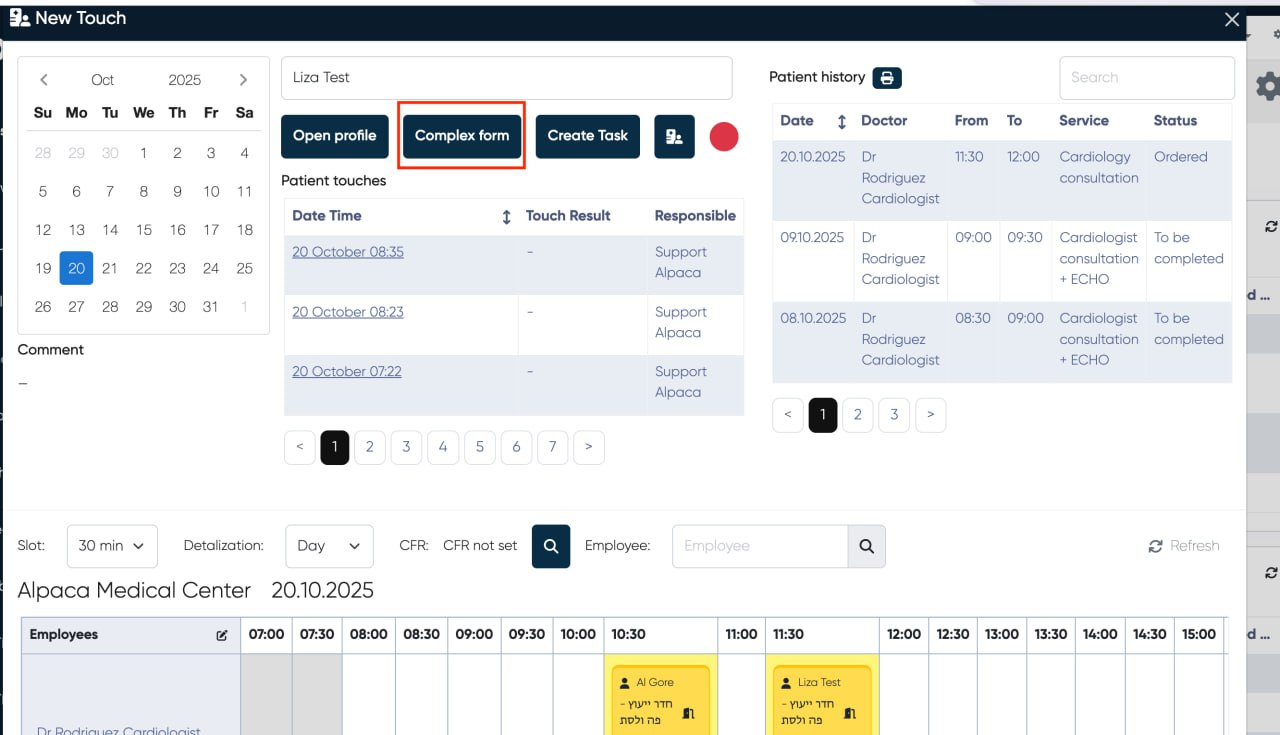
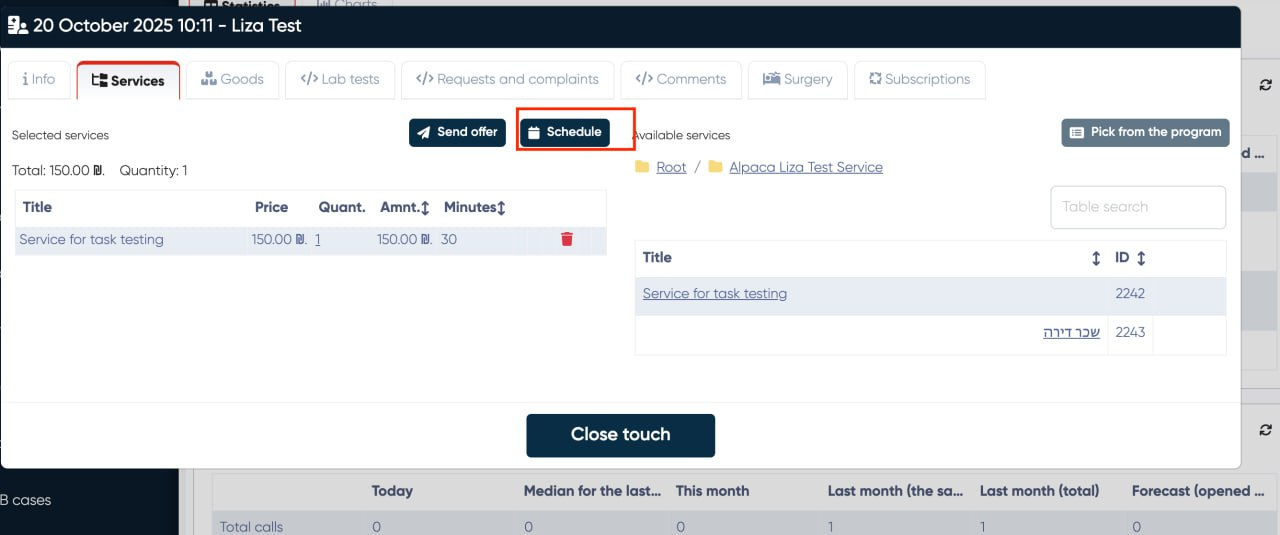
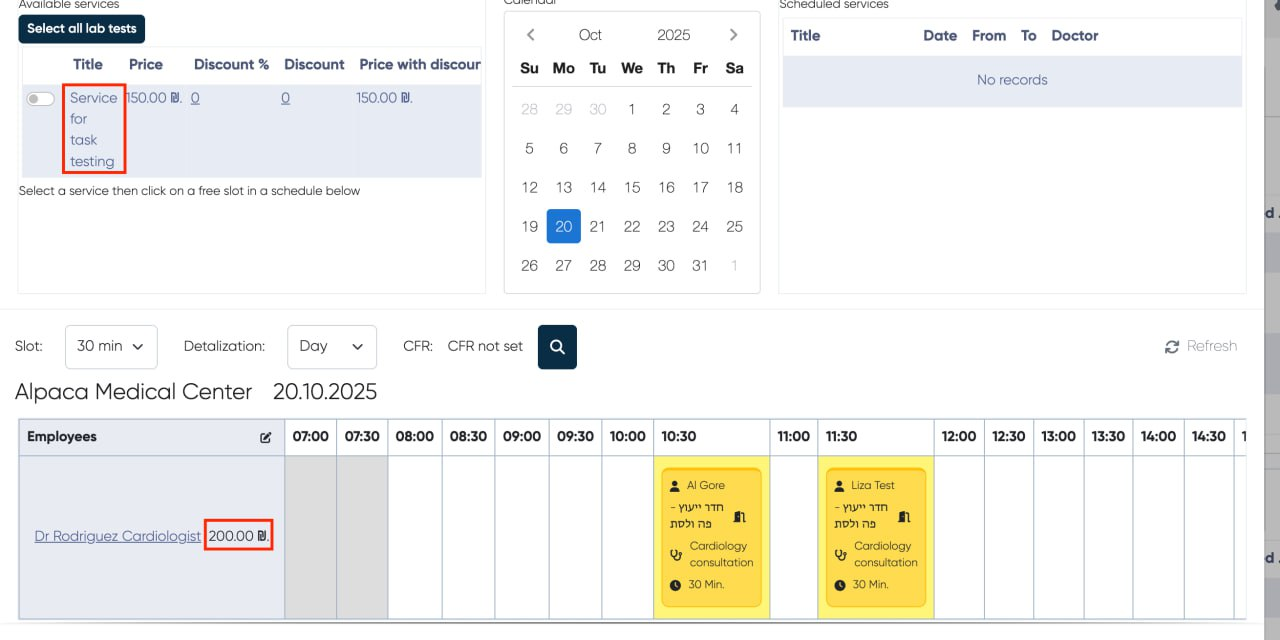
Workflow:
Go to New Touch > Complex Form.
Choose the desired service.
Proceed to the slot-booking step.
Result:
Next to each doctor’s name, the price of that specific service (according to that doctor’s pricing setup) is displayed.
If multiple services are selected, the system automatically sums the total cost according to the active Price Type (e.g., clinic default, insurance, or membership pricing).
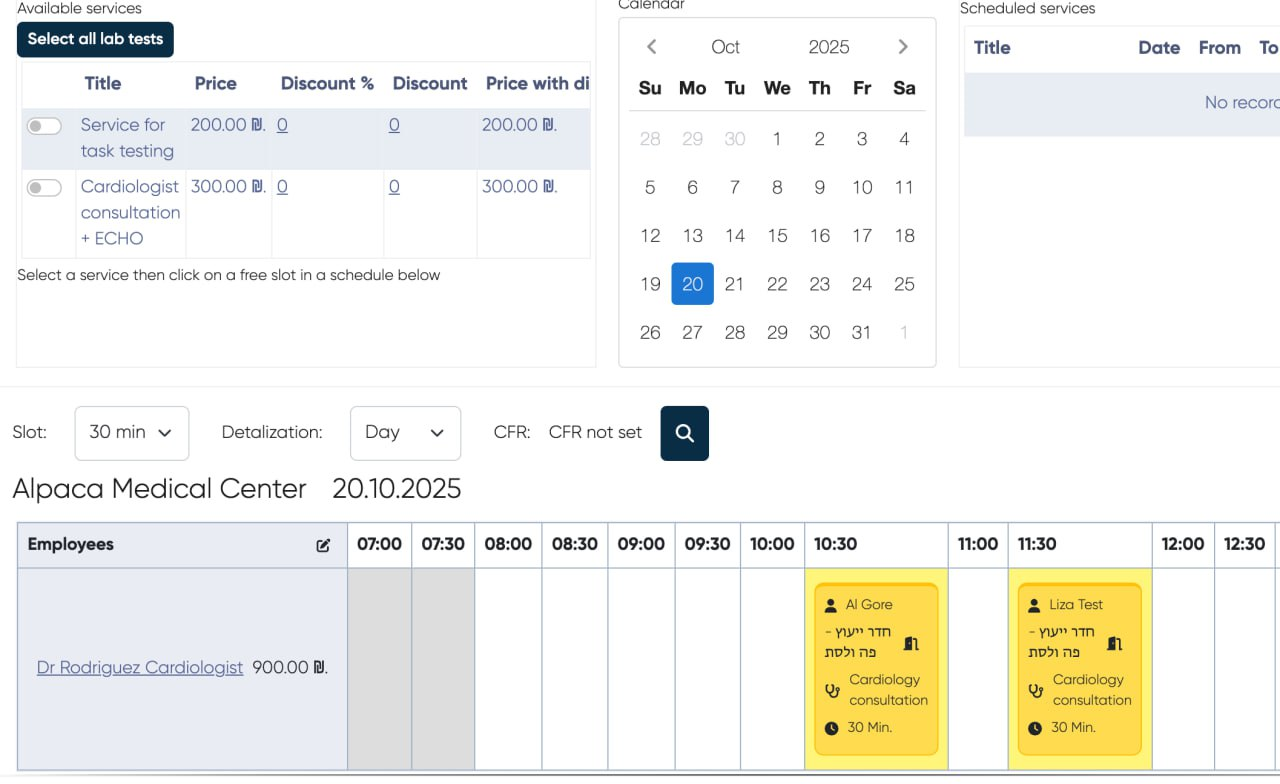
Purpose:
This improvement ensures full transparency for staff and patients before confirming an appointment and helps receptionists provide accurate pricing information instantly.