
Widein Camera Integration
Integration Type: Desktop (Windows)
Overview
The Widein Camera Integration enables seamless connection between the Widein / IRIS imaging application and the Alpaca medical management system.
It automates the process of transferring diagnostic images directly to patient records, ensuring quick access, secure uploads, and minimal manual handling.
Setup Steps
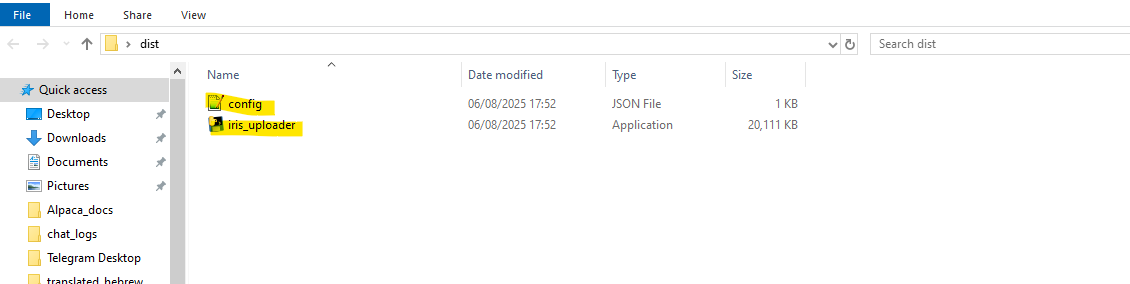
Install the Application
Use the provided Windows application (included in the ZIP package).
Launch the app to begin configuration.
Configure the Application
Open and edit the
config.jsonfile included with the app.Update the following parameters:
API Token:
Retrieve fromSettings → Administrators → [Selected Profile] → API Tokenin Alpaca.API_PATIENTS_URL and API_UPLOAD_URL:
Replace demo URLs with production server links.

Create Export Folder
Create the following folder on the local disk:
CODEC:\IRIS_EXPORT
Export Images from the IRIS Application
In the IRIS app, open each image you wish to upload.
Use Save As to save the file to
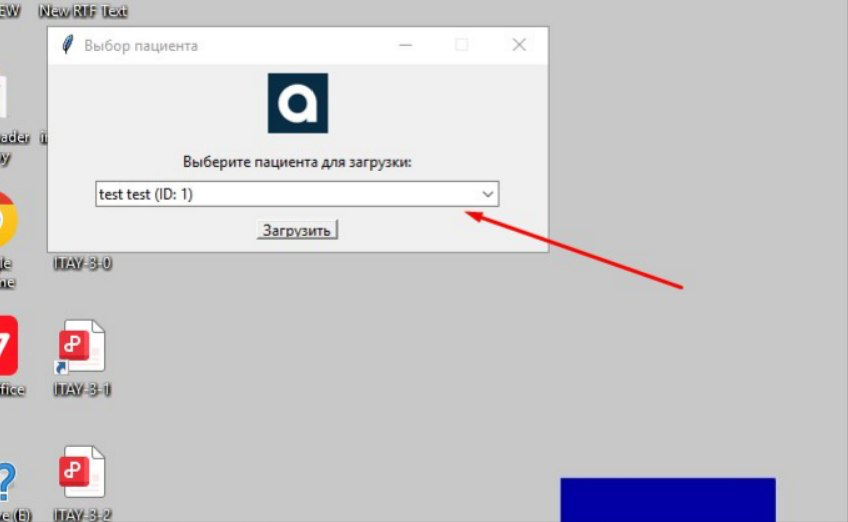
C:\IRIS_EXPORT.After each file is saved, a patient selection window will appear.
Select the appropriate patient to associate the file with in Alpaca.
Access Uploaded Files
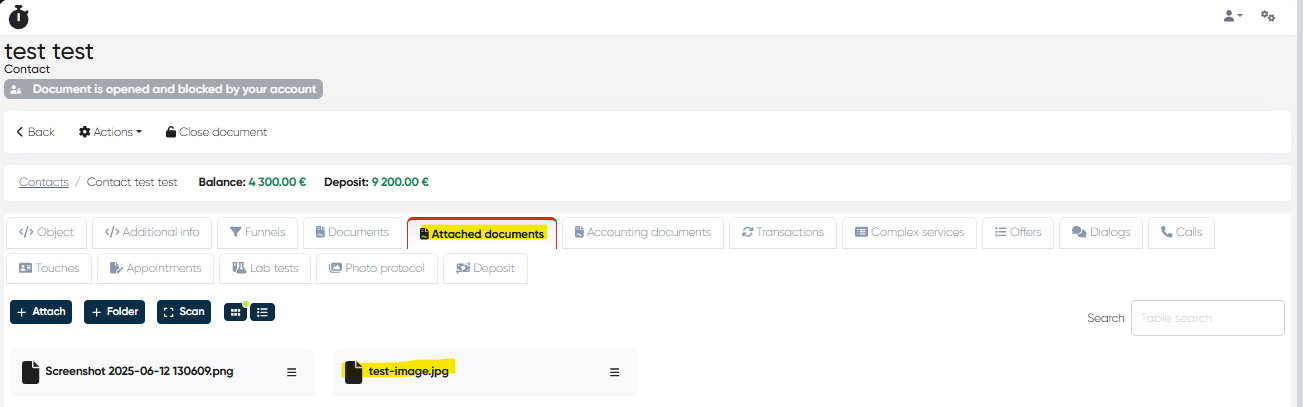
Uploaded files appear automatically in:
Patient Contact Card → Attached Documents tab.
.
Notes
The integration requires the Widein Windows application included in the official ZIP package.
The API Token used in
config.jsonmust belong to a user with administrative permissions.All uploads occur via secure API endpoints defined in the configuration file.
Ensure that the folder path
C:\IRIS_EXPORTexists and that the application has permission to write and read files from it.Each file upload triggers a patient selection prompt to ensure data accuracy and avoid misassignment.
Only one file can be uploaded per action — batch processing is not currently supported.
Benefits
Fast and direct data transfer — eliminates manual upload of diagnostic images.
Improved patient record completeness — all imaging files are automatically linked to the correct patient.
Data security — transfers occur through authenticated API connections using admin-level tokens.
Simplified workflow — allows clinical staff to use their existing IRIS imaging tools without additional steps.
Enhanced traceability — every image is linked to the originating patient and user for audit purposes.
Seamless integration — supports unified patient documentation within Alpaca’s ecosystem.