
v2.160 build 2050 (10.02.2026)
Release Notes
Version 2.160
Build: 2050
Release date: 10 February 2026
Improvements, Features, and Fixes
1. Subgroup Deletion Error Message Fix
ALP-1417, ALP-1474
Resolved an issue where deleting a subgroup that contained hidden objects displayed an incorrect error message referring to child objects in subfolders.
This issue affected the following directories:
Materials
Equipment
The system now correctly detects hidden objects when preventing subgroup deletion.
2. Slot Settings Applied to Doctor’s Cabinet
ALP-1265
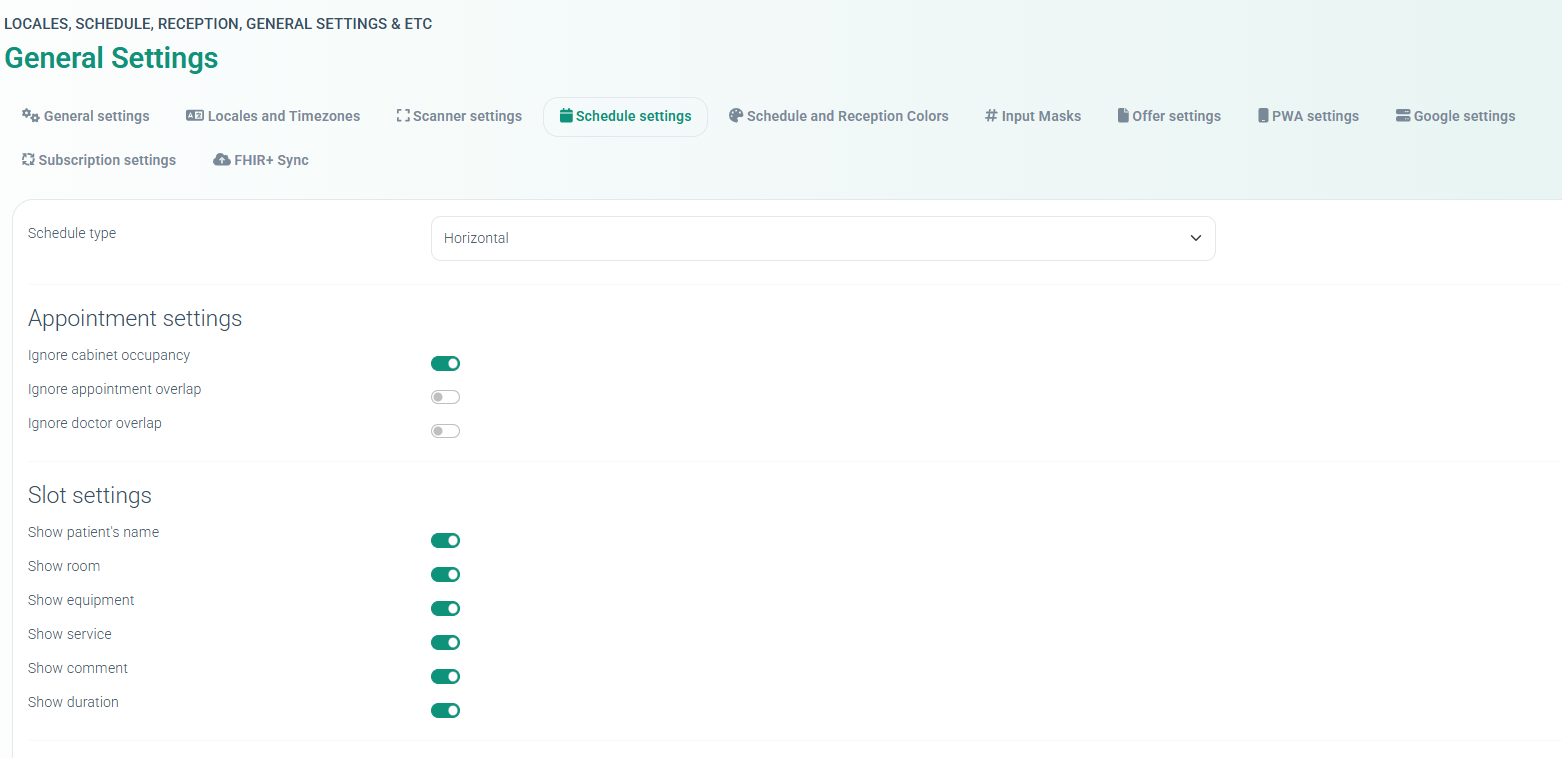
Slot display settings configured in:
Settings → General Settings → Schedule Settings → Slot Settings
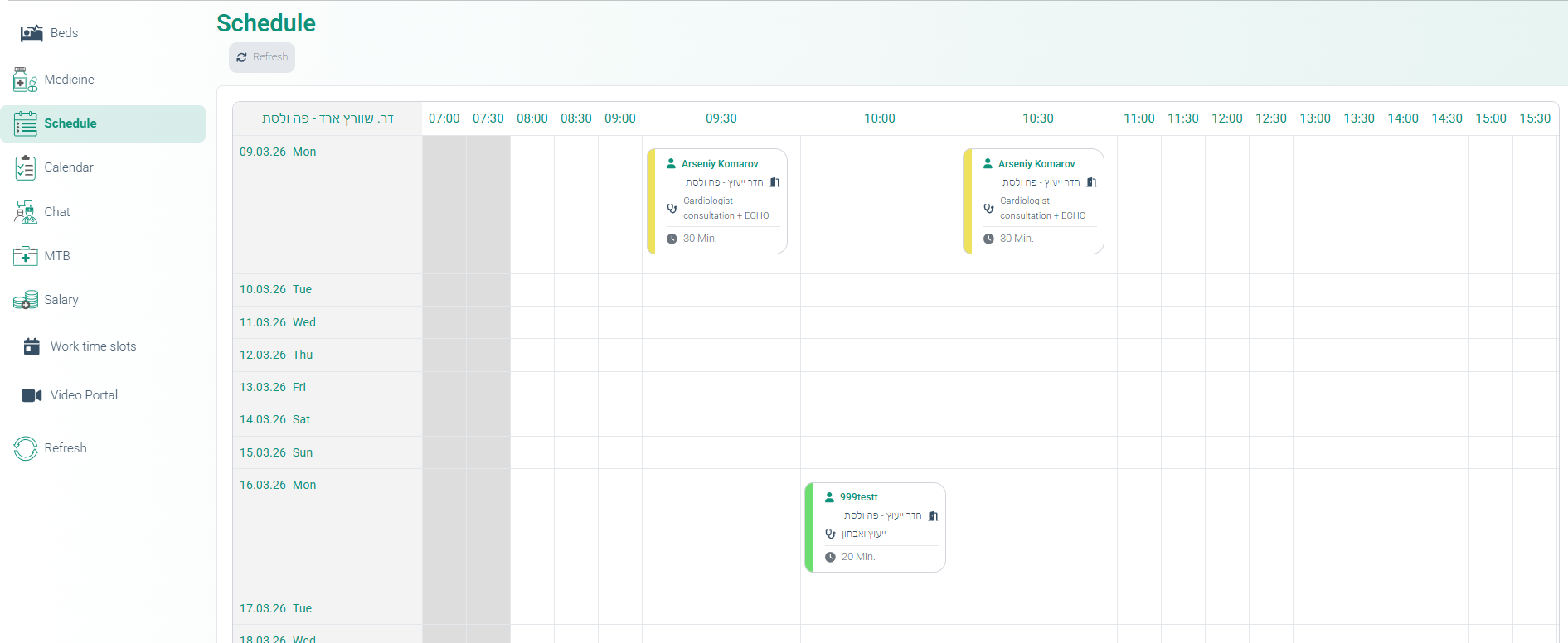
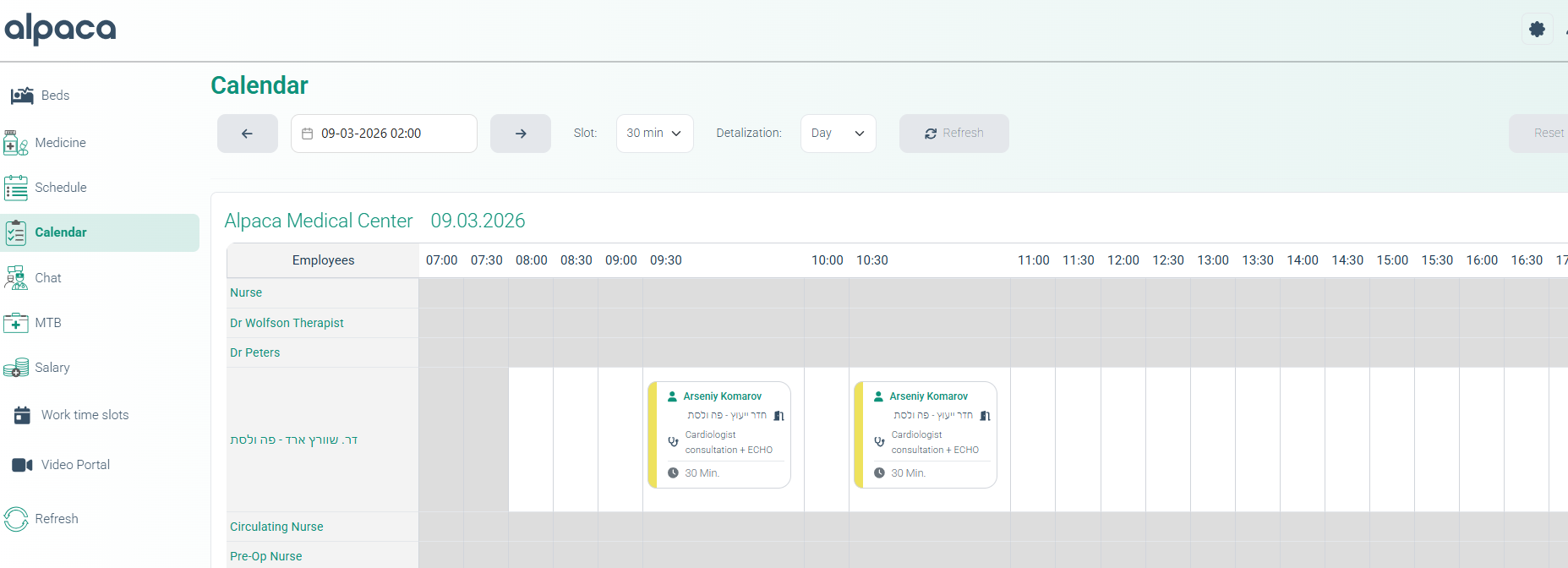
are now applied not only to the Schedule section in the ERP, but also to the Schedule and Calendar sections in the Doctor’s Cabinet.
Supported parameters include:
Show patient name
Show room
Show equipment
Show service
Show comment
Show duration
This ensures consistent slot display behavior across ERP and Doctor interfaces.
3. Subscription Billing Date Selection Dialogue
ALP-1368
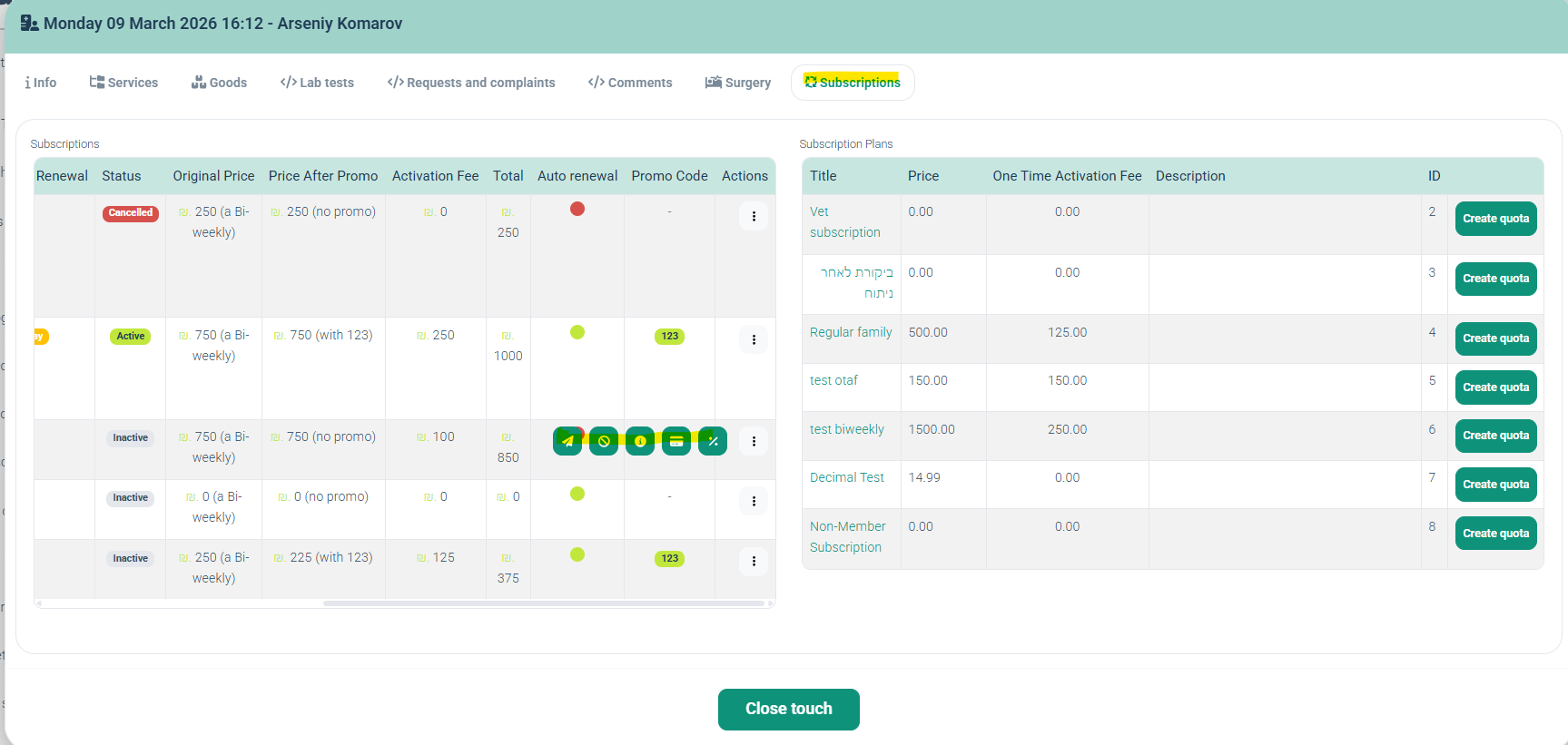
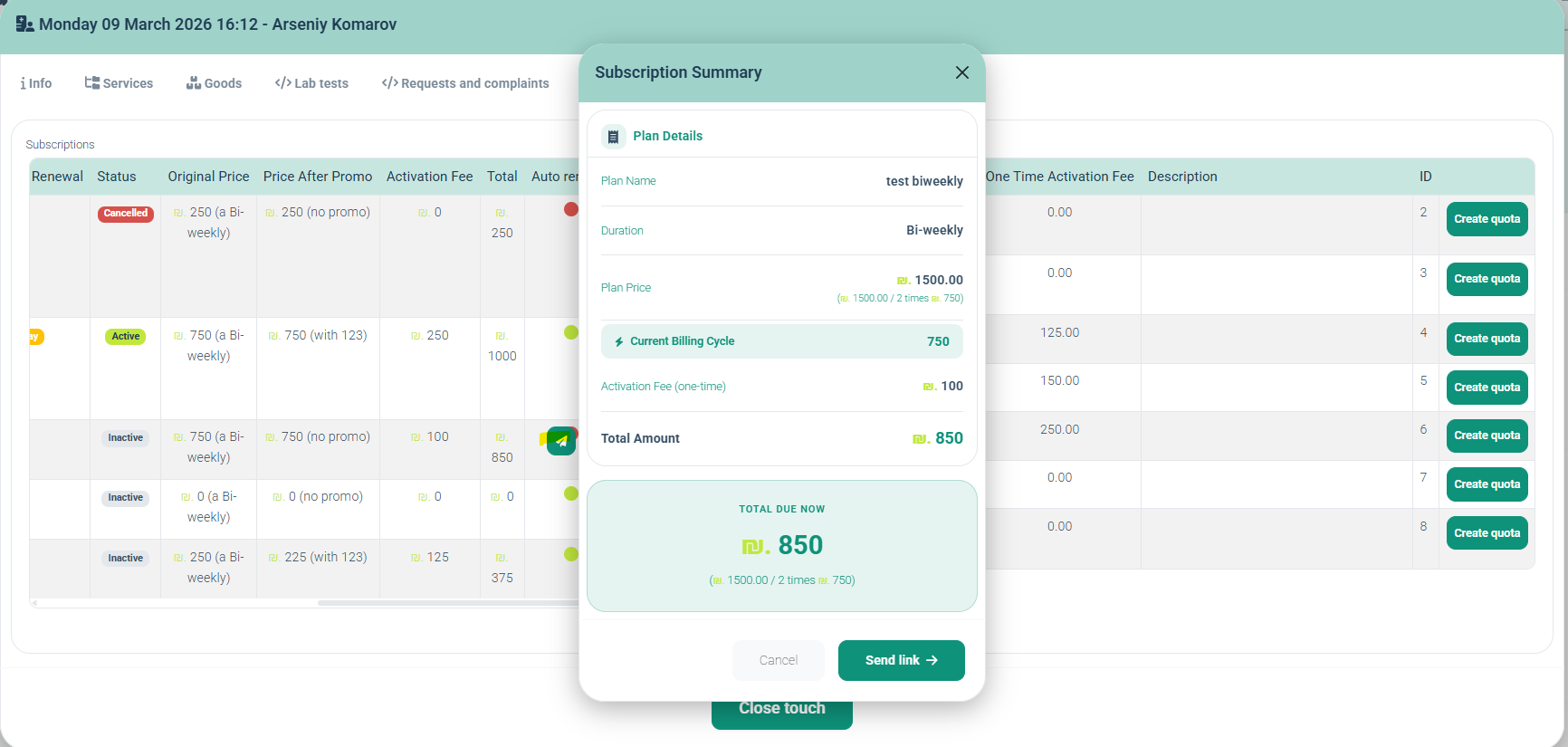
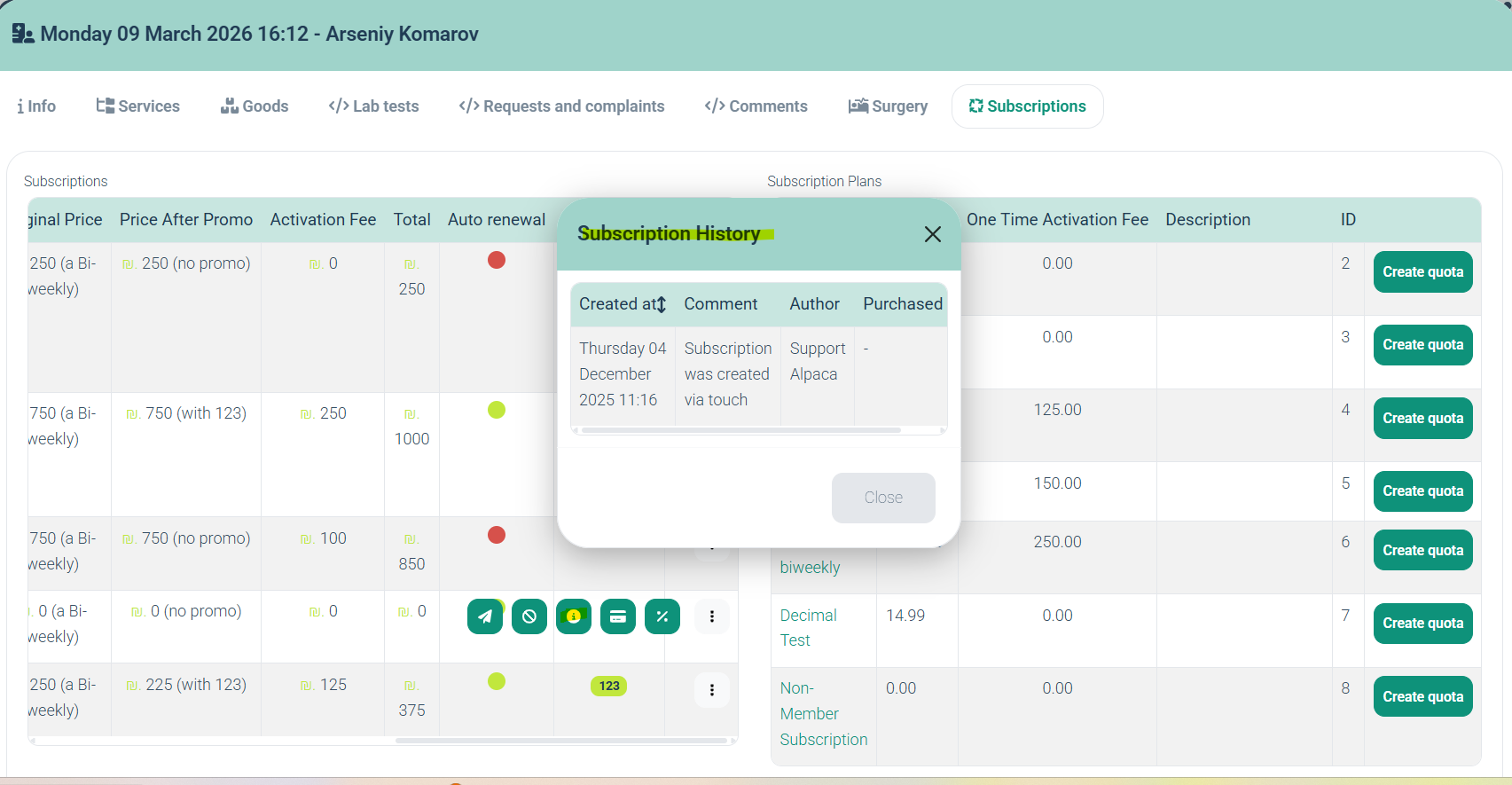
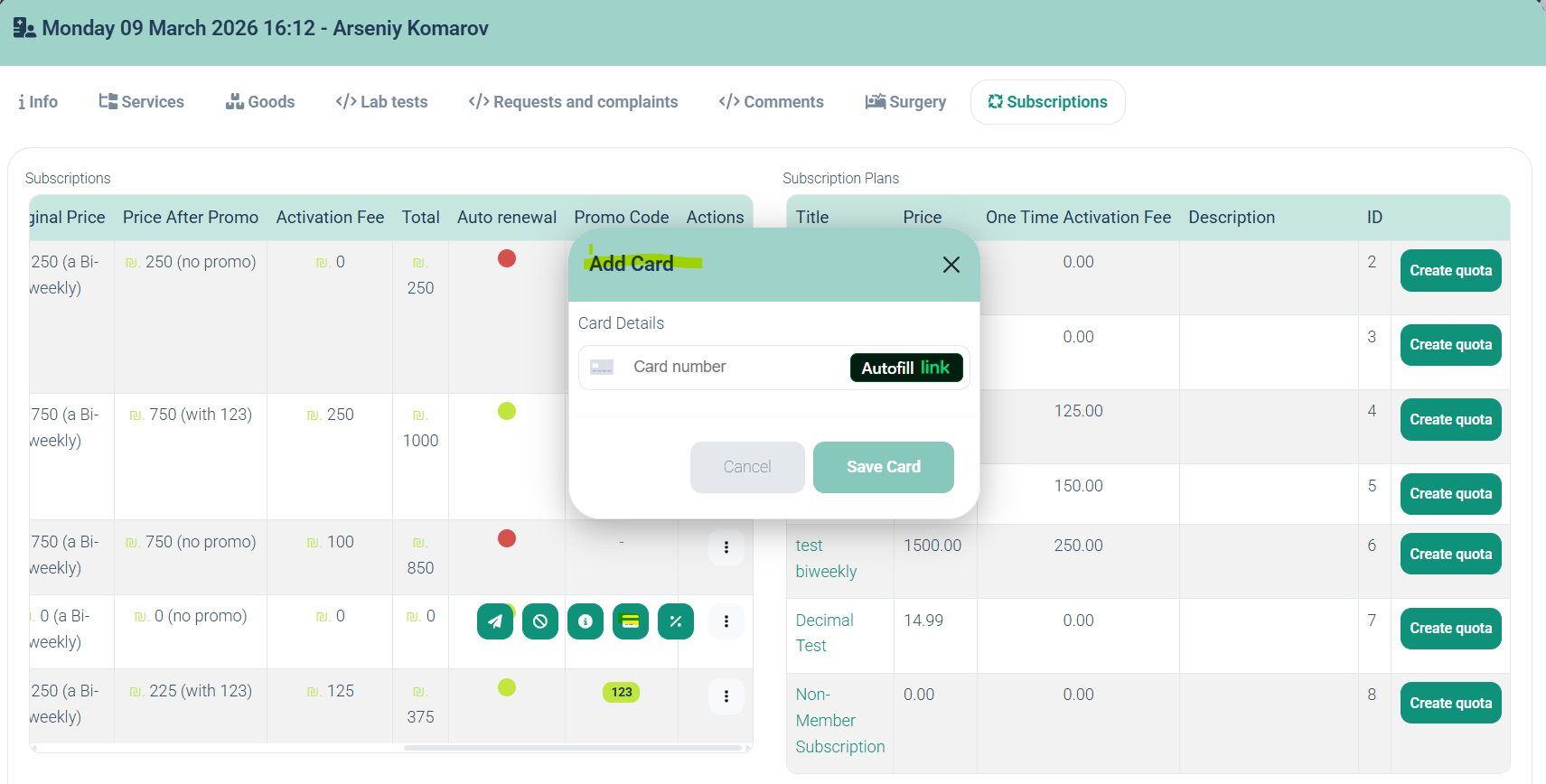
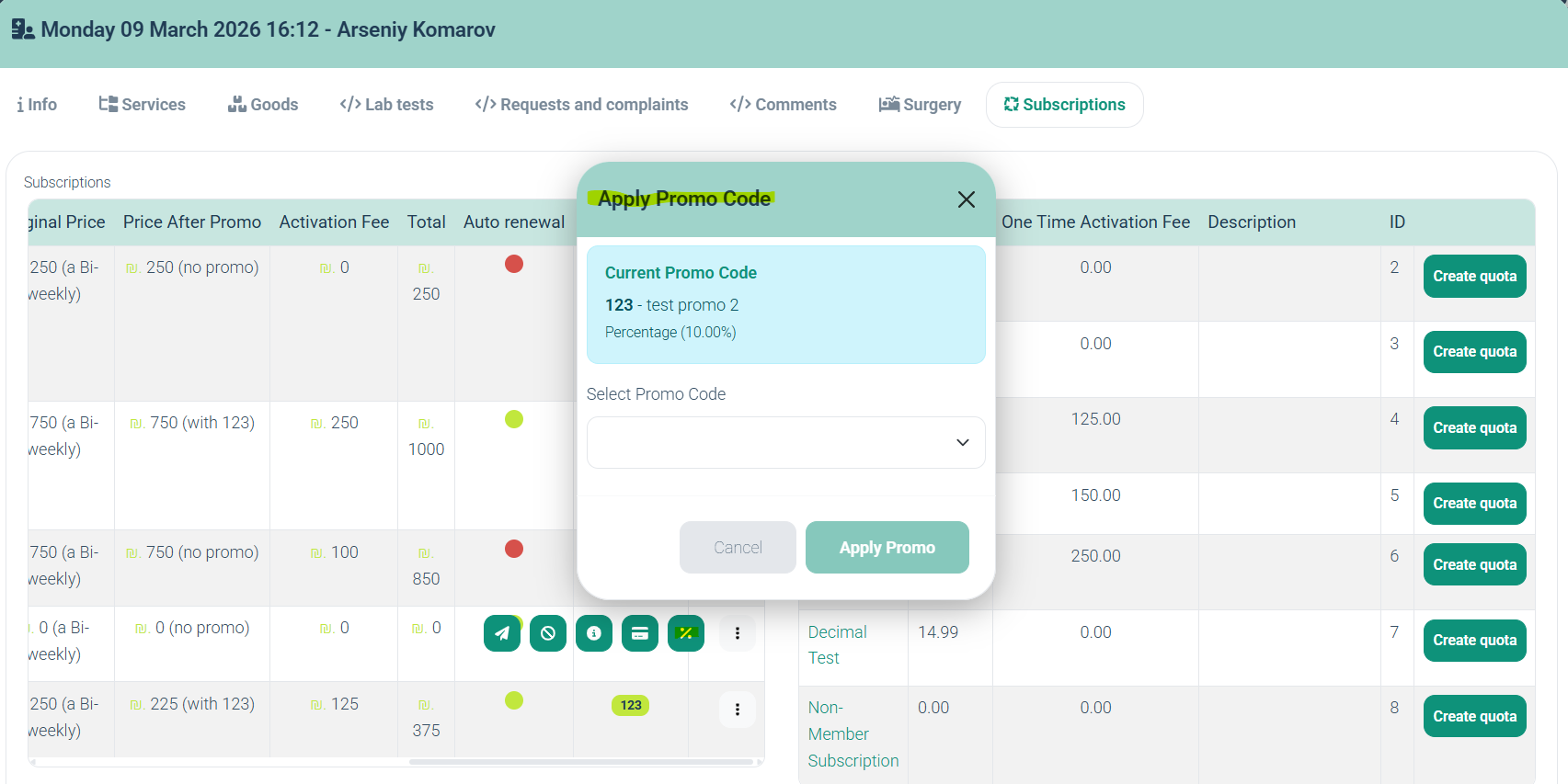
Introduced a billing date selection dialog for the subscription admin charge process.
Additional improvements include:
Improved button visibility in the Subscriptions tab on touch devices
Optimization of related processes, including:
price calculation
subscription data summaries
transaction processing
billing document generation
4. Manufacturer Management in Materials Directory
ALP-1409
Improved the manufacturer workflow when creating materials.
Navigation:
Directories → Materials → Create record
New functionality includes:
Manufacturer search field
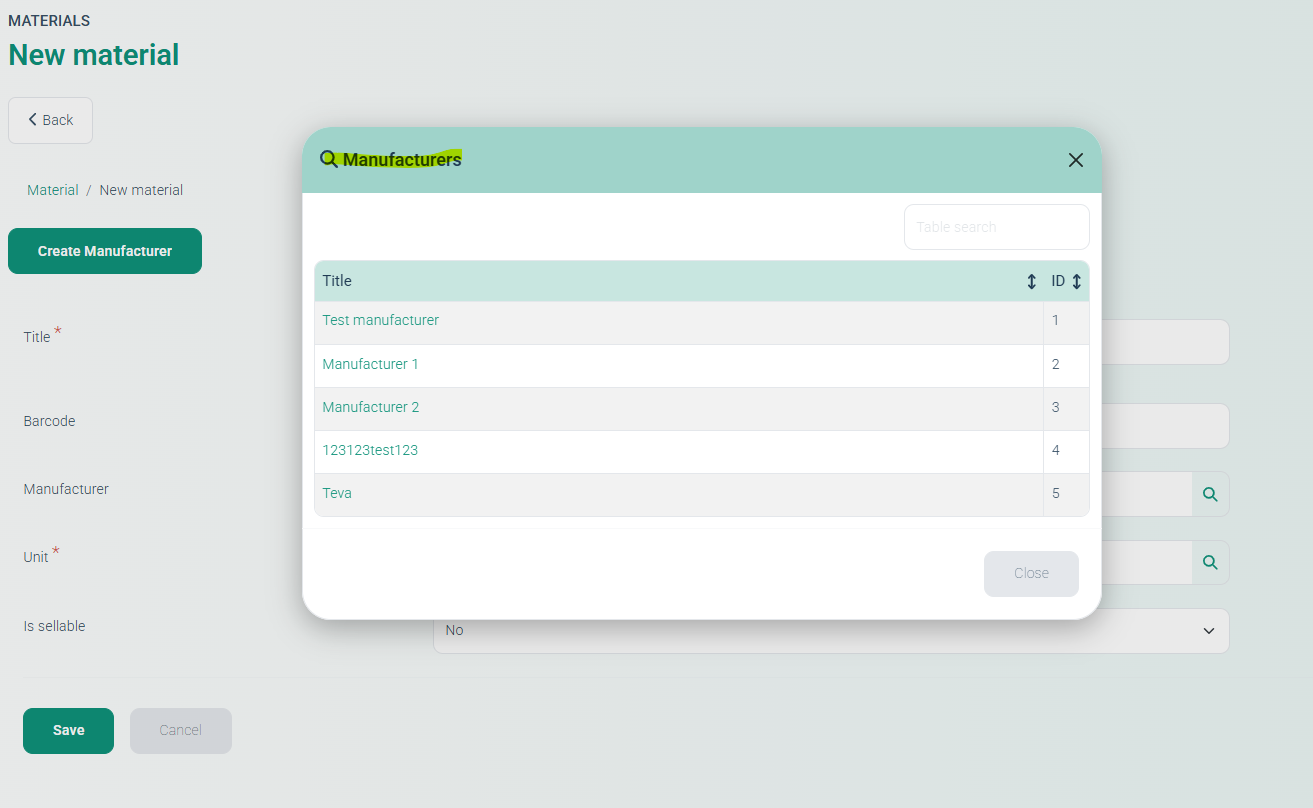
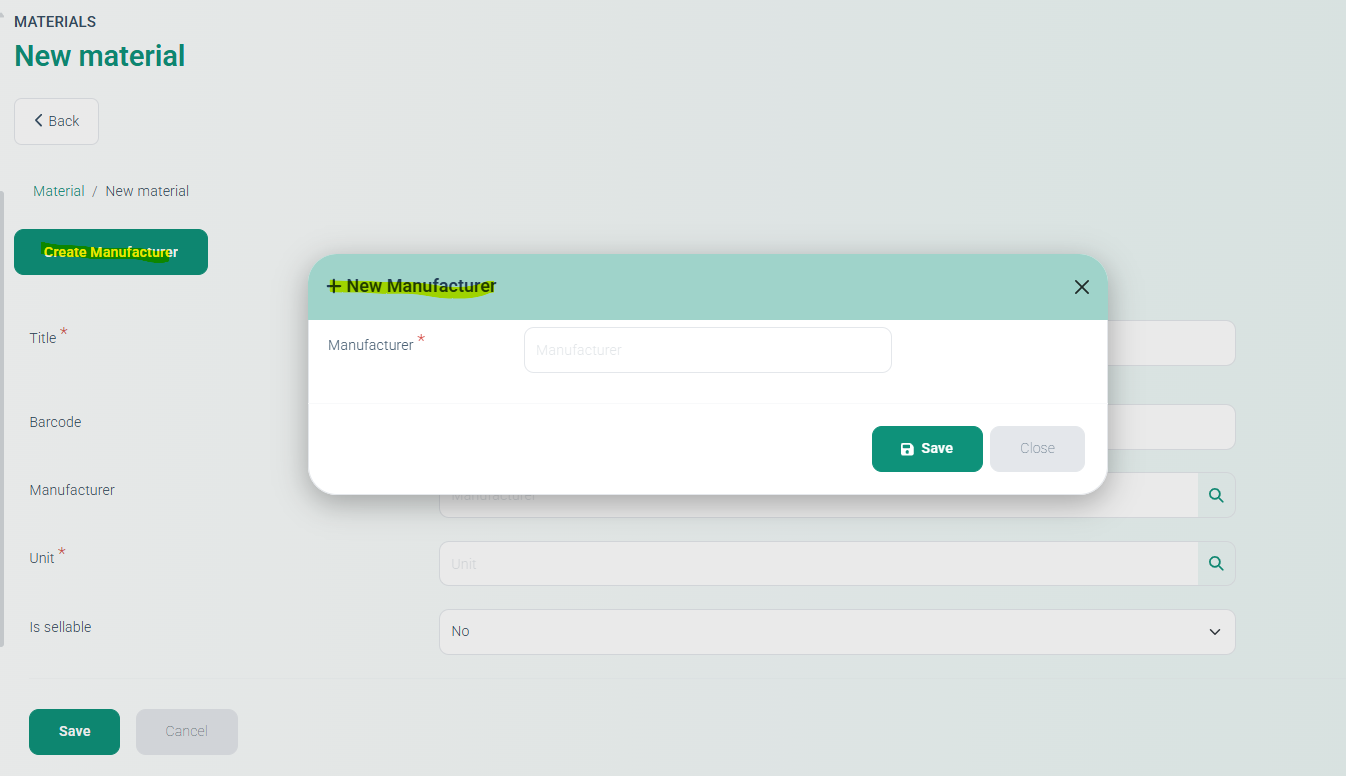
Create a Manufacturer button that opens a modal window to add a new manufacturer directly.
5. Cashier Settings – Payment Component Freeze Fix
ALP-1473
Resolved an issue where the Payment Component setting froze when the Allow payment from Touch option was disabled in Cashier settings.
6. Card Types Configuration Fix
ALP-1461
Fixed an issue preventing administrators from adding card types in Cashier settings for:
Stripe payment service
CIS default payment service
Card type configuration now works correctly.
7. Equipment Record Creation Fix
ALP-1460
Resolved an issue where Equipment records could not be created in the demo environment.
The issue caused records to remain invisible in the Equipment directory and did not display an error message.
Equipment records now save and display correctly.
8. Deposit Payment Support for CIS Default Payment Service
ALP-1463
Fixed an issue where deposit payments did not work for the CIS default payment service, even when enabled in settings.
Updates include:
Deposit payment tab now appears correctly in Reception. The The
Deposit Funds button has been added to the Contact Card for the CIS payment system.
9. Subscription Testing Setup (Admin Testing Tool)
ALP-1481
Introduced a Subscription Testing mode for administrators.
Enable via:
Settings → Administrators → Choose admin → General Access Rights →
Subscription Testing (Edit Immutable Fields)
This functionality is intended only for subscription testing scenarios.
After enabling the setting:
Navigation:
Subscriptions → Choose subscription → Actions → Edit (Testing)
Testing interface includes:
Informational fields
Subscription ID
Payer
Subscription Plan
Price (editable)
Editable immutable fields
Current Cycle
Payment Retry Count
Next Pay At
End At
Scheduled Billing Date
Current Promo
Payment Failure Reason
State toggles
Is Active
Is Paid
Is Cancelled Patient
Actions
Update Subscription
Trigger Manual Cycle Charge
Trigger Manual Scheduled Charge
Cancel
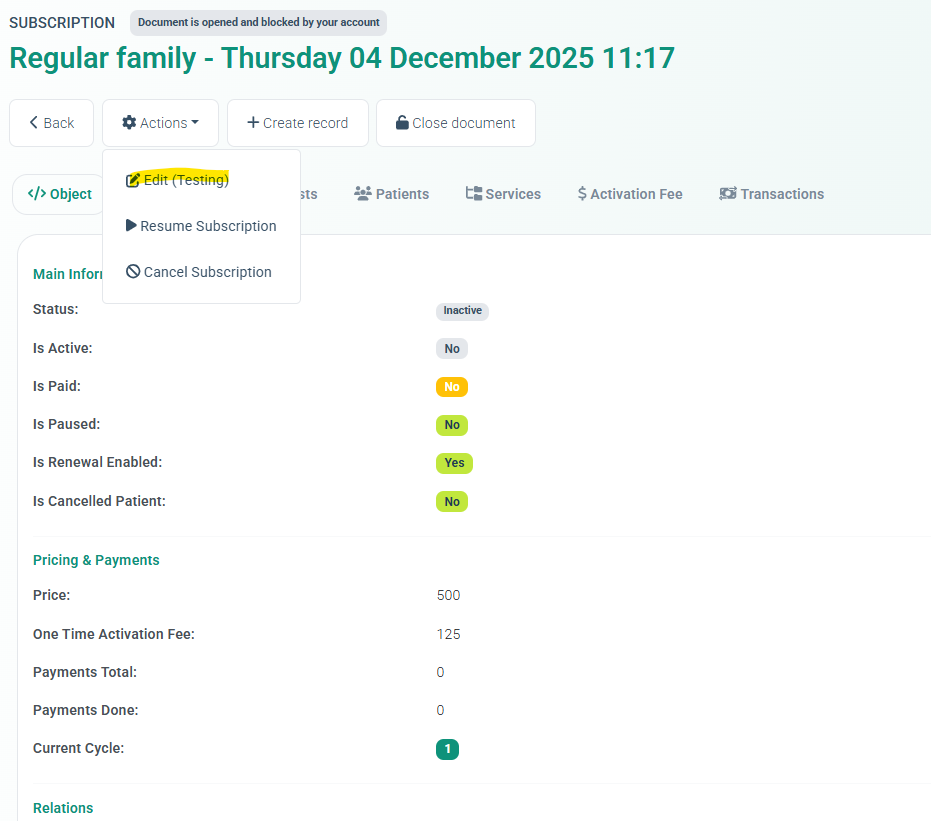
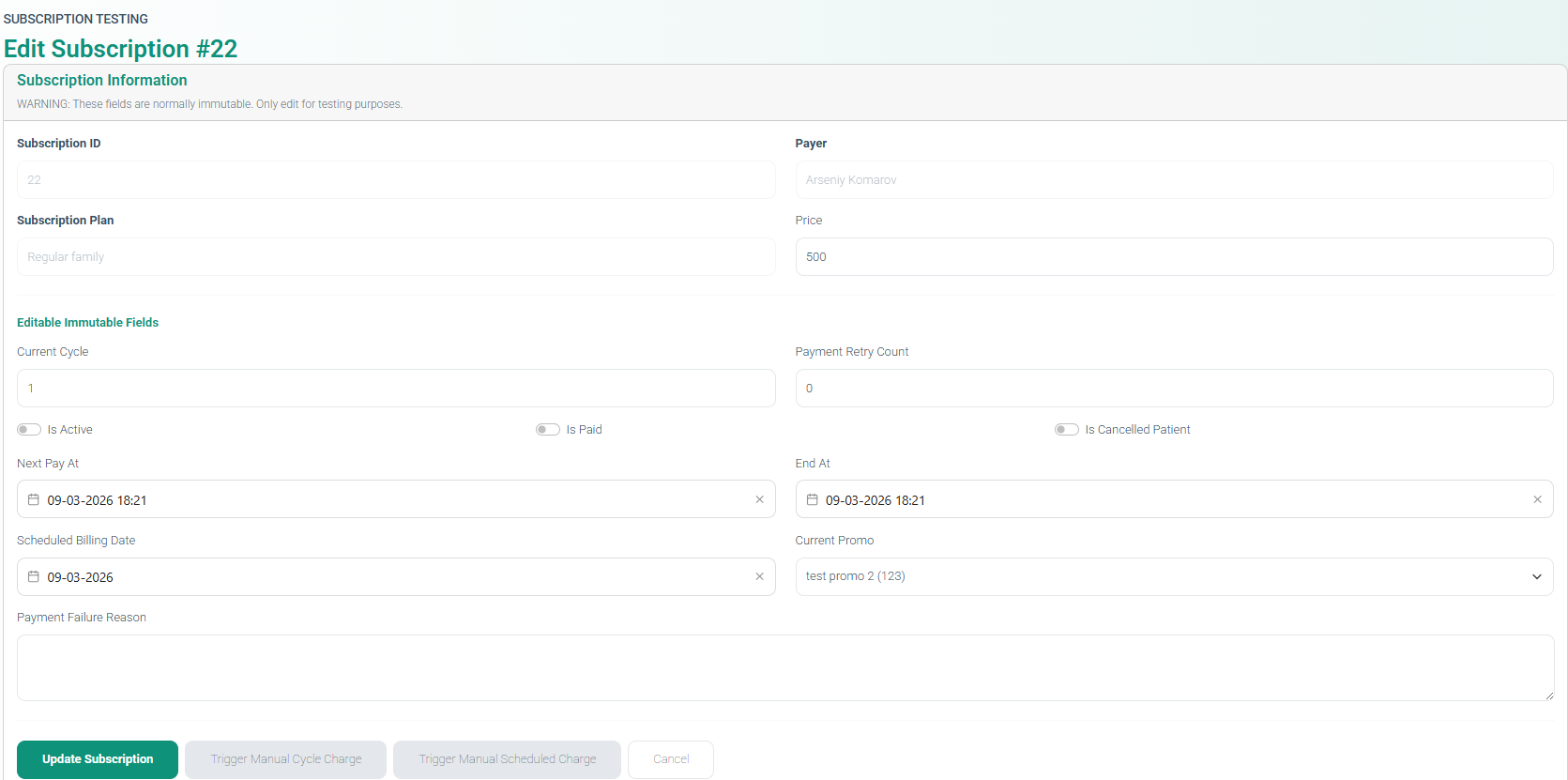
Warning: These fields are normally immutable and should only be modified for testing purposes.
10. Subscription Payment Email Notification Fix
ALP-1479
Resolved an issue where no email confirmation was sent after completing an online subscription payment.
The system now correctly sends:
payment confirmation emails
client cabinet access links guiding the next steps for the client
New Features
11. Specialists Can Manage Their Own Schedule
ALP-1004
Introduced the ability for specialists (doctors) to manage their own schedules from the Doctor’s Cabinet.
Enable permissions via:
Directories → Employees → Choose Employee → Permissions tab
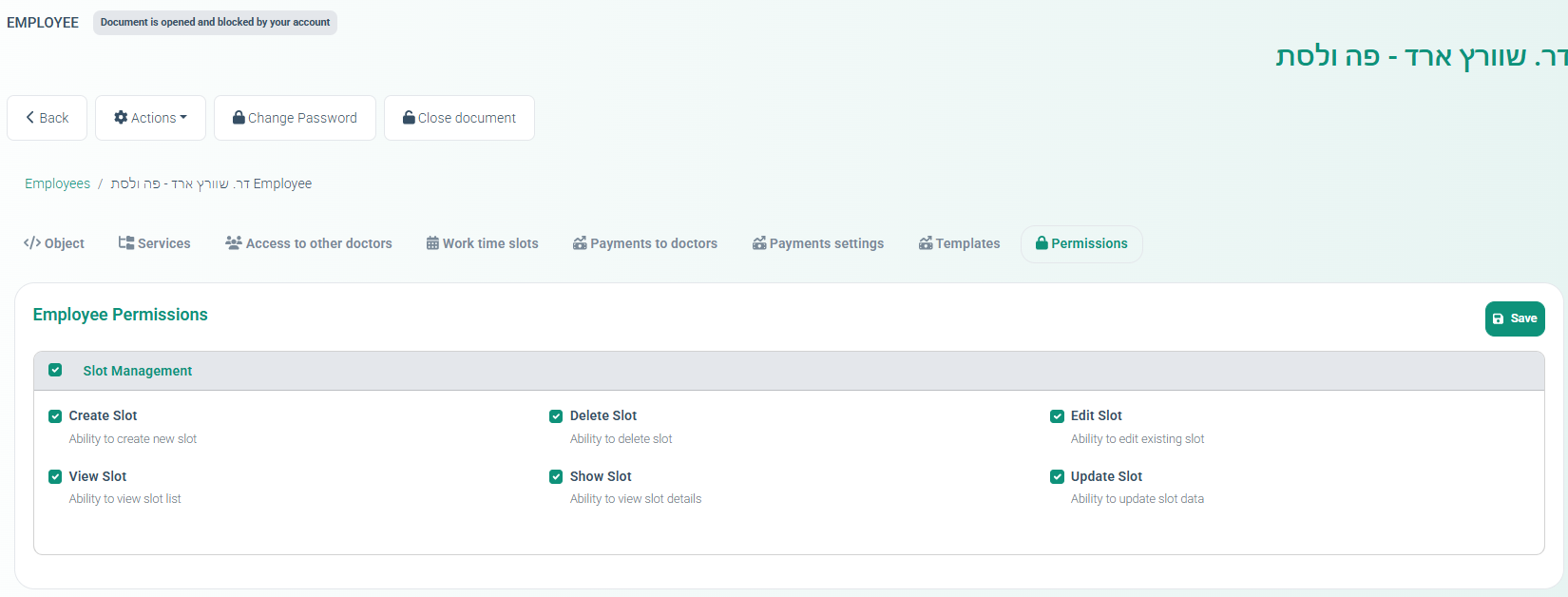
Available permissions include:
Create slot
Edit slot
Delete slot
View slot
Show slot details
Update slot
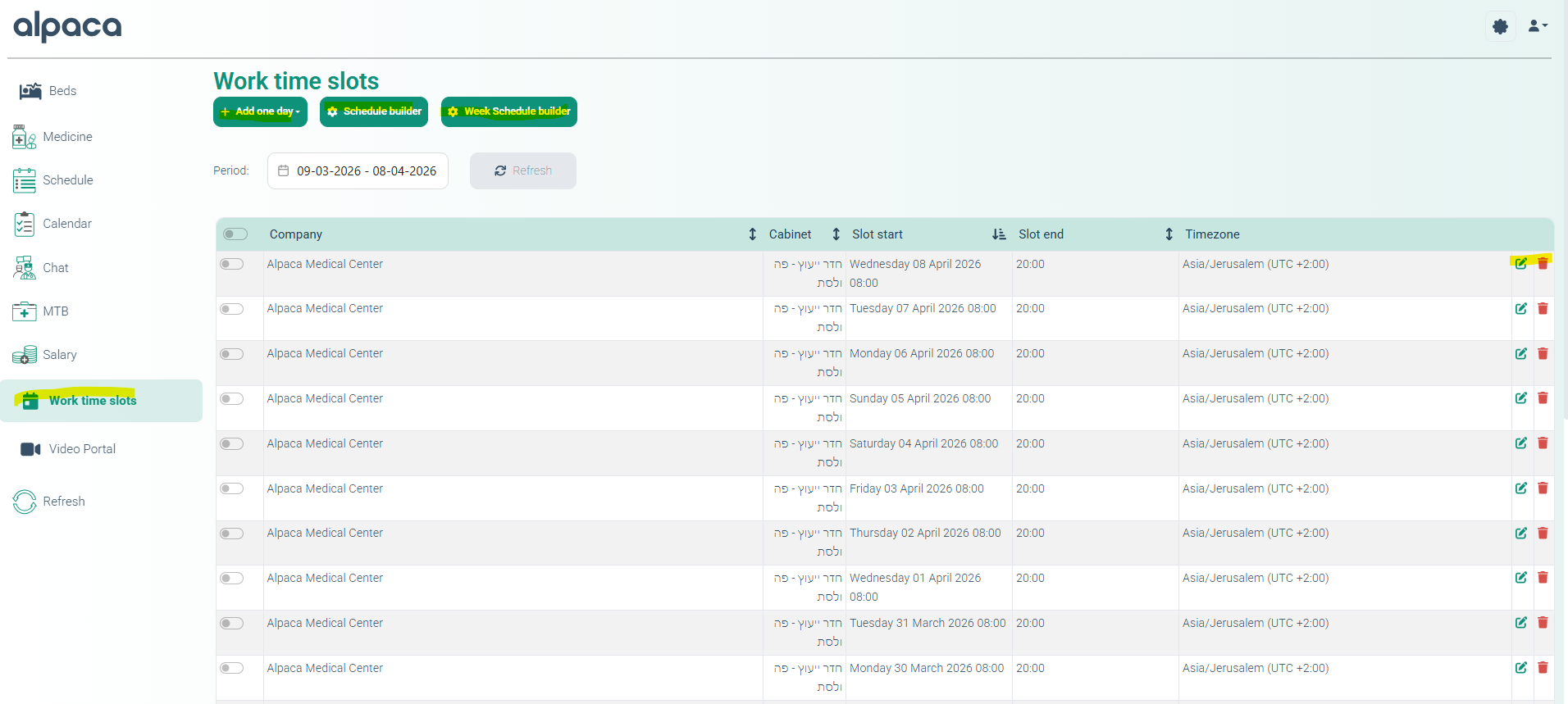
Once permissions are granted, specialists can manage their schedules in the Work Time Slots section.
Available actions:
View existing slots
Add a one-day slot
Use Schedule Builder
Use Week Schedule Builder
12. Digital Form Co-Signature Feature
ALP-1303
Implemented a co-signature feature for digital forms, allowing both the client and an Admin or Service Provider to sign the same document.
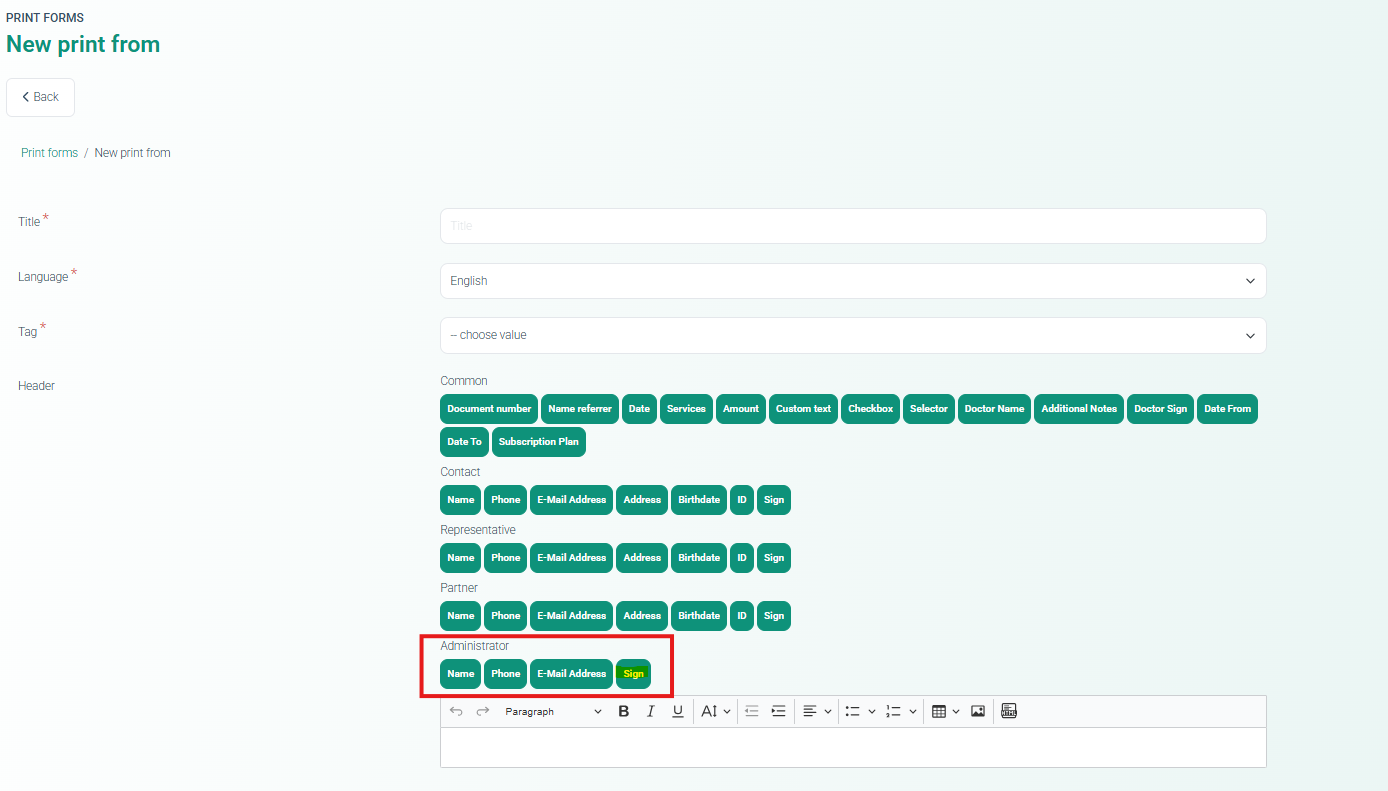
Key capabilities:
New Co-Signature (Admin / Provider) field added to the Form Builder.
Supports linking signatures to logged-in users or specific roles
Both signatures are required before finalizing the form.
Signatures are stored with audit metadata.
Additional behavior:
Final form becomes locked after both signatures are captured.
Signatures appear correctly in PDFs and printed documents
Testing confirmed proper storage, validation, and display of both signatures.
13. Drug Directory Import/Export Improvements
ALP-1370
Minor improvements were applied to the Drug Directory Import and Export functionality to improve reliability and processing accuracy.