
v2.146 build 2042 (06.02.2026)
Release Notes
Version 2.146
Build: 2042
Release date: 06 February 2026
Improvements, Features, and Fixes
1. Subscription Search Fix
ALP-1475
Resolved an issue in one of the production environments where search within the Subscriptions section did not work correctly.
Search functionality inside the Subscriptions module now operates as expected.
2. Web-Checkout Payment Error (iCount + Tranzilla)
ALP-1452
Fixed an issue where attempting to make a payment through the Web-Checkout link using iCount + Tranzilla resulted in a 404 error.
Payments via web-checkout links now process correctly.
3. VAT Calculation Fix for CIS Default Payment Service
ALP-1464
Resolved incorrect VAT calculation and inclusion for the CIS default payment service.
The following issues were fixed:
VAT calculation logic
Incorrect VAT inclusion in the total payment amount
Payment totals now reflect correct VAT calculations.
4. Major Update to Drugs Directory & Import/Export
ALP-1370
Significant improvements were implemented in the Drugs directory and the drug import/export functionality.
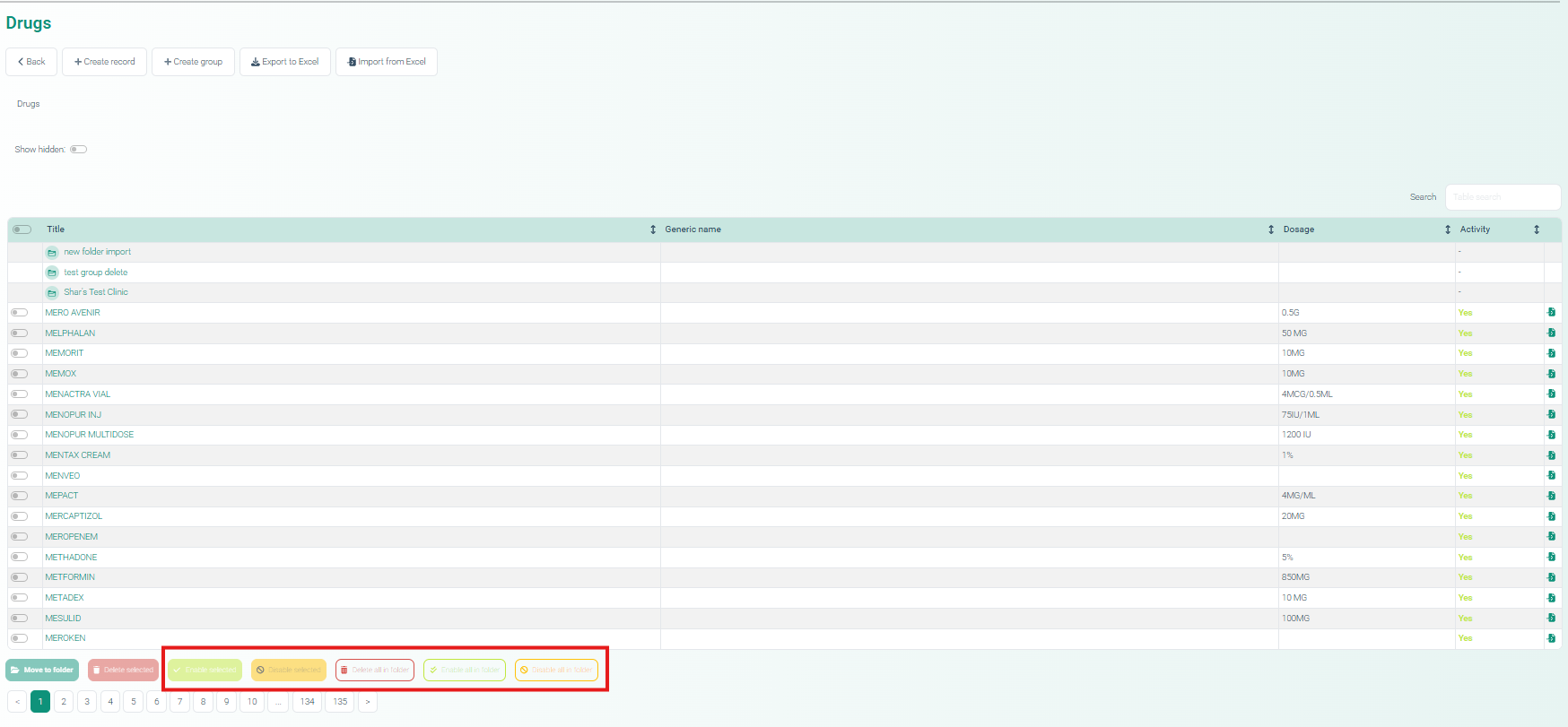
Directory Management Improvements
New bulk action buttons were added:
Delete selected
Enable selected
Disable selected
Delete all in the folder.
Enable all in the folder.
Disable all in the folder.
Import Improvements
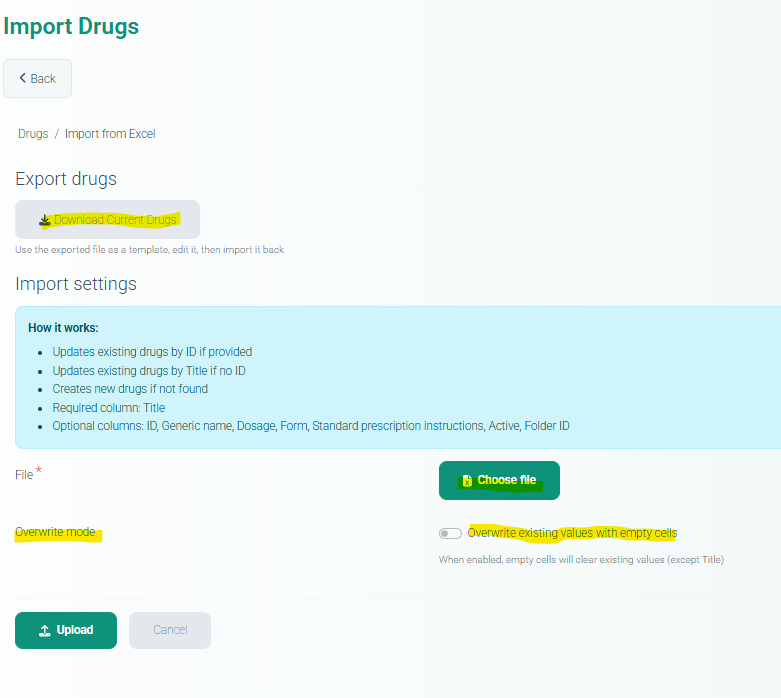
Drug import functionality now supports:
Updating existing drugs by ID
Updating existing drugs by Title if ID is not provided
Creating new drugs when records do not exist
Overwriting existing values with empty cells
Additionally:
Download current drug list option added.
5. Medical Document Name Display Fix
ALP-1455
Fixed an issue where selecting a previously saved Medical Document name displayed an incorrect name in the editor.
Medical document names now display correctly when selected from saved values.
6. Medical Document Export Module
ALP-1468
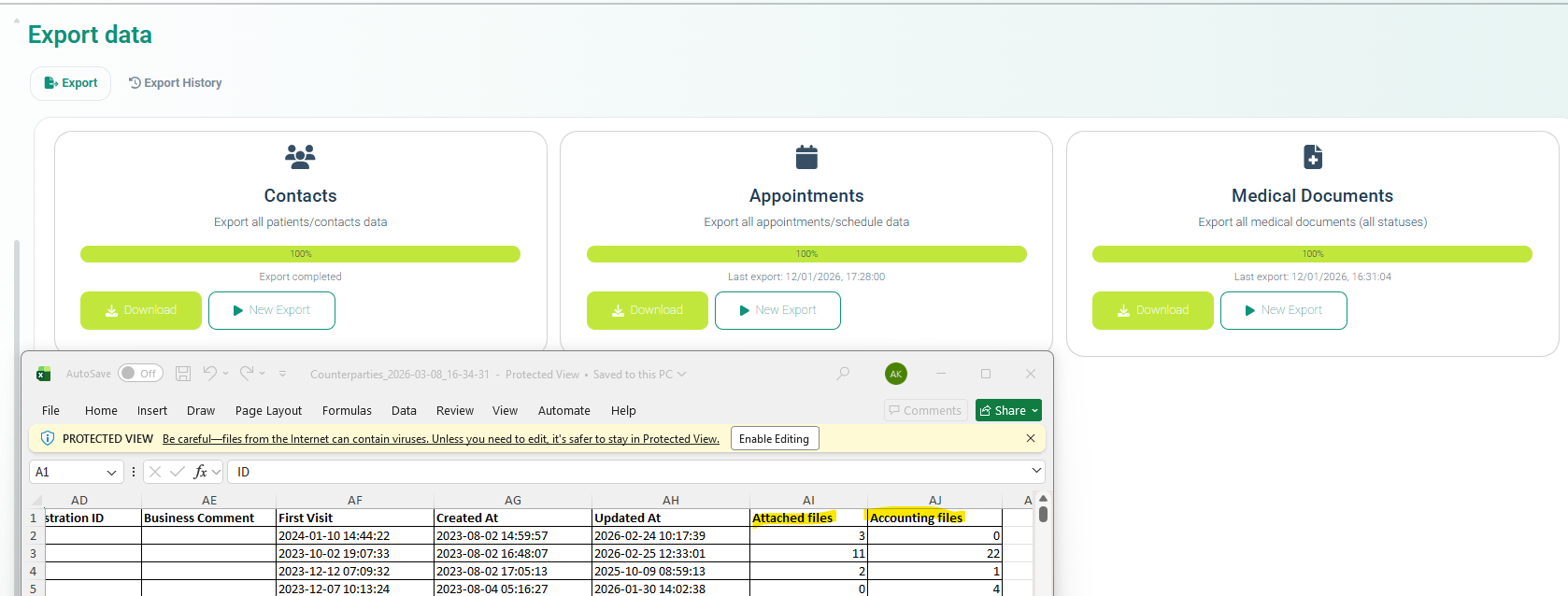
Extended functionality of the Export Data module.
Part 1 – Medical Document Export
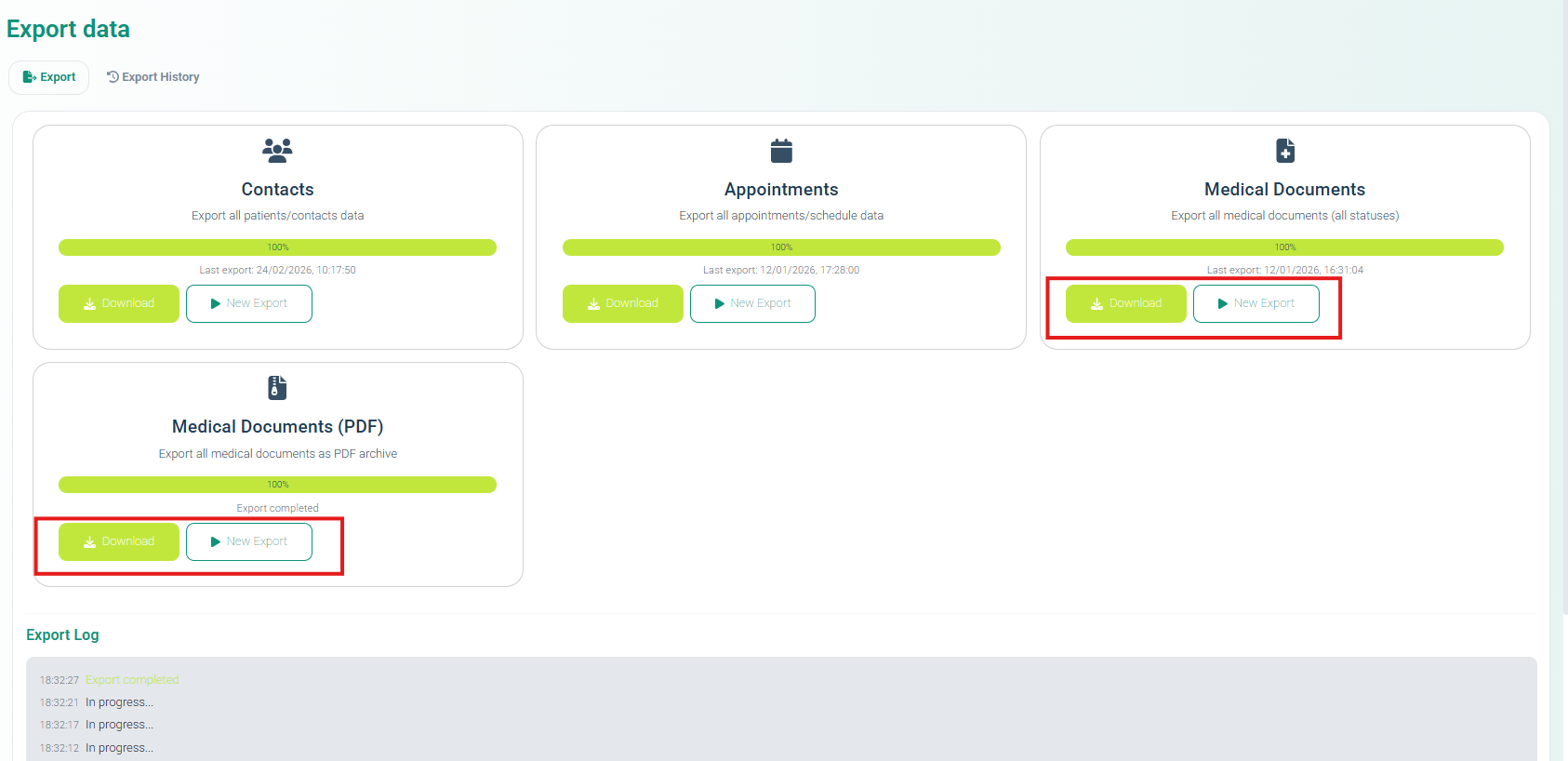
A new export type has been implemented that:
Generates all Medical Documents for all patients in the system
Renders them into pdf files
Packages them into a ZIP archive
Makes the archive available for download
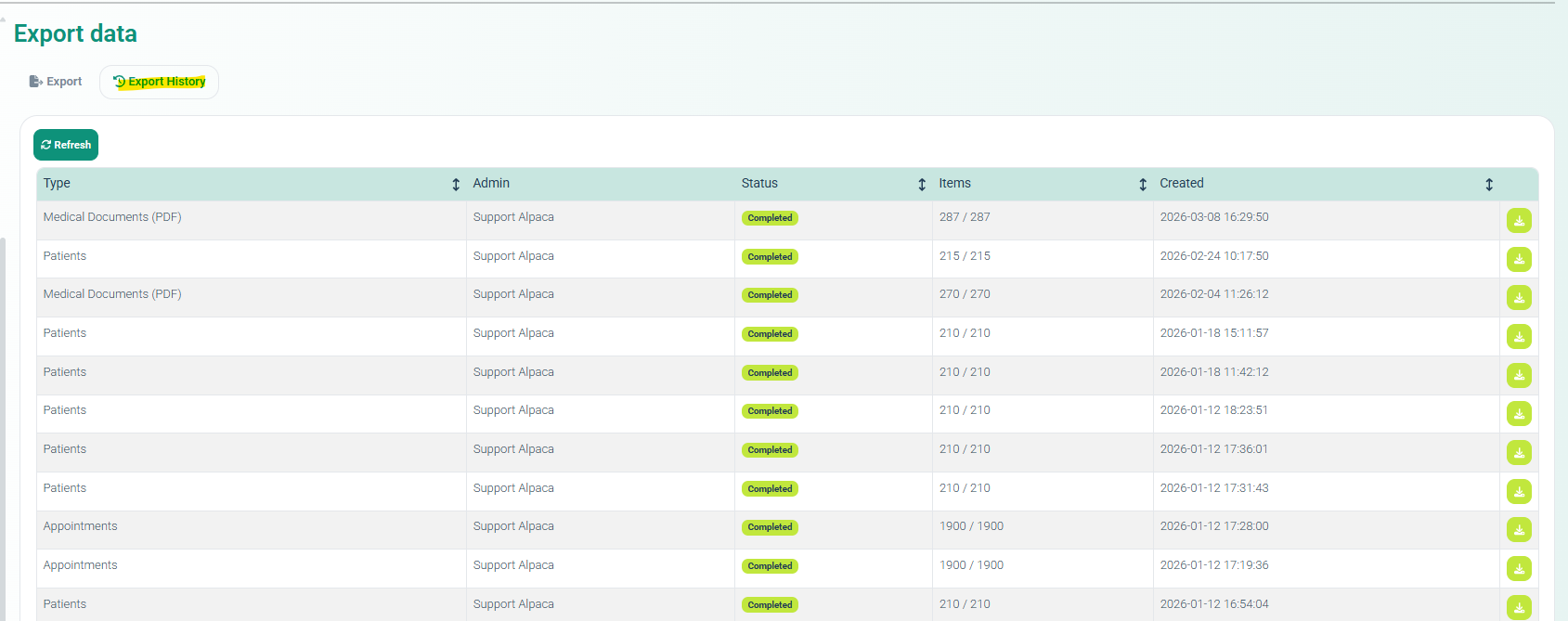
The export process is fully logged in real time.
Navigation:
Settings → Export Data → Export History
Part 2 – Contacts Export Update
Two new fields were added to the Contacts export:
Attached files
Accounting files
7. Employee Positions & MedDoc Template Linking
ALP-1387
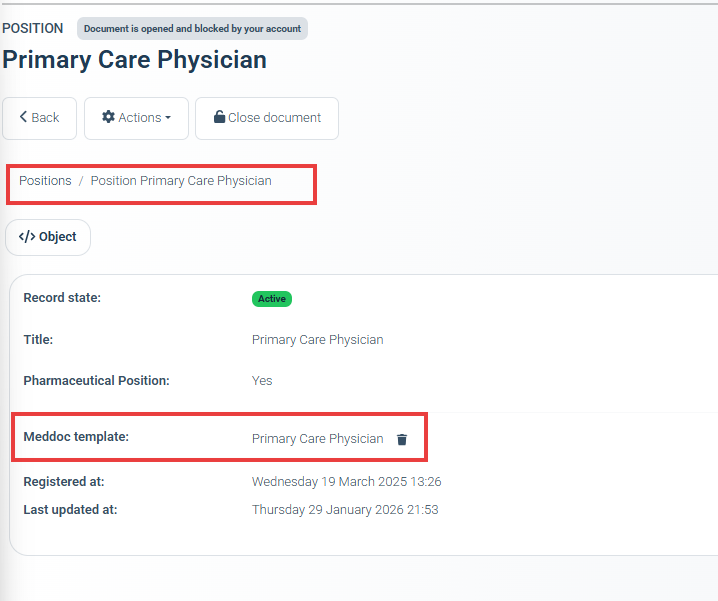
Employee management functionality has been enhanced with the introduction of Job Positions.
Key Features
Positions can be assigned through UI or import.
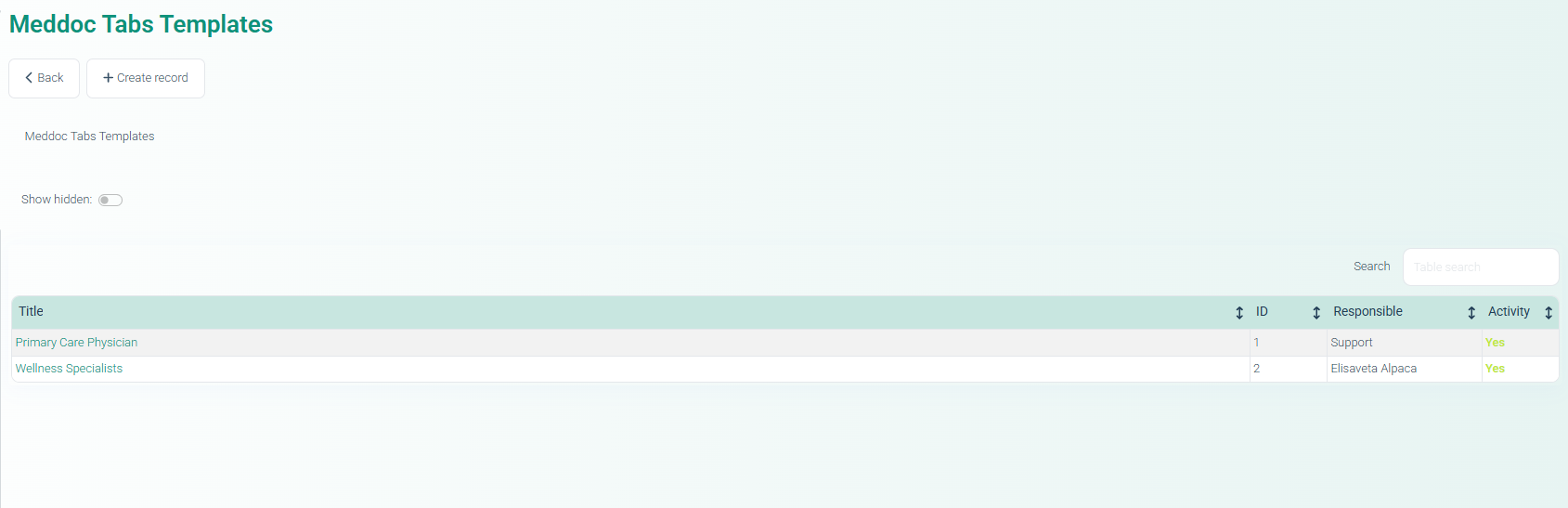
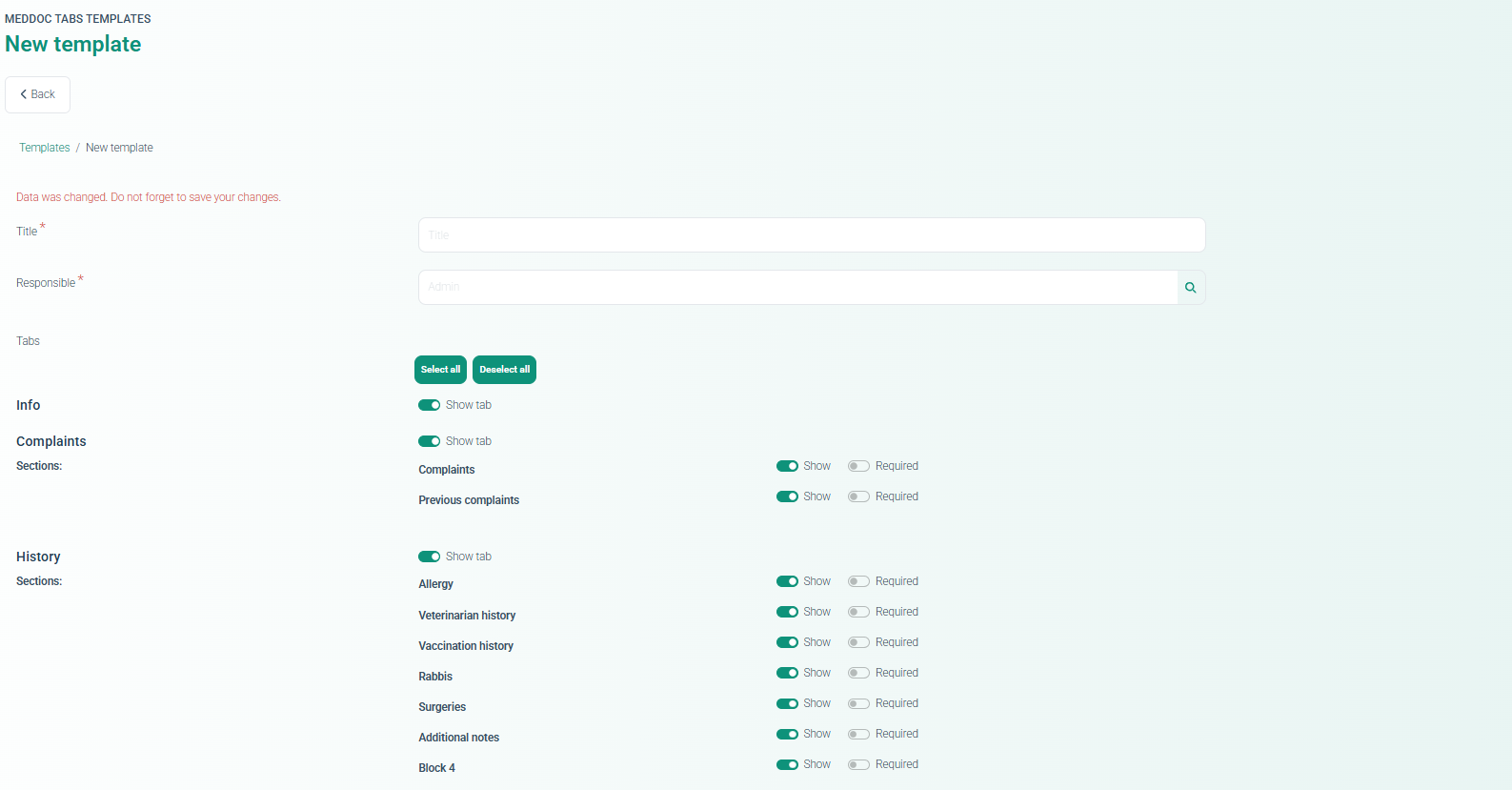
Medical Document Tab Templates can be linked to positions.
Templates dynamically apply based on employee position
Additional Controls
Validation prevents deletion of positions that are currently in use.
8. Stripe Deposit Payment Support
ALP-1410
Added support for Deposit payments when using the Stripe invoicing service.
New Functionality
Deposit payment option added for Stripe.
Deposit funds button added to the Contact Card
This allows administrators to add deposit funds directly through Stripe.
9. Role-Based MedDoc Template Loading for Shared Appointments
ALP-1489
Improved behavior of the Medical Document tab configuration when multiple specialists work with the same appointment.
Problem
Previously, MedDoc configuration was session-based and initialized by the first specialist who opened the appointment.
This caused other specialists to inherit incorrect tab configurations.
Solution
A new system setting was introduced in Settings>Medical document settings :
“Apply authenticated employee medical document template(s).”
Behavior
When enabled:
Each specialist loads their own MedDoc template.
Tab visibility is based on their role.
Templates are independent of appointment entry order
The legacy behavior remains available for backward compatibility.