
v2.132 build 2040 (03.02.2026)
Release Notes
Version 2.132
Build: 2040
Release date: 03 February 2026
Improvements, Features, and Fixes
1. Contact Access to Patient Cabinet Fixed
ALP-1444
An issue was resolved where a contact that previously had access to the Patient Web Cabinet via the email specified in the contact card could no longer log in. Access is now restored and works correctly.
2. Subscription Cancellation via Patient Cabinet
ALP-1442
Fixed an issue where cancelling an active subscription through the Patient Web Cabinet resulted in a 500 server error.
3. Subscription Payment API Error
ALP-1441
Resolved an API error that occurred when patients attempted to purchase a new subscription using the Pay Now button in the Patient Web Cabinet.
4. Request Monitor Date Format
ALP-1435
Corrected the date and time formatting displayed in the system logs.
Navigation:
Events and Logs → Request Monitor
5. General Settings Error
ALP-1424
Fixed a 500 error that occurred when opening:
Settings → General Settings
6. Subscription Price with Decimals
ALP-1414
Resolved an issue where subscription plan prices could not be saved with decimal values.
7. Patient Tags in Schedule
ALP-1415
Fixed an issue where Patient Tags were not displayed in the Schedule module, even when enabled.
8. Content Type Pagination Fix
ALP-1416
Resolved pagination issues in the Content Types directory within the Video Portal module.
Navigation:
Directories → Subscriptions → Content Types
Issues included:
Inability to navigate to page 2
Pagination errors in root folders and subfolders
9. Subscription Renewal End Date
ALP-1457
Minor corrections were made to the calculation logic for subscription renewal end dates.
New Functionality
10. Primary Specialist Assignment & Booking Restrictions
ALP-1005
A new mechanism was introduced to manage primary specialist assignments for patients with active subscriptions.
Key Features
Patients select a primary specialist during subscription activation or during their first booking.
While the care period is active, patients may only book appointments with the assigned specialist.
Other specialists can either be hidden or displayed as unavailable, depending on system configuration.
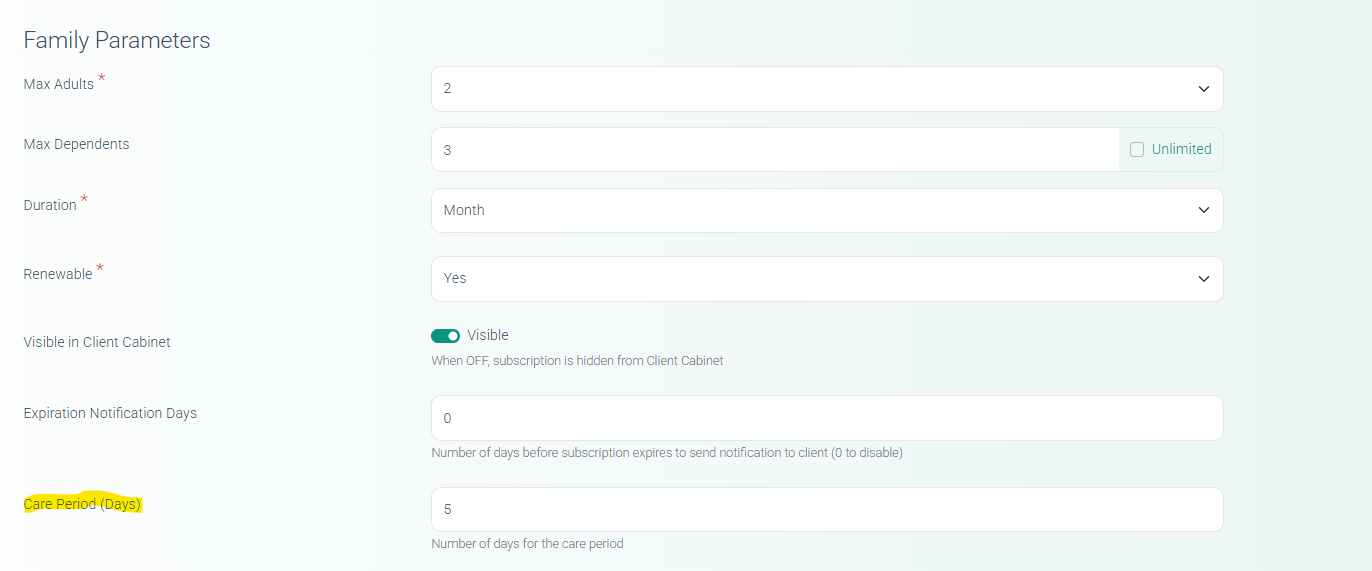
Administrative Controls
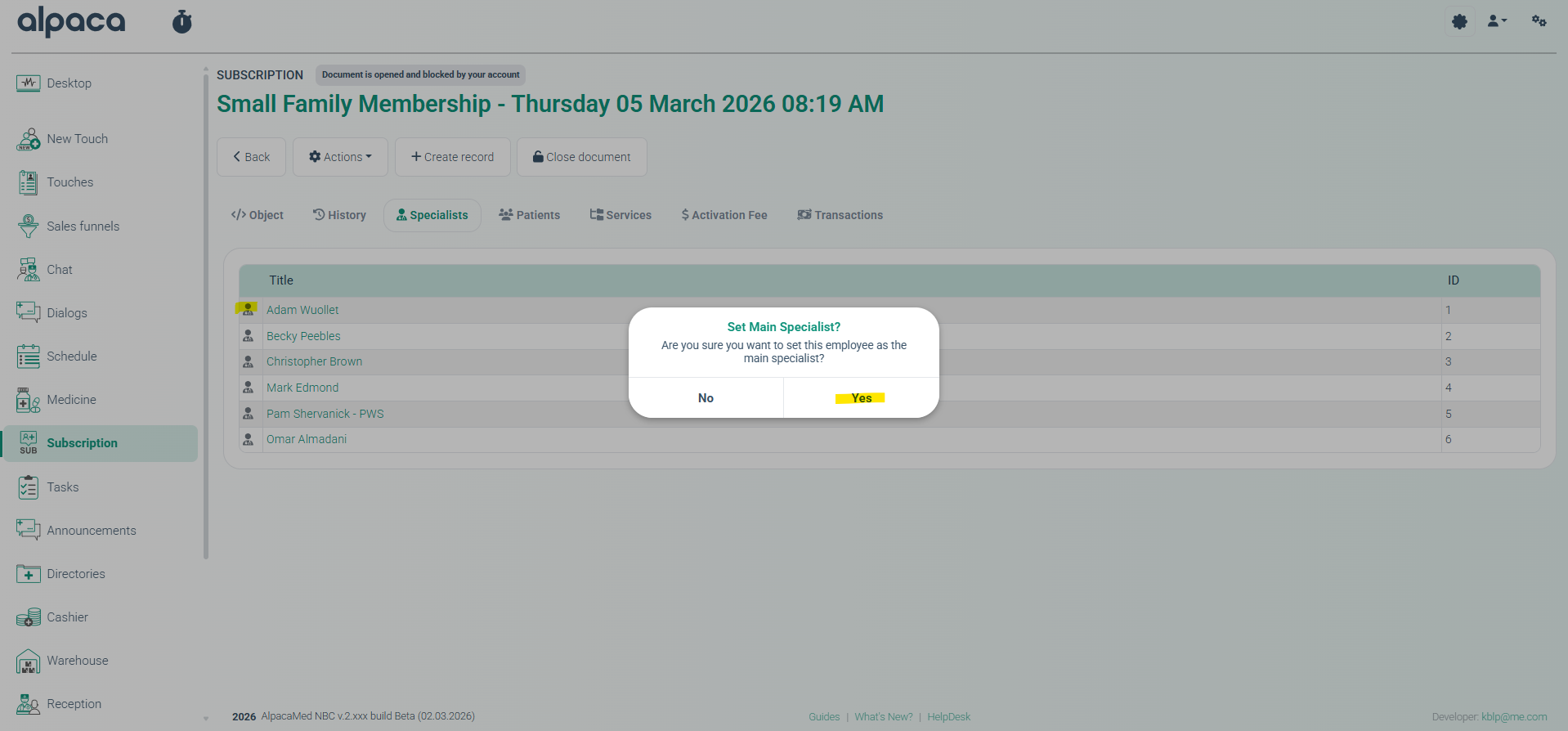
Administrators can:
Change the primary specialist.
Reset the care period.
Override booking restrictions
All actions are recorded in the audit log.
11. Family Subscription Model
ALP-1314
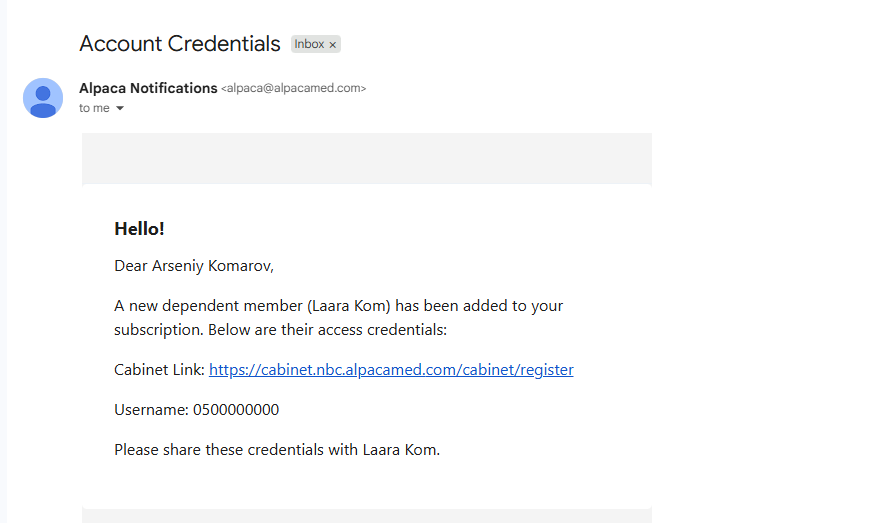
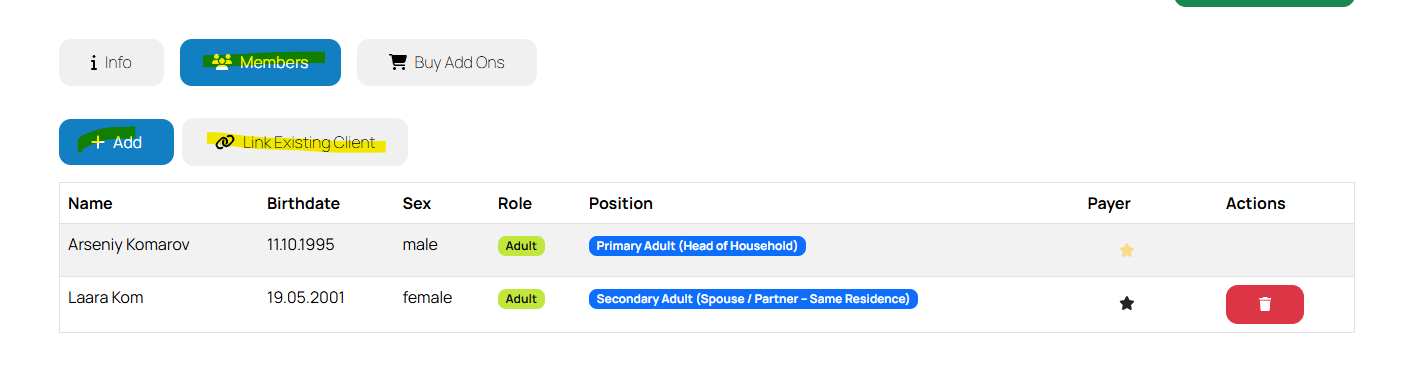
Introduced a Family Subscription model allowing one payer to manage subscriptions for multiple dependents.
Functionality
Dependents may register with their own credentials.
Credentials are sent to the dependent or to the payer if the dependent’s email is unavailable.
Existing patients can be linked as dependents.
Access for dependents automatically follows the payer's subscription status.
12. Subscription Expiration Notifications
ALP-1316
Added automated expiration notifications for subscription plans.
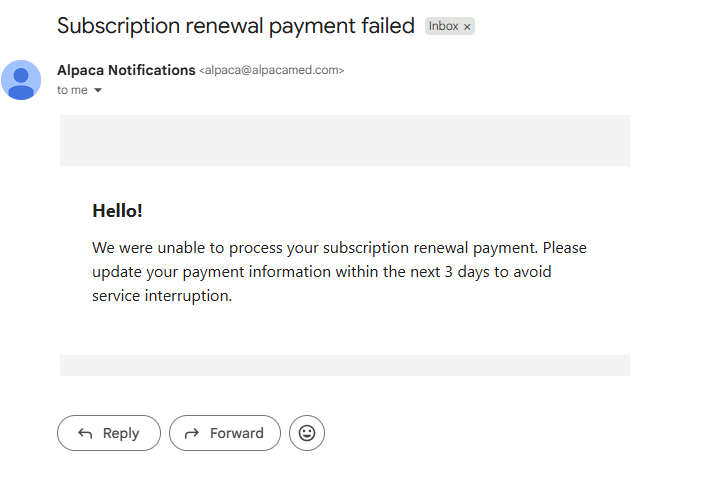
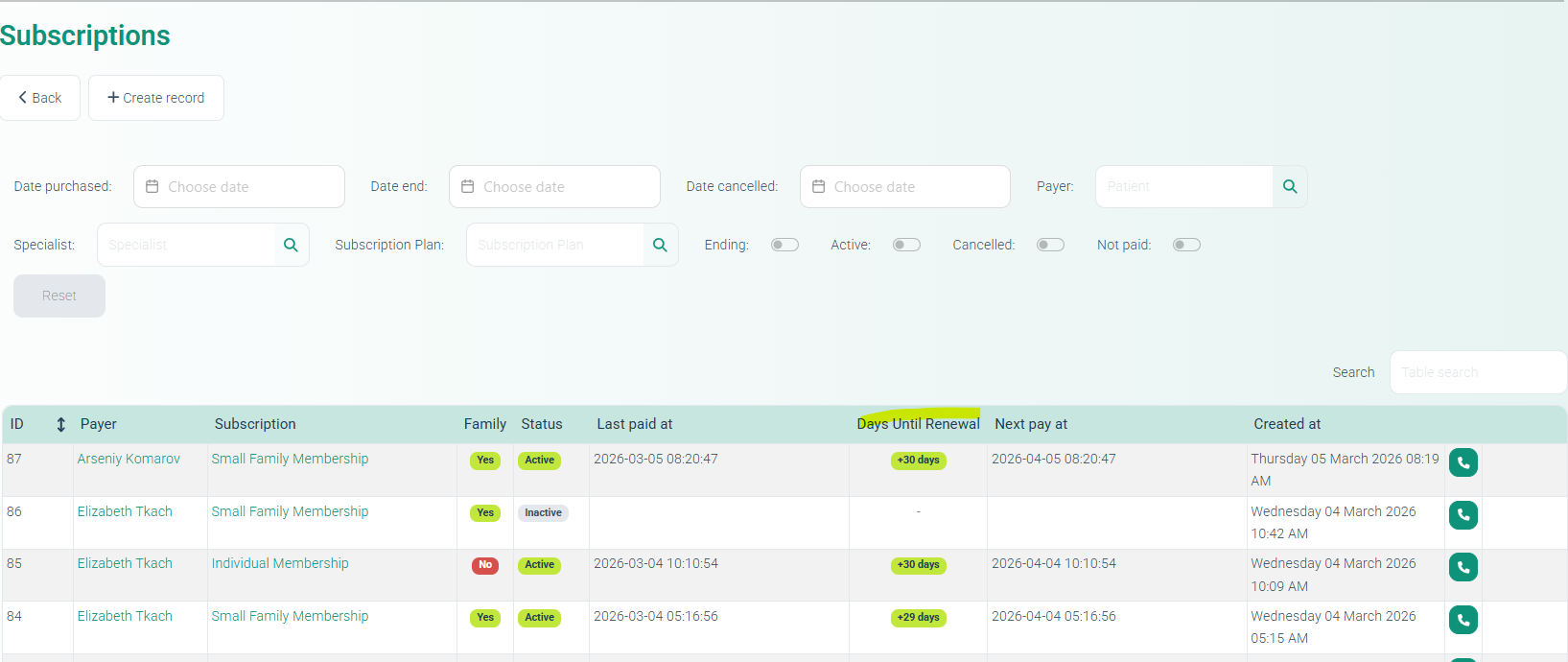
Features
Displays remaining days before subscription expiration.
Admin interface now includes an expiration tracking column.
Notification timing can be configured per subscription plan.
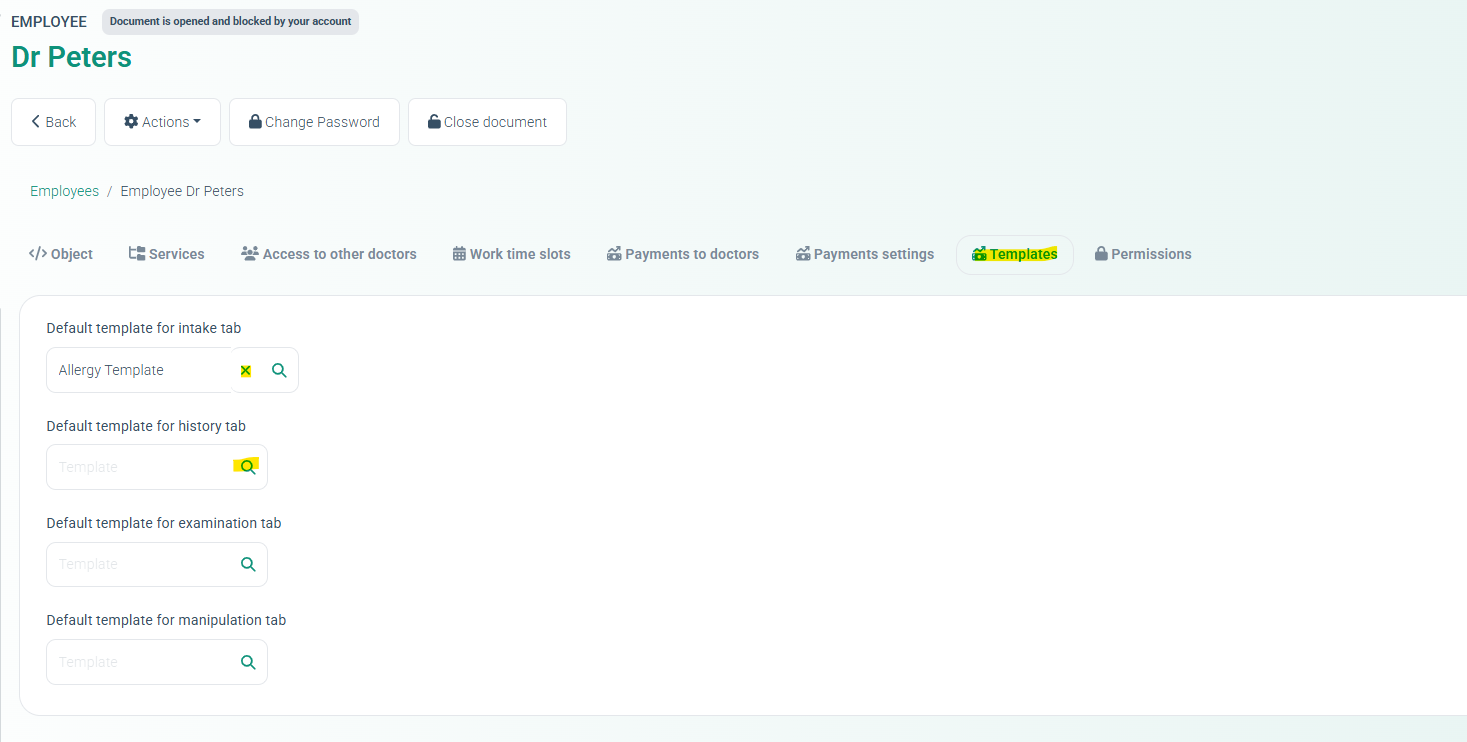
13. Default Structured Templates for Employees
ALP-1261
Admins can now define default structured templates for Medical Document sections.
Navigation:
Directories → Employees → Choose Employee → Templates tab
The selected template will automatically apply to the corresponding MedDoc section.
14. BMI History in Medical Documents
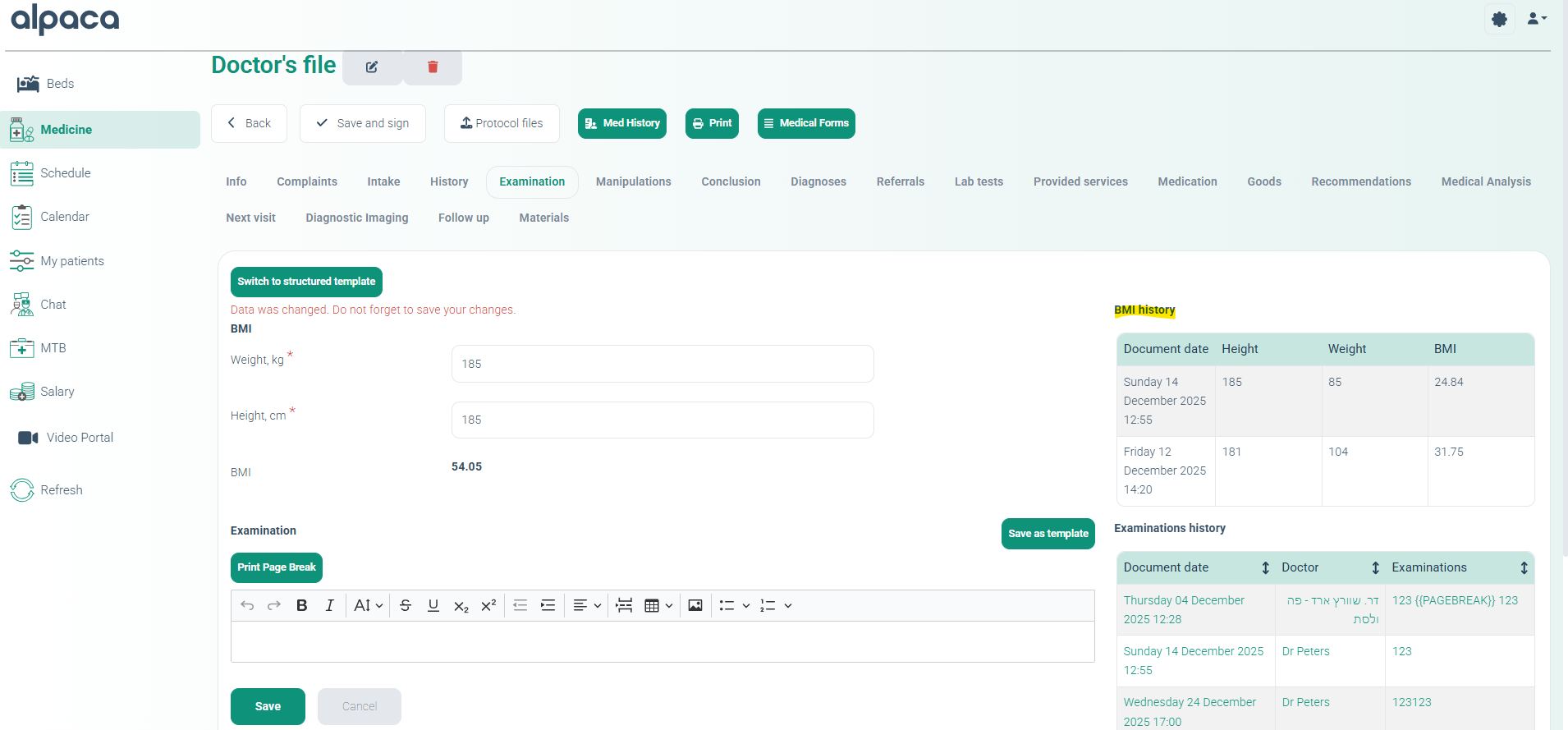
ALP-1395
Added BMI history tracking to the Examination tab of Medical Documents, enabling doctors to view previous BMI values directly within the document.
15. Subscription Visibility & Eligibility Rules
ALP-1364
Introduced controls to manage subscription visibility and eligibility
Capabilities
Admins can:
Enable or disable visibility of subscription plans.
Define eligibility rules based on existing subscriptions
Validation prevents circular dependencies between subscription plans.
16. Content Type Pagination Data Fix
ALP-1462
Additional fix addressing a data type issue that caused pagination problems in the Content Types directory.
17. Contact Card Error Fix
ALP-1466
Resolved an issue where opening a Contact Card resulted in a 500 server error.
18. Form Signature Log Error
ALP-1467
Fixed a 500 error when accessing the Form Signature tab.
Navigation:
Events and Logs → Form Signature
19. Task Notifications
ALP-1281
Introduced configurable task notifications.
Configuration
Navigation: Task Types Dictionary
New options:
Notify Responsible checkbox
Notification method:
SMS
Email
Additionally, overdue tasks trigger a red notification indicator next to the Tasks icon in the main menu.
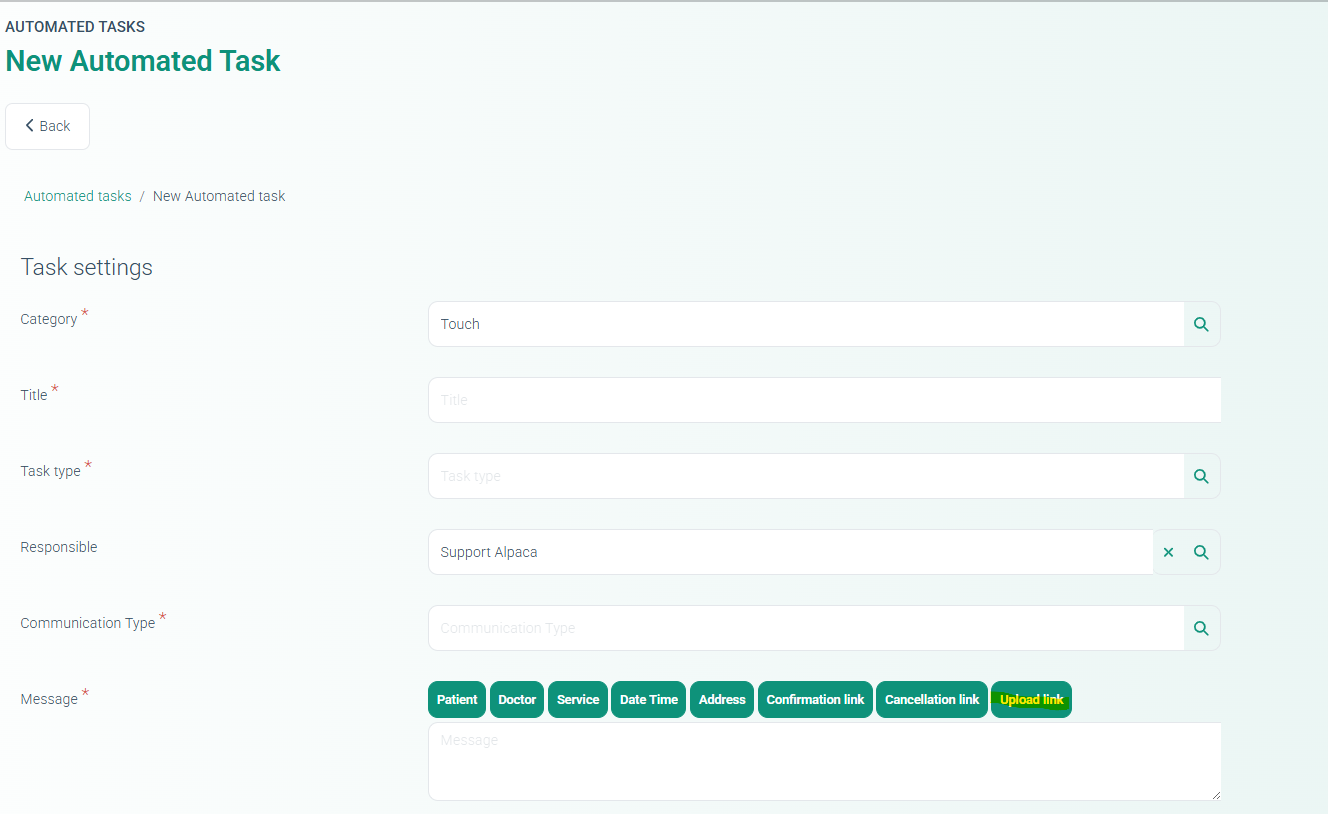
20. Document Upload Portal for Patients
ALP-1382
Implemented a secure document upload portal for patients.
Admins can generate upload links from:
Contact Card
New Touch
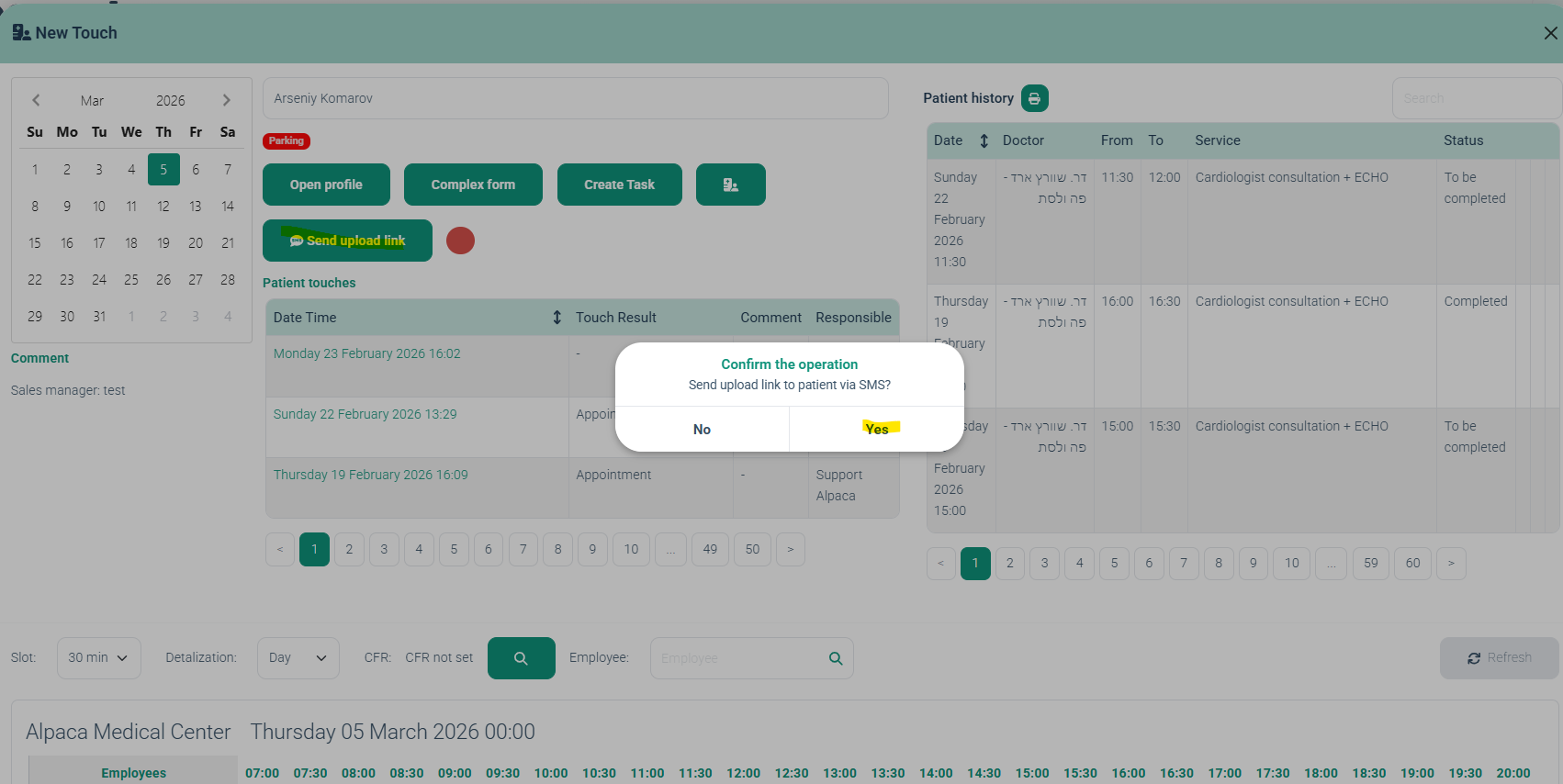
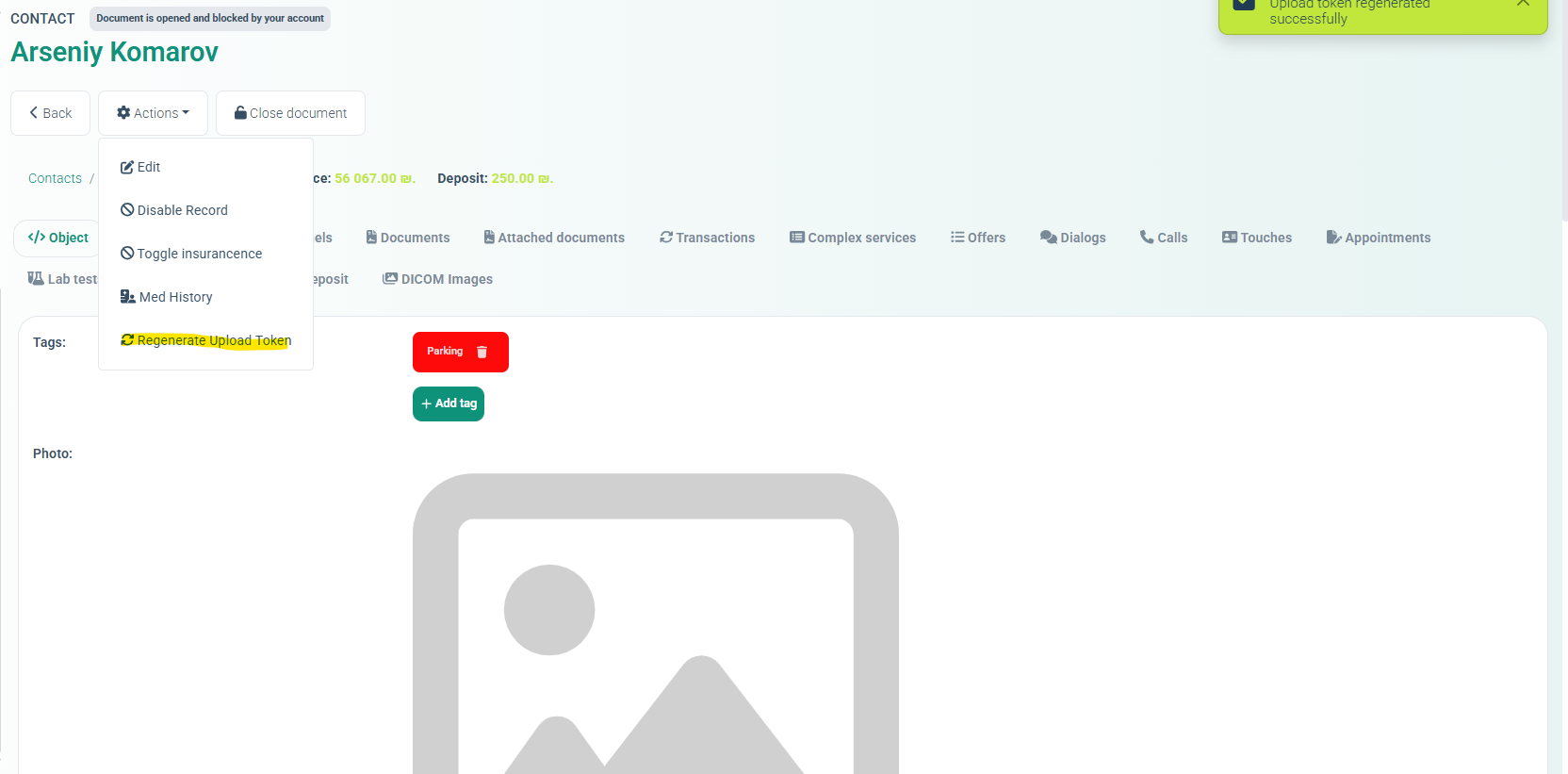
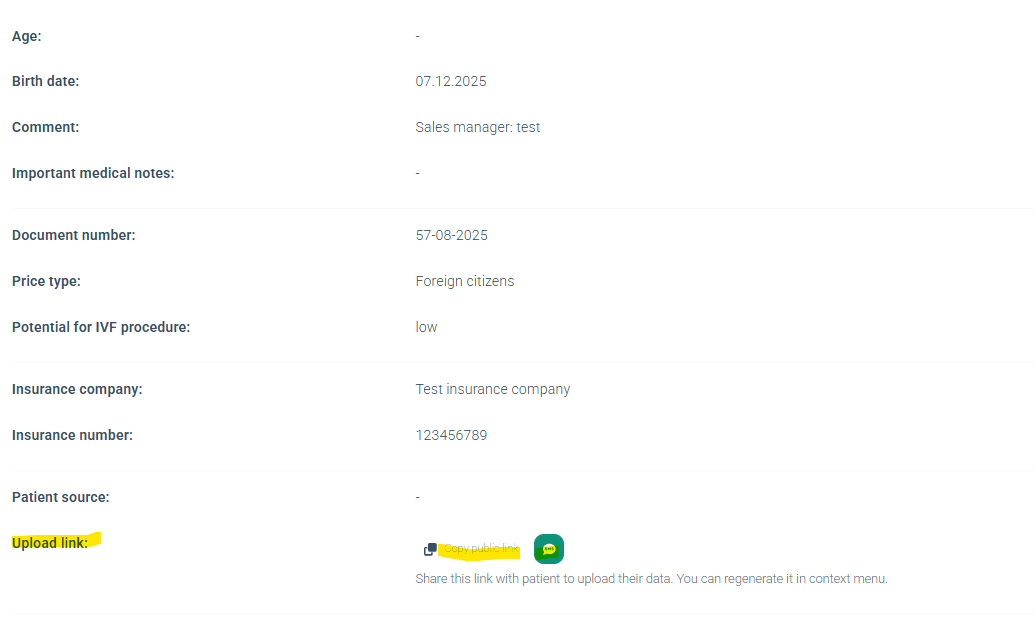
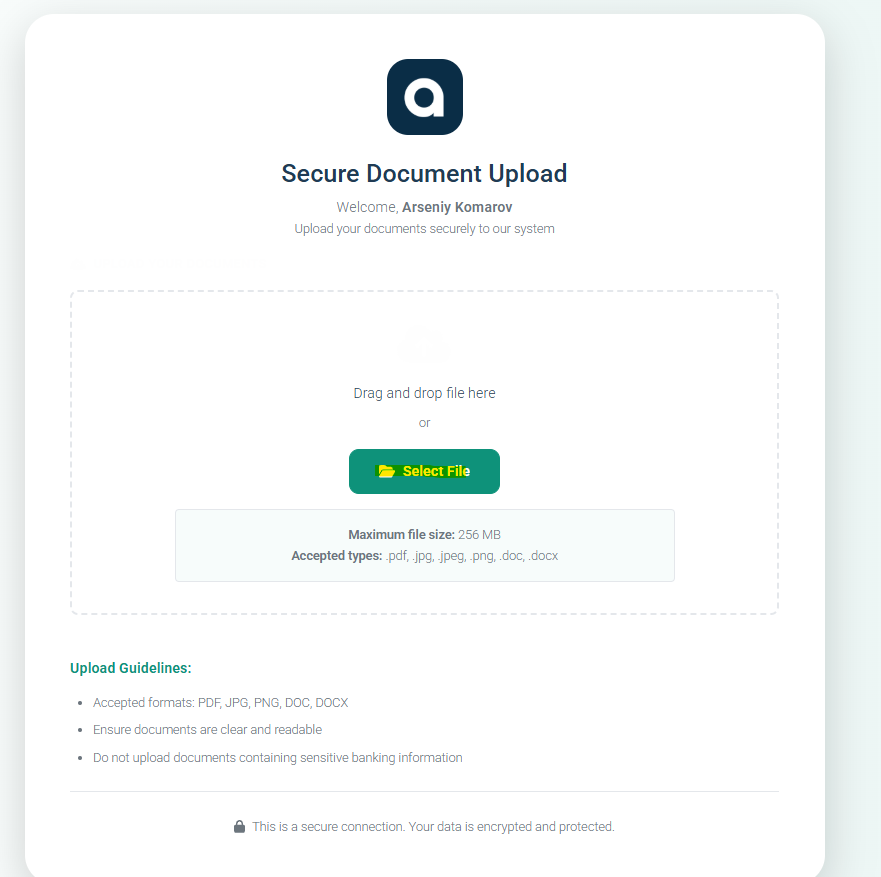
Links can also be included in automated messages.
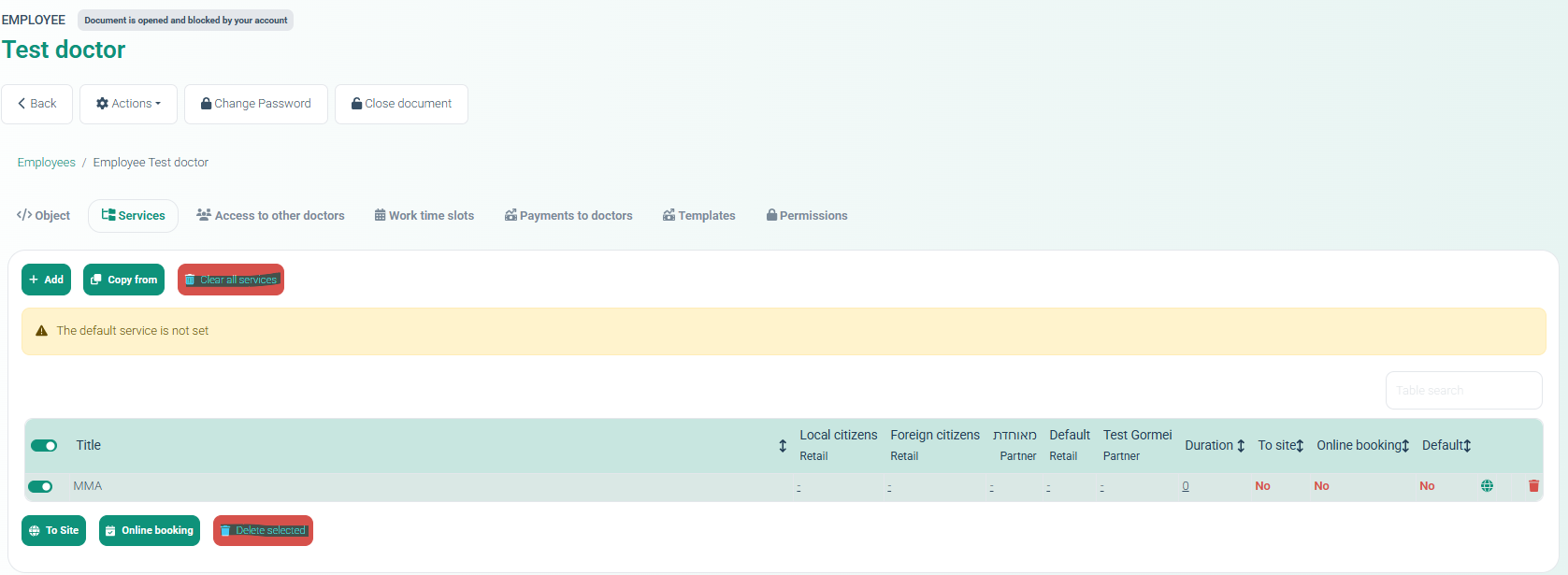
21. Employee Services Management Improvements
ALP-980
New management controls added to:
Directories → Employees → Services tab
Available actions:
Clear all services
Delete selected services
Multi-select services
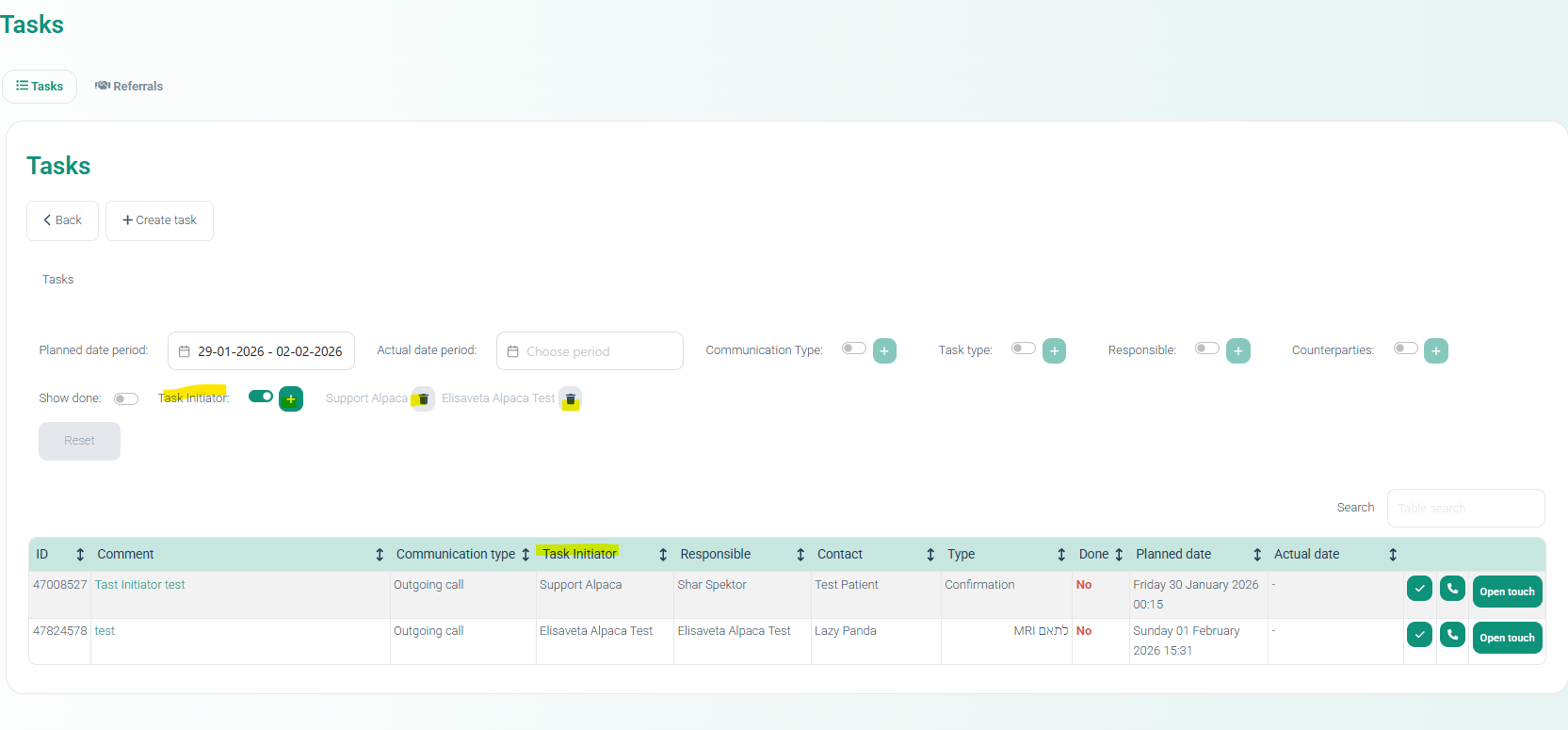
22. Task Initiator Tracking
ALP-1448
Added the Task Initiator column to the task list.
New functionality includes:
Task initiator filter
Ability to filter tasks by the creator.
23. Contact Editing – Patient Type Fix
ALP-1454
Resolved a database error that prevented updating the Patient Type in the contact editor.
24. Programs Remaining Report Improvements
ALP-1404
Enhancements to the Programs Remaining Report include:
Added Last Visit column
Added Next Visit column
Fixed negative values in the Used column
Corrected filtering logic for future periods
Added Excel export
25. Tranzilla Installment Synchronization
ALP-1383
Resolved a discrepancy where the number of installments (Tashlumim) differed between Alpaca and the Tranzilla payment system.
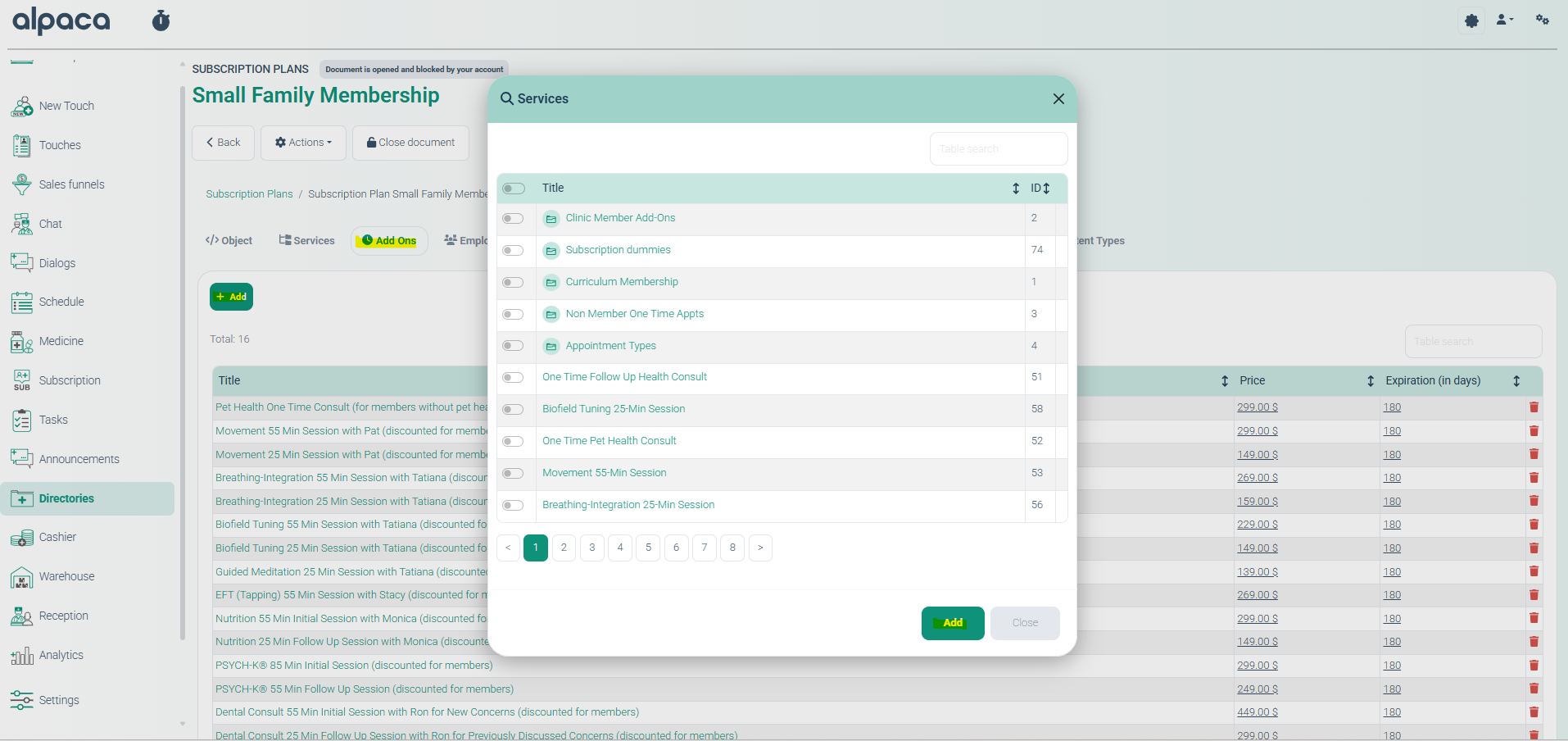
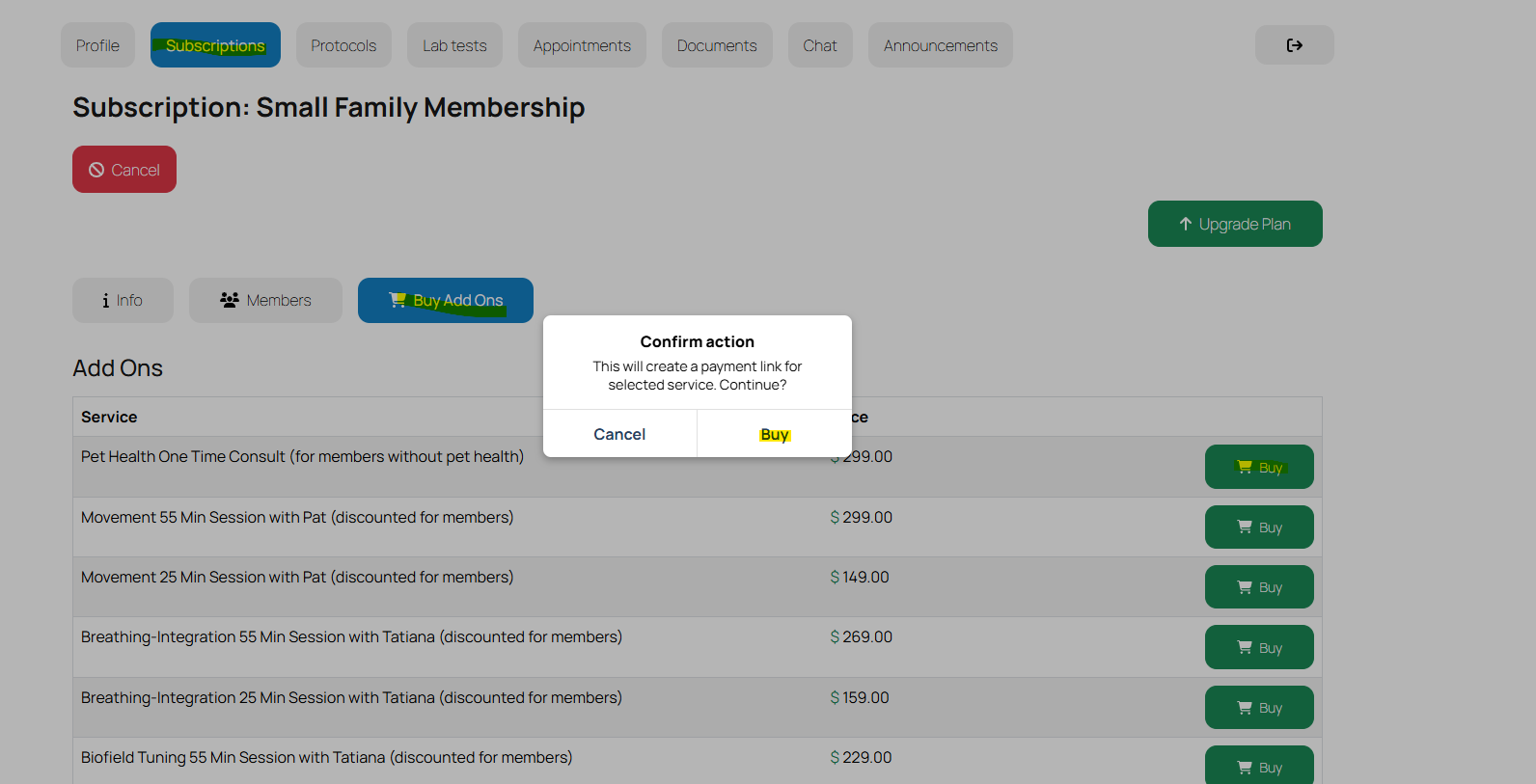
26. Add-On Services Purchase
ALP-1179
Introduced the ability for patients to purchase Add-On services via the Patient Web Cabinet.
Features include:
Add-On services listed in subscription plans
One-time purchase functionality
Online payment support
Automatic quota creation
Prevention of duplicate purchases
27. Day of Week Display
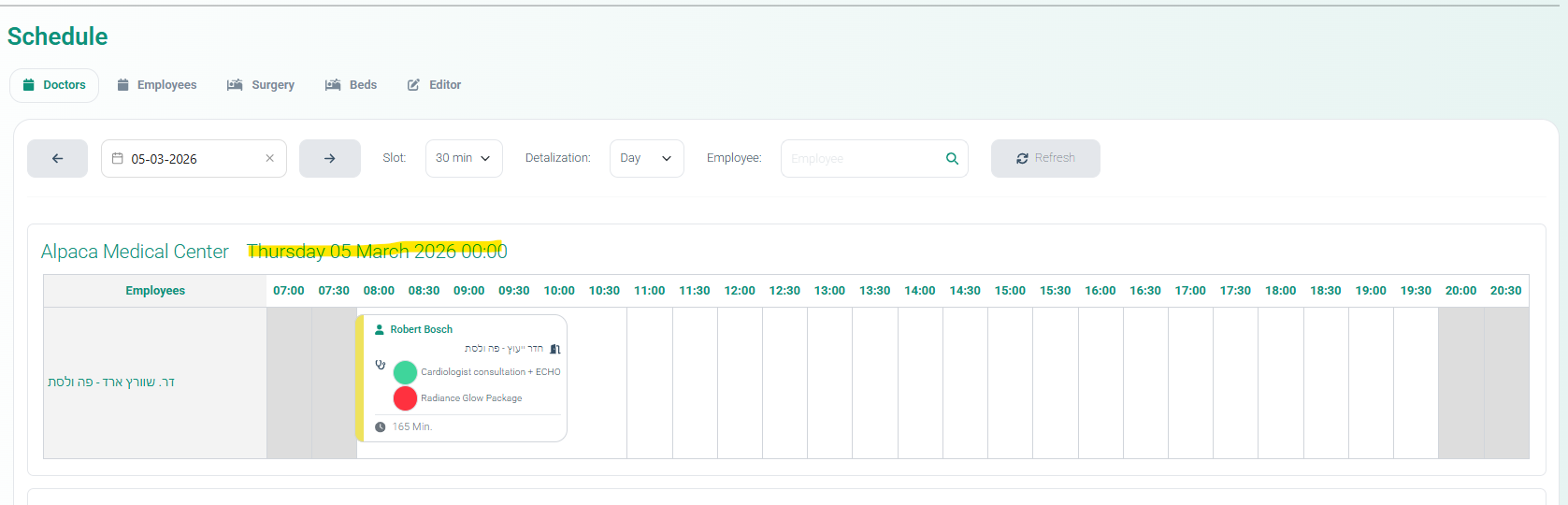
ALP-924
The system now displays the day of the week alongside dates, particularly in notifications and system messages.
28. Appointment Reminder After Cancellation
ALP-1438
Fixed an issue where patients still received appointment reminders after the appointment had already been cancelled.
29. Multi-Appointment Payment Fix
ALP-1431
Resolved an issue where a single payment covering multiple appointments only marked one appointment as paid.