
v2.098 build 2006 (05.01.2026)
Release Notes
Version: 2.098
Build: 2006
Release date: 05.01.2026
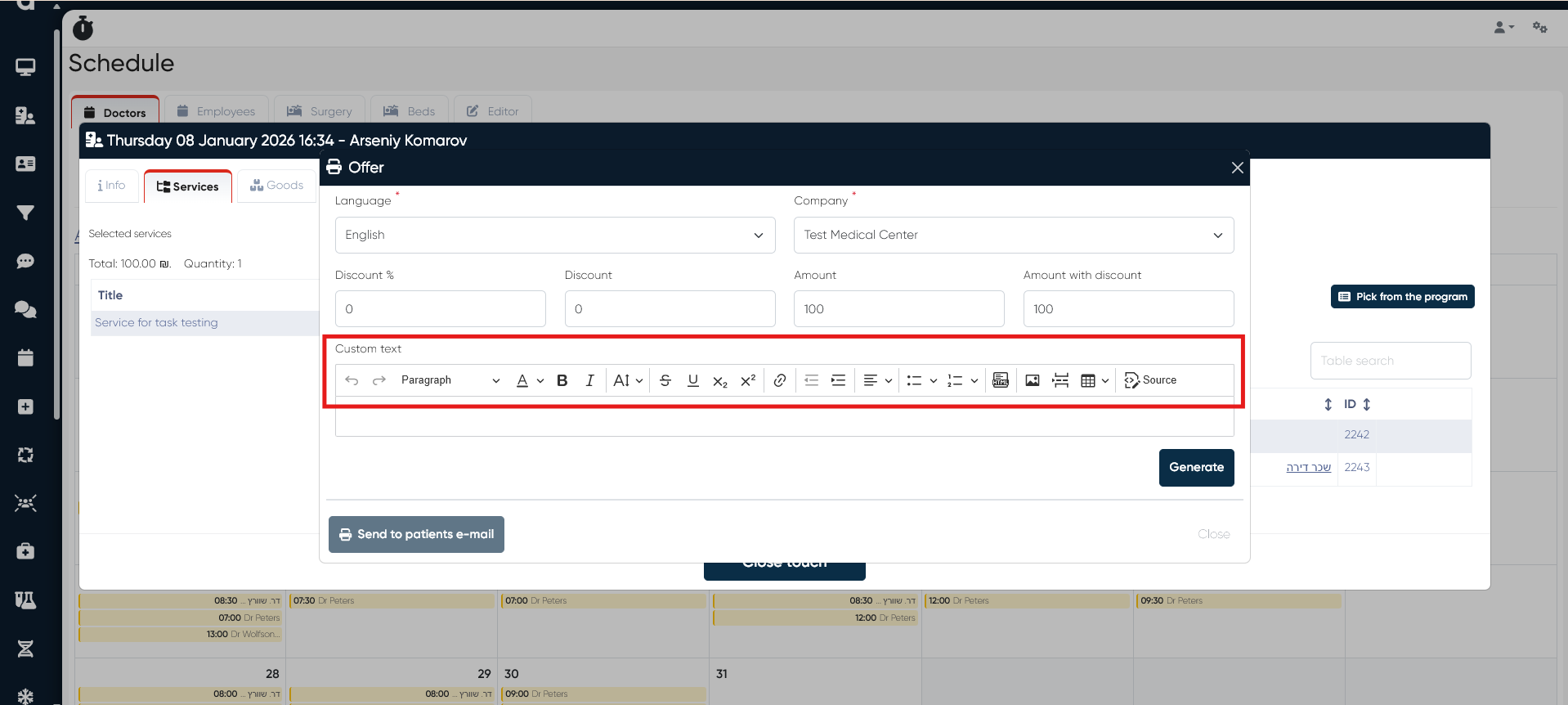
1) Offers – Advanced Text Formatting Added (ALP-1358)
The Custom Text section in Offers was significantly enhanced.
Added a standard rich-text toolbar with support for:
Text styles
Text alignment
Lists (bulleted & numbered)
HTML insertion
Images
Tables
Page breaks
Source editing
Improved paste behavior:
Numbering and formatting are now preserved when pasting content from desktop editors.
This enables more professional and consistent offer documents.
2) Warehouse – Empty Expense Documents Fix (ALP-1248)
Bug: Expense documents were generated even when no materials were attached to the Medical Document, resulting in empty warehouse expenses.
Fix: Expense documents are now created only when materials exist.
3) Medical Documents – Hebrew Layout & Formatting Fixed (ALP-1378)
Bug: MedDocs in Hebrew did not align content to the right and ignored formatting settings.
Fix: Hebrew Medical Documents now fully respect RTL layout and formatting rules.
4) Template Constructor – Subtitle Saving Fixed (ALP-1379)
Bug: Subtitles added in the Template Constructor were not saved in Medical Documents.
Fix: Subtitles are now correctly persisted and displayed.
5) Offer Formatting – Settings Enforcement Fixed (ALP-1355)
Bug: Offer formatting ignored General Settings > Offer Settings.
Fix: Offer formatting now follows the configured system settings.
6) Weekly Schedule Builder – UI Creation Issue Fixed (ALP-1307)
Bug: UI issues occurred when creating slots via the weekly schedule builder; slots were created but the interface entered an inconsistent state.
Root cause: State reset did not occur after an interrupted operation.
Fix: State handling corrected; slot creation UI now behaves reliably.
7) Quota Synchronization – Fixed (ALP-1362)
Bug: Service quotas showed different values in the patient profile versus the Doctor’s Cabinet.
Fix: Quota data is now synchronized and displayed consistently across all views.
This release improves document formatting, RTL support, offer editing capabilities, warehouse accuracy, schedule stability, and quota consistency across the system.