
v2.068 build 1916 (23.12.2025)
Release Notes
Version: 2.068
Build: 1916
Release date: 23.12.2025
1) Services Merge – Price Types Retention Fixed (ALP-982)
Bug: When services were merged, the price types of the main service were not retained for connected employees.
Fix: Price types are now correctly preserved and propagated to all linked employees after service merge.
2) Video Portal – Content Upload Improvements (ALP-1318)
Content upload process optimized.
Content size validation removed.
Maximum file size increased to 8 GB.
Improves reliability and usability for large medical and educational video uploads.

3) Services Import – Mandatory RU Name Removed (ALP-1301)
Change: Mandatory validation for Russian service names has been removed during service import.
Navigation:
Directories > Services > Import from ExcelAllows more flexible multilingual imports.
4) Price Type UI – Hebrew Localization Fixed (ALP-1302)
Bug: Incorrect UI rendering of price types in Hebrew (Patient editor in New Touch and other areas).
Fix: Hebrew UI for price types now displays correctly.
5) Payments to Doctors – Access Bug Fixed (ALP-1308)
Bug: The System did not allow adding Payments to Doctors for the provided services in one production environment.
Navigation:
Directories > Employees > Choose Employee > Payments to Doctors tab.Fix: Payments to doctors can now be added correctly.
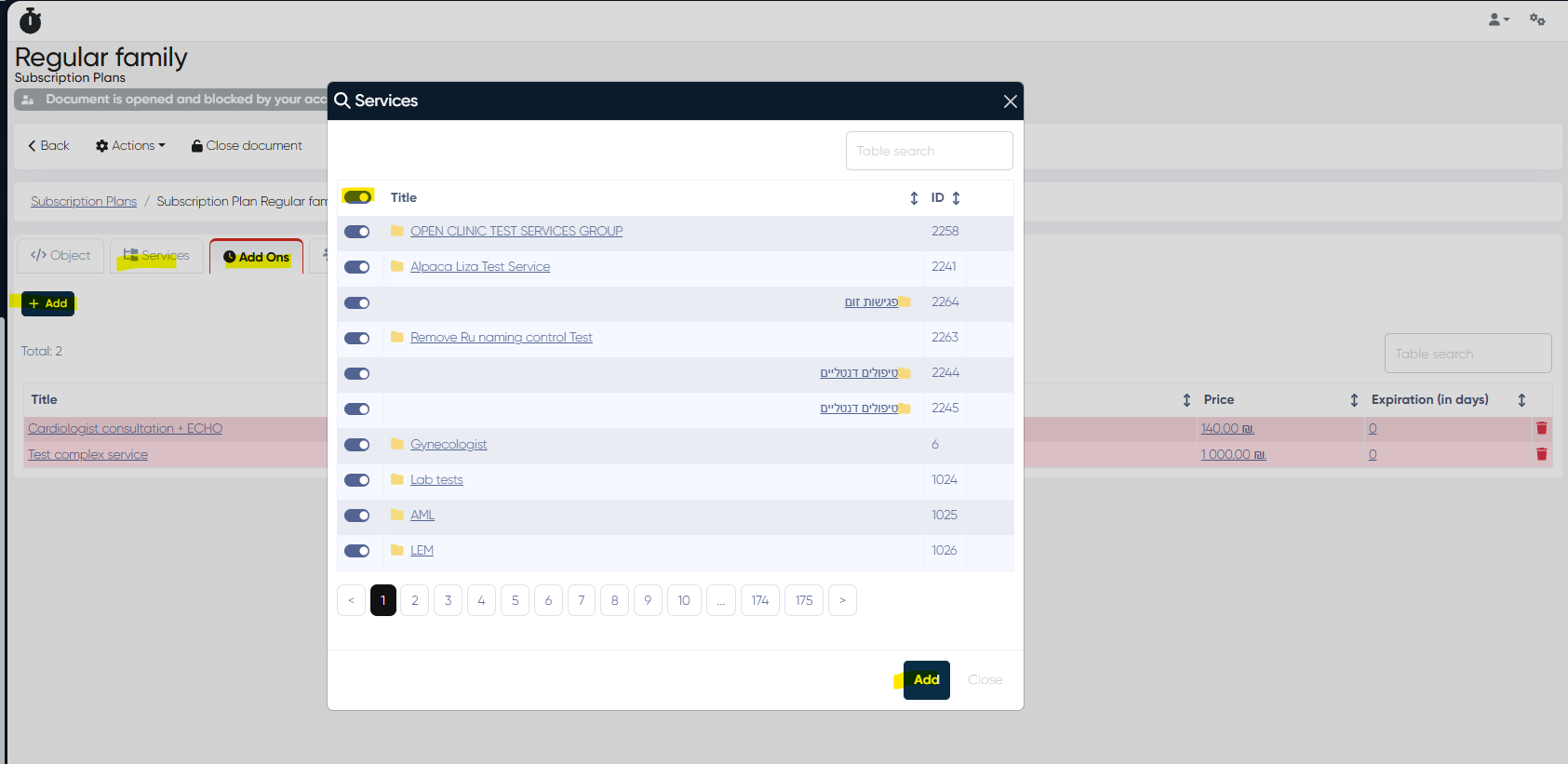
6) Subscription Plans – Services & Add-Ons Assignment Improved (ALP-1309)
The same service-adding logic used for employees is now available in subscription plans.
Navigation:
Directories > Subscriptions > Subscription Plans > Choose Plan
Available in both the Services and Add Ons tabs.
Admins can now:
Select multiple services at once
Add an entire folder with all included services.
Automatically pull default values (price, duration, etc.)
7) “One-Time Services” Renamed to “Add Ons” (ALP-1310)
Terminology updated across the system and Patient Web Cabinet.
“One-time services” are now consistently referred to as Add Ons.
8) Drugs Dictionary – Typo Fixed (ALP-1321)
Fixed typo in:
Directories > Drugs > +Create RecordParameter renamed from “Doseage” to “Dosage”.
9) Service-Level Online Booking Links – Minor Updates (ALP-1037)
Minor improvements and stability updates were applied to service-specific online booking links.
10) Doctor’s Cabinet – Medical History File Names Fixed (ALP-1311)
Bug: File names were missing in Patient Medical History in the Doctor’s Cabinet on one production.
Fix: File names now display correctly.
11) Contacts Import – Minor Updates (ALP-1258)
Additional improvements and fixes were applied to the Contacts import logic.
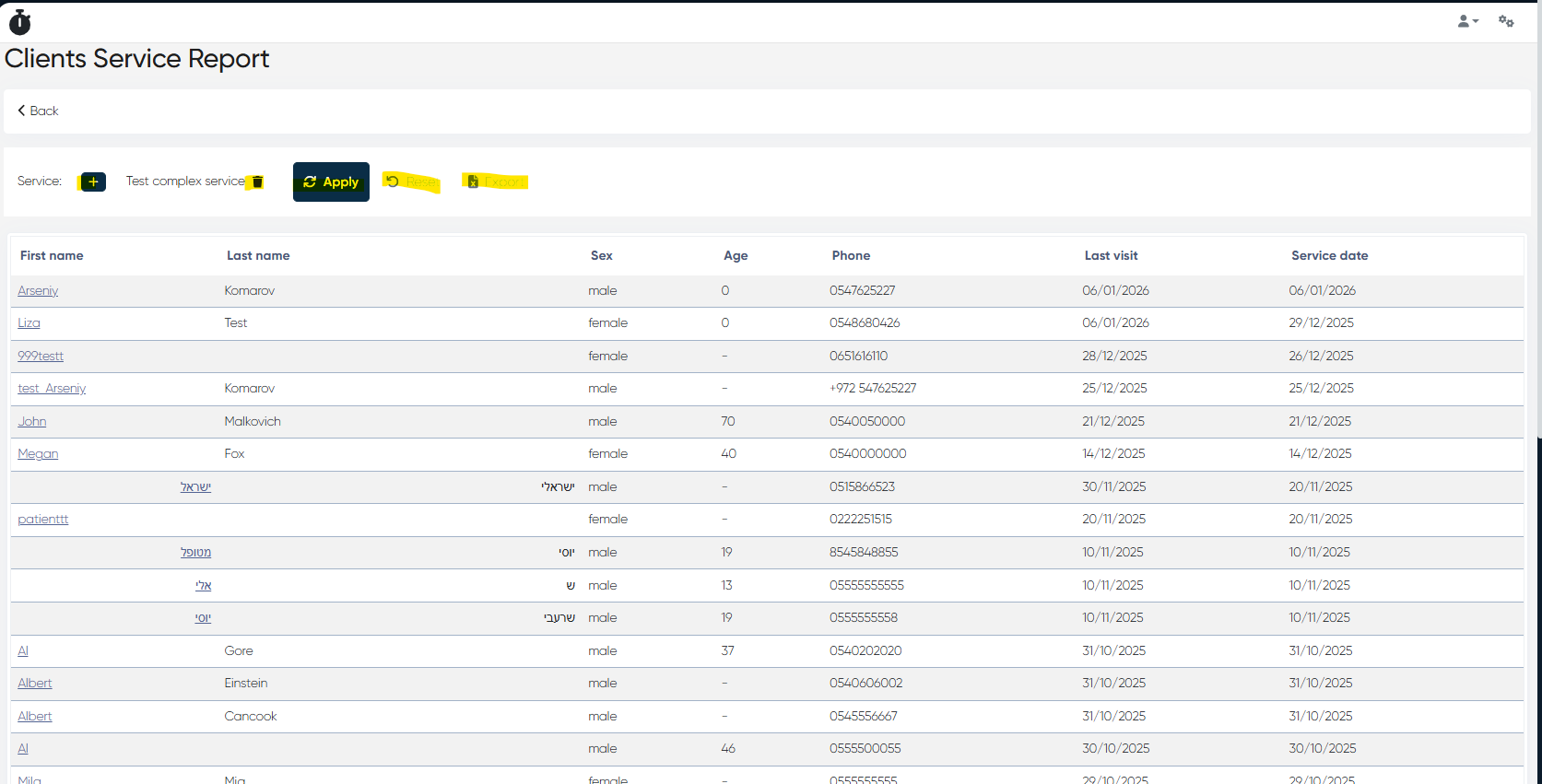
12) New Analytics Report – Clients Service Report (ALP-1324)
A new report was added to Analytics.
Access Control
To enable for an admin:
Settings > Administrators > Choose Admin > Analytics Access Control > Clients Service Report (toggle ON)
Navigation
Analytics > Clients Service Report
Usage
Select a service via the “+” button.
Click Apply
Report Columns
First Name
Last Name
Sex
Age
Phone
Last Visit
Service Date
Export to Excel is available.
13) Password Restoration – Fixed (ALP-1336)
Password recovery issues have been resolved for both ERP and the Doctor’s Cabinet.
14) MedDoc Print Preview – Section Names Fixed (ALP-1327)
Bug: MedDoc print preview showed “Error” instead of section names.
Fix: Section/tab names now display correctly according to MedDoc settings.
This release delivers important fixes across services, subscriptions, payments to doctors, video uploads, analytics reporting, localization, and document printing — plus introduces a new Clients Service Report for deeper analytics.