
v2.064 build 1915 (20.12.2025)
Release Notes
Version: 2.064
Build: 1915
Release date: 20.12.2025
1) Leads Panel Added to Touches (ALP-1222)
A new Leads panel was introduced to improve lead monitoring, qualification, and follow-up workflows.
Navigation:
Touches > Leads
The Leads panel contains two main sections:
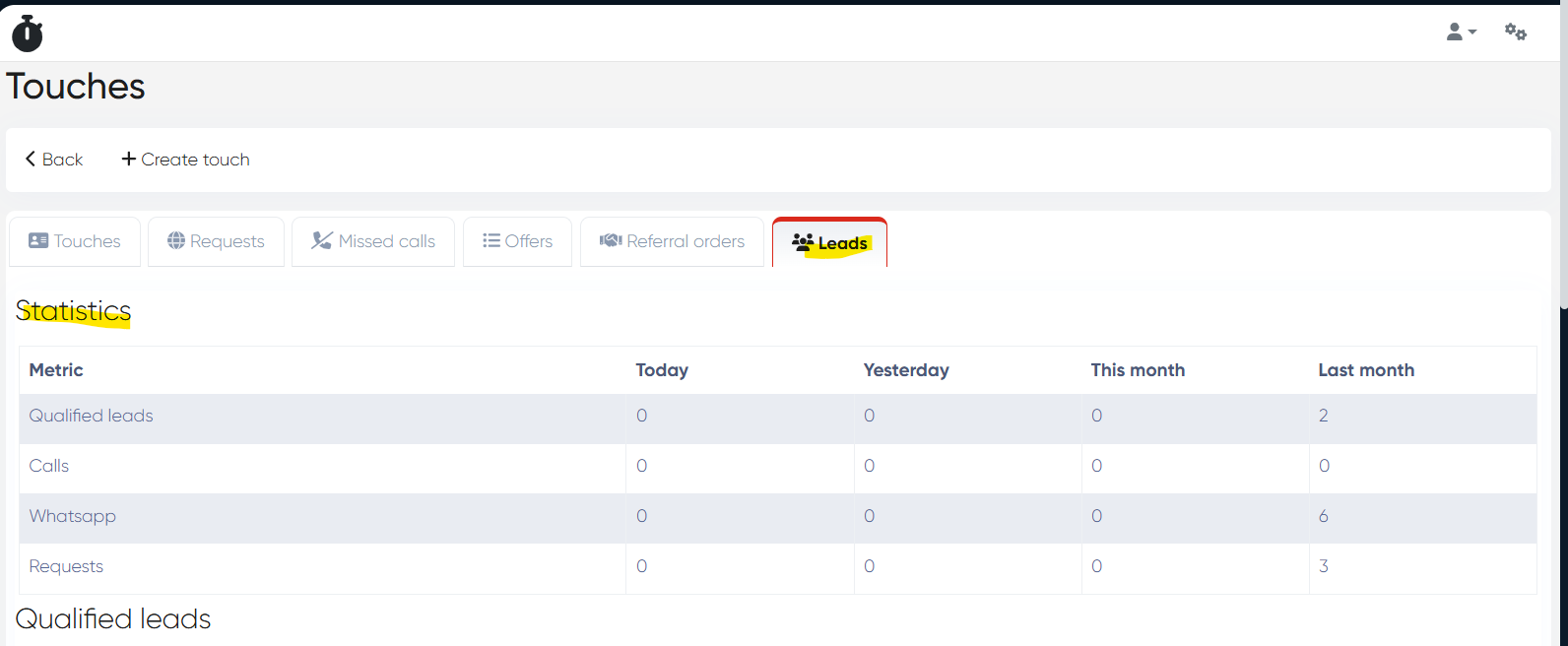
a) Statistics
Optimized analytics with cached data.
Update frequency: once every 10 minutes
Columns:
Today
Yesterday
This Month
Last Month
Rows:
Qualified Leads
Calls
WhatsApp
Requests (e.g. website forms)
This section provides a quick snapshot of lead performance and traffic sources.
b) Qualified Leads
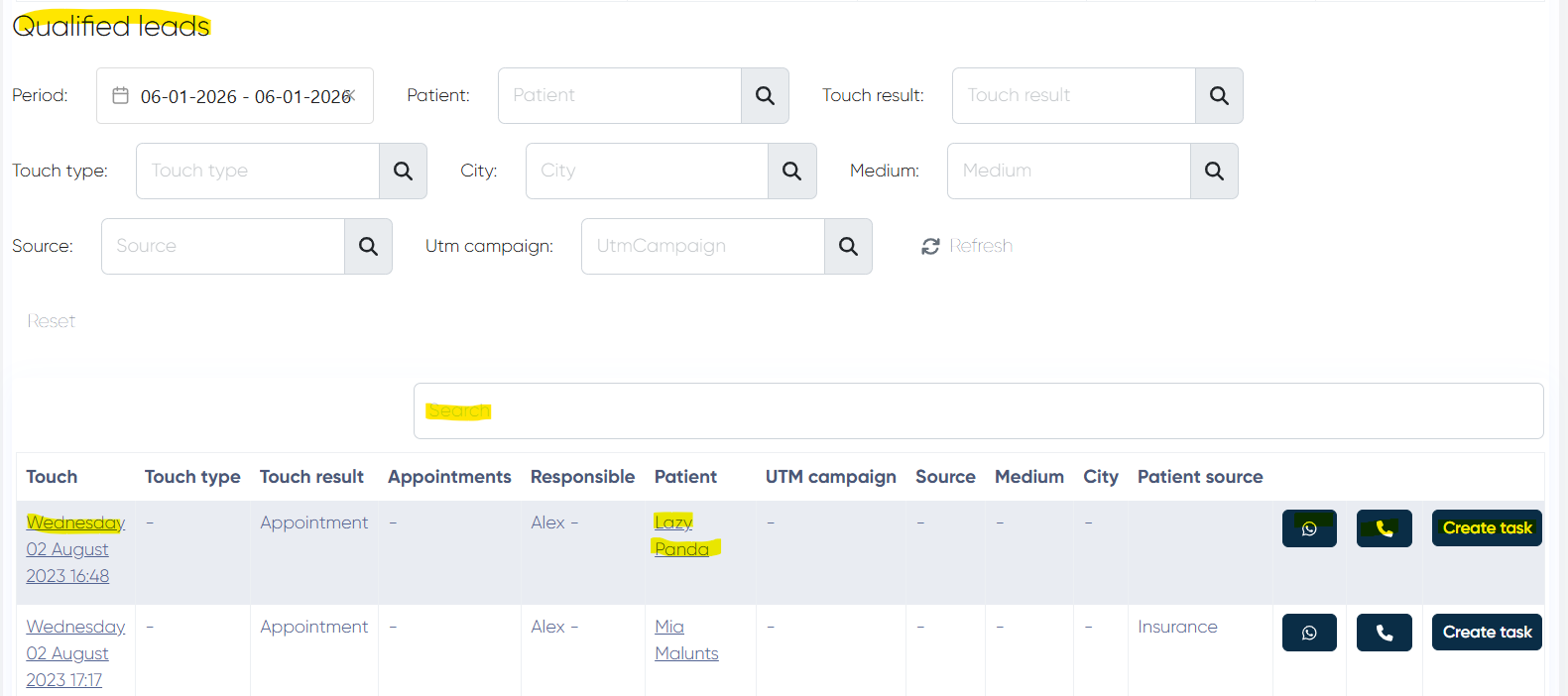
A detailed list of qualified leads with advanced filtering and actions.
Filters available:
Period
Patient
Touch Result
Touch Type
City
Medium
Source
UTM Campaign
Buttons: Refresh, Reset
Table Columns:
Touch (clickable – opens the Touch record)
Touch Type
Touch Result
Appointments (related info)
Responsible
Patient (clickable – opens Contact Card)
UTM Campaign
Source
Medium
City
Patient Source
Actions per lead:
WhatsApp – send approved WA templates
Call – initiate a call
Create Task – open task creation with patient prefilled
This panel centralizes lead handling and improves conversion workflows for reception and sales teams.
2) Custom Medical Document Tab Templates (ALP-1247)
A new mechanism allows customizing MedDoc tab structure per doctor.
a) MedDoc Tabs Templates Dictionary
Navigation:
Directories > MedDoc Tabs Templates
b) Template Creation
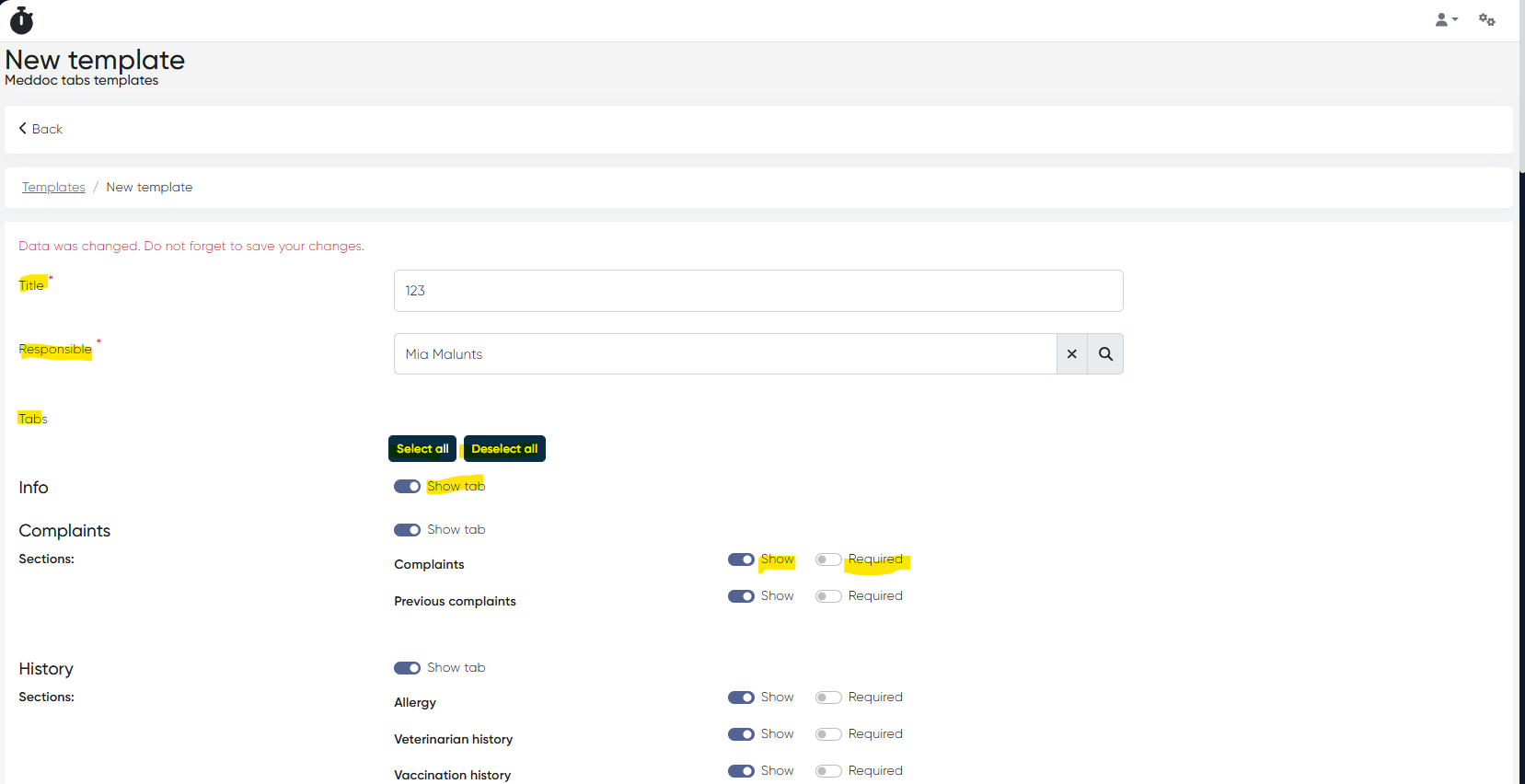
+Create Record requires:
Title (mandatory)
Responsible Admin (mandatory)
Template configuration:
Define which MedDoc tabs and subsections are available
Select all / Deselect all options
For each Tab:
Show Tab toggle
For each Subsection:
Show toggle
Required toggle
Save / Cancel actions available
c) Assigning Templates to Doctors
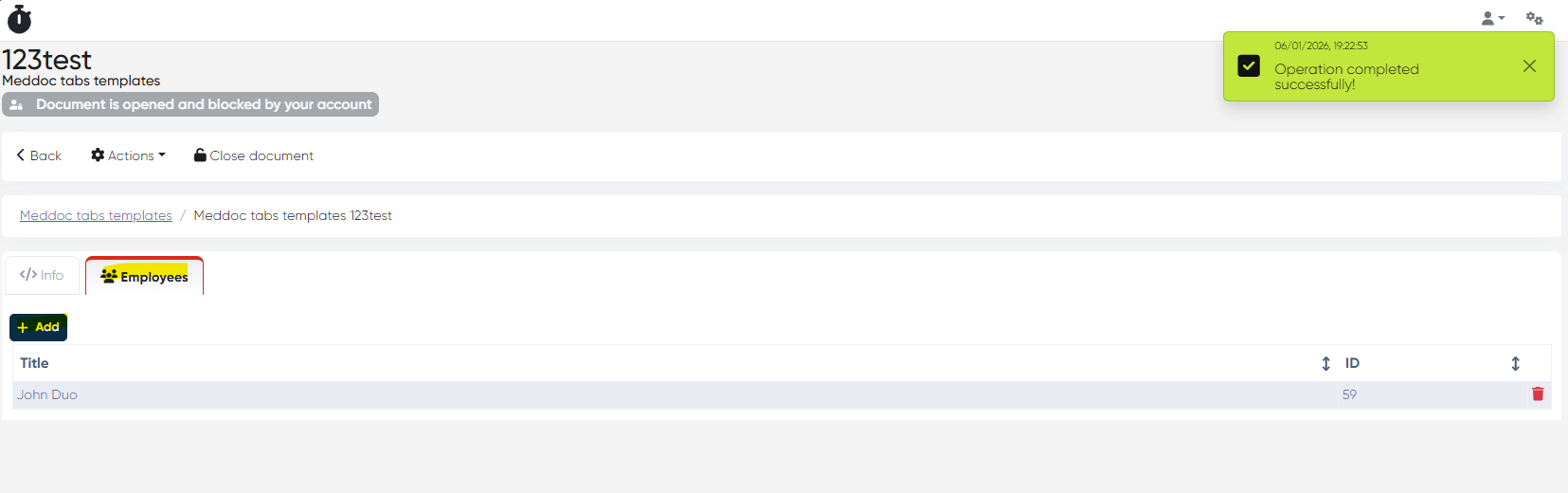
Open a template → go to Employees tab
Add one or more doctors via +Add
d) Behavior Logic
If no template is assigned to a doctor:
MedDoc tabs follow general MedDoc settings
If a template is assigned:
MedDoc structure follows Show / Required rules from the template
This enables role-based MedDoc layouts and enforces documentation standards per specialty.
3) BMI Value Saving & Printing Fixed (ALP-1269)
Bug:
BMI value entered in Examination tab was not saved after MedDoc save
BMI was missing in printed Medical Documents
Fix:
BMI is now correctly saved and displayed
BMI value is included in printed MedDocs
This update introduces a powerful Leads management panel, flexible doctor-specific MedDoc templates, and fixes a critical clinical data persistence issue.