
v2.052 build 1901 (17.12.2025)
Release Notes
Version: 2.052
Build: 1901
Release date: 17.12.2025
Performance Improvements – Schedule, Medical Documents & Dashboard
Schedule & Medical Documents Performance Update
A major performance optimization was implemented for:
Schedule
Medical Documents
These improvements significantly reduce load times and improve overall responsiveness, especially in clinics with large data volumes.
Dashboard Widgets Caching
Navigation: Main menu > Desktop
Dashboard widgets are now cached.
Widgets automatically refresh every 10 minutes.
This reduces unnecessary system load while keeping analytical data up to date.
1) Service-Level Online Booking Links (ALP-1037)
A dedicated online booking link is now available for each individual service.
Navigation:
Directories > Services > Choose Service > Online booking public link
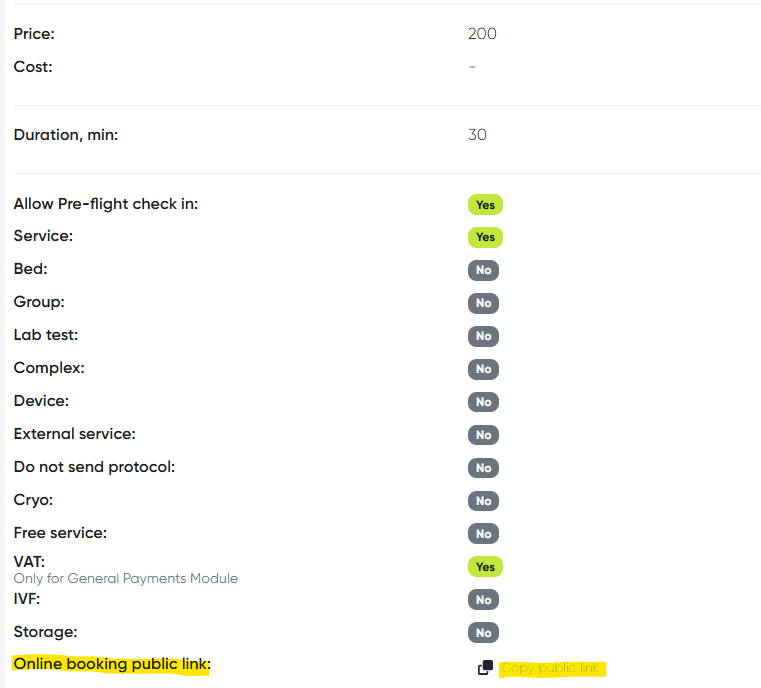
Each service has its own public scheduling link.
The link can be copied and shared with patients directly.
Patients are taken straight to booking for the selected service without browsing the full catalog.
2) Tranzilla – Payment Sum Mismatch Fixed (ALP-1167)
Bug: Incorrect payment totals in Alpaca compared to Tranzilla user accounts on one production environment.
Fix: Payment calculation logic synchronized; sums now match correctly.
3) Tranzilla – CC Split Payments API Error Fixed (ALP-1170)
Bug: API errors occurred when paying by credit card with installments (Tashlumim) via Tranzilla.
Fix: Split payment flow stabilized and works correctly.
4) Video Portal – Embed Links Added (ALP-1184)
Support for embedded video links has been added to the Video Portal.
Navigation:
Video Portal > Directories > Content > Create new / Open existing > Share link
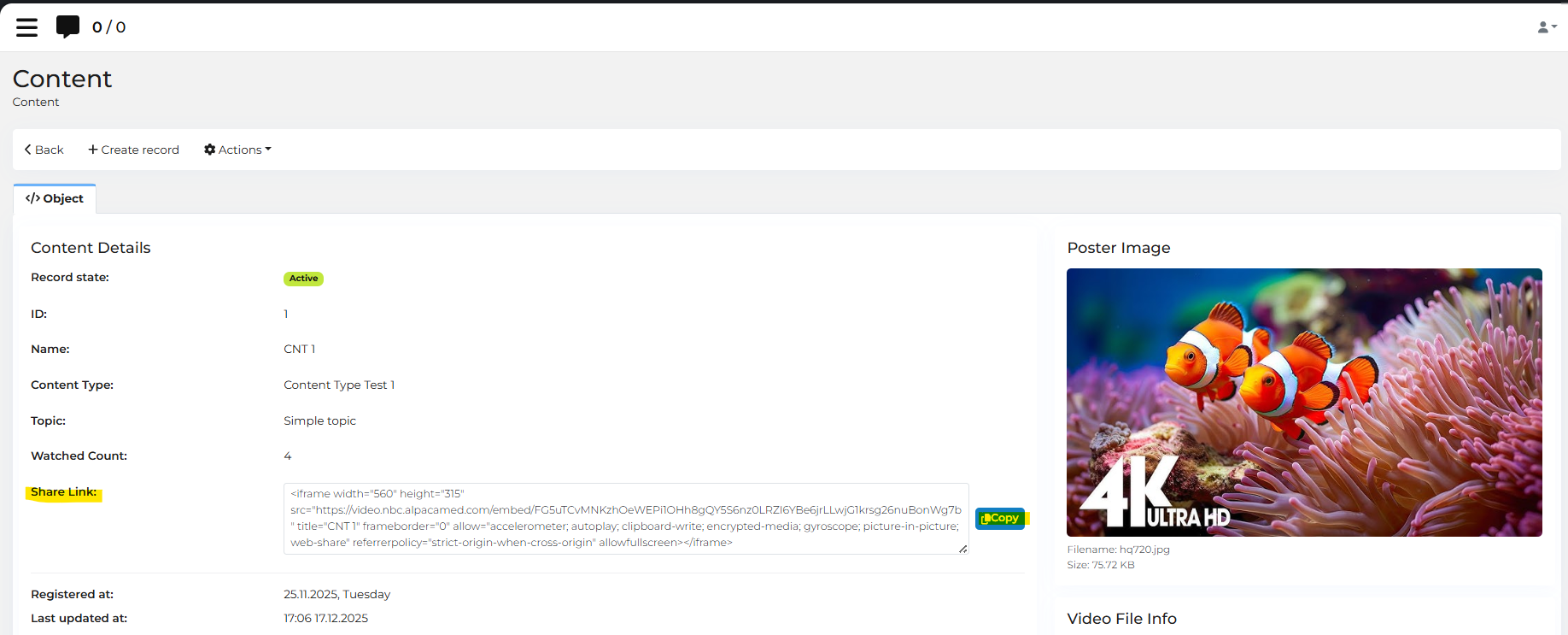
Allows attaching external video resources via HTML embed code.
Share link can be copied and used on external platforms.
5) Bank Transfer – “Pay” Button Fix (ALP-1206)
Bug: “Pay” button was not clickable for Bank Transfer payment method on one production environment.
Fix: Payment flow restored; button now works correctly.
6) Email Notifications Added to Messaging Settings (ALP-1212)
Email is now available as a notification delivery method.
Navigation:
Settings > Messaging Settings > Notifications tab > Email toggle
Improvements:
a) Notifications can now be sent via Email, in addition to SMS, WhatsApp, and Push.
b) When Email is selected, template selection fields switch to Email Templates.
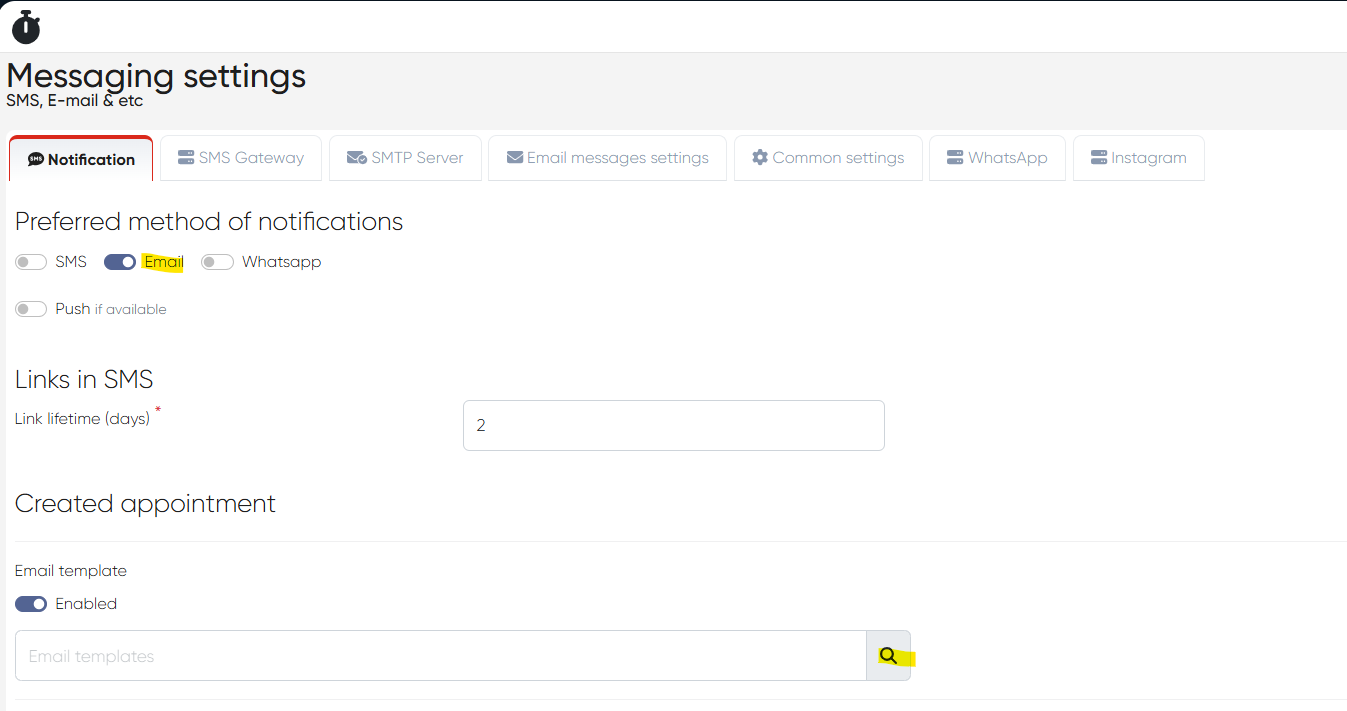
c) Notification messages can be delivered via email.
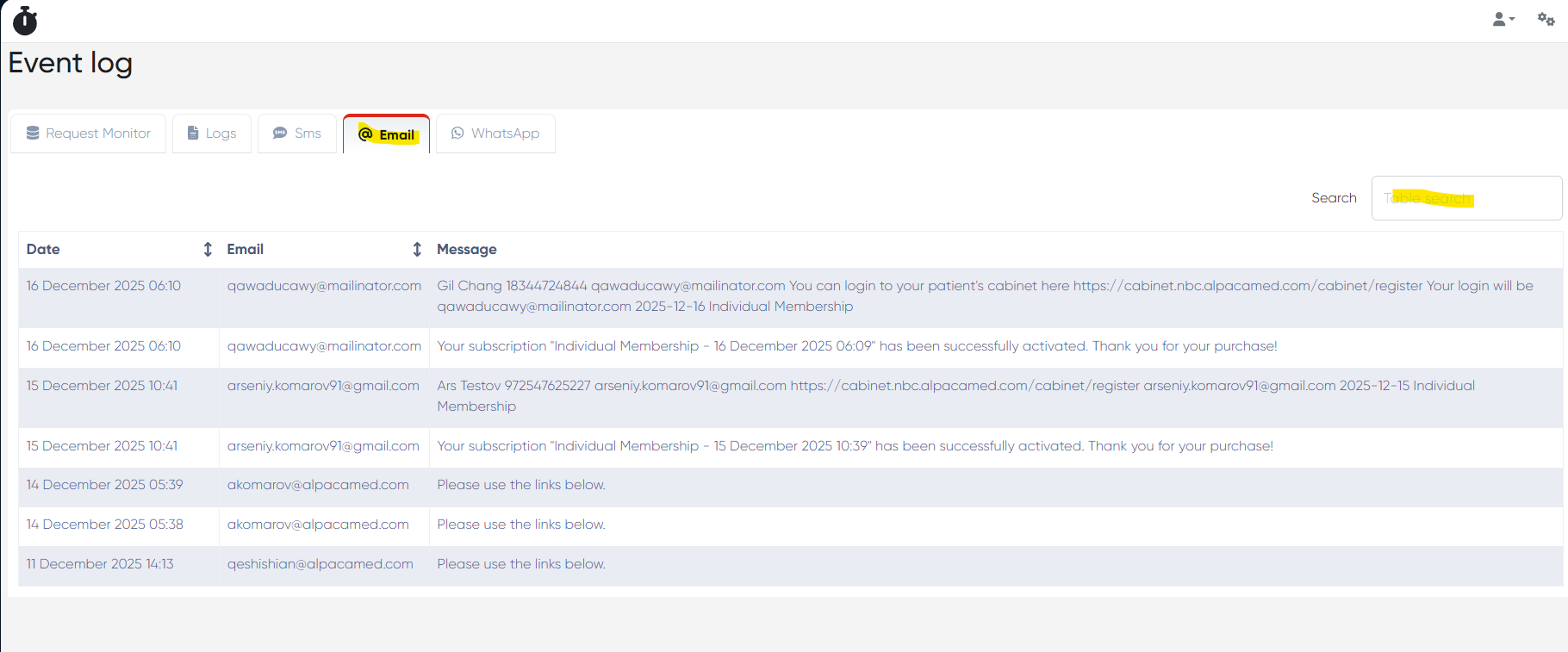
d) New Email tab added to request monitoring:
Events and Logs > Email
Displays searchable list with Date, Recipient, and Message content.
7) Preflight Check-In – Signature Missing in PDF Fix (ALP-1237)
Bug: When preflight check-in forms were sent from Reception via SMS, patient signatures did not appear in the resulting PDF.
Fix: Signatures now display correctly in generated documents.
8) Structured Templates – Minor Fixes (ALP-1241)
Small fixes applied to Structured Templates in several Medical Document sections (e.g., Intake forms).
9) Patient Web Cabinet – Subscription Payment Fix (ALP-1255)
Bug: “Pay now” button did not work in Patient Web Cabinet > Subscriptions.
Fix: Subscription payments now process correctly.
10) Subscription Public Links Added (ALP-1229)
Each subscription plan now has a public subscription link.
Navigation:
Directories > Subscriptions > Subscription Plans > Choose Plan > Object tab> Subscription Link
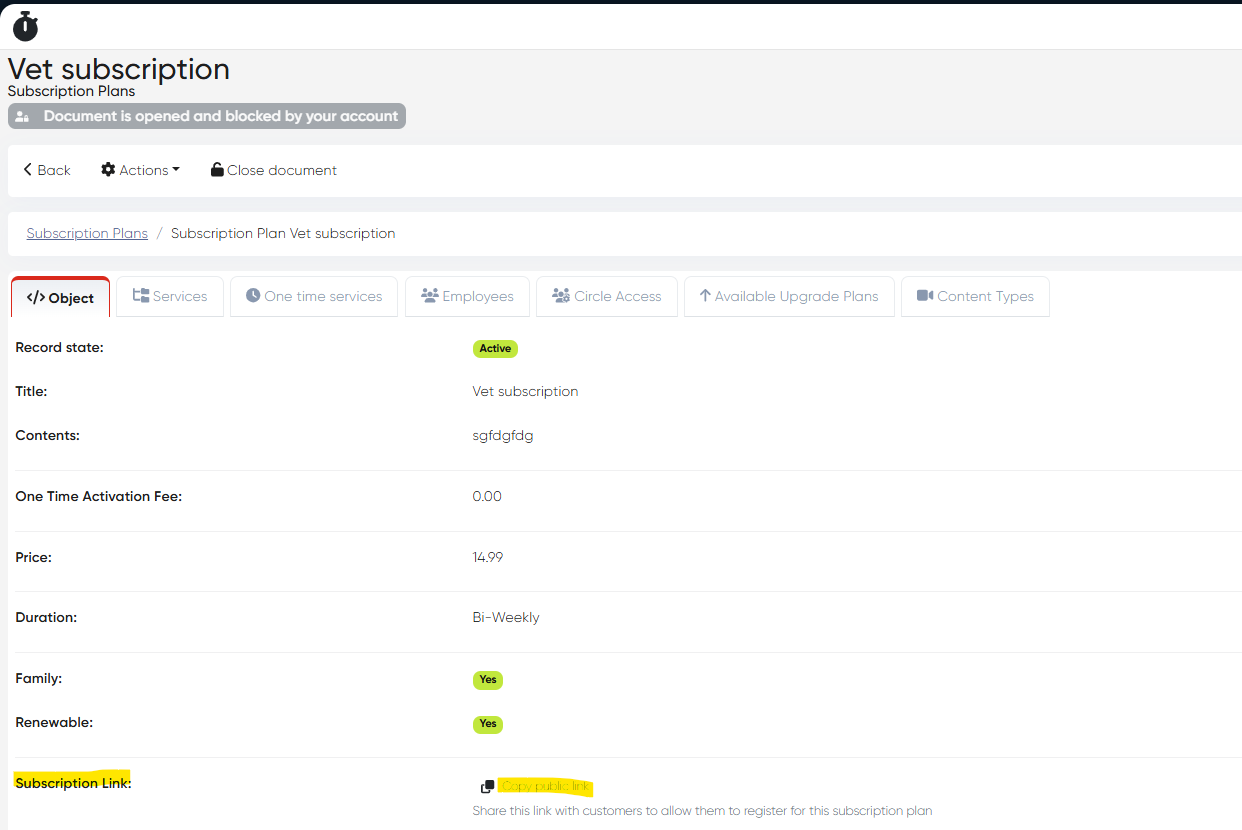
The link leads to a page that:
a) Collects patient basic information (name, email, phone).
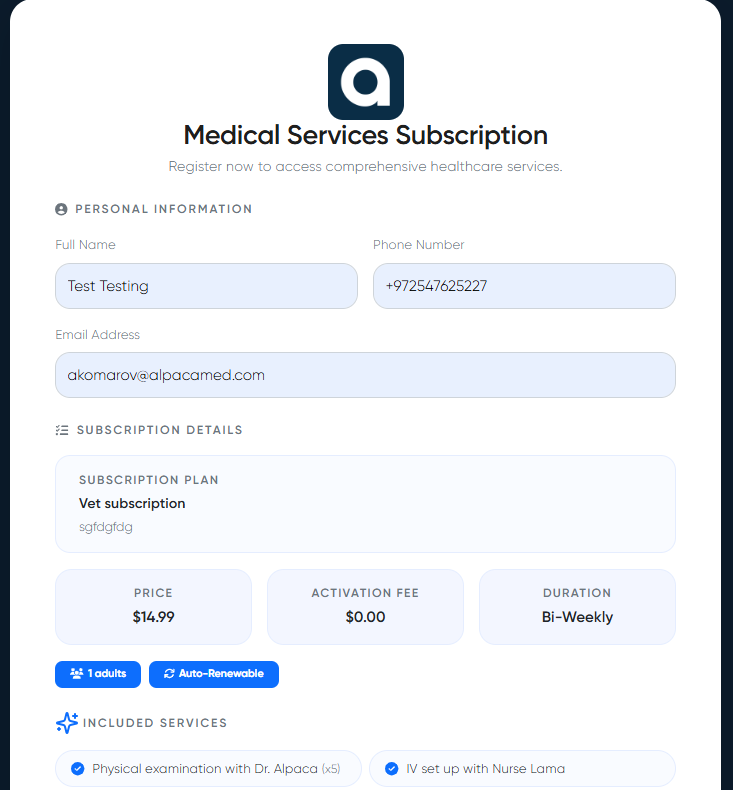
b) Requires signing all relevant forms (similar to preflight check-in).
c) Allows payment.
d) Automatically:
Creates the patient in Alpaca
Assigns the subscription
Creates a Web Patient Cabinet
Sends login credentials and cabinet link to the patient’s email.
11) Contact Documents – Folder Name Display Fix (ALP-1270)
Bug: Folder name was not shown in Attached Documents tab of the Contact Card.
Fix: Folder names now display correctly.
12) Rescheduling – No Slots Displayed Fix (ALP-1280)
Bug: No slots appeared when rescheduling appointments on one production environment.
Fix: Slot availability now displays correctly.
13) Subscription & Video Portal Bug Fixes (ALP-1294)
Fixed multiple issues on one production environment:
a) Individual subscriptions could not be modified.
b) Available upgrade plans displayed incorrectly.
c) Bugs in Video Content Portal related to content types.
All issues resolved.
14) Contact Merge – Passport Retention & Logs Added (ALP-1296)
Bug: Passport data was lost after merging duplicate contacts.
Fix: Passport now retains correctly in the main contact.
Enhancement: Merge logs added at
Events and Logs > Logs > client_merge
15) Contact Card – Object Tab Display Fix (ALP-1297)
Bug: Object tab displayed no data on Contact Card.
Fix: Information now loads and displays correctly.
16) MedDoc Import – Minor Fixes (ALP-1300)
Small improvements and stability fixes for Medical Document import.
Navigation:
Medicine > Import from Excel
This release delivers major improvements across online booking, subscriptions, payments, messaging (Email), document handling, and system stability, with numerous production bug fixes and workflow enhancements.