
v2.017 build 1801 (02.12.2025)
Release Notes
Version: 2.017
Build: 1801
Release date: 02.12.2025
1) Reports – Comparison Period Issue Fixed
Bug: In one production environment, reports using a Comparison Period displayed incorrect or inconsistent data.
Fix: Comparison period logic corrected; reports now calculate and display values correctly.
2) Medical Document – Mandatory Fields Validation (ALP-1207)
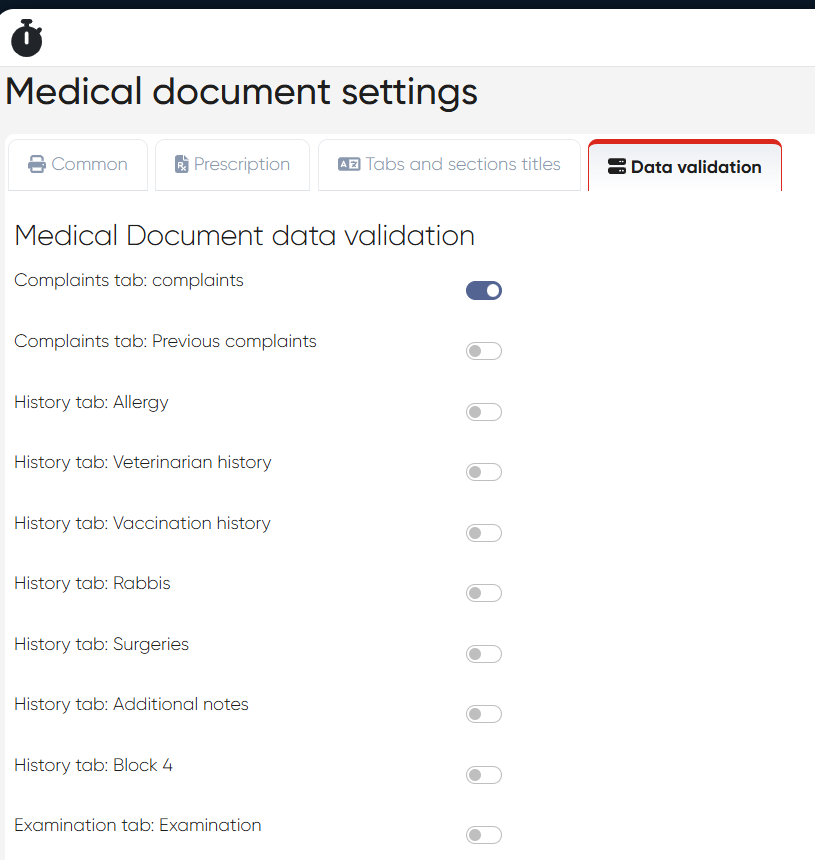
A new data validation mechanism was added to Medical Documents.
Navigation:
Settings > Medical Document Settings > Data Validation
a) Configuration
In Medical Document settings, checkboxes were added for each MedDoc section.
Administrators can mark specific fields/sections as required.
b) Behavior in Doctor’s Cabinet
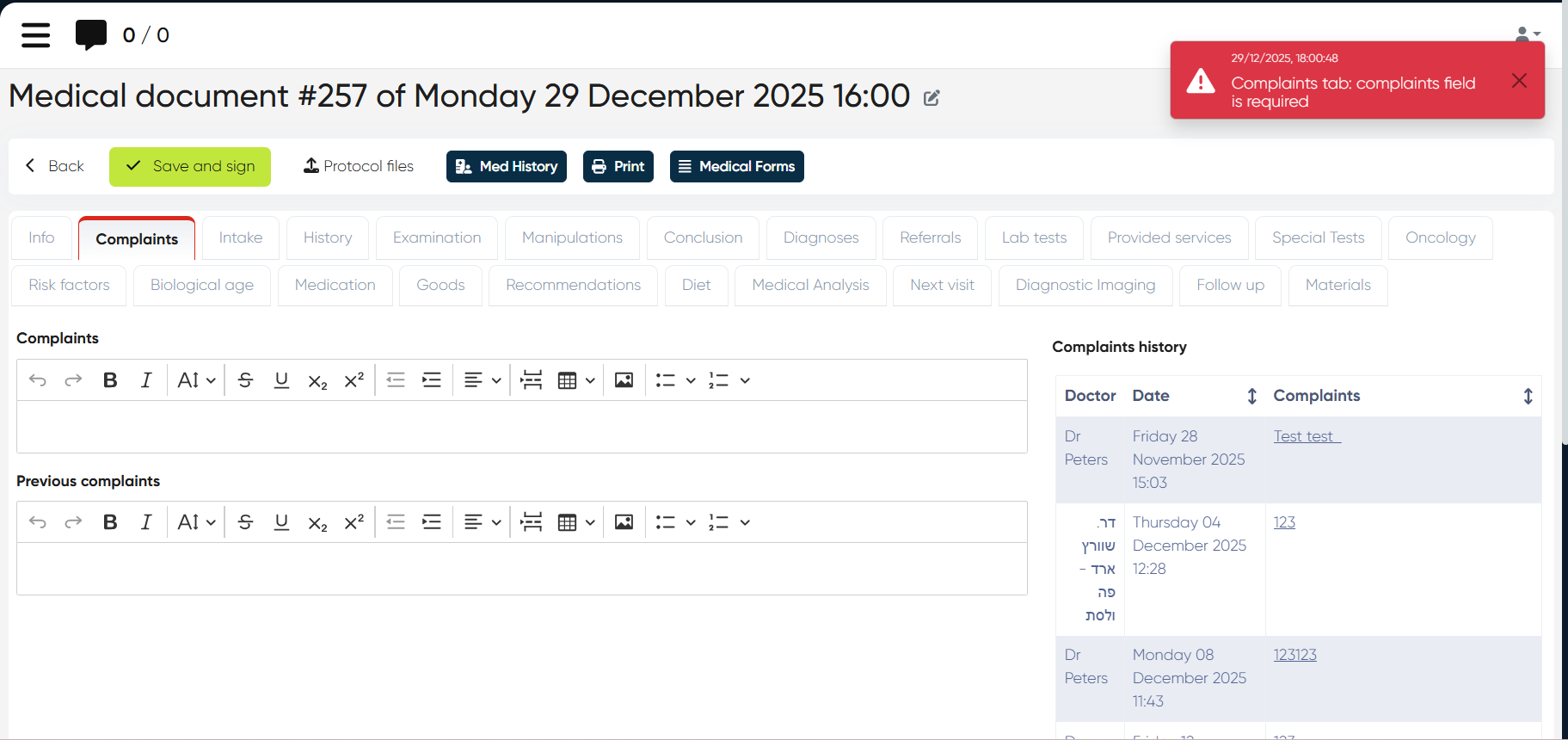
When a doctor clicks Save and Sign, the system checks all required fields.
If any required field is empty:
An error message is shown
A list of missing fields is displayed.
This ensures data completeness and compliance before signing medical documents.
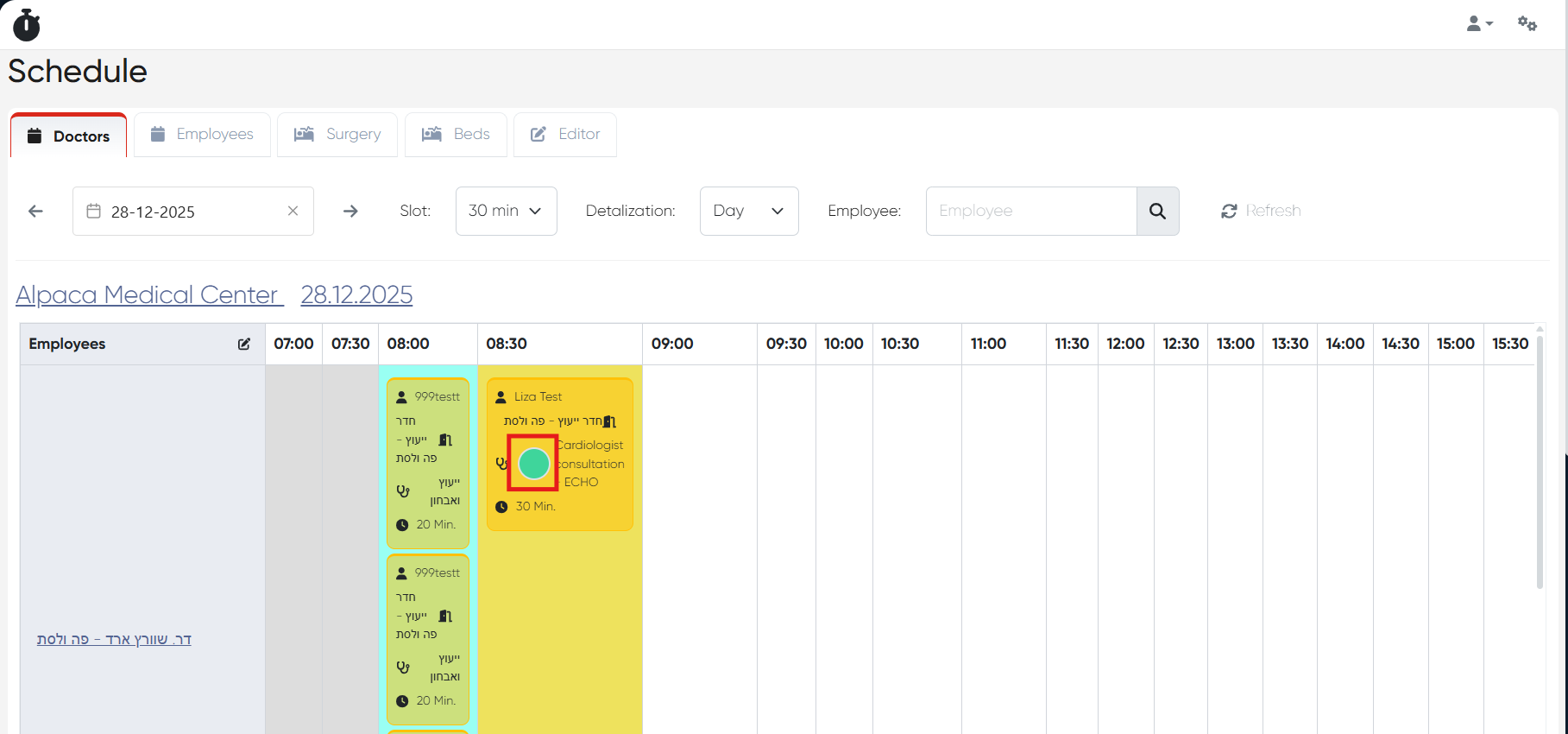
3) Slot Color by Service (ALP-1159)
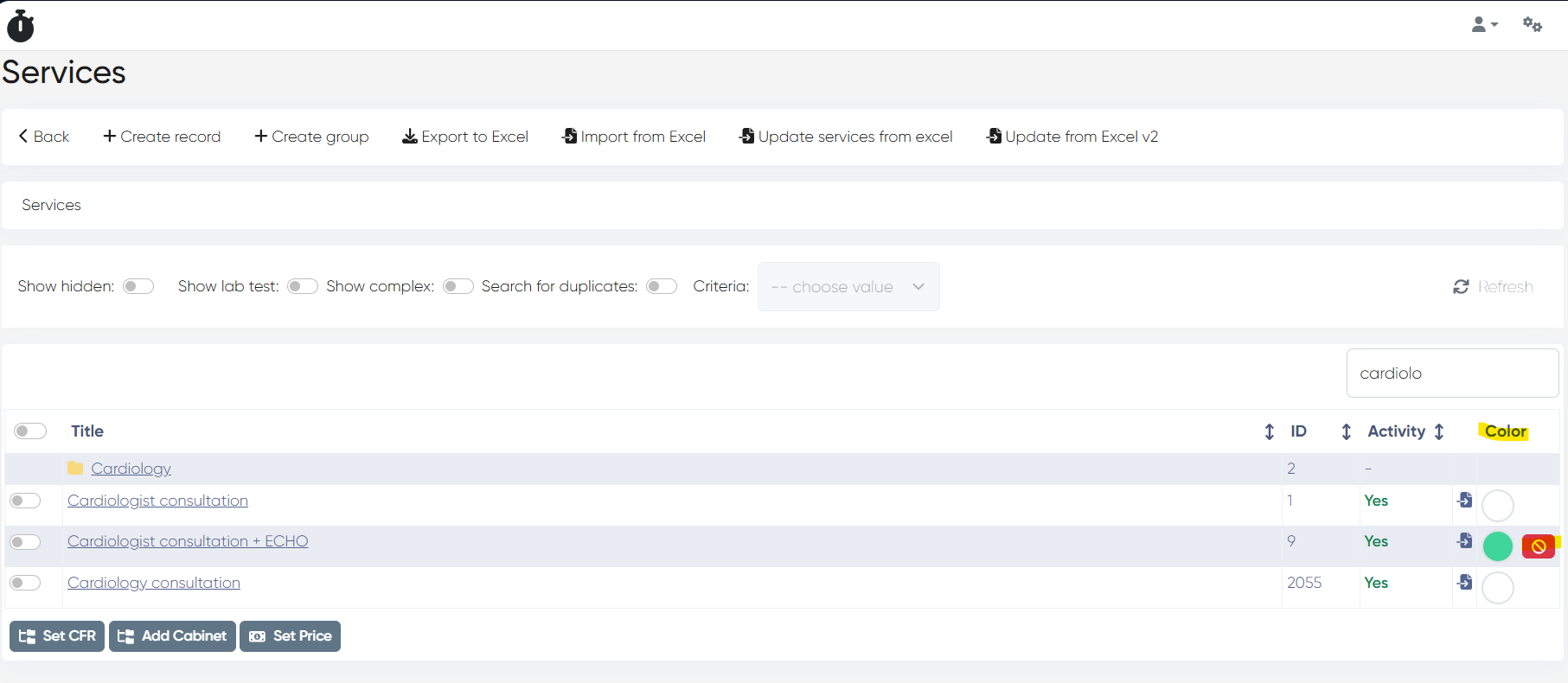
Services can now define their own slot color.
Navigation:
Directories > Services > Color column
a) Service Color Setup
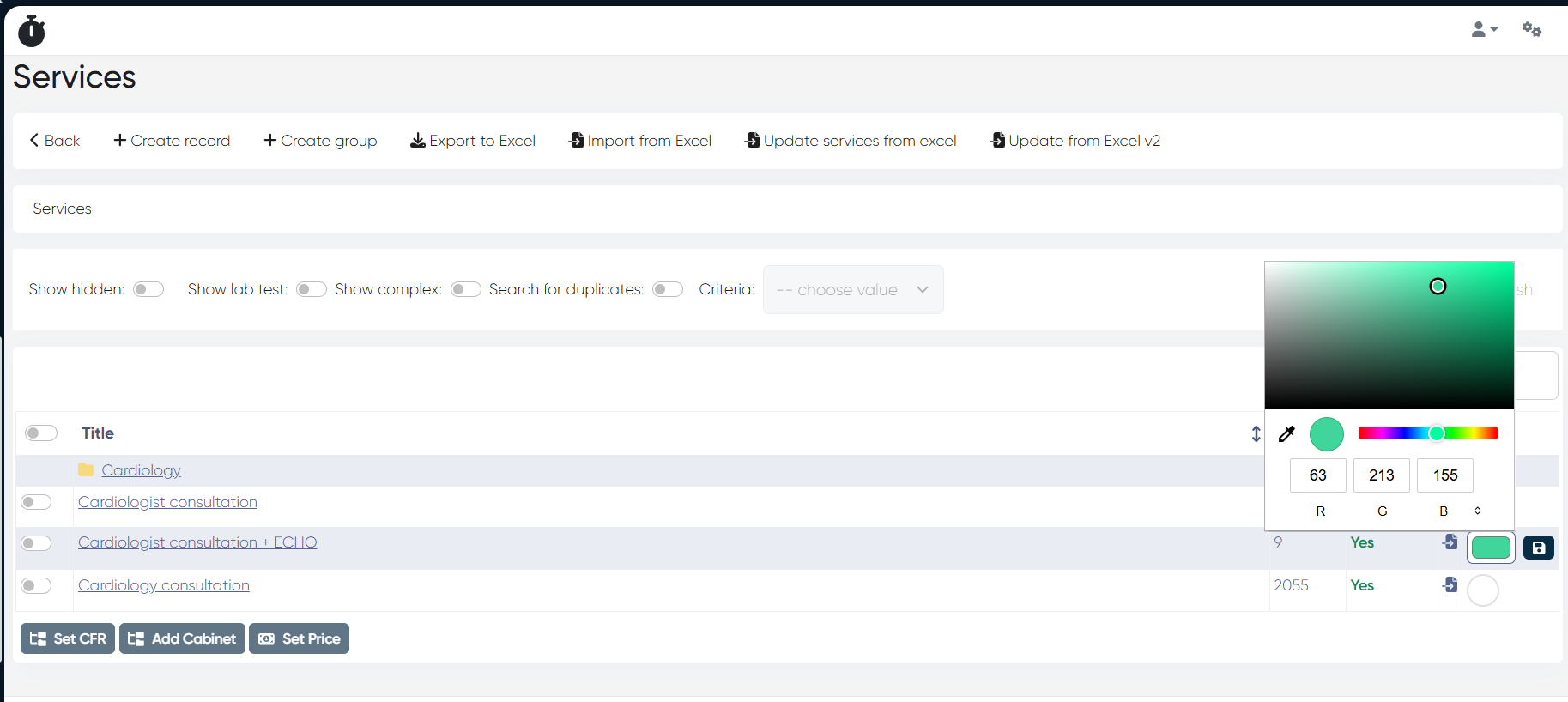
In the Services dictionary, a Color picker is available for each service.
Color can be set or removed at any time.
b) Schedule Display
If a color is assigned to a service, it is displayed on the appointment slot for that service.
Service color is shown above other slot colors, improving visual identification.
4) WhatsApp Template Sending – Admin Error Fixed (ALP-1228)
Bug: Some administrators encountered an error when attempting to send WhatsApp templates to users.
Fix: WA template sending now works correctly for all administrators.
5) UI & Usability Improvements (ALP-1213)
a) Schedule Interface Improvements
Applied to all schedule views (Schedule, Touch, Touch Complex Form, Doctor’s Cabinet):
Frozen doctor rows
Frozen time row
Top scroll bar added (in addition to bottom scroll)
b) Faster Searching
Autofocus added to filter fields in search windows:
Touch filters
Reception filters
c) Touch → Schedule Navigation Enhancements
In Touch (first form), clicking a doctor or selecting one via filter:
Doctor’s name in the top-right corner of the schedule is now clickable
Tooltip added with a short description for better UX
This release improves data accuracy, enforces medical documentation completeness, enhances scheduling visibility with service-based colors, and delivers multiple usability upgrades across schedules and search workflows.