
v2.013 build 1775 (25.11.2025)
Release Notes
Version: 2.013
Build: 1775
Release date: 25.11.2025
1) Video Portal & Content Management Infrastructure (ALP-1201)
All functionality below is available only if the videoportal module is enabled in
.env.
A major content infrastructure update was introduced, separating content management (Alpaca) from content consumption (Video Portal).
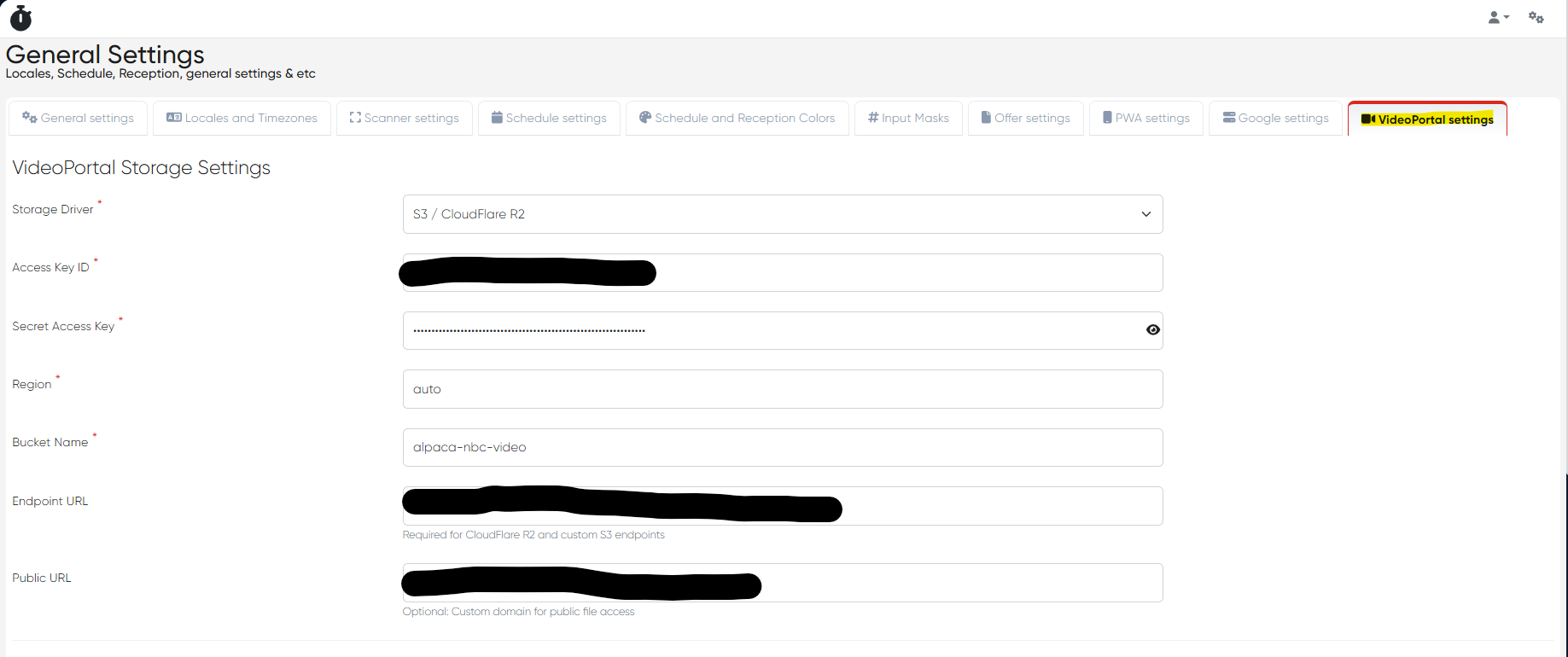
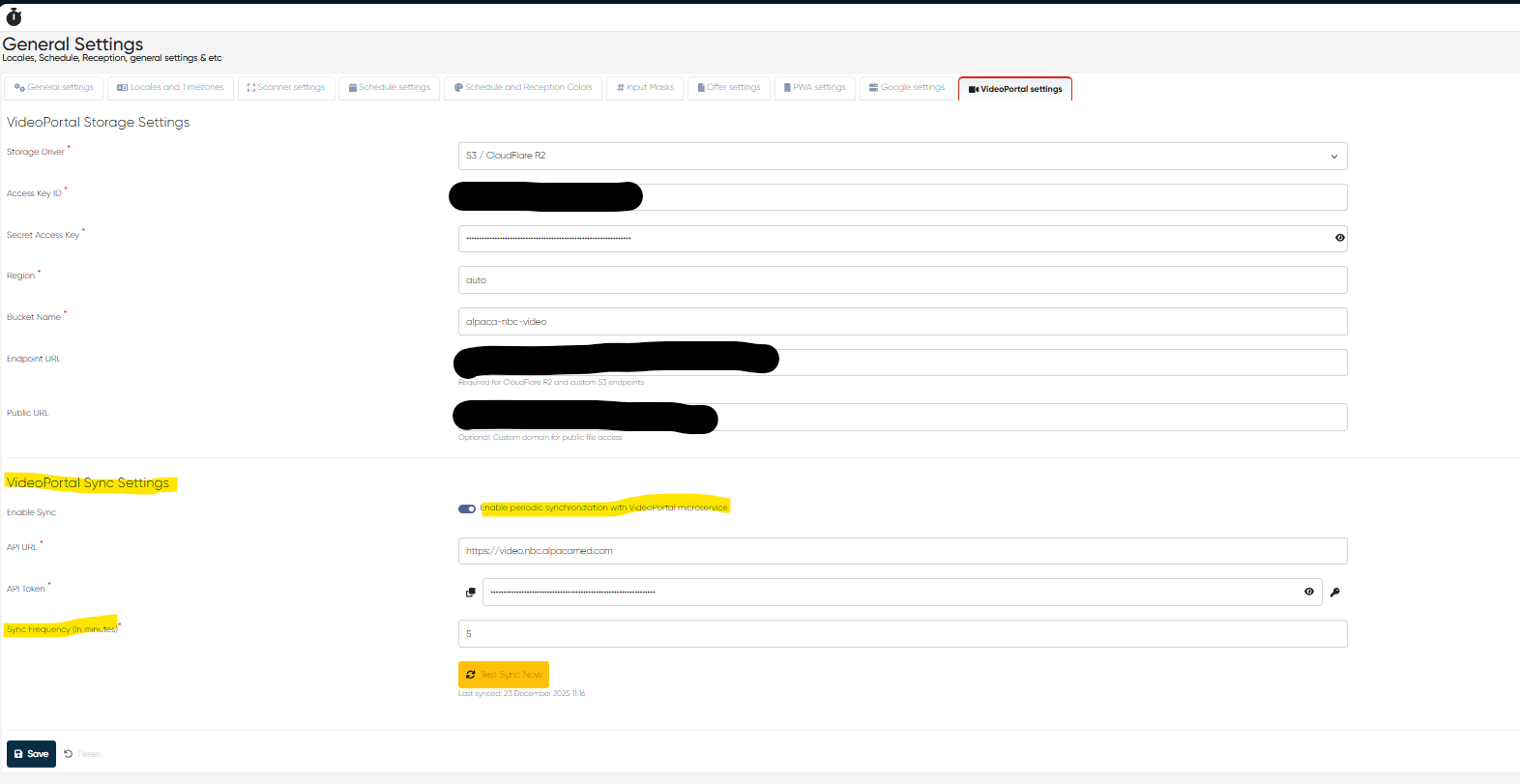
a) S3-Compatible Object Storage Settings
Added settings for S3-compatible Object Storage.
Cloudflare R2 is used as the default provider.
Storage settings are configurable via General Settings> VideoPortal settings.
b) Content Plans & Content Directories in Alpaca
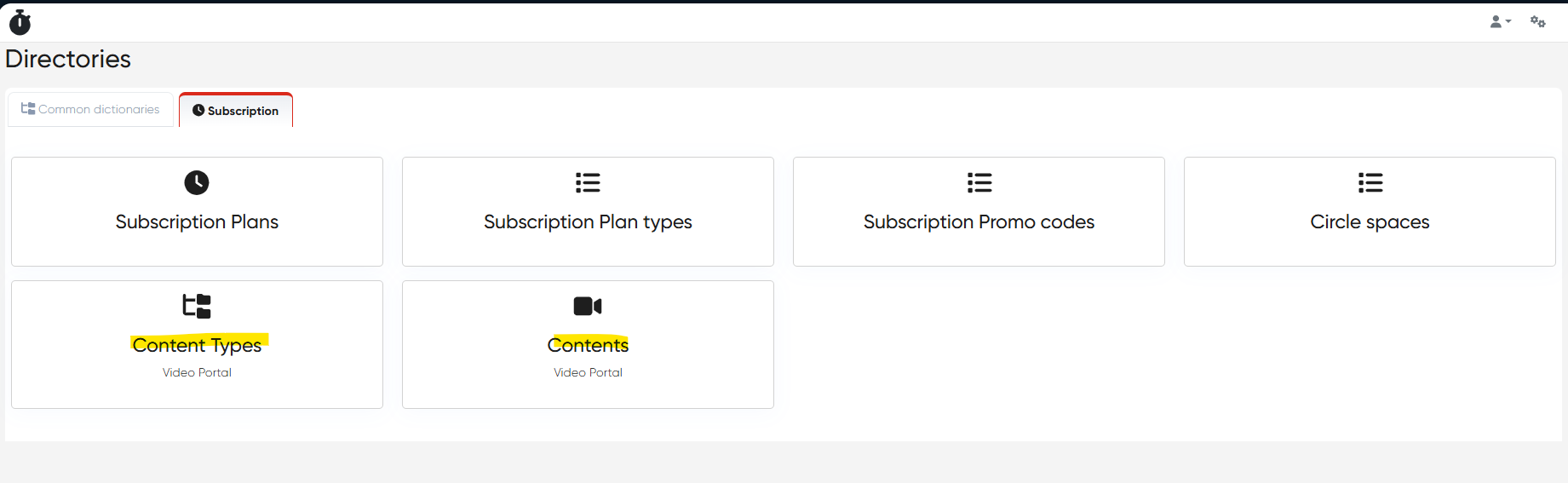
New Content Plan and Content Directories sections added in Alpaca (similar to Video Portal structure).
Content upload is allowed only if object storage settings are valid.
Content files are uploaded directly to external storage (R2).
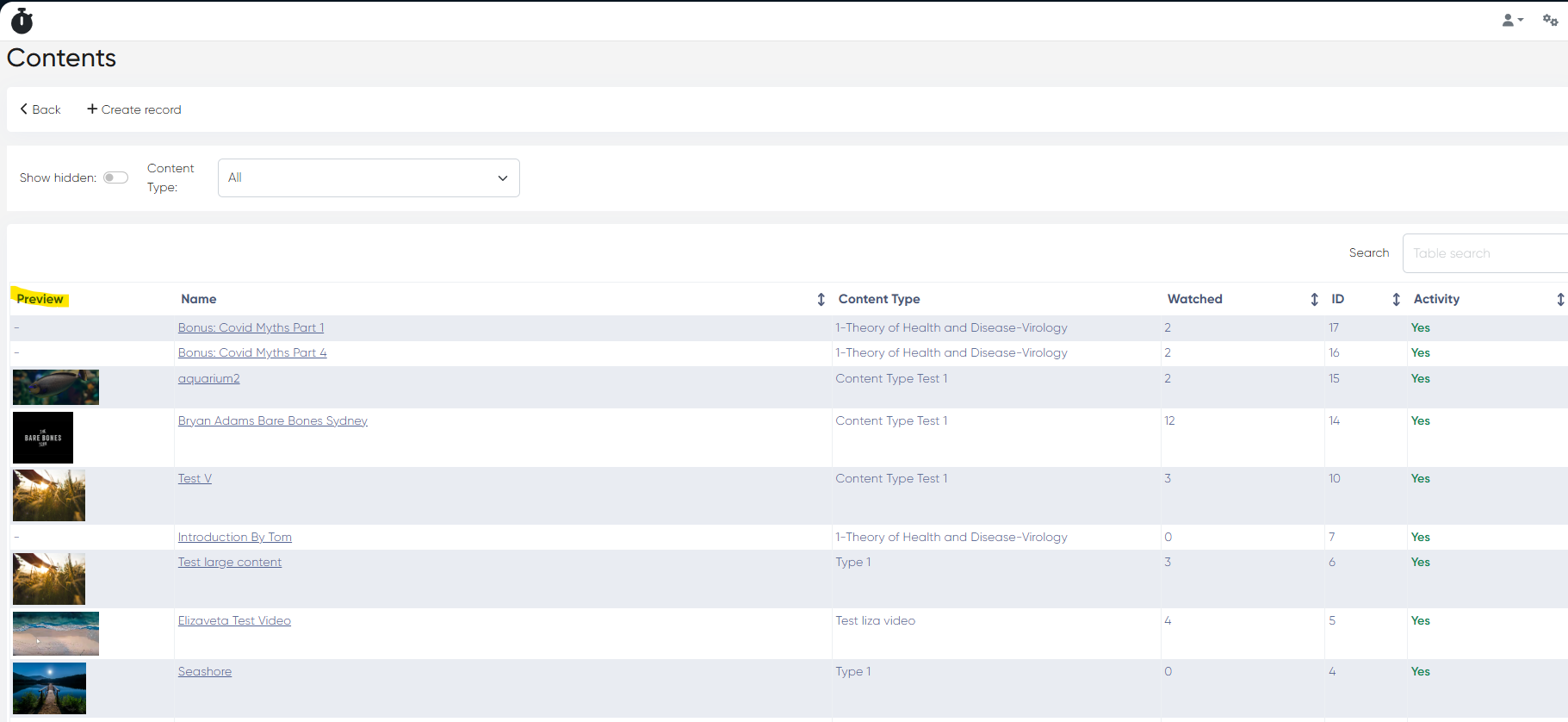
c) Preview Images in Content Directory
Content list now displays user-defined preview images directly in the directory view.
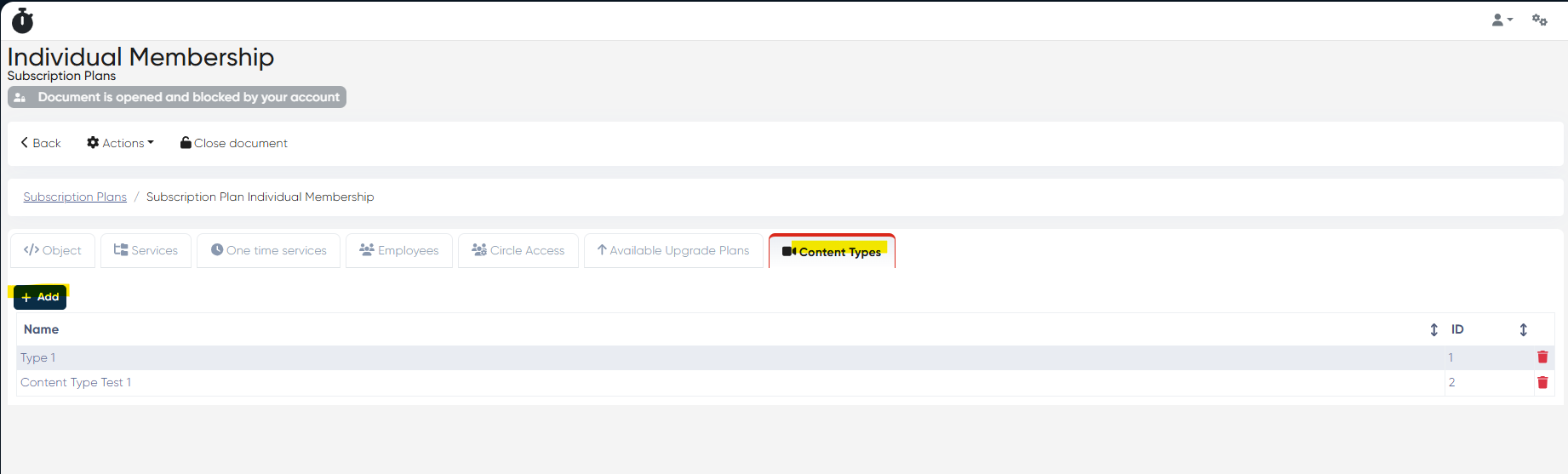
d) Subscription Plans – Content Tab
Added a new Content types tab in Subscription Plans.
Content types can be assigned via +Add button (similar to Circle integration logic).
Dynamic linking between subscriptions and available content.
e) Content API
Implemented an API for retrieving content structure and assignments from Alpaca.
Used to synchronize content into Video Portal directories.
f) Video Portal – API-Based Updates
Video Portal now updates its data via the Alpaca API.
Ensures a single source of truth for content and subscriptions.
g) Content Creation Blocked in Video Portal
Content creation in Video Portal is now disabled.
Video Portal is view-only; all content management happens in Alpaca.
h) Manual Update Time Control
Added control to define last data update time from Alpaca.
i) Configurable Update Frequency
New setting allows configuring data update frequency (in minutes) from Alpaca to Video Portal.
2) Directories Cleanup – Individuals & OET Hidden (ALP-1210)
Individuals and OET directories are now hidden from the Directories section.
The Individual parameter is also hidden from the Doctor’s Contact Card.
Reduces UI clutter and avoids confusion for clinics not using these entities.
3) Multilingual Service Names in Import Template (ALP-815)
Service import templates now support multilingual service names.
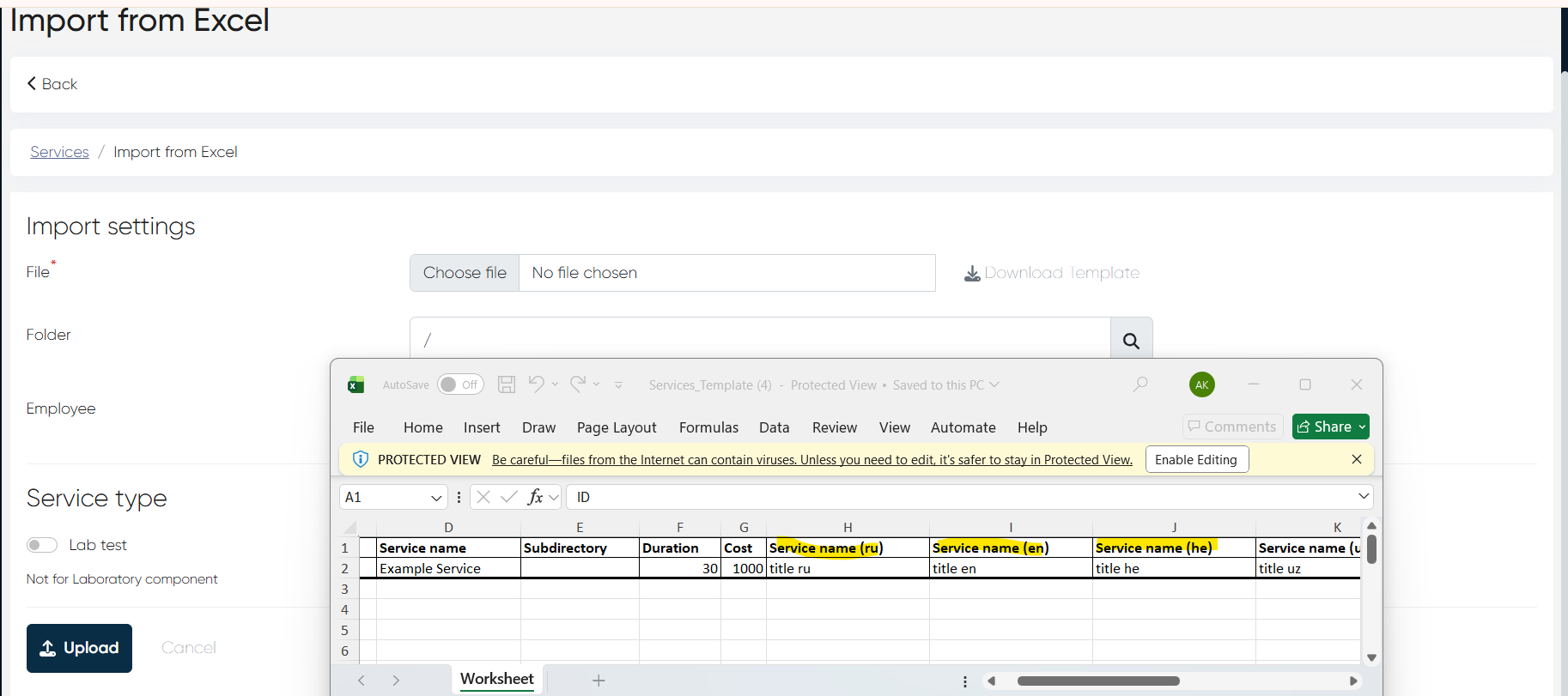
Services can be imported with names in multiple languages.
The UI automatically displays the service name based on the user’s language.
Backward compatibility preserved: existing import templates without language columns still work.
4) Invoice vs Offer Payment Mismatch Fixed (ALP-1218)
Bug: Invoice totals did not match the offer price in one production environment.
Fix: Invoice payment information now reflects the correct offer pricing.
5) Tags in New Touch – Assignment Logic Fixed (ALP-1217)
Bug: Tag did not appear in the user profile when creating a new contact via New Touch.
Root cause: Tags cannot be assigned before a patient record exists.
Solution:
Tag editor removed for new (unsaved) contacts.
Tag assignment is now available only for existing patient records.
6) Referrals Feature Added to Tasks & New Touch (ALP-1205)
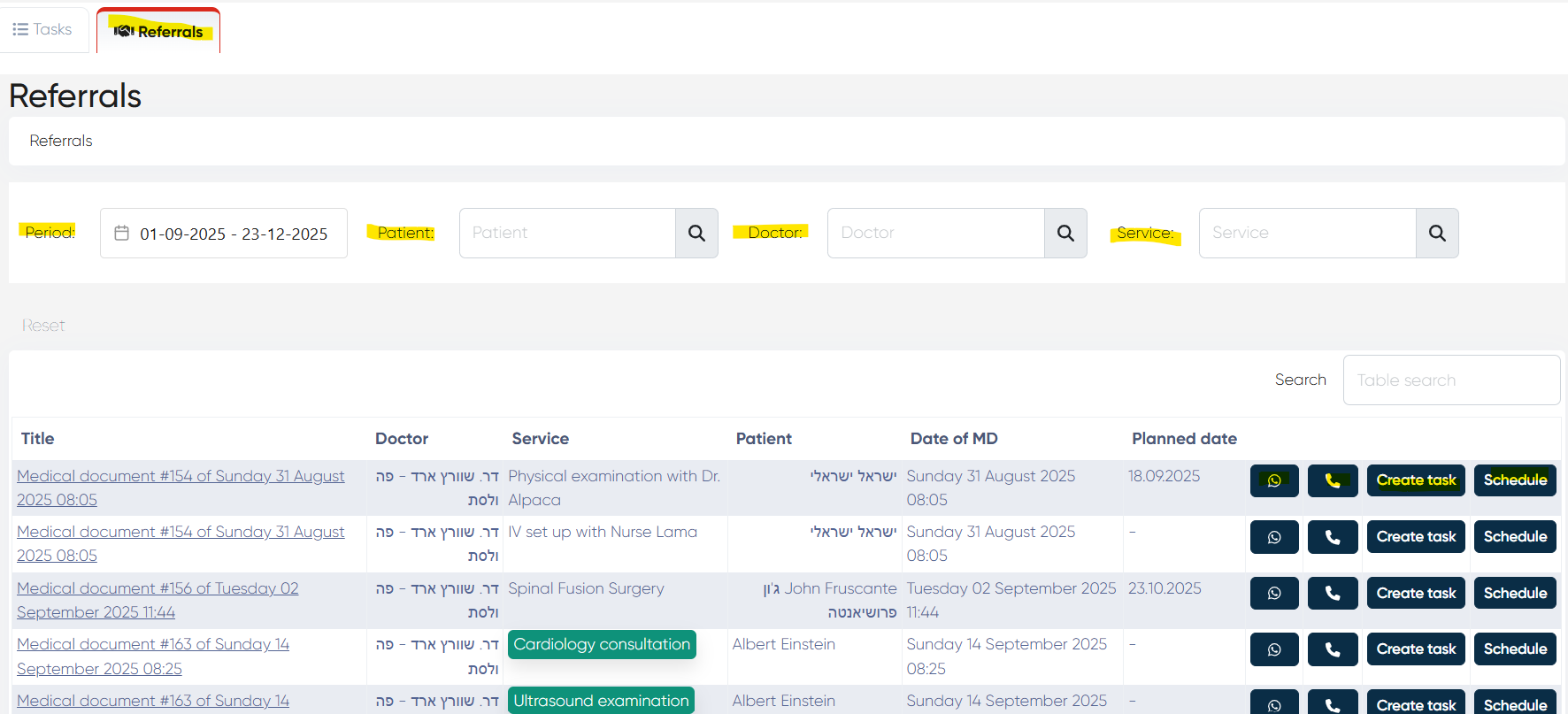
a) Tasks – Referrals Tab
Navigation: Tasks > Referrals
New Referrals tab added.
Displays all MD referrals from the last 3 months (query optimized).
Data loads only when the tab is opened.
Filters:
Period
Patient
Doctor
Service
(all multi-select)
Columns:
Medical Document title
Doctor
Service(s) (from MD Referrals tab)
Patient
MD Date
Planned Date (from MD)
Scheduled (shows future appointments for that service, if any)
Actions:
Schedule – creates a Touch → Complex Form with unbooked referral services
Create Task – opens standard task creation with patient prefilled
Call / WhatsApp buttons
b) New Touch – Referrals Tab
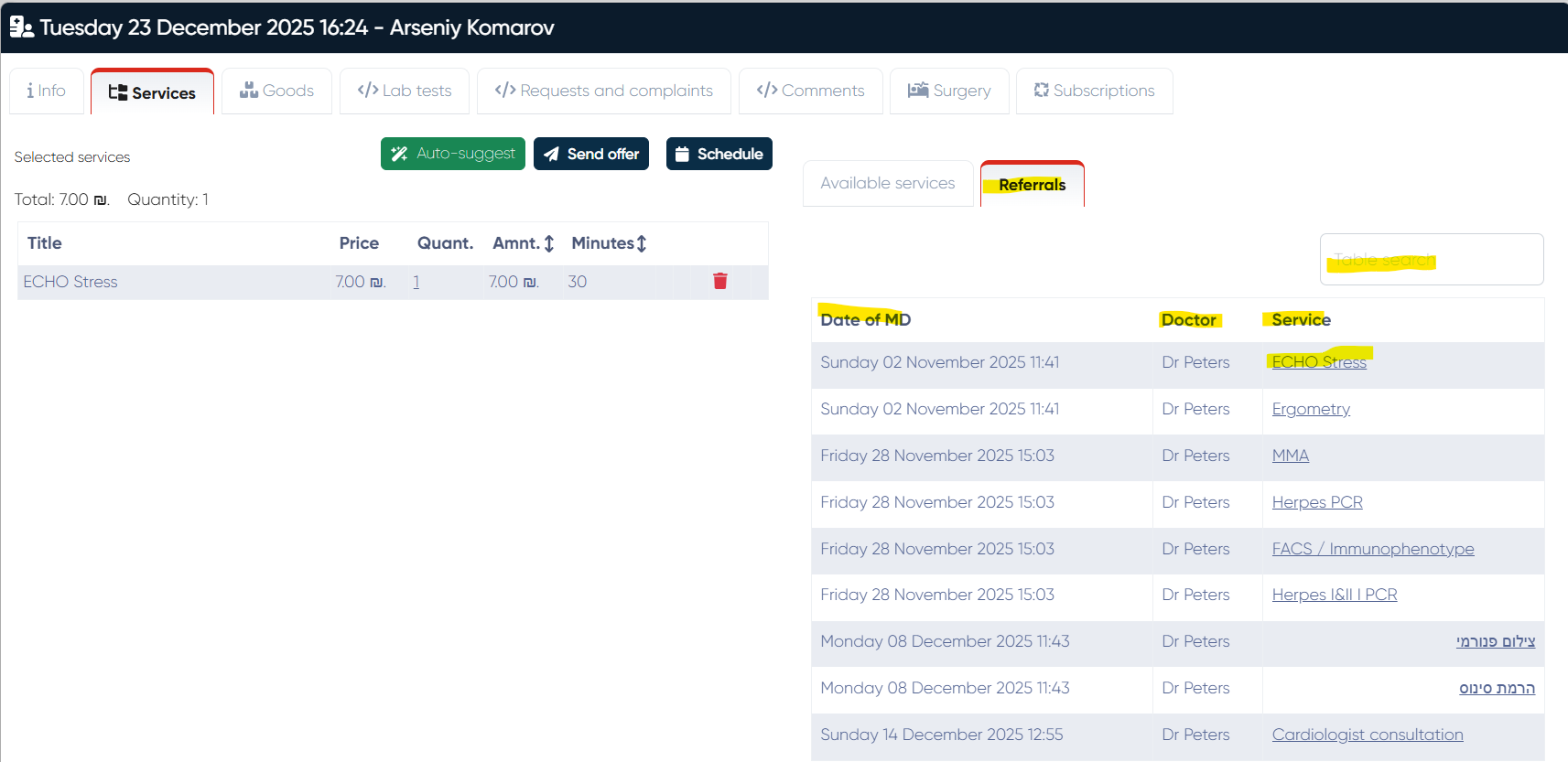
Navigation: New Touch > Complex Form > Services > Referrals tab
Displays all referrals for the selected patient from all Medical Documents.
Columns:
MD Date
Doctor
Service
Clicking a service adds it to the left panel, same as standard service selection.
This release introduces a major content architecture upgrade, multilingual service imports, referral-based workflows, and important UI logic fixes across New Touch, Tasks, Invoicing, and Directories.