
v2.011 build 1767 (20.11.2025)
Release Notes
Version: 2.011
Build: 1767
Release date: 20.11.2025
1) New Touch – Offer Payment Action Added (ALP-1188)
The Offer flow in New Touch has been enhanced to allow immediate payment initiation.
Navigation:
New Touch > Complex Form > Send Offer
Updated logic:
User opens Send Offer from the Complex Form.
In the Offer window, the user clicks Generate.
After generation, a new Pay button becomes available.
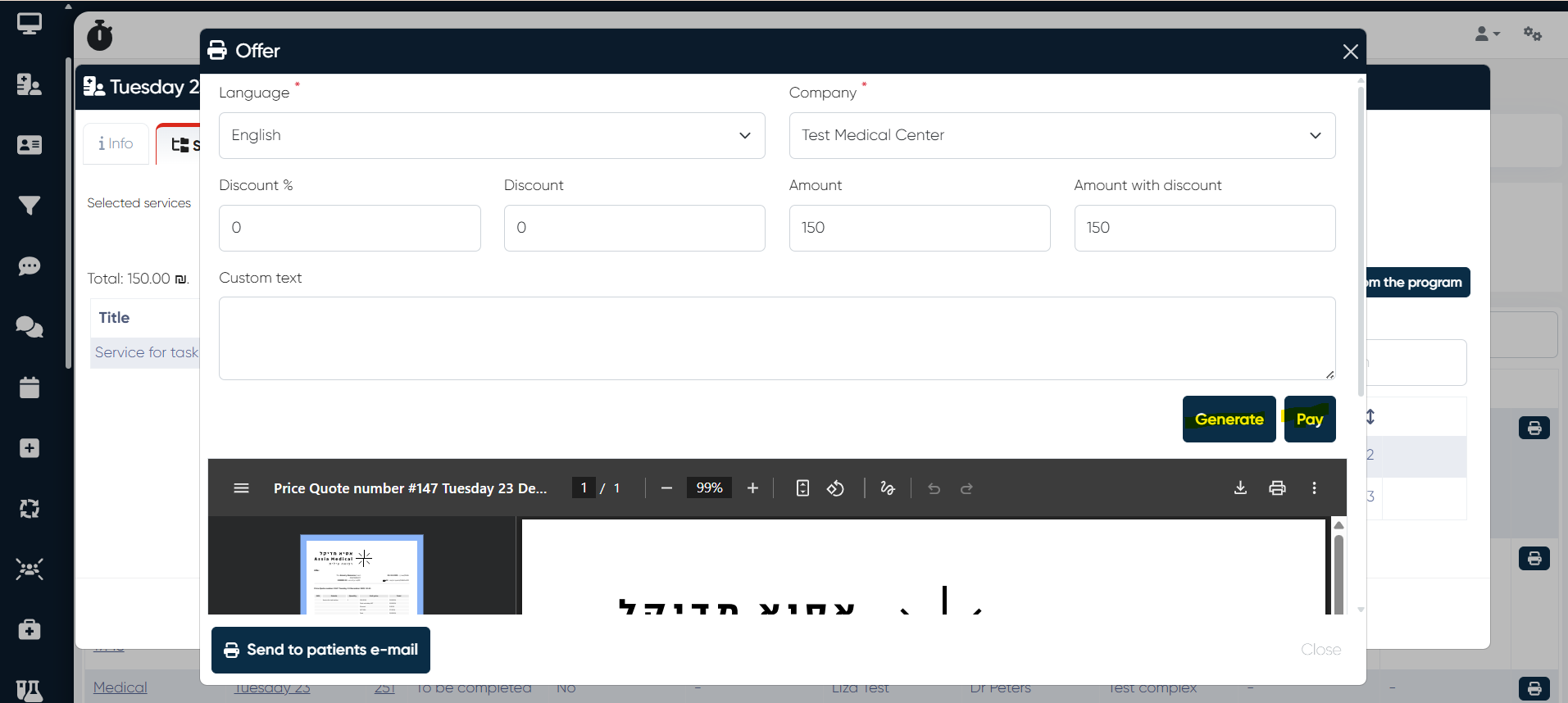
Clicking Pay opens the Offer payment dialog, allowing the user to proceed with payment immediately.
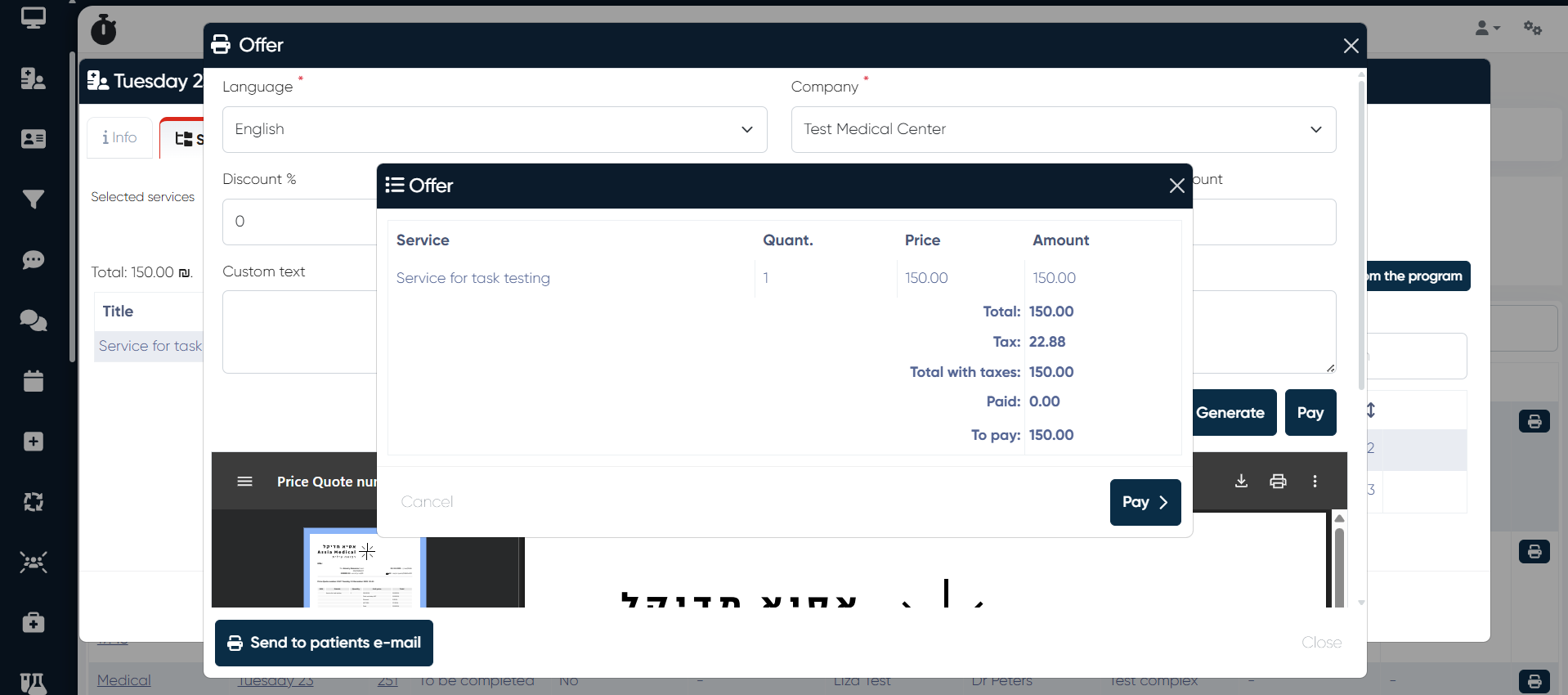
Result:
No need to navigate separately to Touches to initiate payment.
Faster conversion from offer creation to payment.
More streamlined workflow for reception and sales staff.
2) Patient Web Cabinet – Online Booking Improvements (ALP-1178)
Major improvements were implemented for online booking inside the Patient Web Cabinet:
a) Core booking issues fixed — overall stability improved.
b) Time zone support added:
User’s time zone is detected via browser.
Available slots are automatically adjusted to the patient’s local time.
c) Specialist filtering by subscription:Only specialists linked to the patient’s purchased subscriptions are shown.
d) Quota-based booking enabled:Appointments can be booked only if the subscription has remaining services.
These changes significantly improve booking accuracy and user experience for patients.
3) Warehouse – Import Income Documents from Excel (ALP-1169)
A new import workflow was added to the Warehouse module.
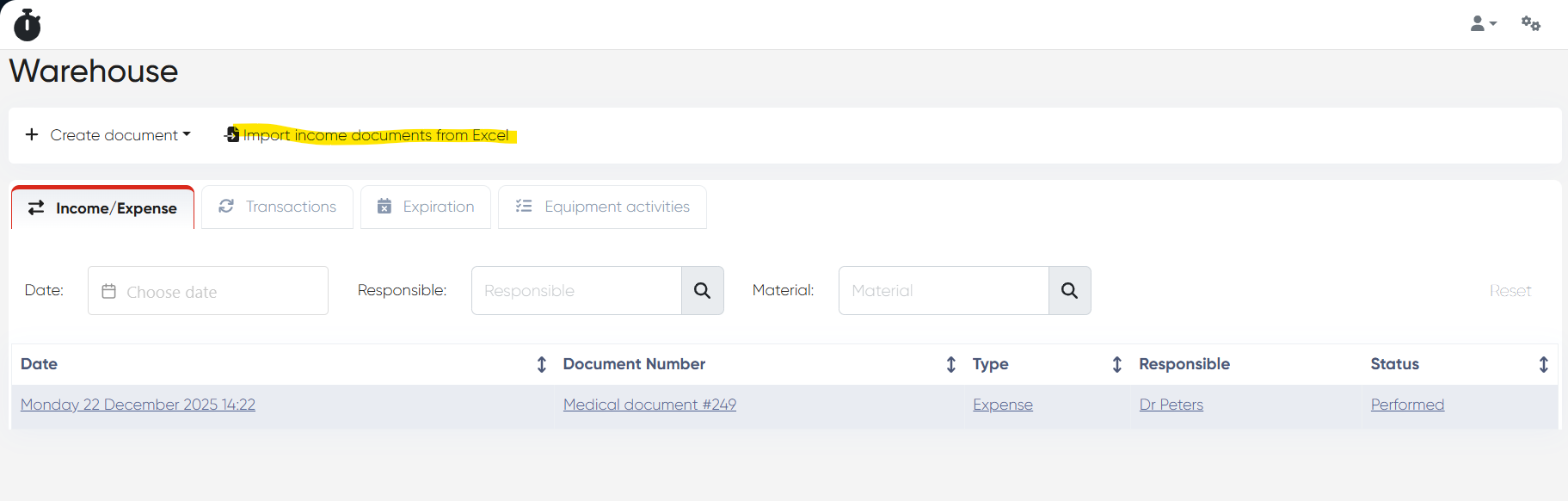
a) Import Button Added
Navigation:
Warehouse > Import Income Documents from Excel
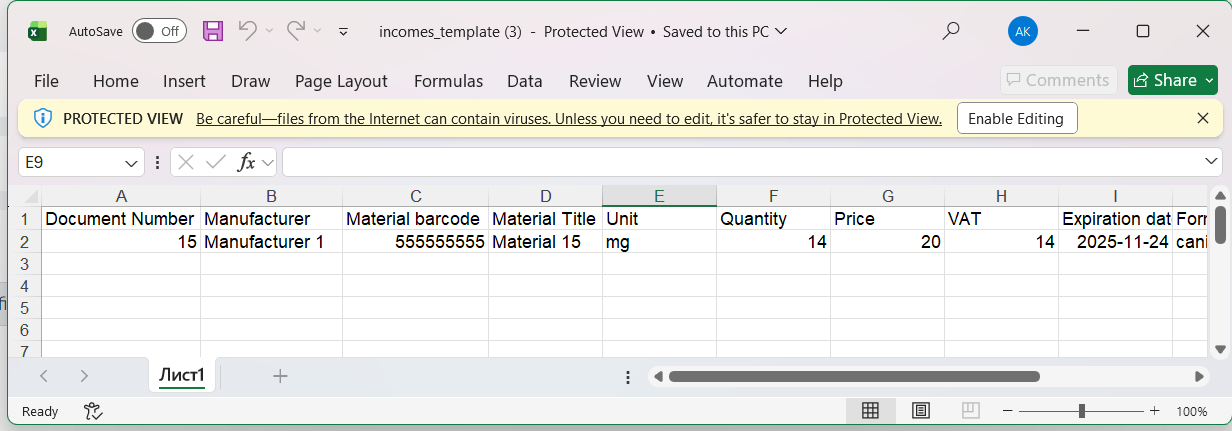
b) Excel Import Template
Downloadable template available at:
Warehouse > Import Income Documents from Excel > Download Template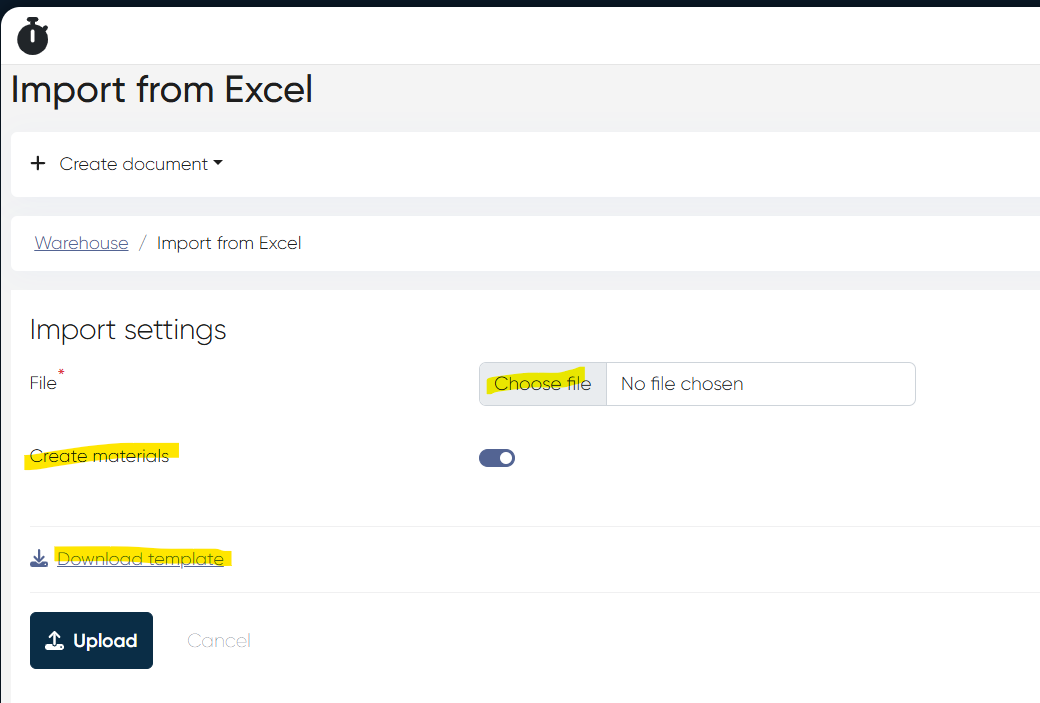
c) Create Materials Toggle
New Create materials toggle added during import.
When enabled, the system will:
Automatically create materials
Automatically create units
Triggered only if they do not already exist in dictionaries.
4) MedDoc Import – Old System ID Added (ALP-1180)
Old System ID (Patient ID) column added to the Medical Document import template.
Import logic updated to process this field correctly.
Navigation:
Medicine > Import from Excel
5) Medical Document – Recommendations Tab Fixes (ALP-1193)
Minor errors inside the Recommendations section were resolved.
Navigation:
Doctor’s Cabinet > +Meddoc > Recommendations tab
6) Materials – Unit Visibility Fix (ALP-1164)
Bug: Units did not appear when creating new Materials, even though units existed in the system.
Fix: Unit records now load and display correctly during material creation.
7) Patient Web Cabinet & Production Minor Fixes
Minor UI and stability fixes applied to the Patient Web Cabinet.
Additional small fixes deployed to selected production environments.
This release enhances booking workflows, warehouse automation, MedDoc imports, and New Touch usability, while delivering important stability fixes across patient-facing and administrative modules.