
v2.007 build 1745 (11.11.2025)
Release Notes
Version: 2.007
Build: 1745
Date: 11.11.2025
1) Contact Merge by Phone Number – Fixed
Bug: Contacts with the same phone number could not be merged via Directories > Contacts.
Fix: Merge functionality now works correctly for duplicate contacts sharing a phone number.
2) Employee & Admin Imports – Minor Updates
Small stability and compatibility improvements to the Excel import processes for:
Employees
Administrators
Updated handling of missing organizations and validation fields.
3) Credit Expiration Rules for Subscription Services
A new subscription feature was added, allowing credit expiration logic at the appointment type (service) level.
This ensures subscription credits behave correctly based on:
Service rules
Package rules
Expiration conditions
Used primarily in subscription-driven clinics.
4) Circle SSO Integration
http://Circle.co SSO integration is now implemented for the Alpaca environment.
API Flow:
When a package is purchased in Alpaca → user is invited to Circle and gains access to the correct spaces/tags.
When a package is canceled → access is automatically revoked.
When subscription is upgraded/downgraded → Circle permissions update accordingly.
AlpacaMed fully owns the API integration handshake between Alpaca and Circle.
5) DICOM Viewer Added to Doctor’s Cabinet
A full DICOM viewer is now available inside the clinical workflow.
a) How to Upload DICOM Images
Navigation: Directories > Contacts > Choose Patient > Dicom images tab > Upload file
Supported formats: DCM, JPG, PNG
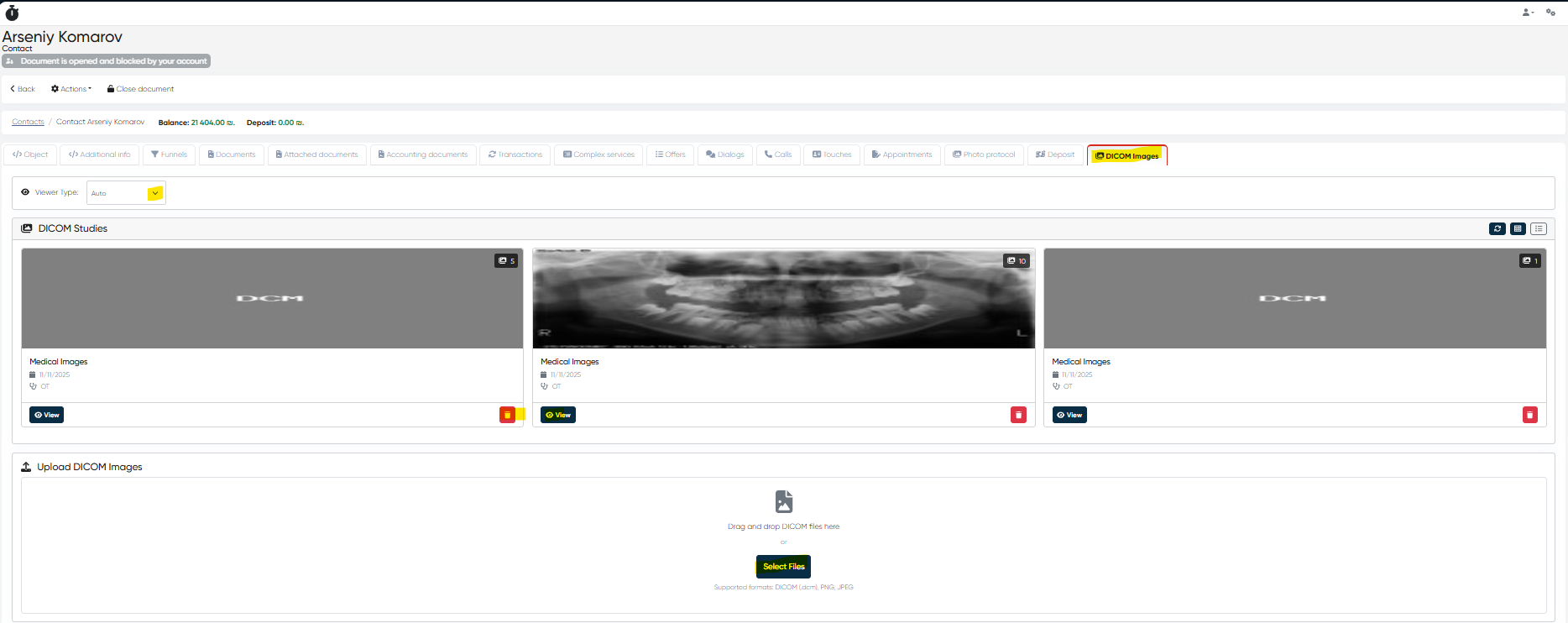
b) How to View DICOM Images
Patient Contact Card → DICOM tab
Choose Basic or Advanced viewer.
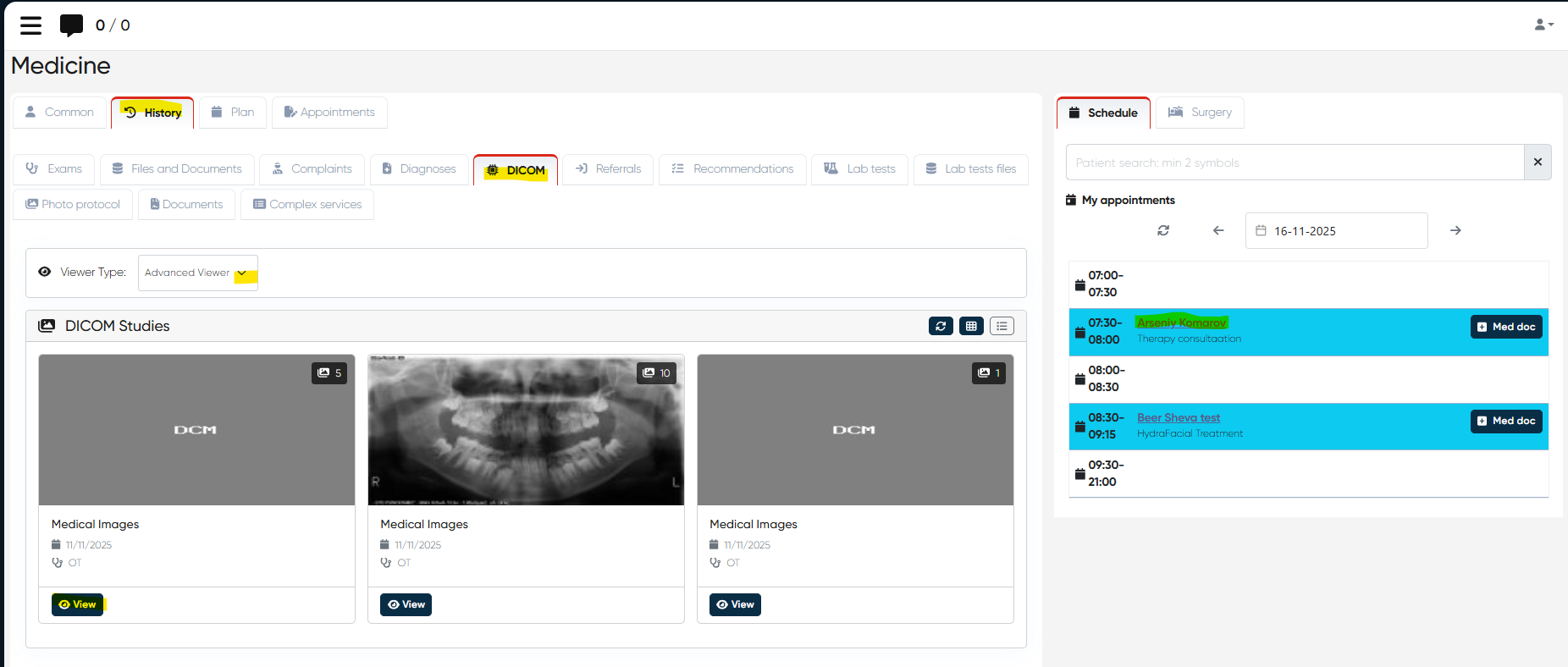
Click View
Doctor’s Cabinet
Choose Patient > History > DICOM tab
Viewer selection: Auto / Basic / Advanced
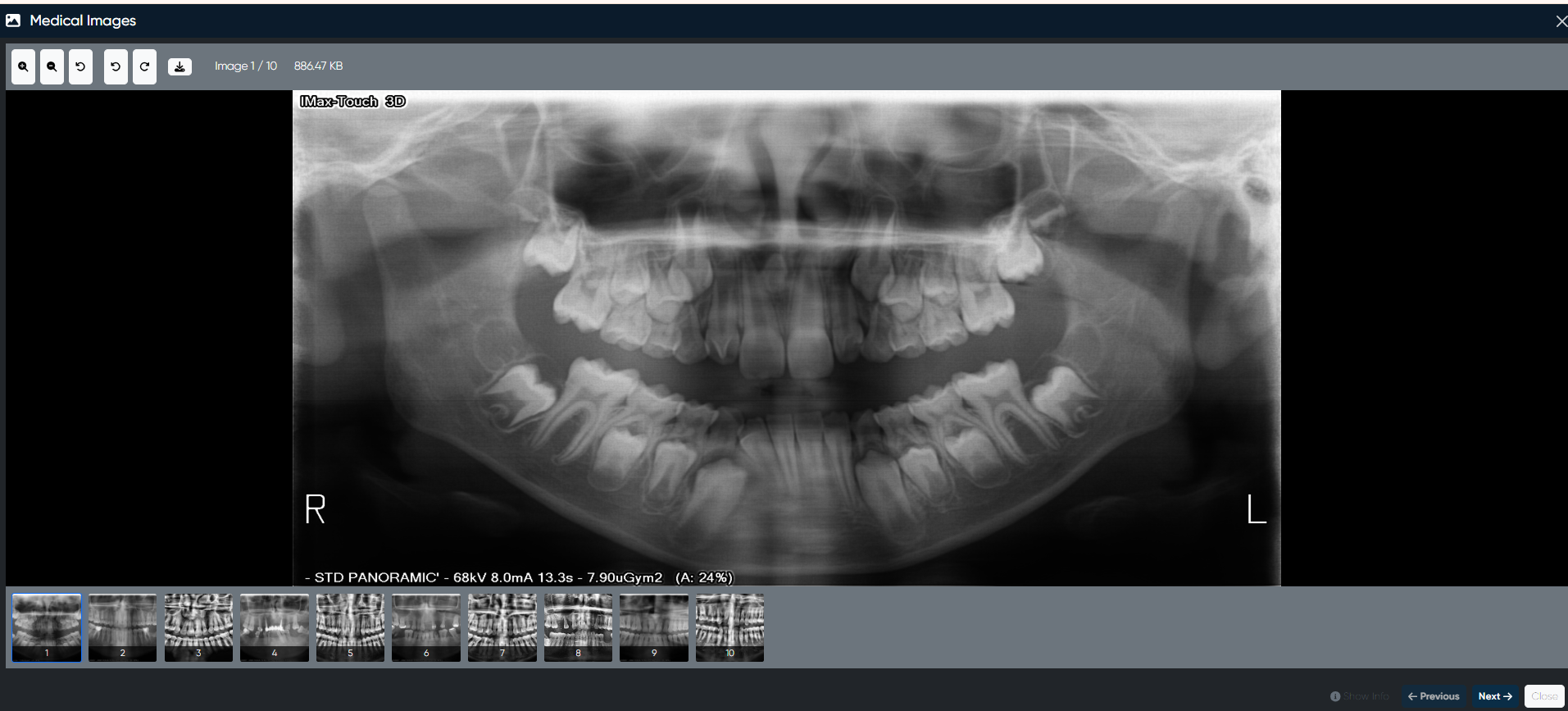
Basic Viewer Functions
Zoom in / Zoom out
Reset view
Rotate left / Rotate right.
Download image (single from series)
“View image info”
Next / Previous (series navigation)
Close
Advanced Viewer Functions
Zoom
Pan
Window level (contrast)
Reset view
Measure length
Measure angle
Clear measurements
Flip Horizontal / Flip Vertical
Rotate left / Rotate right.
Invert colors
Compare images
Download a single image
“View image info”
Next / Previous
Close
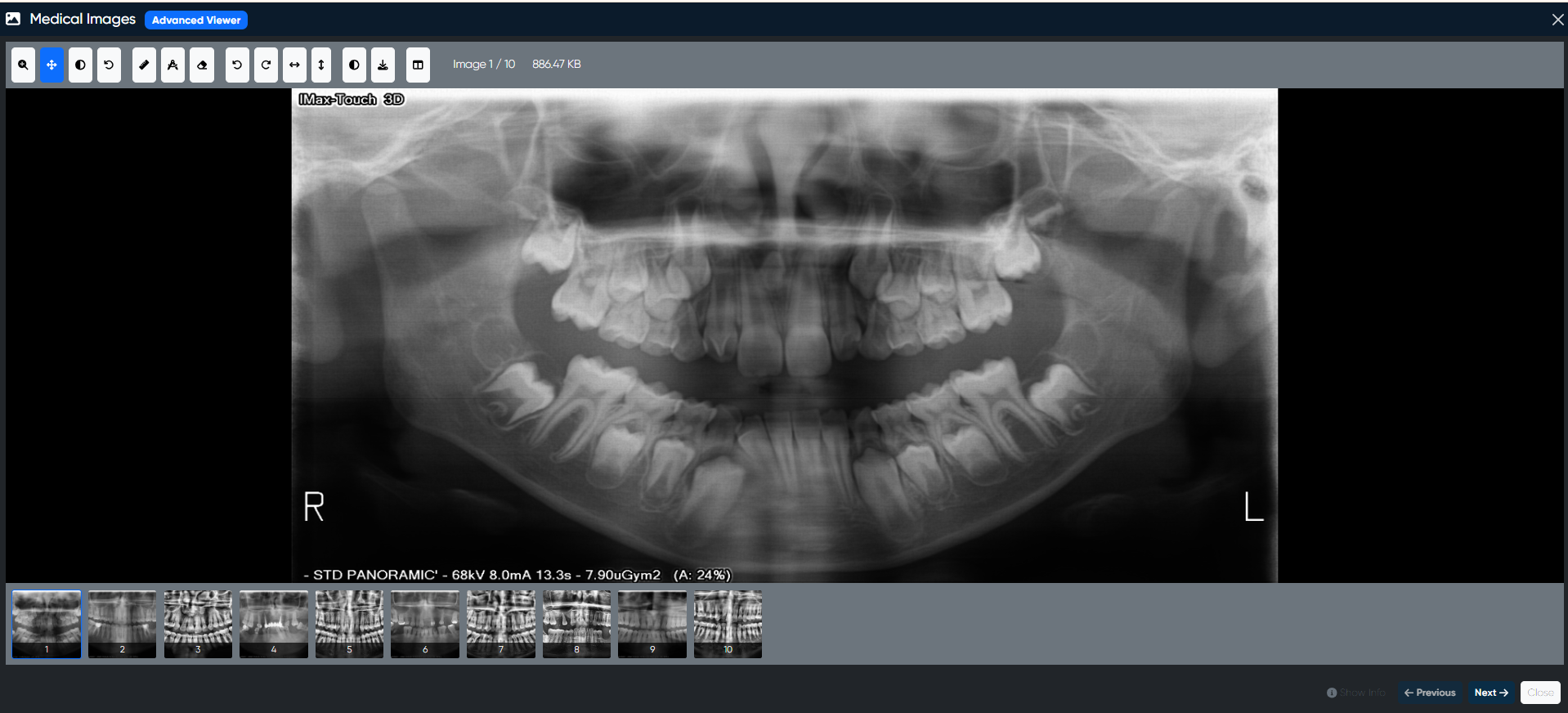
A complete DICOM toolkit is now available for diagnostics inside Alpaca.
6) Materials/Goods Fixes
Improvements consistent with production behavior:
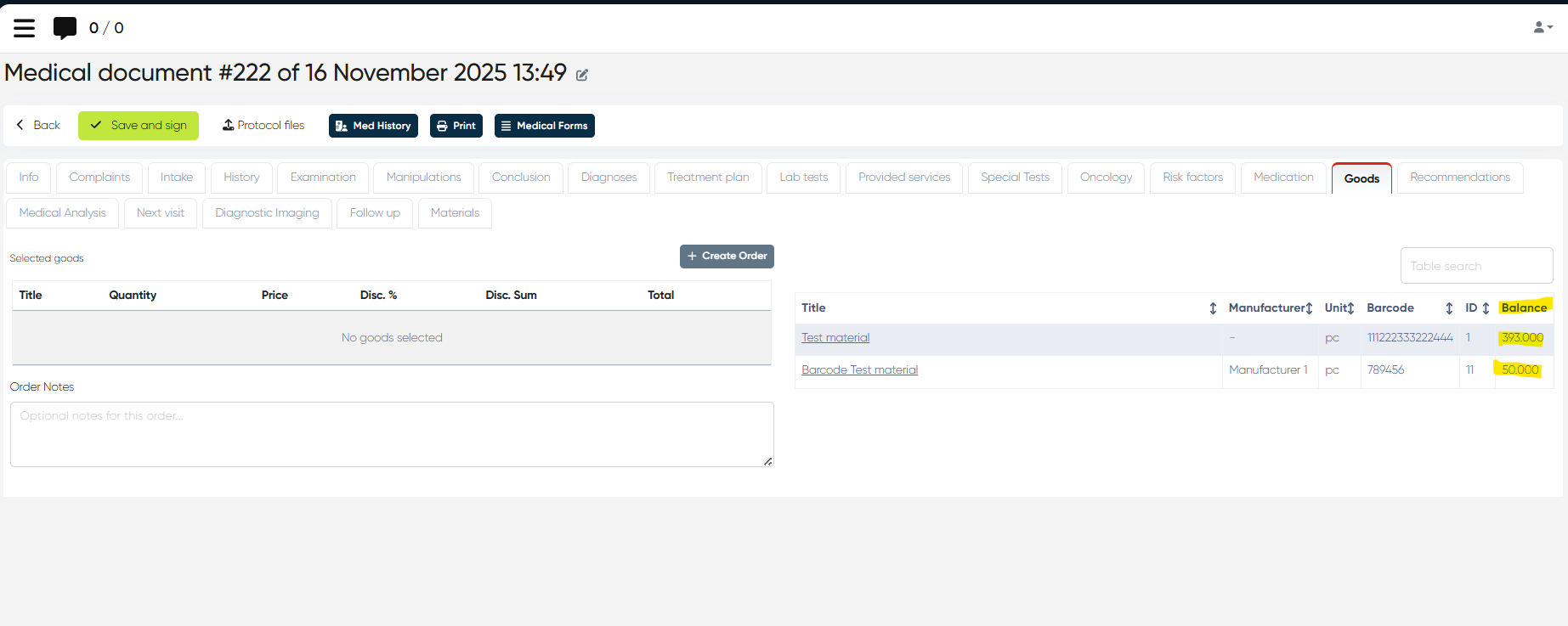
a) Remaining Stock Only
In MedDoc and New Touch → only the remaining stock is shown in:
Goods tab
Materials tab
b) Auto Write-off After Payment
When a goods order is paid at Reception, the system:
Automatically writes off used materials.
Generates a Write-off Expense document
7) Emergency Minor Fixes in Various Productions
Several urgent environment-specific fixes were applied to production servers to ensure:
System stability
Correct payment flows
Correct visibility of modules
Integrity of scheduling operations
(No functional changes, just hotfixes.)
This release introduces significant functionality in DICOM viewing, subs-credit logic, Circle SSO, and contact merging, alongside robust improvements in materials and imports.