
v2.006 build 1731 (05.11.2025)
Release Notes
Version: 2.006
Build: 1731
Date: 05.11.2025
1) Materials Dictionary – “Sellable” Checkbox + Import Update
a) New “Sellable” Flag
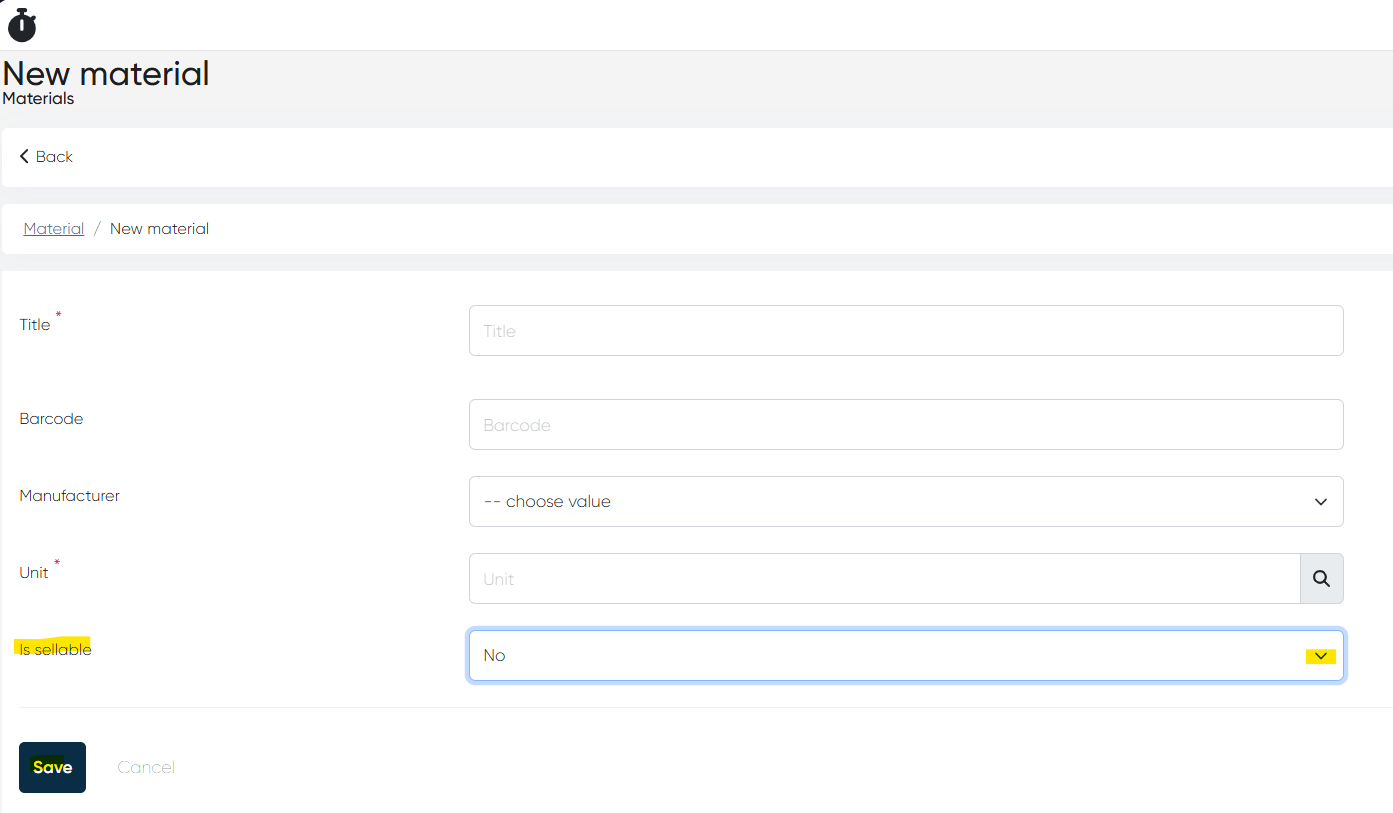
A new Is Sellable dropdown (Yes/No) was added to the Directories > Materials>+Create record form.
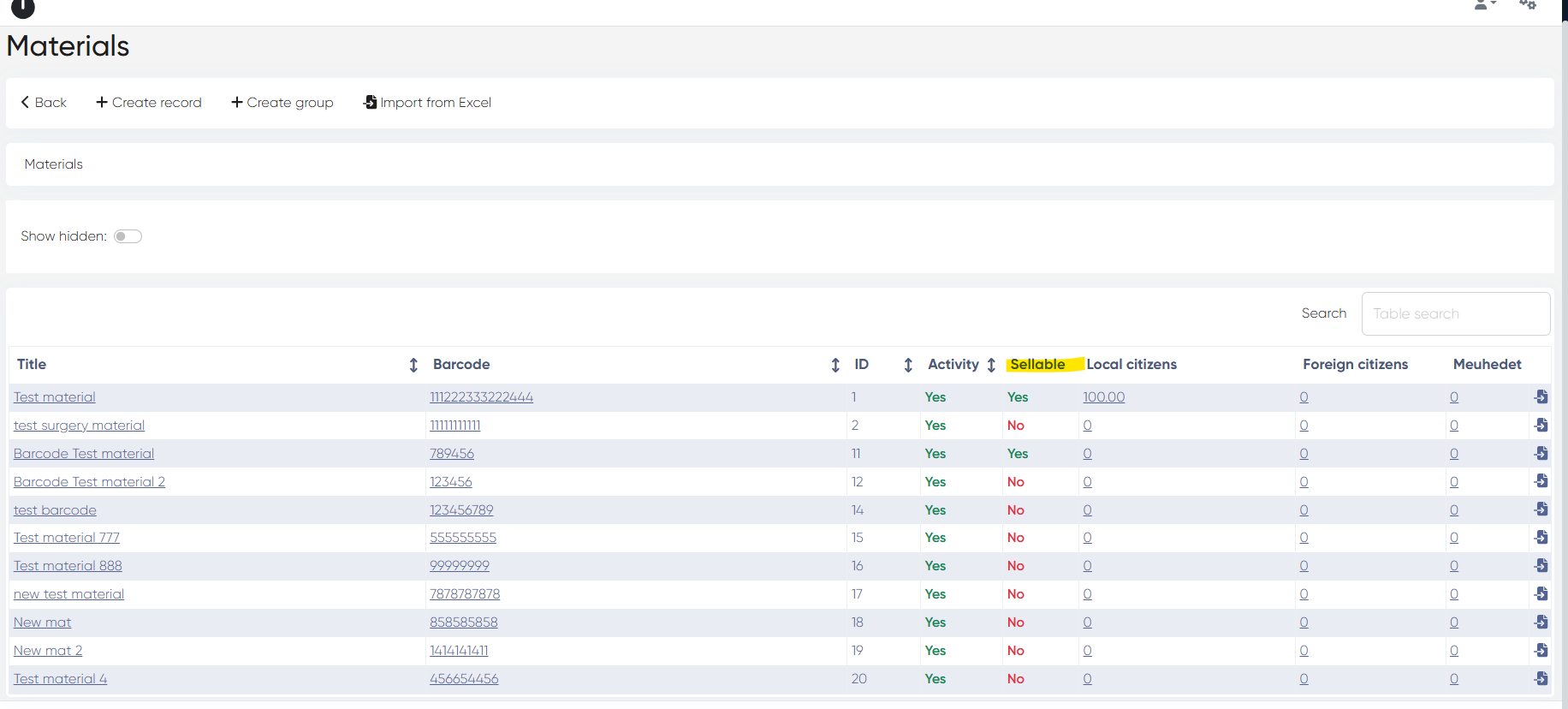
The Sellable status is visible directly in the Materials list.
b) Filtering in Goods Tabs
Only materials marked Sellable = Yes now appear in:
Medical Document → Goods tab
New Touch → Complex Form → Goods tab
c) Updated Materials Import Template
Navigation: Directories > Materials > Import from Excel
Import now includes:
Columns for each price type
A column for Sellable (yes - 1/no - 0)
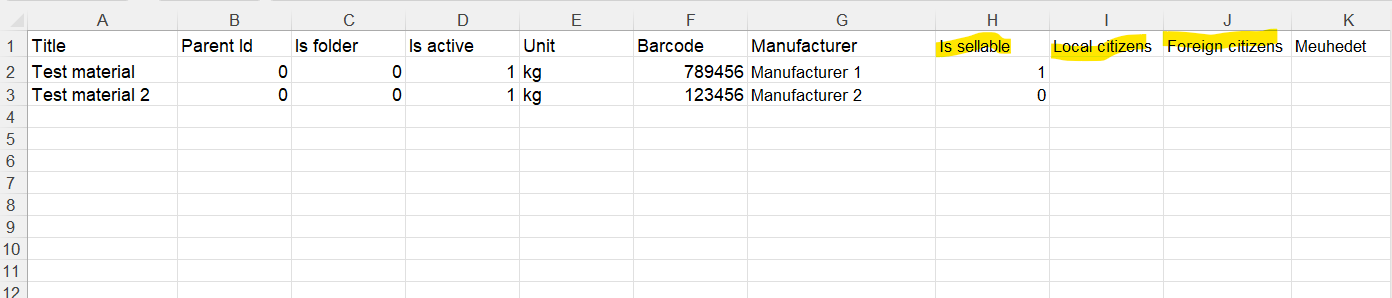
Updated import template available for download.
2) “Old System ID” for Contacts
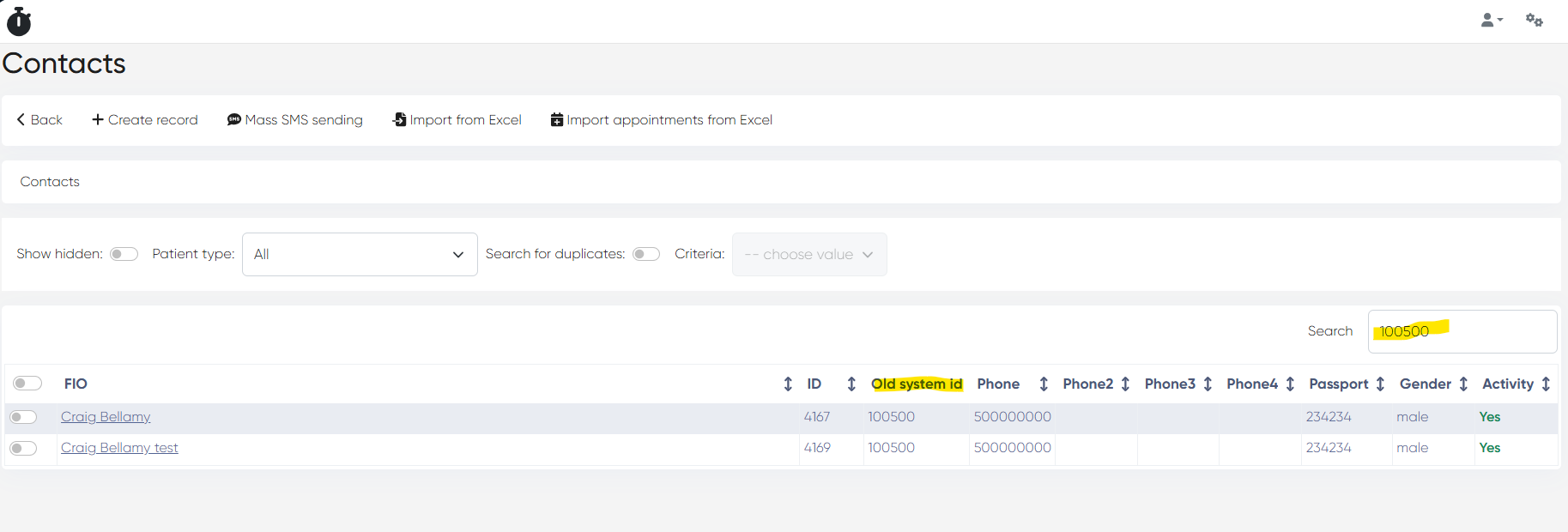
A new Old system id column is now available in Directories > Contacts.
Users can search by old system id using the Contacts search bar.
To enable the column: Settings > General Settings > Show old system ID
3) Automated Tasks – Save Fix
Bug: Automated task changes were not saved.
Fix: Saving now works correctly across all environments.
4) Imports for Employees & Admins
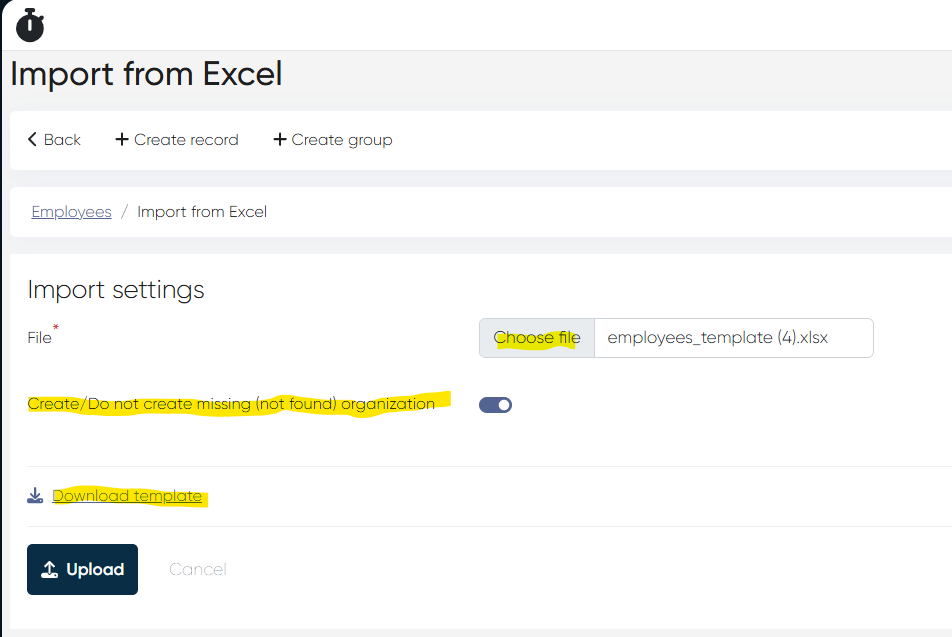
a) Employee Import
Navigation: Directories > Employees > Import from Excel
Columns supported:
Old system id
Title
Login
Company
Password
Phone
Email
Description
Folder
Options:
Create/Do not create a missing organization.
Template downloadable from the same page
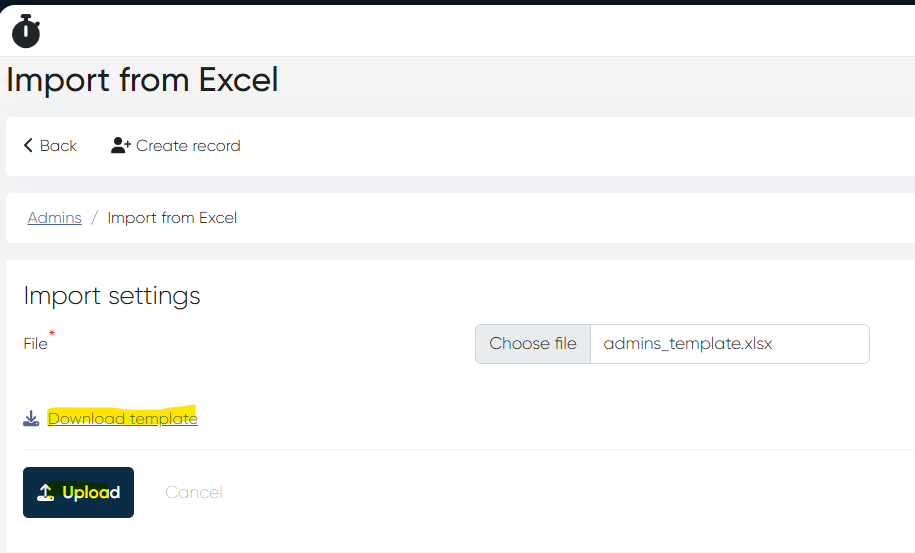
b) Admin Import
Navigation: Settings > Administrators > Import from Excel
Columns supported:
Old system id
Name
Email
Password
The template is also available for download.
5) Callbox Integration Released
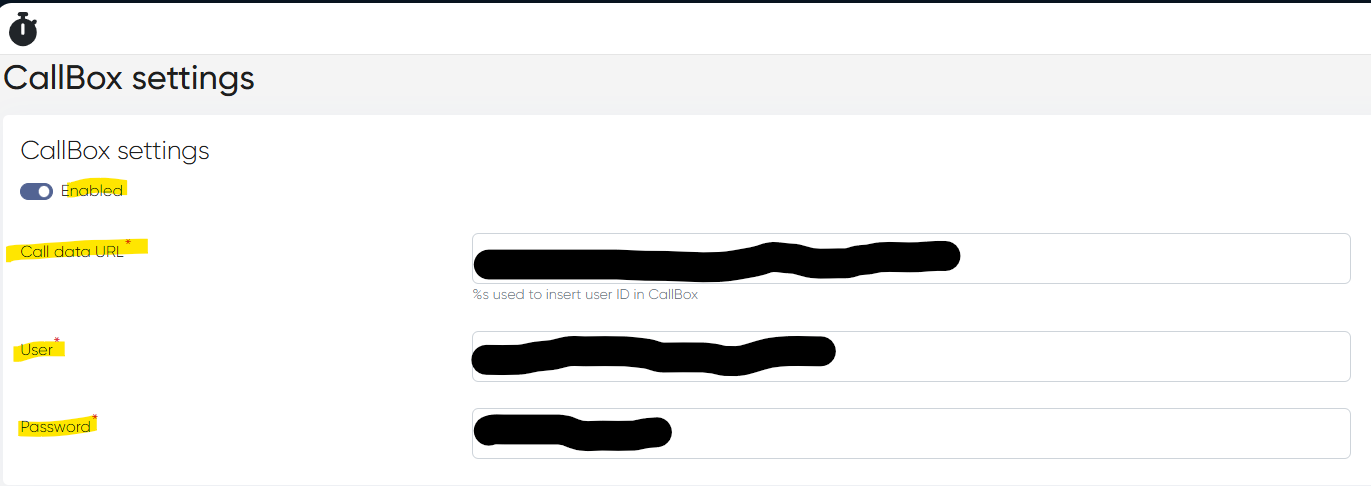
a) Callbox Settings
Navigation: Settings > Callbox Settings
To activate:
Enable Callbox
Fill in: Call data URL, User, Password.
Where to find these in Callbox:
Call Data URL → Integration > API Settings.
User / Password → API Credentials / User Access
b) Callbox in Requests & Touches
In Touches > Requests, targeted requests now show a CT button.
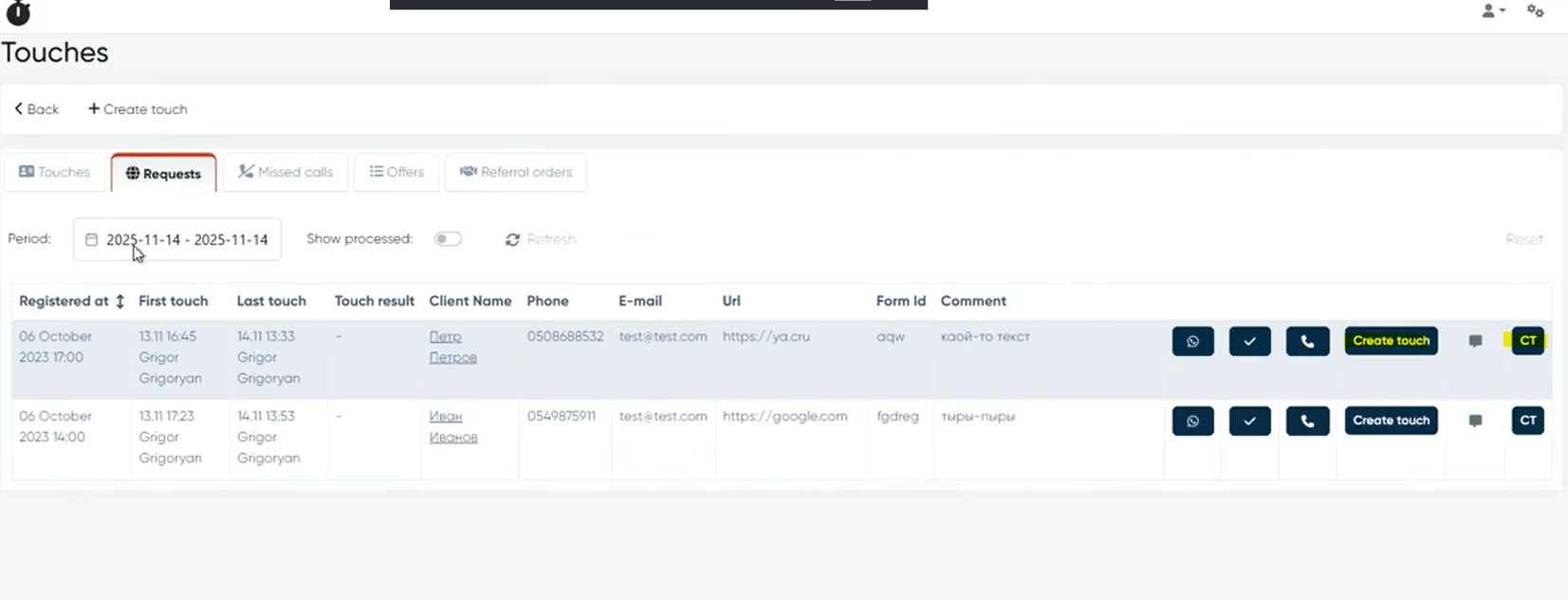
Clicking CT shows the full Callbox record with all metadata fields.
id, call_id, callId, callphase, attribution, callTags, date, duration, callerNumber, redirectNumber, phoneNumber, manager, successful, uniqueCall, targetCall, uniqTargetCall, callbackCall, city, source, medium, keyword, url, callUrl, ref, hostname, utmSource, utmMedium, utmCampaign, utmContent, utmTerm, sessionId, ctCallerId, ClientID, yaClientId, sipCallId, userAgent, ip, waitingConnect, callReferenceId, mapVisits, attrs, comments, phrases, additionalTags, callClientUniqueId, device, os, browser, timestamp, sessionDate, orders, yandexDirect, googleAdWords, siteId, siteName, callbackInfo, ctClientId, dcm, phonesInText, ctGlobalId, subPoolName, statusDetails, created_at, updated_at, customFields, poolTypeFrom this view, users can create a Touch, after which the record moves to the Touches tab (CT button remains available).
6) Public Description in Employee Card
A new Public description field was added in:
Directories > Employees > Choose Employee > Actions > Edit
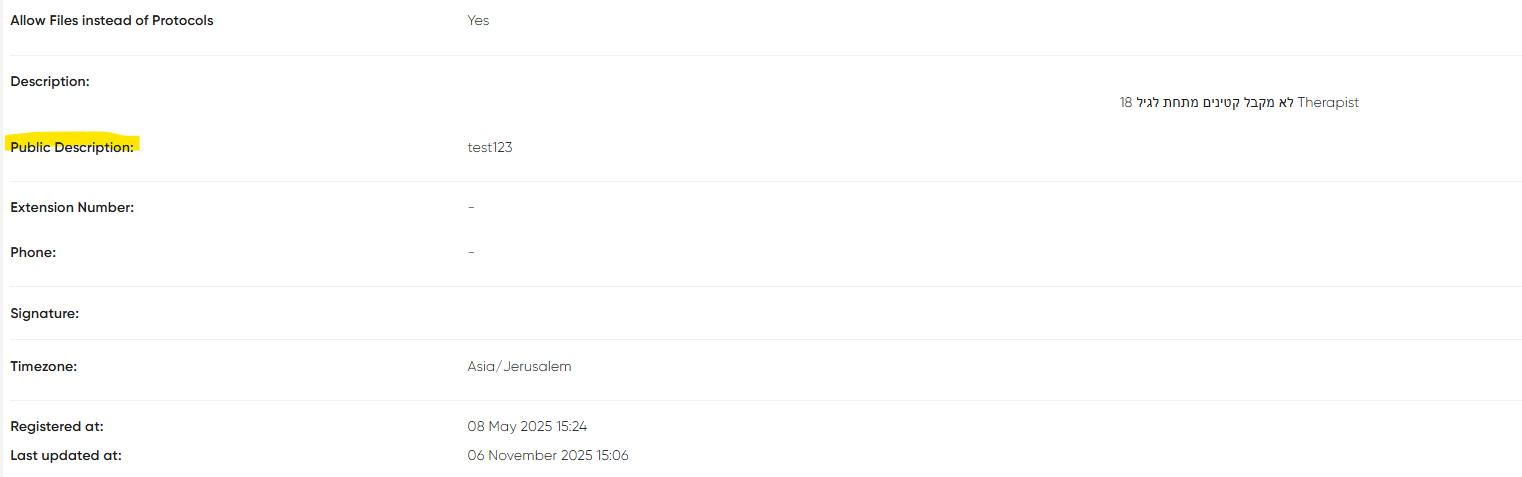
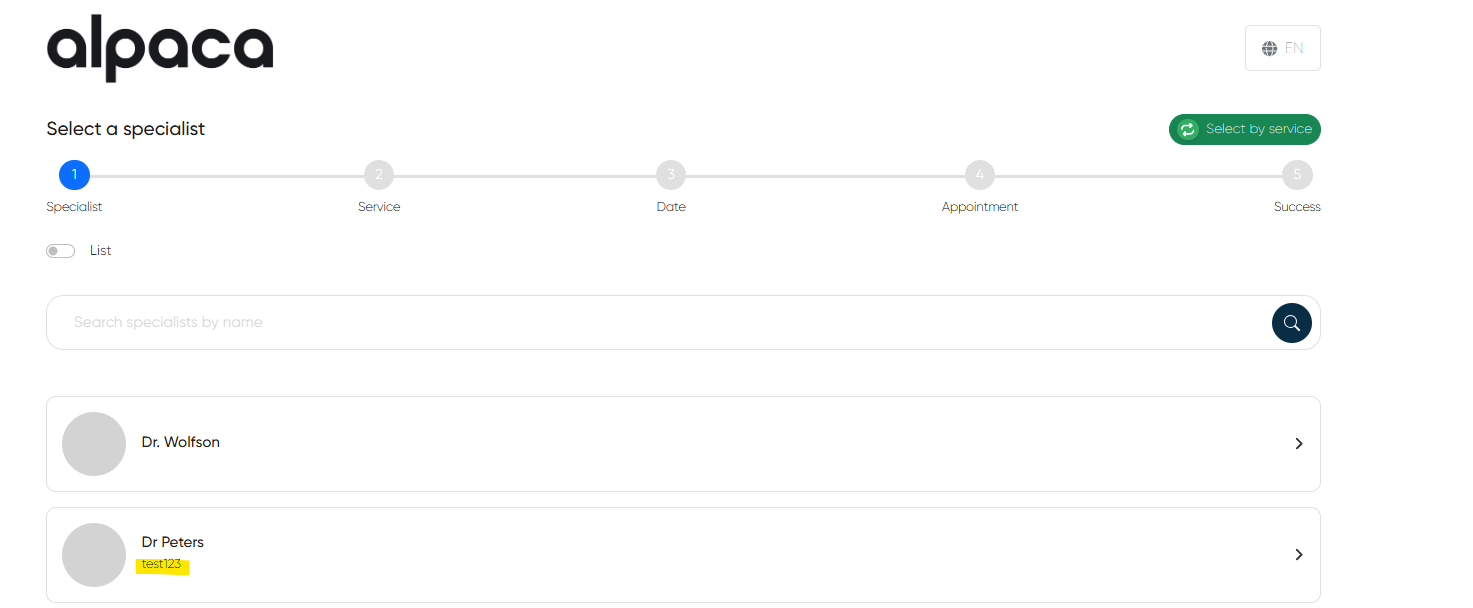
This description is now displayed to patients in Online Booking under the specialist’s profile.
7) Subscription Promo Code Assignment – Minor Updates
Small improvements and stability fixes for assigning promo codes to subscription plans.
8) MedDoc Medication Tab Visibility Fix
Bug: Medication tab remained visible even after being disabled in settings.
Fix: Now properly hides based on the MedDoc configuration.
9) WhatsApp Template Sending Bug for Admins
Bug: In one production environment, some administrators couldn’t send WhatsApp templates from the Contact Card (via the WA button).
Opening the WA send window resulted in an error.
Fix: The WA template sending now works correctly for all administrators.
10) Incorrect English Translations in Receipts
Bug: In English receipts, several elements still appeared in Hebrew:
Patient name
Service name
Doctor name
Also affected translated labels for services.
Fix: English receipt localization now displays all data in the correct language.
This release delivers improvements across Materials, Imports, Callbox, WA templates, Receipts, Subscriptions, and MedDoc visibility, ensuring smoother workflows and more consistent system behavior.