
v2.005 build 1727 (03.11.2025)
Release Notes
Version: 2.005
Build: 1727
Date: 03.11.2025
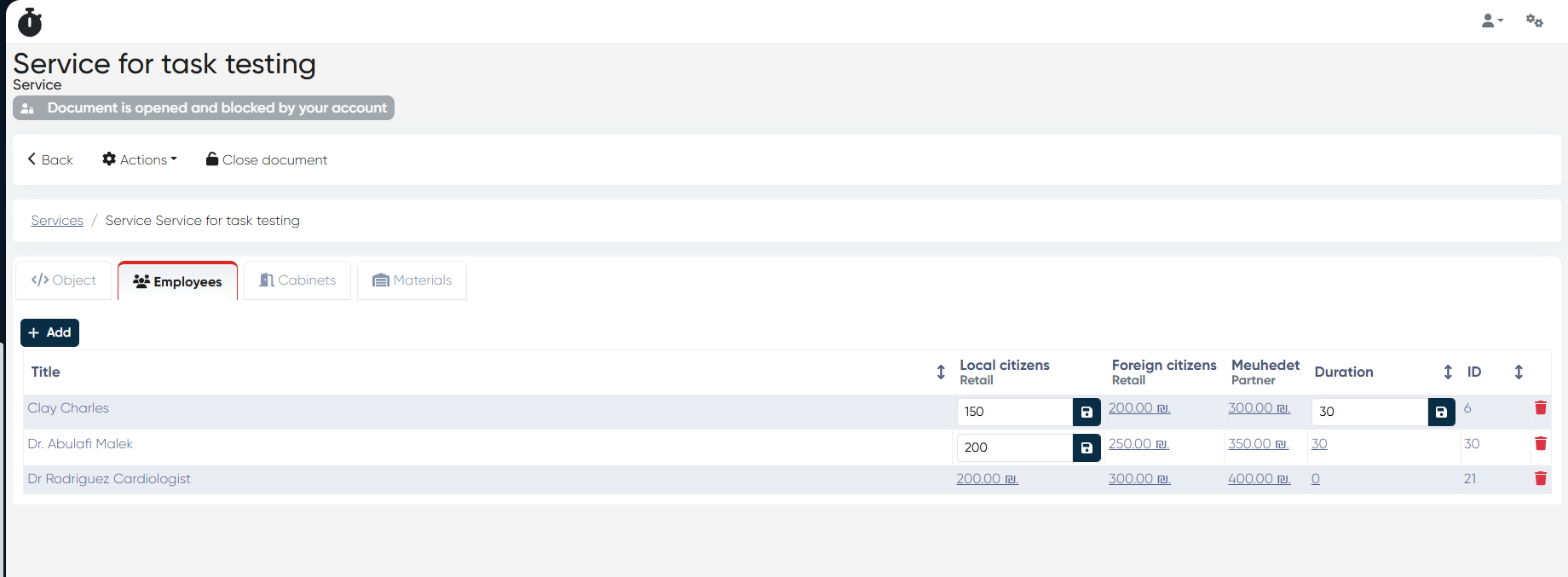
Service Configuration – UI Fix in Employee Tab
Bug: In Directories > Services > Choose Service > Employee tab, users couldn’t correctly edit price or duration values for certain employees due to a UI malfunction.
Fix: UI responsiveness and input handling have been corrected — prices and durations now update and save properly.
Barcode Search Enhancement
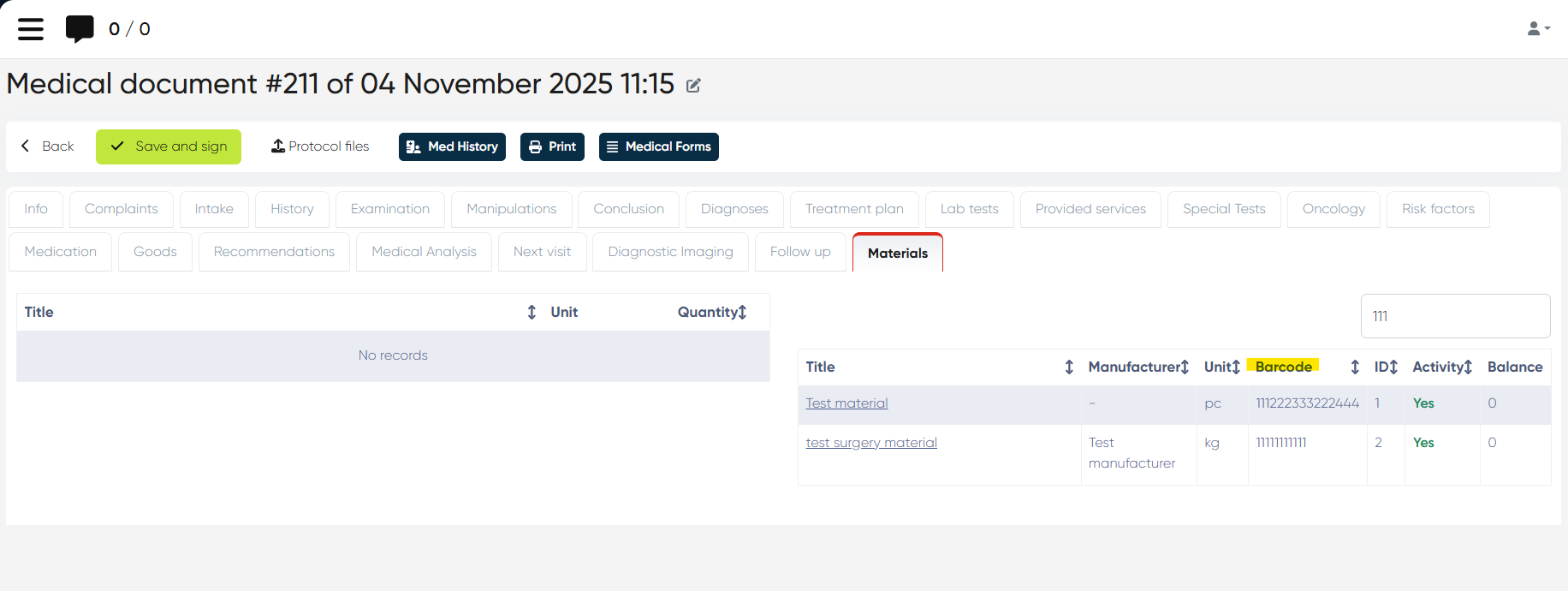
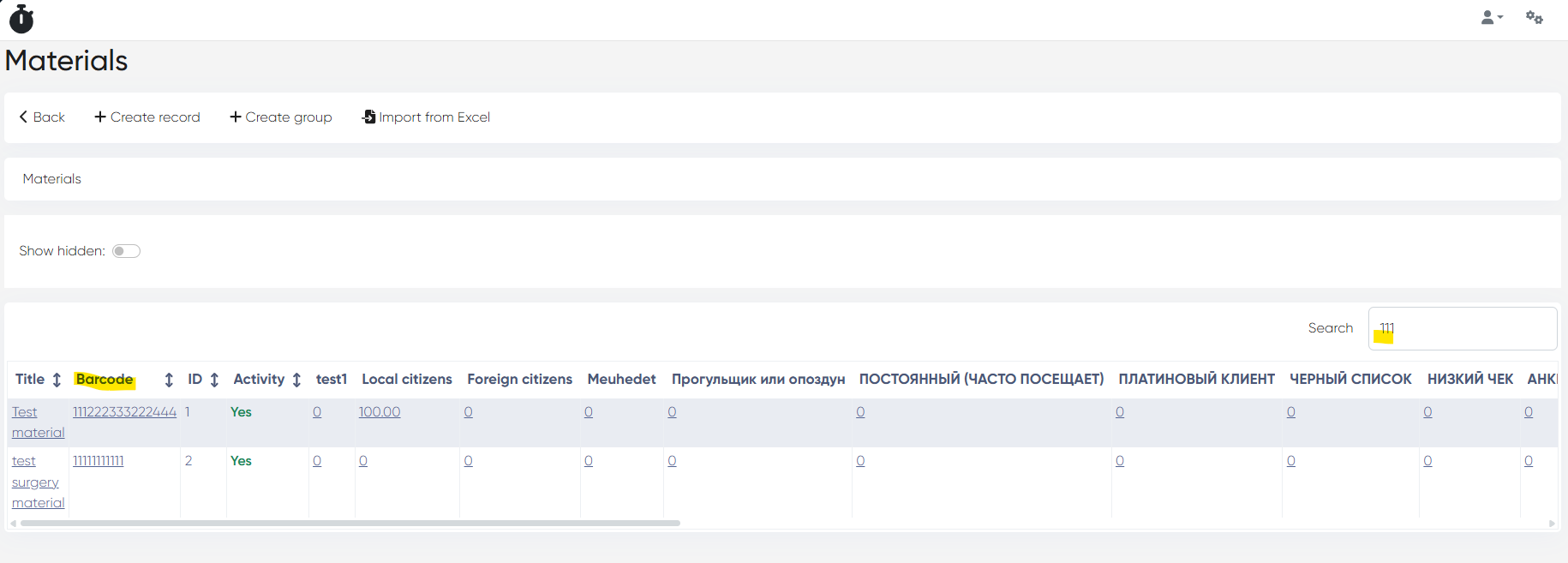
Materials can now be searched by barcode, either manually or using a barcode scanner.
Search supported in:
New Touch>Complex form
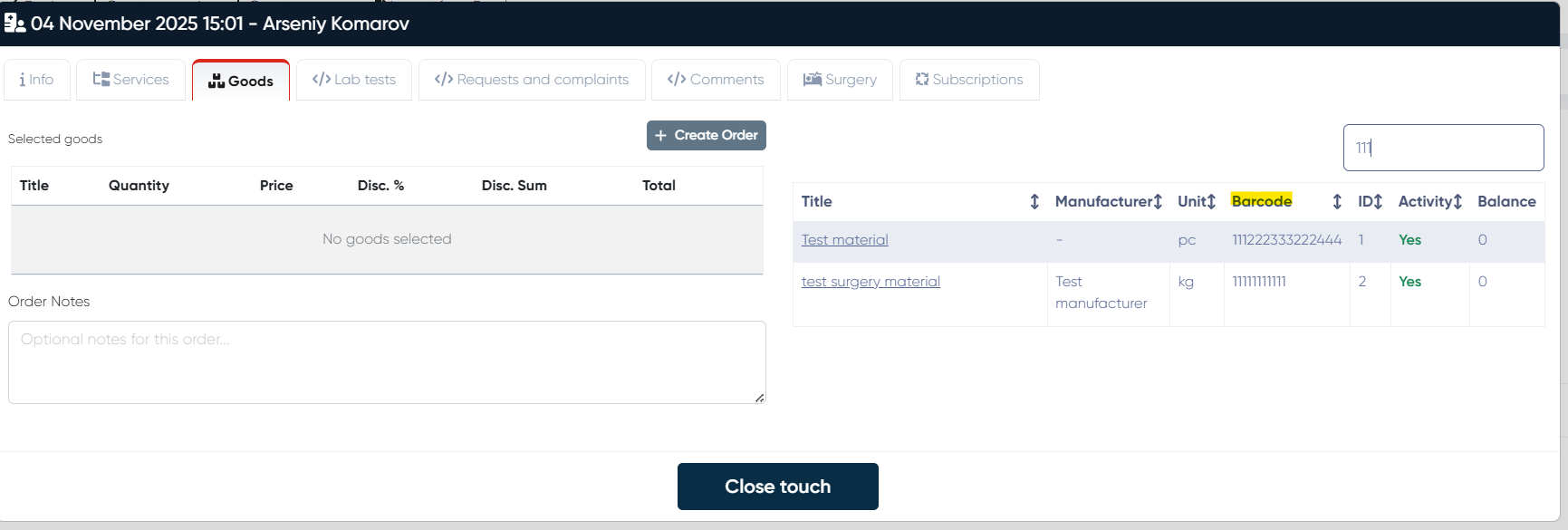
Doctor’s Cabinet (Medical Document > Materials/Goods tab)
Materials Dictionary
This update improves speed and accuracy when locating goods and materials across modules.
Employee & Administration Imports from Excel
You can now import both Employees and Administrators via Excel templates.
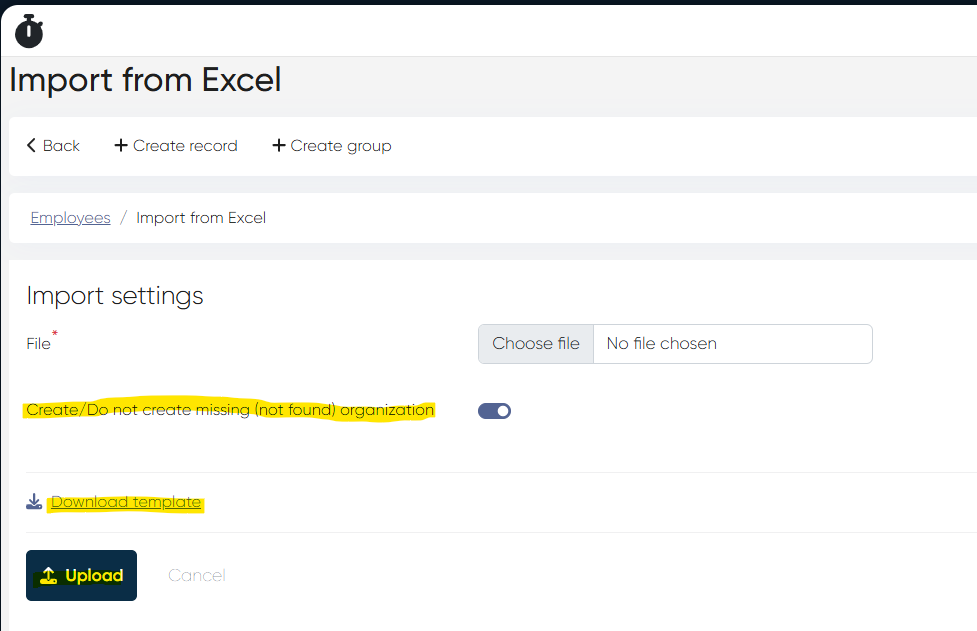
a) Employee Import
Navigation: Directories > Employees > Import from Excel
Upload an Excel file from your computer.
Optional flag: Create missing organization (if an organization is not found in the import file).
Import template is available for download on the same page.
b) Administration Import
Navigation: Settings > Administrators > Import from Excel
Upload the file from your computer.
Downloadable template also available here.
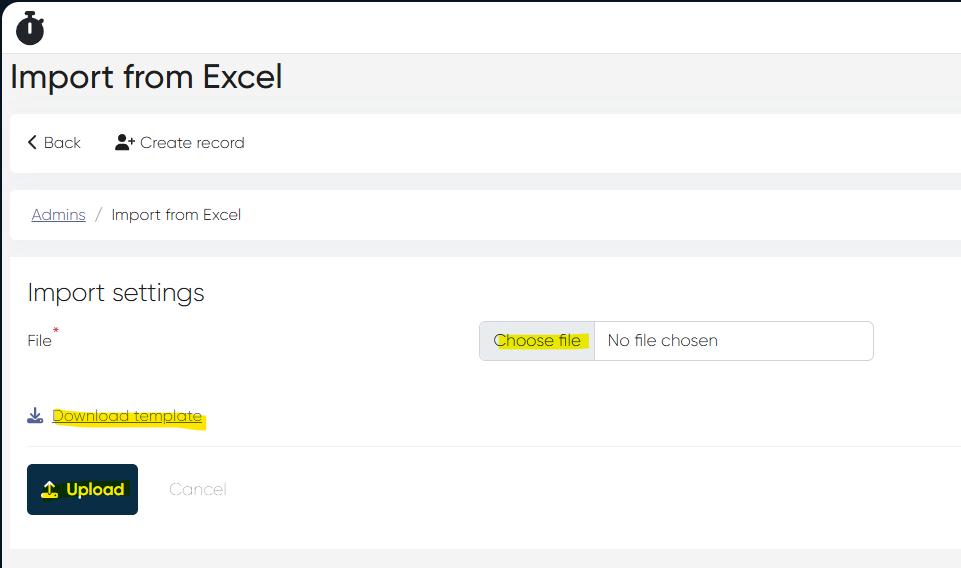
This simplifies large-scale onboarding of staff and administrators, ensuring consistent data entry.
New Touch – Doctor Selection Clearing Option
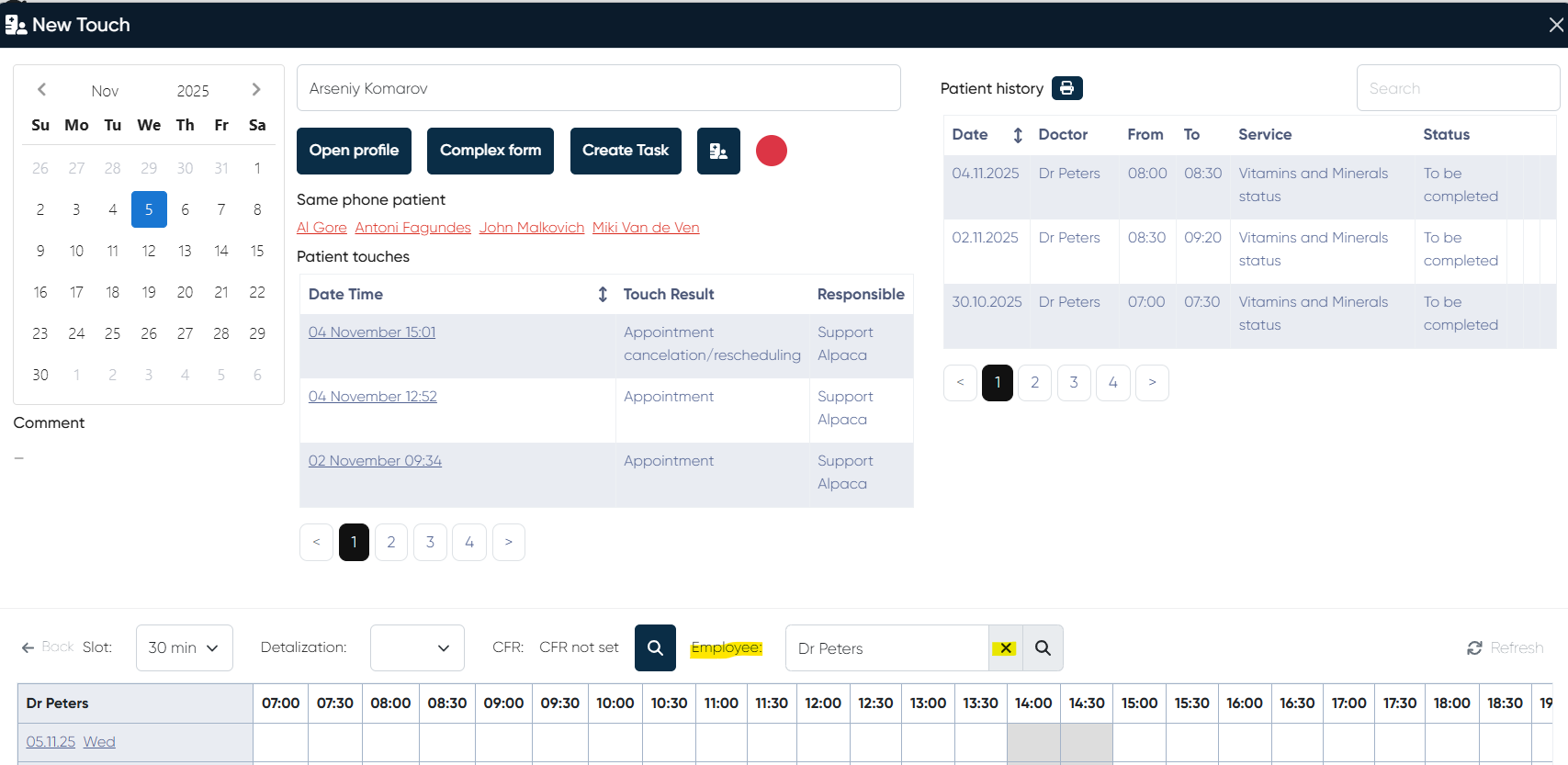
Bug: Previously, after selecting a doctor in the “Search by doctor” field, there was no way to clear the selection without refreshing the entire page.
Fix: A clear/reset option is now available, allowing users to perform multiple searches by doctor without page reload.
Appointment Duration Validation Fixed
Bug: “Duration is too short” error appeared when shortening appointment time in a booked slot (in several productions).
Fix: Validation logic updated — appointments can now be shortened correctly when editing existing bookings.
Program Remainings Report – Two Calculation Modes
The Program Remainings Report now supports two modes:
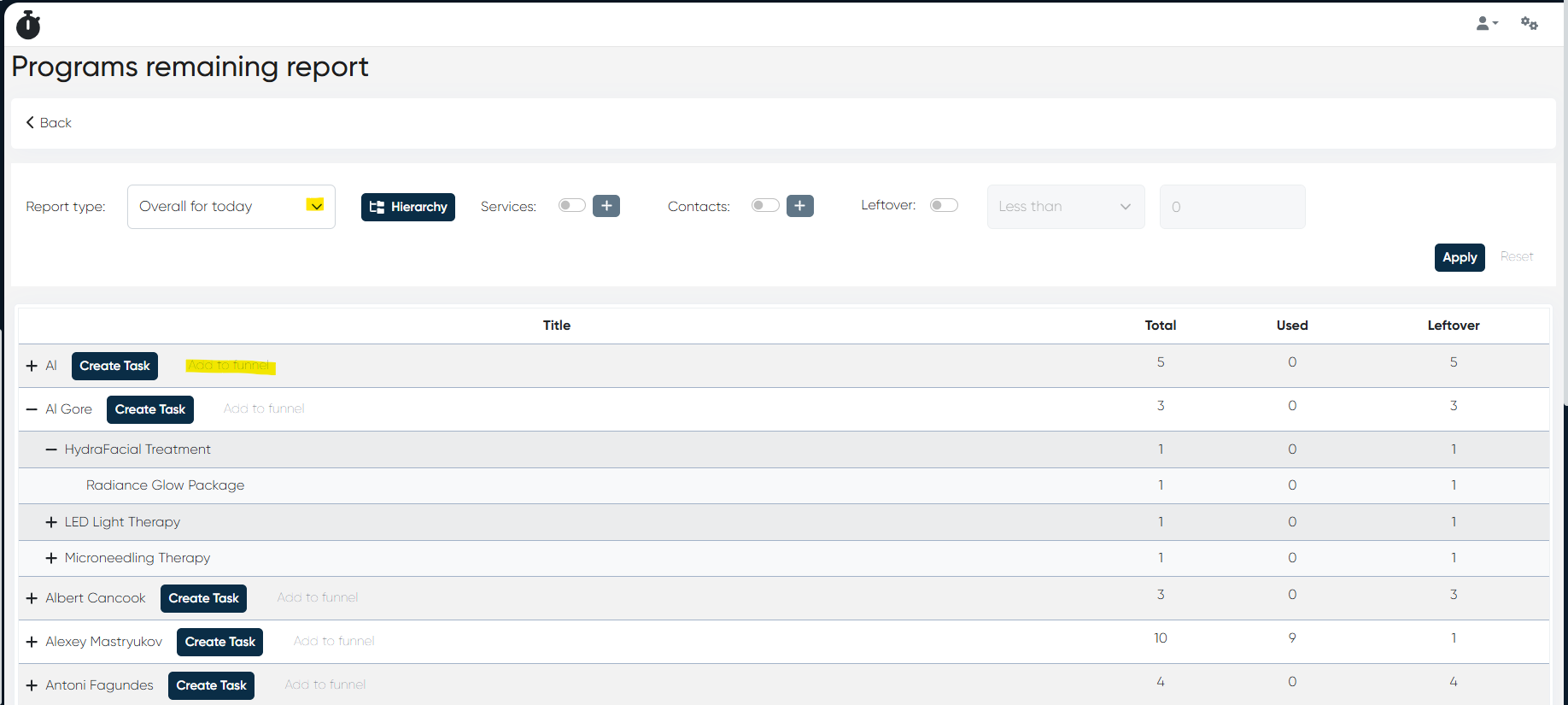
1) Overall for Today
Displays all quotes available in the system for all time.
Filters data for the current date only.
2) Based on Appointments
Select a specific appointment period.
The system gathers quotes for patients with appointments during that period.
Displays results as in the current report view.
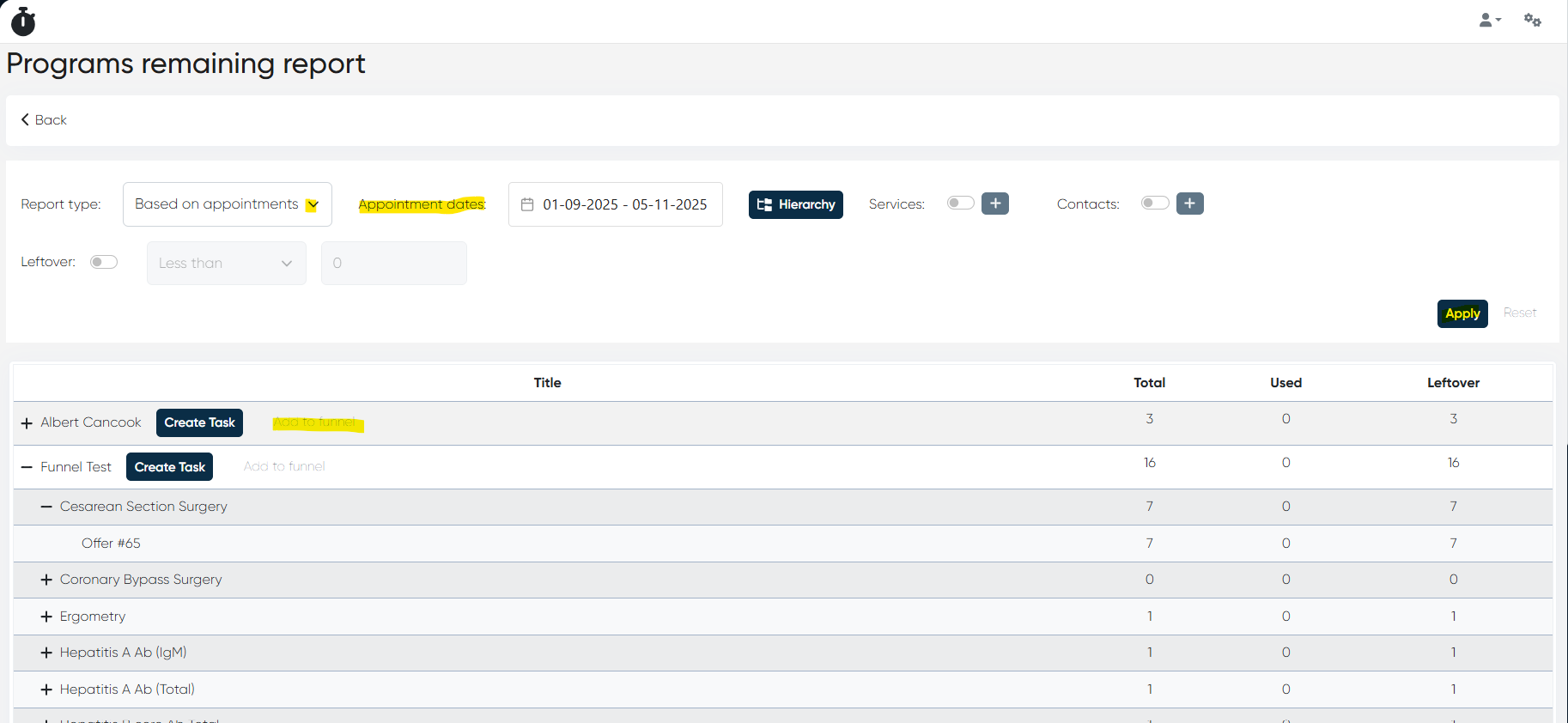
Additional Update:
Added “Add to Funnel” button in report rows — lets users quickly assign a record to a chosen funnel and stage.
Medical Document – Save & Sign Button Fix
Bug: The “Save and Sign” button was inactive when trying to close medical documents.
Fix: Function restored — users can now save and sign MedDocs normally.
This release improves workflow flexibility and system stability across scheduling, reporting, data import, and EHR components, while introducing important quality-of-life updates for staff usability.