
v2.004 build 1720 (28.10.2025)
Release Notes
Version: 2.004
Build: 1720
Date: 28.10.2025
Tranzila Timeout Fix
Bug: During payment via Tranzila terminal, clients successfully paid but the terminal failed to send a response back to Alpaca.
Result: Appointment status remained unpaid, and receipts couldn’t be issued automatically.
Fix: Timeout for Tranzila operations has been increased, ensuring stable data exchange and proper payment confirmation.
“Old System ID” Column Added for Imports
A new “Old System ID” field has been introduced for counterparties (patients, admins, employees).
Navigation: Settings > General Settings > Show Old System ID
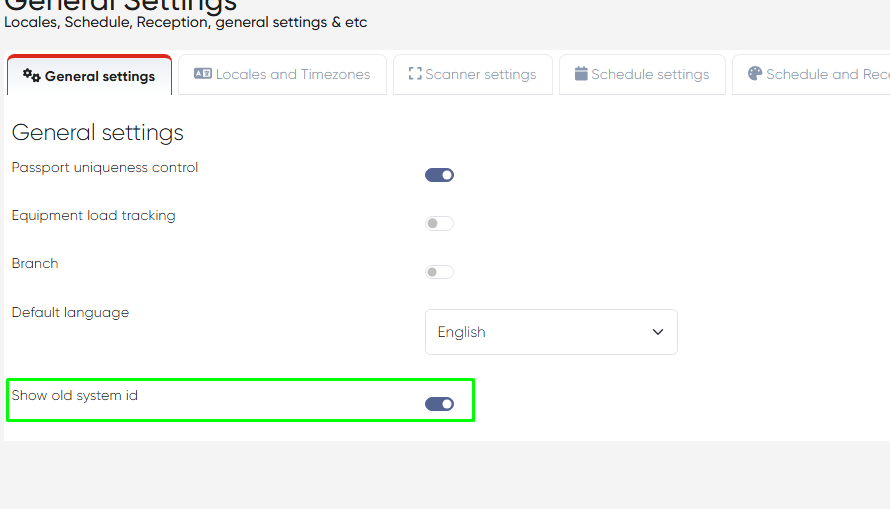
Details:
When enabled, the column becomes visible in Directories (Contacts, Admins, Employees).
Also added to import templates, allowing users to import legacy IDs from previous systems.
Useful for maintaining cross-reference when migrating data to Alpaca.
Service Defaults for Employee Assignment
Fixed an issue where manually assigned employee services didn’t inherit default values (Price, Price Type, Duration) from the main service configuration.
Improvements include:
a) New switch to control whether doctor service prices update or remain unchanged during import.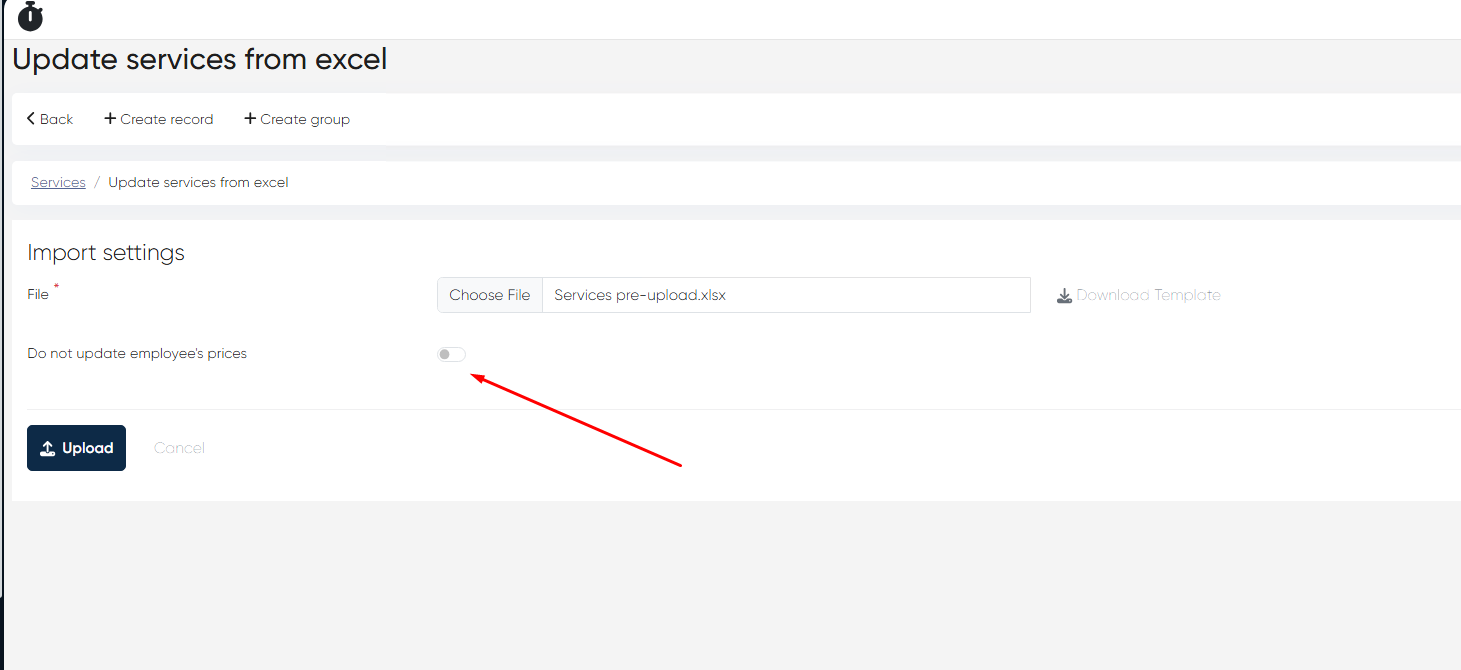
b) Added Price Type and Duration columns to the Employee tab of the Service page.
Navigation: Directories > Services > Choose Service > Employee tab
This ensures consistent service configuration and reduces manual work for administrators.
Print Forms from Doctor’s Cabinet – UI & Functionality Fixes
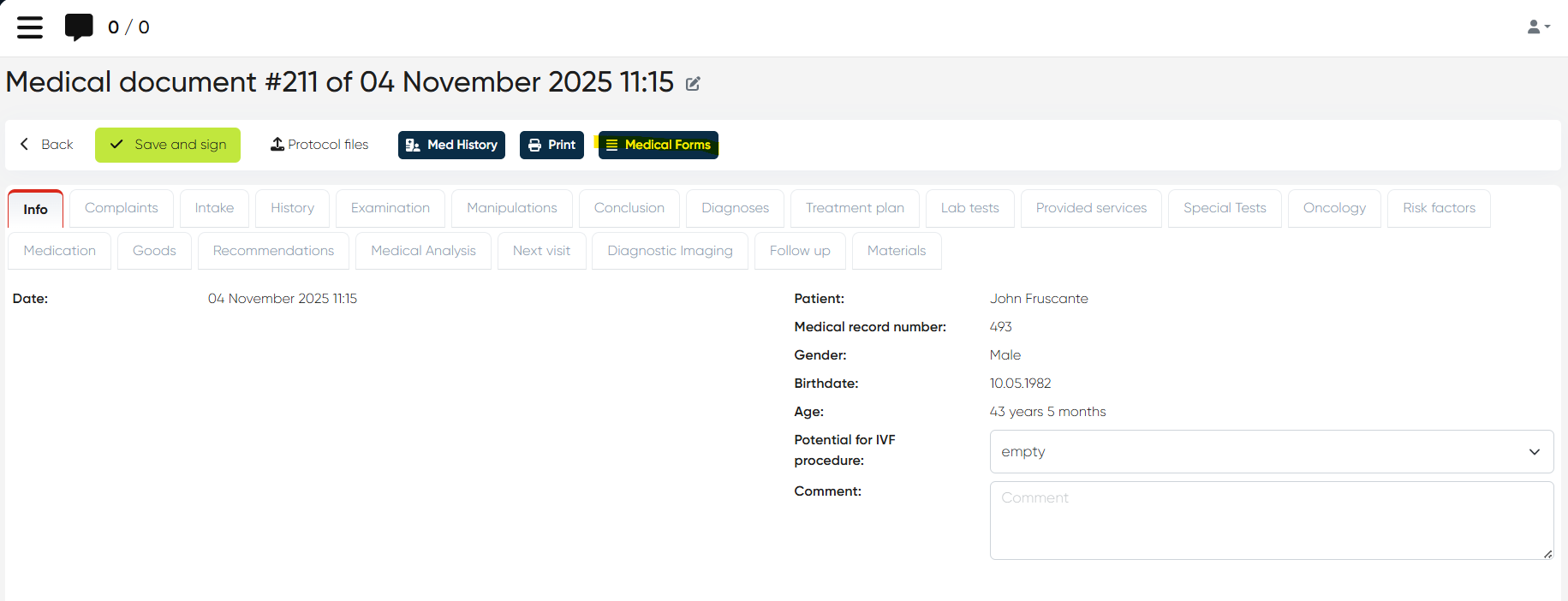
a) The Medical Forms button is now also available from the MedDoc main window, not only under Medicine section of the Doctor’s Cabinet.
b) Removed unnecessary time stamps from From Date and To Date fields in the Medical Form manual editor.
c) Fixed display issue with images inside medical forms.
These improvements streamline form editing and printing for doctors and ensure cleaner document output.
This release enhances payment stability, data import compatibility, and service consistency, while refining the Doctor’s Cabinet printing workflow for smoother daily operations.