
v2.004 build 1717 (28.10.2025)
Release Notes
Version: 2.004
Build: 1717
Date: 28.10.2025
Dental Module Added to Medical Document (EHR)
A new Dental module has been introduced as a component of the Medical Document (EHR module).
This feature provides a complete visual and data-driven interface for recording, viewing, and planning dental procedures.
(Currently available in ERP view only.)
1. Enabling the Dental Module
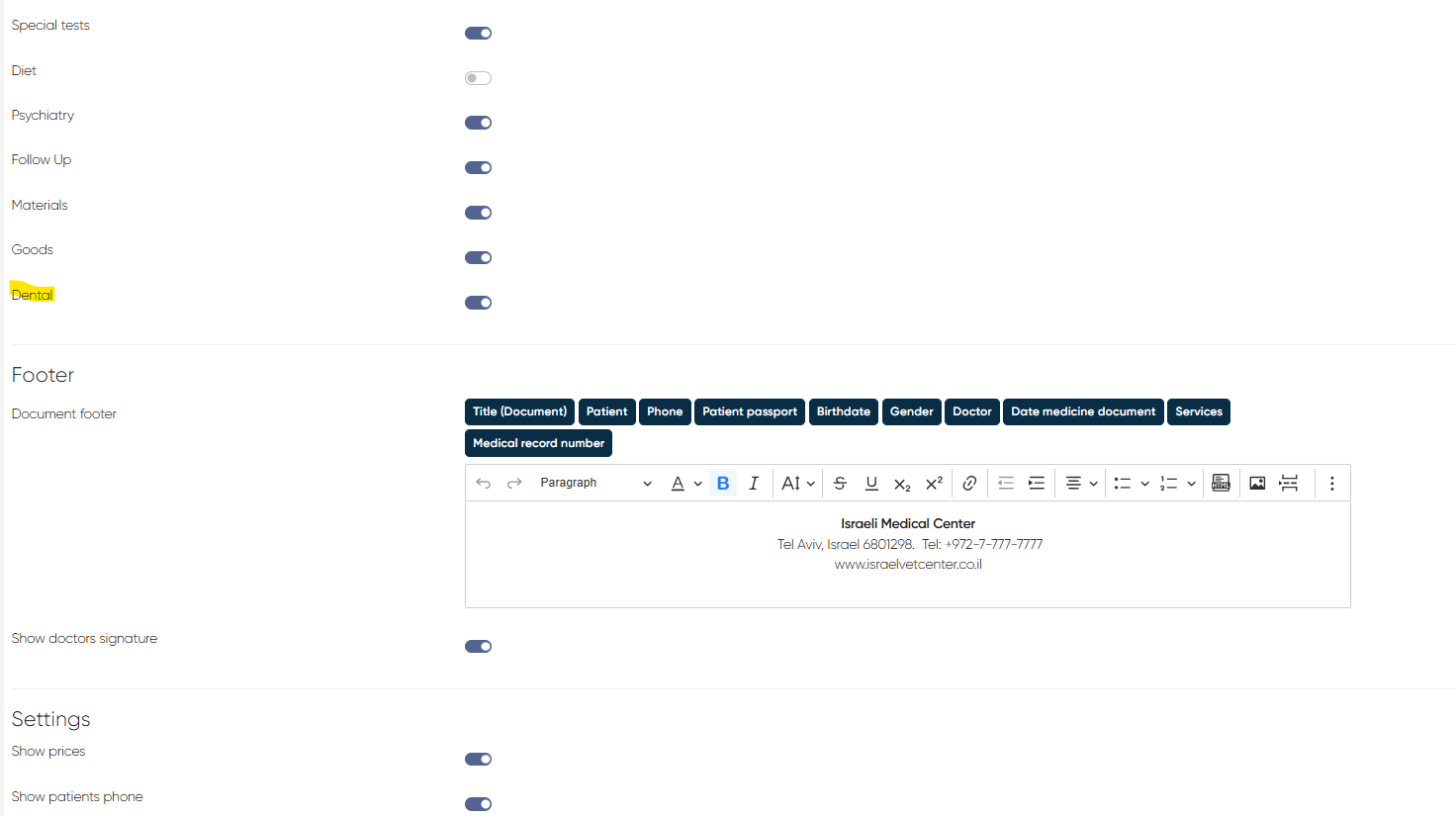
Navigation: Settings > Medical Document Settings > Medical Document Visibility Tabs > Dental toggle
Turn on the Dental toggle to make the Dental tab visible inside the medical document.
2. Accessing the Dental Tab
Navigation: Medicine > Choose Medical Document > Dental tab
Inside the tab, the user can:
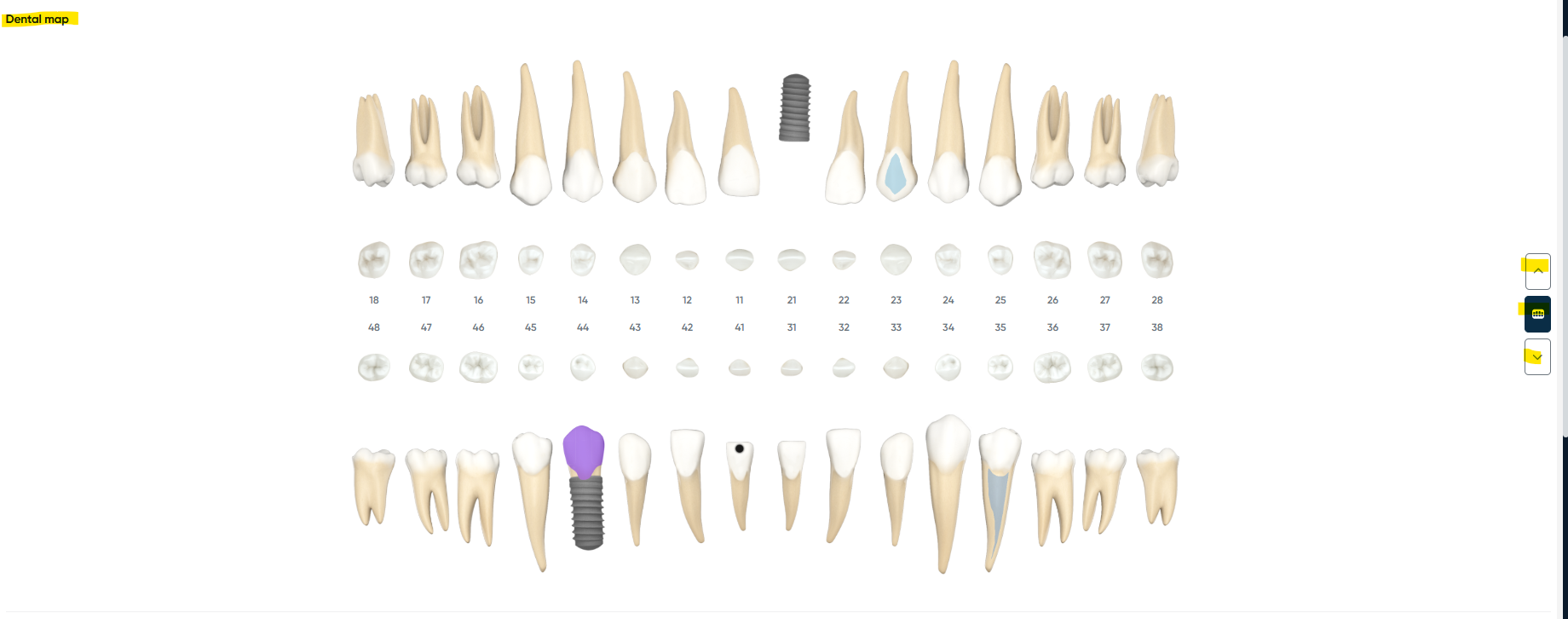
View the Dental Map
Displays all teeth (clickable).
Switch between views:
Upper jaw only
Lower jaw only
General view (upper + lower together).
Open Tooth Card
Click on a specific tooth to open its details.
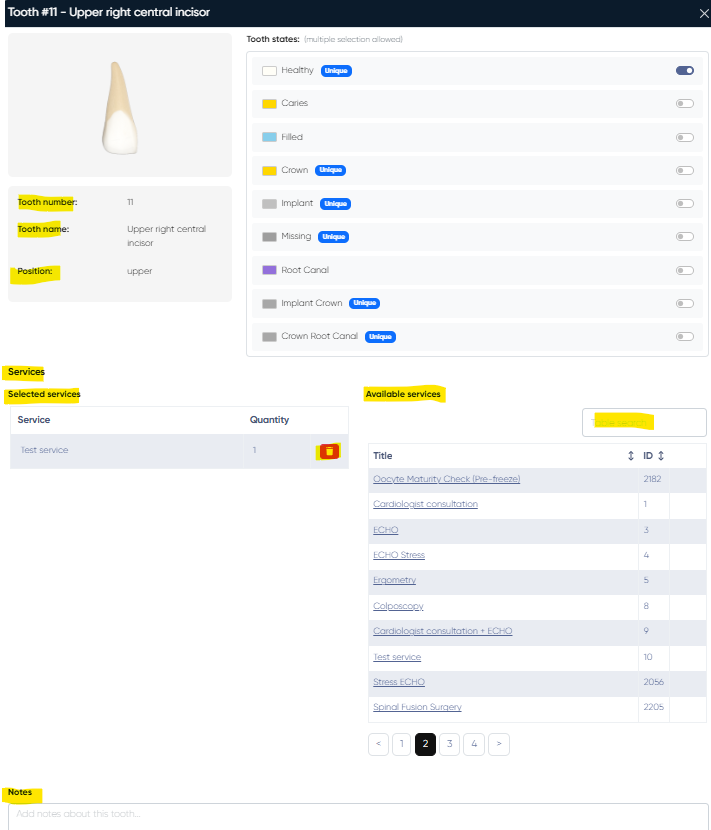
Available functions:
Add tooth states (multi-select; some are unique and cannot be combined):
Healthy (Unique)
Caries
Filled
Crown (Unique)
Implant (Unique)
Missing (Unique)
Root canal
Implant crown (Unique)
Crown root canal (Unique)
View tooth schematic and information:
Tooth number, name, and position.
Select services using a searchable list — chosen services appear under “Selected Services” (can be deleted individually).
Add text notes for additional comments.
View Manipulation List
Table listing all planned or performed dental manipulations.

Columns: Tooth, Service, Quantity, Amount.
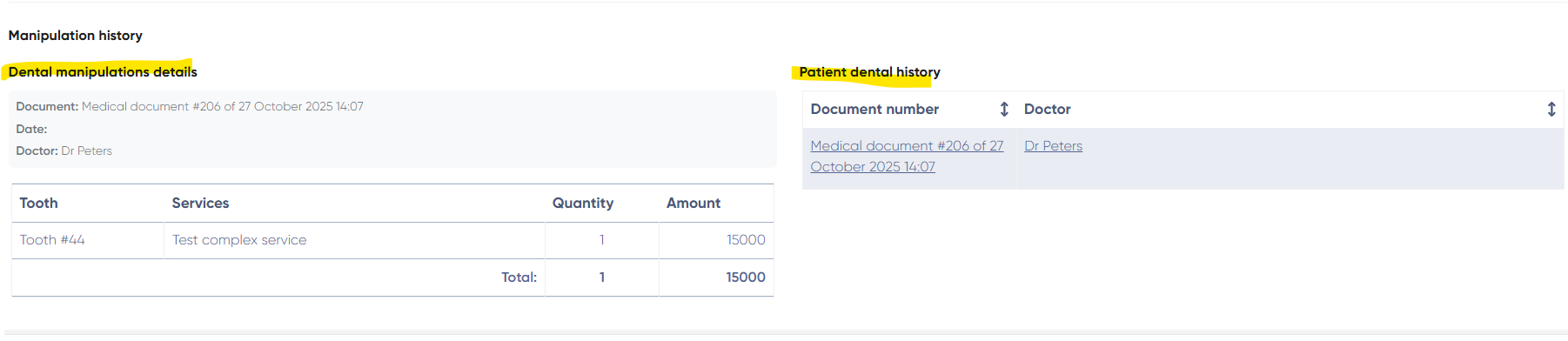
Patient Dental History
Displays all past dental medical documents.
Columns: Medical Document (clickable), Doctor.
Manipulation History
Shows all manipulations recorded in a selected medical document.
Columns: Tooth, Service, Quantity, Amount, plus MedDoc info (Date, Doctor, Document number).
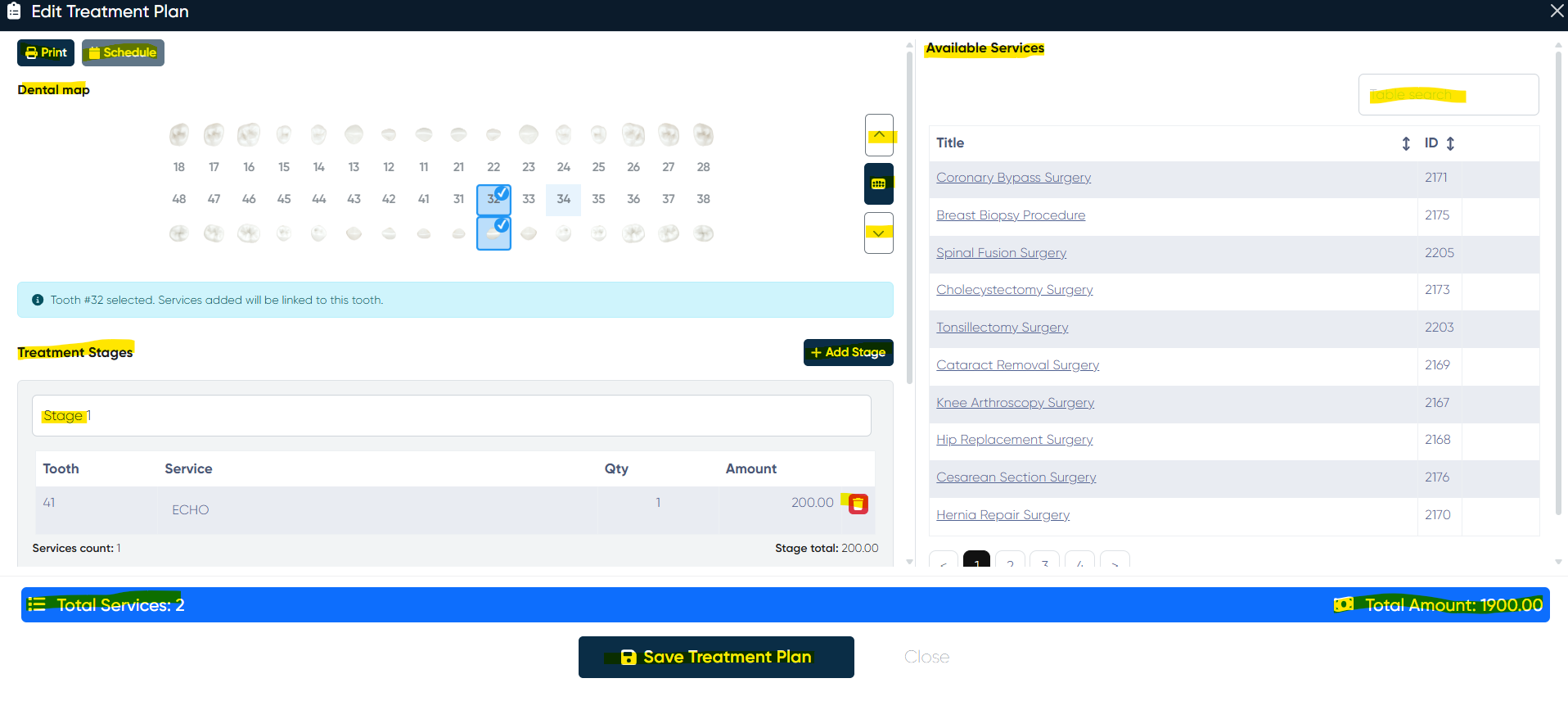
Treatment Plan
Access via the Treatment Plan button.
Opens a detailed plan creation window with:
Interactive dental map (switch views: upper/lower/general).
Treatment stages:
Add, edit, or rename stages.
Manage services per stage (add/remove from list).
Available services list (with search bar).
Summary section with total services count and total amount.
Save Treatment Plan option.
After saving, the plan can be printed or used to schedule appointments.
The Dental module significantly enhances the EHR by enabling structured dental charting, treatment planning, and procedure tracking — all integrated with services, billing, and patient history.