
v2.002 build 1705 (23.10.2025)
Release Notes
Version: 2.002
Build: 1705
Date: 23.10.2025
One-Time Activation Fee for Subscription Plans
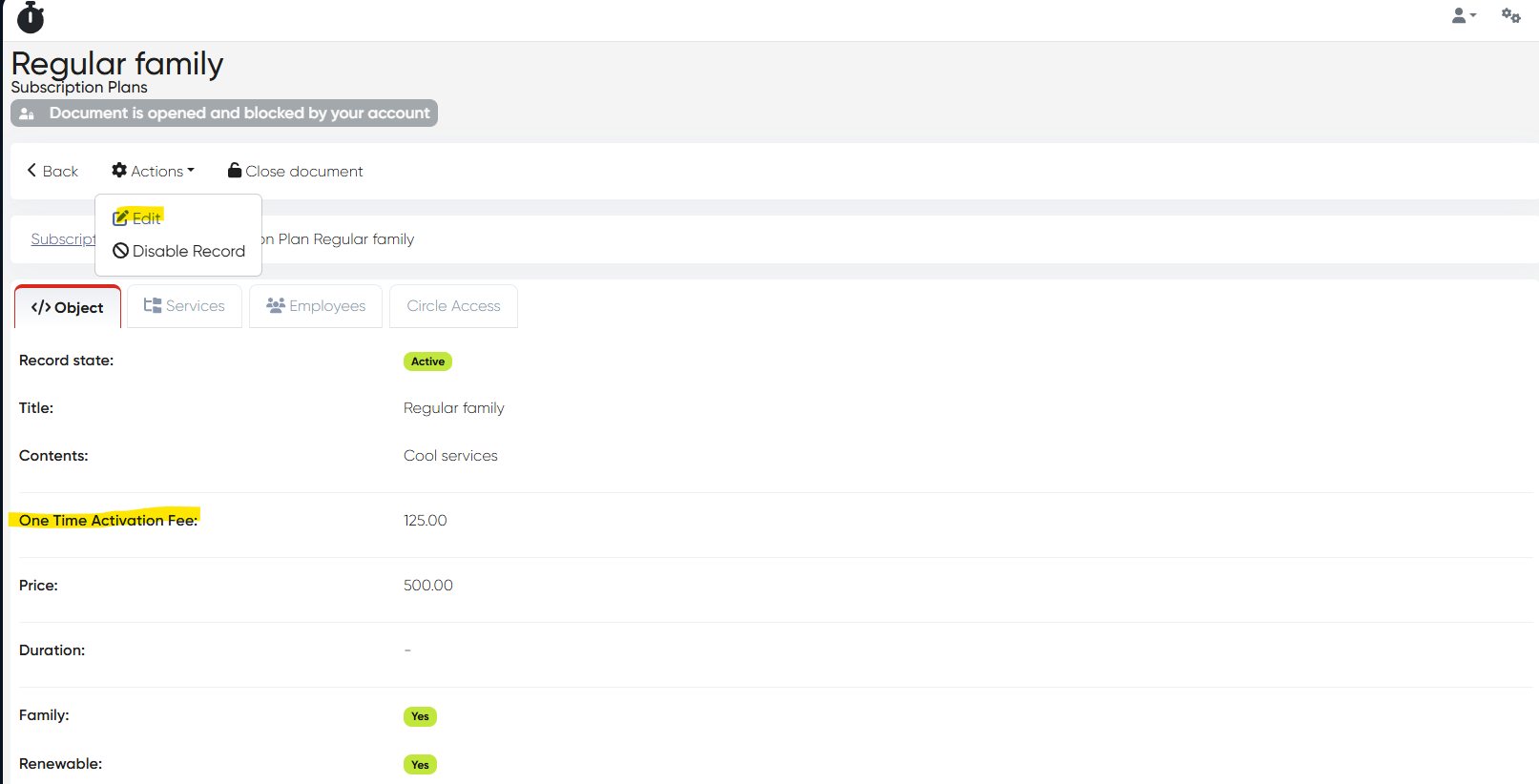
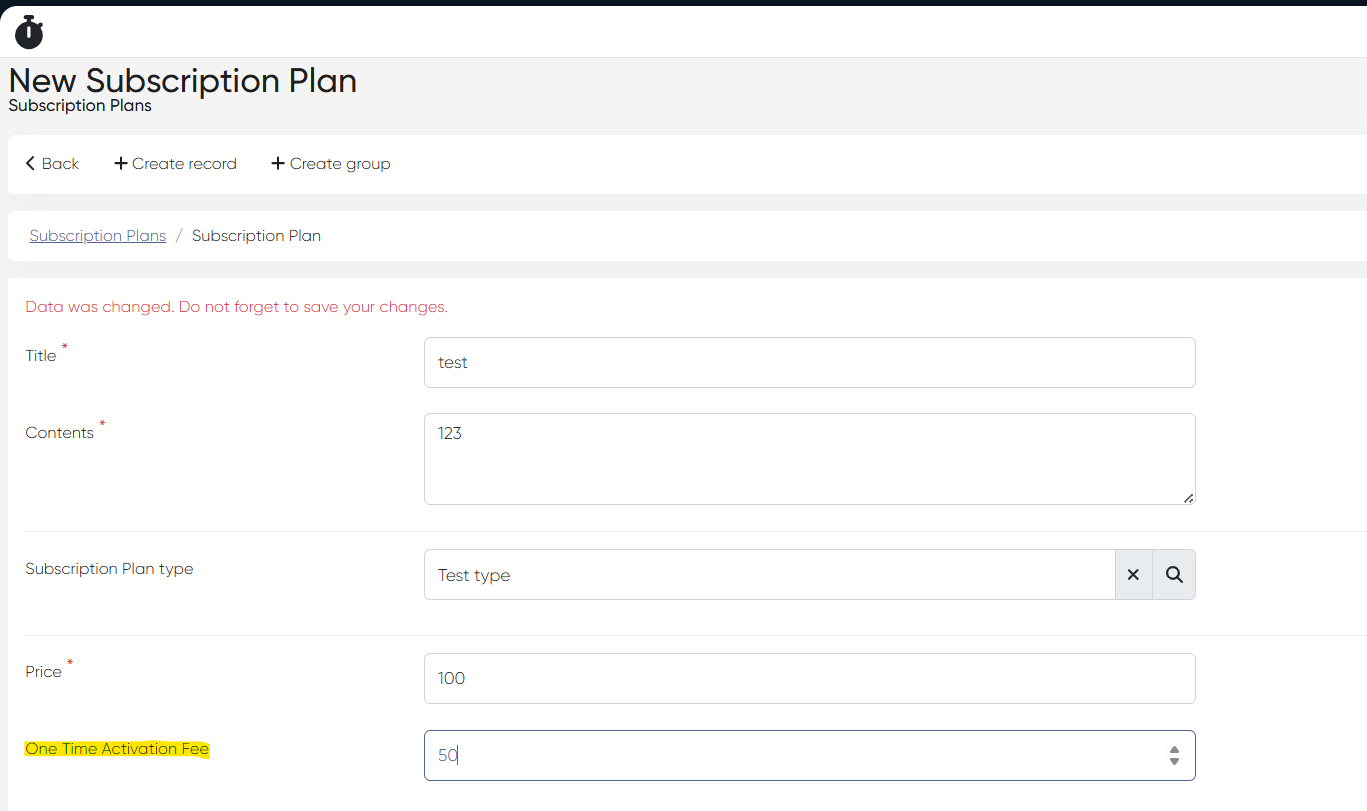
A new Activation Fee field was added to subscription plans, allowing clinics to charge a one-time setup fee for new memberships.
Navigation: Directories > Subscriptions > Subscription Plans
Usage:
To add an activation fee to an existing plan → click the plan name → Actions > Edit.
To apply it for a new plan → click +Create Record and fill in the activation fee field.
This fee is applied automatically during new plan activation and can be used to cover administrative or onboarding costs.
Goods & Materials – Stock Remainings and Auto Write-Off
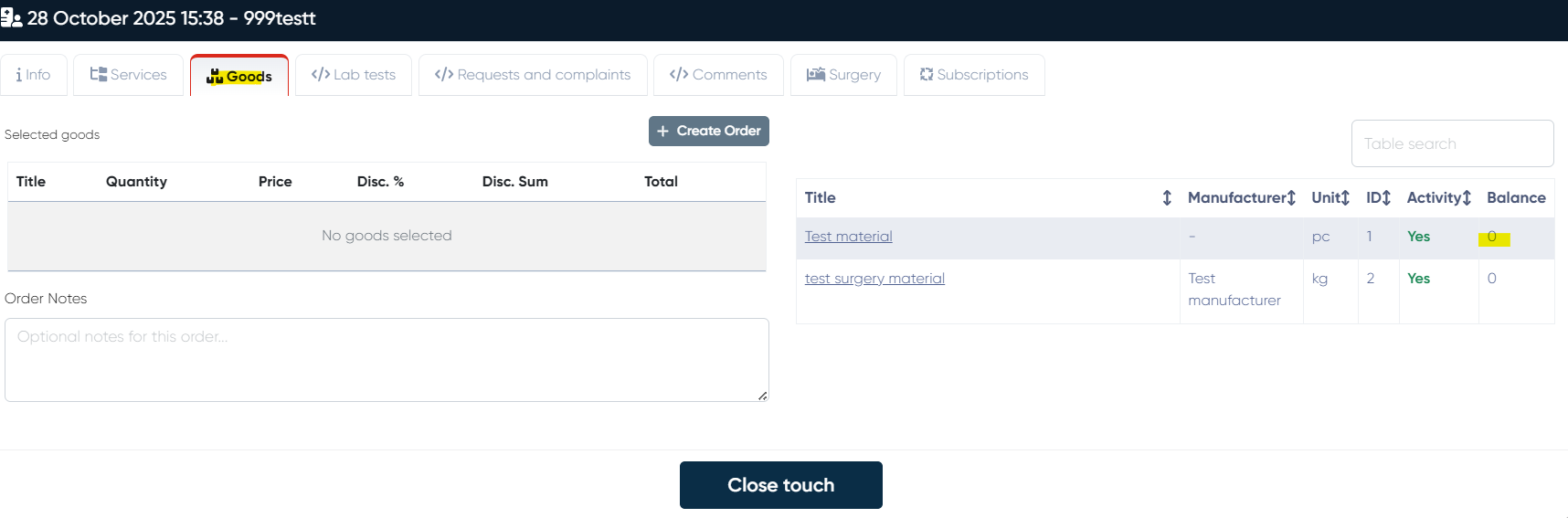
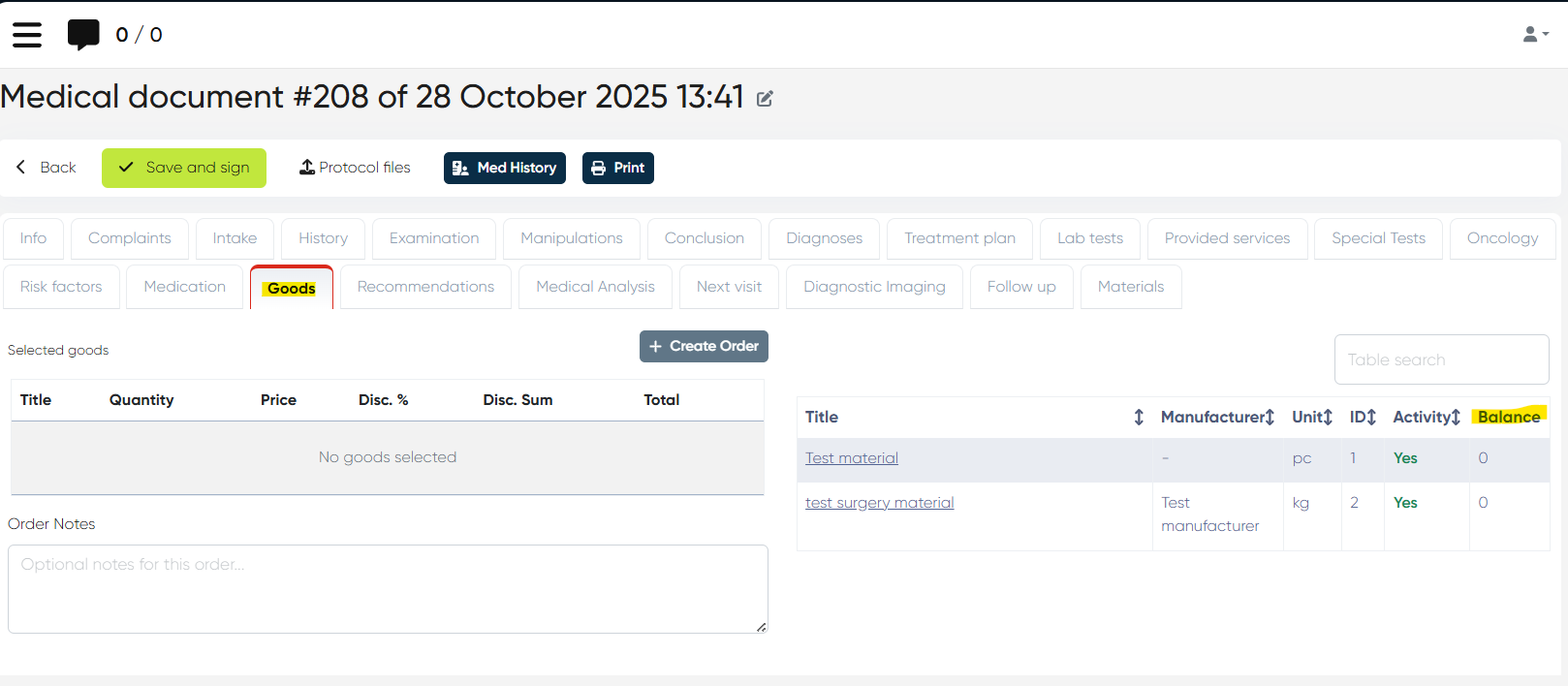
In the Medical Document and New Touch>Complex form (Goods tab), the system now shows only remaining stock quantities for each material.
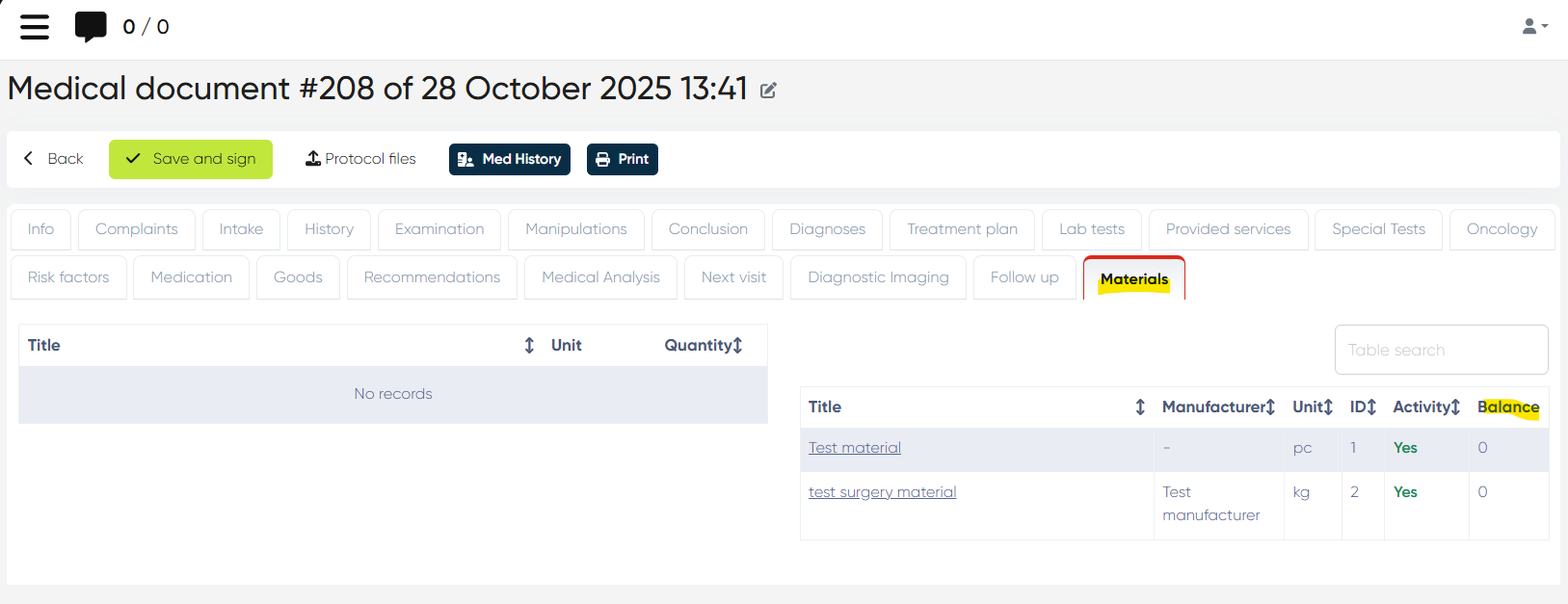
When goods orders are paid at Reception, the system now automatically performs a write-off, generating a corresponding expense document.
This update ensures accurate inventory tracking and automation of material expense records.
Doctor Profile Password Validation Fix
Fixed a bug on production servers where the doctor’s password set during profile creation was not recognized upon login.
Now works as expected.
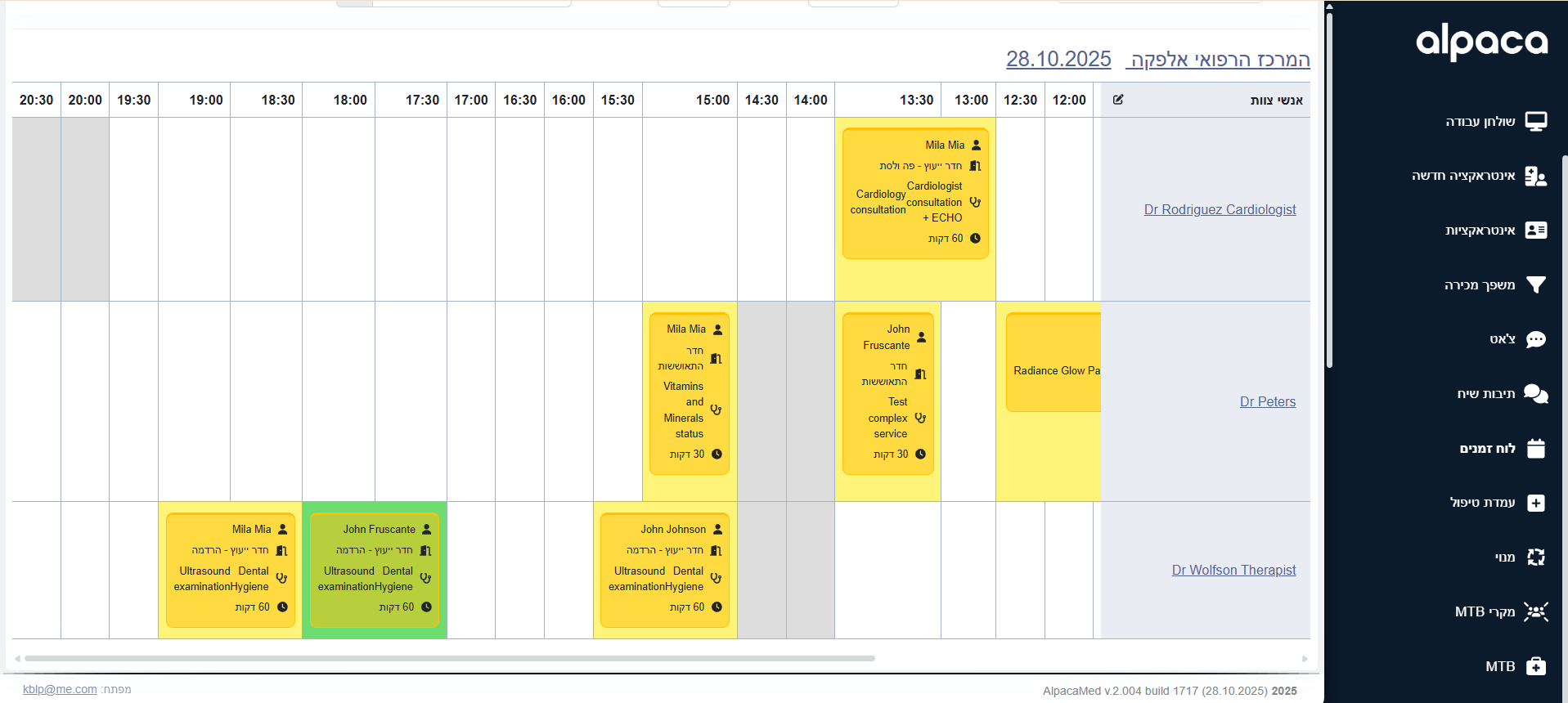
Schedule Interface – Doctor Column Freeze Fix
Fixed UI issue where the doctor name column froze only in the English interface of the Schedule section (but not in Hebrew).
Behavior is now consistent across all languages.
Equipment Module – Minor Stability Fixes
Several small issues and UI inconsistencies in the Equipment module were resolved for smoother operation.
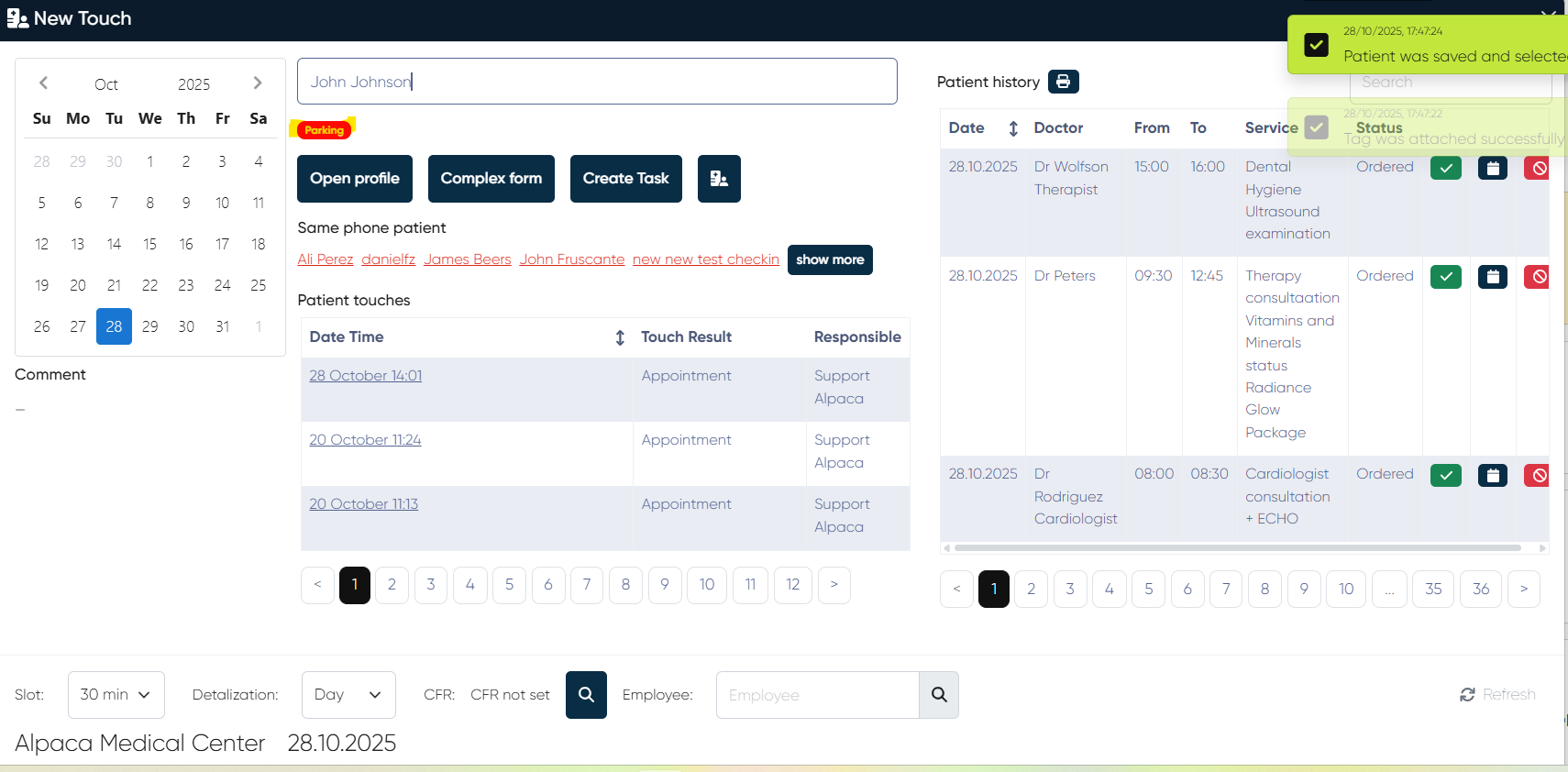
Client Tags Display in New Touch
Client tags are now displayed under the client’s name, above the action buttons in New Touch.
This helps staff instantly identify key client attributes during booking and interaction.
Phone Number Auto-Formatting & Copy-Paste Fix (ALP-1112)
Fixed the inconsistent handling of phone numbers that caused:
Different formats (e.g.,
0426,0-426,+972548-680-426) are being treated as separate contacts.Numbers copied from WhatsApp containing spaces or separators that broke search/sync.
Now phone numbers are uniformly formatted and recognized regardless of how they are entered or pasted.
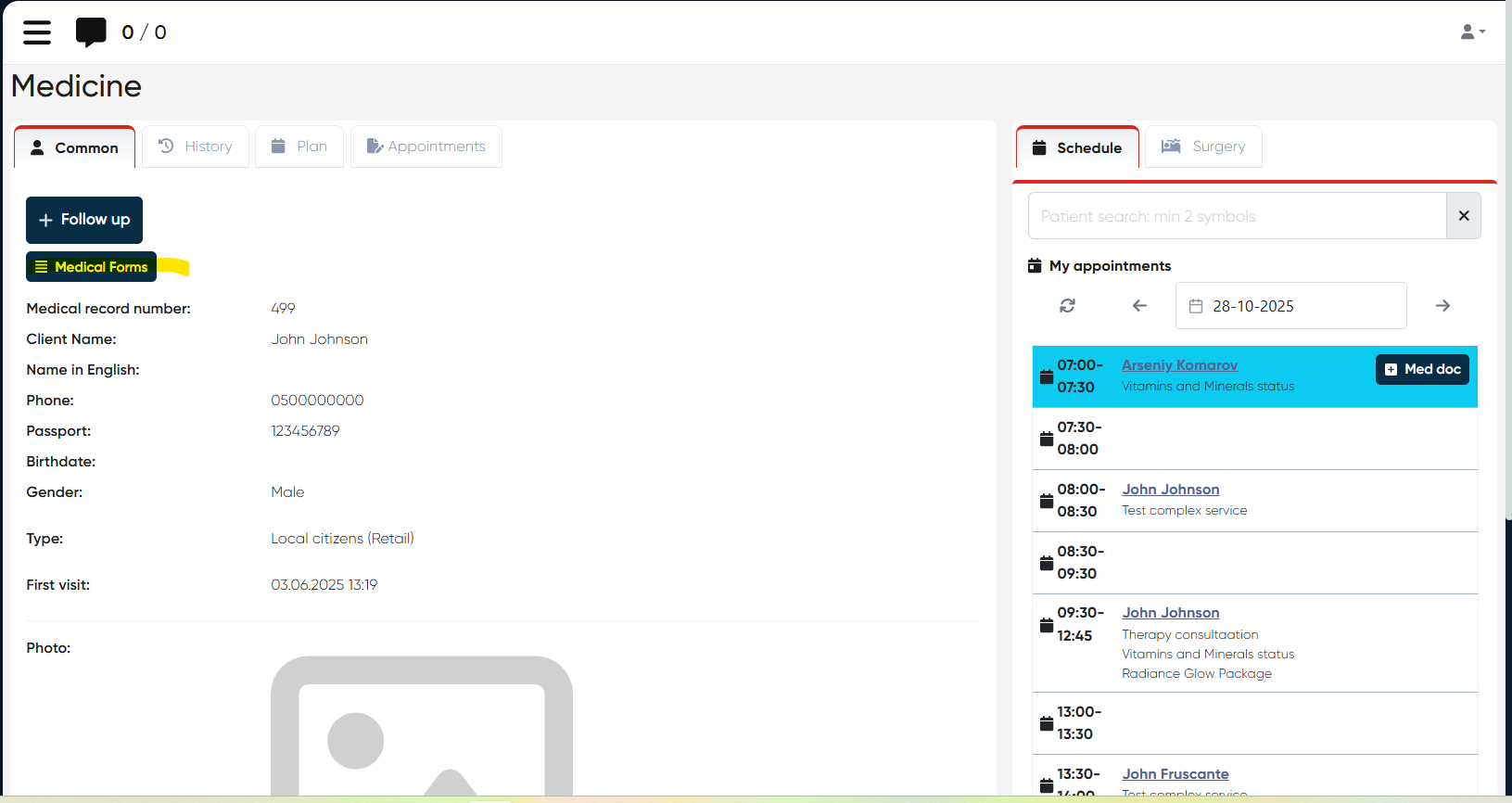
Access to Print Forms from Doctor’s Cabinet
Doctors can now access and print predefined medical forms (e.g., Clearance for Travel, Sick Leave Notes) directly from their cabinet interface.
Navigation:
Directories > Employees > Choose Employee > Actions > Open Doctor’s Cabinet > Choose Patient > Common tab > Medical Forms button
Features:
Select a predefined Medical Form from the list.
Add or update information via Show Fields (Date From, Date To, Additional Notes, etc.).
Save changes using Update Form.
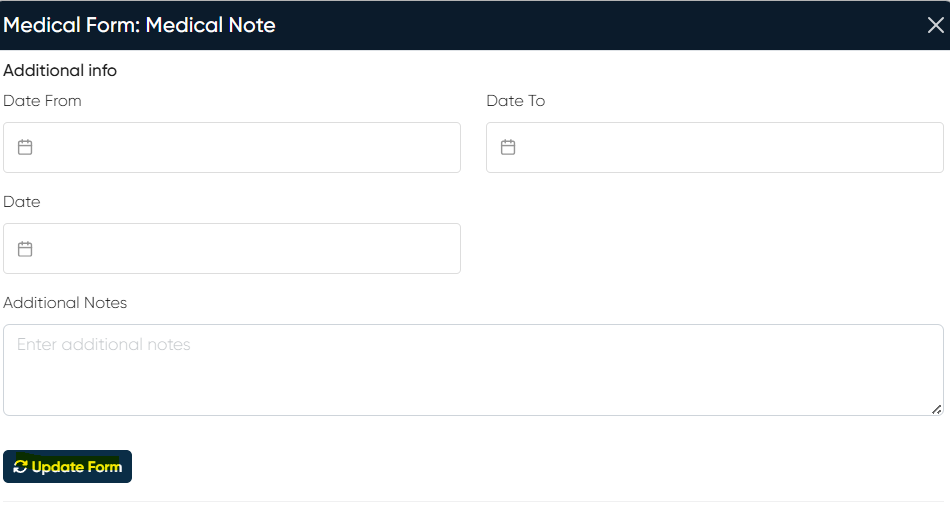
Control buttons available:
PDF – generates a PDF version
Print – for immediate printing
Send via Email/SMS – to send the form to the patient.
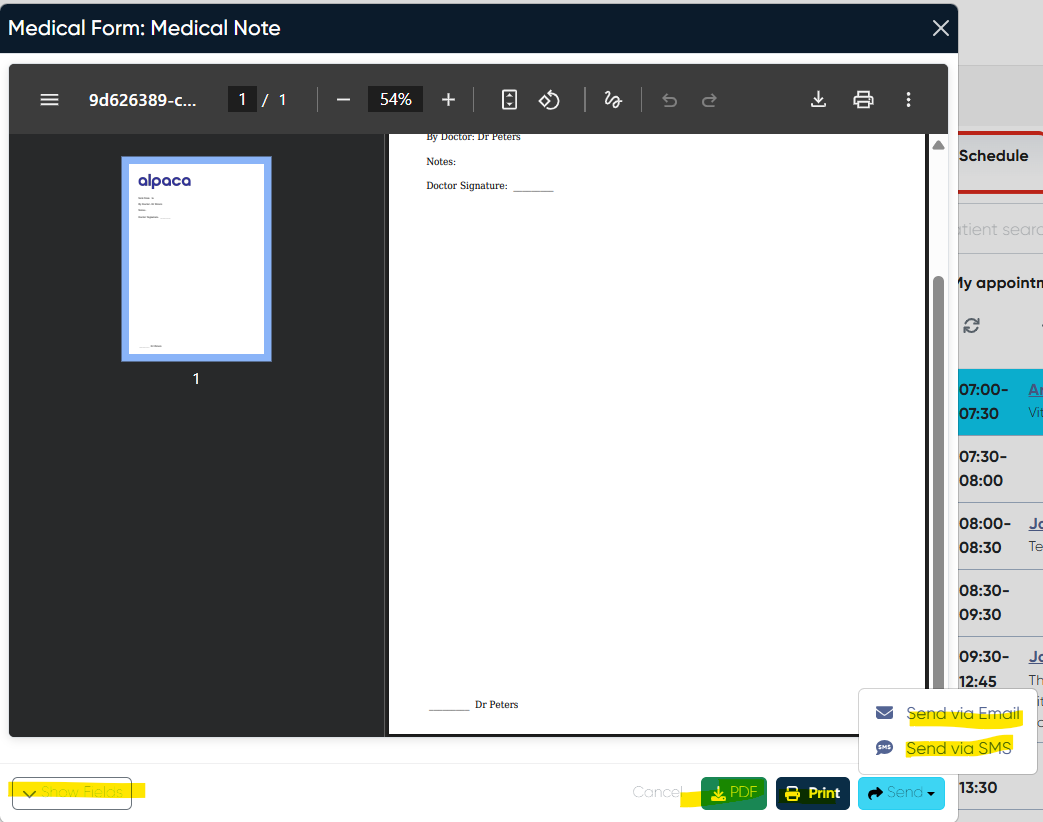
This feature enhances doctors’ autonomy in managing medical documentation.
This release brings major workflow and usability improvements — including automatic stock control, activation fees, direct print access for doctors, and fixes across scheduling, phone formatting, and equipment modules.