
Units
Units – LIS Module
The Units section in the LIS module is designed to manage the measurement units used for laboratory tests and their results (e.g., g/L, IU/L, mg/dL). Correct units are essential for ensuring accurate interpretation of results and maintaining standardization across the system.
1. Creating Units
Navigation:
Directories > Laboratory Dictionaries > Units > + Create Record
Steps to Create a Unit:
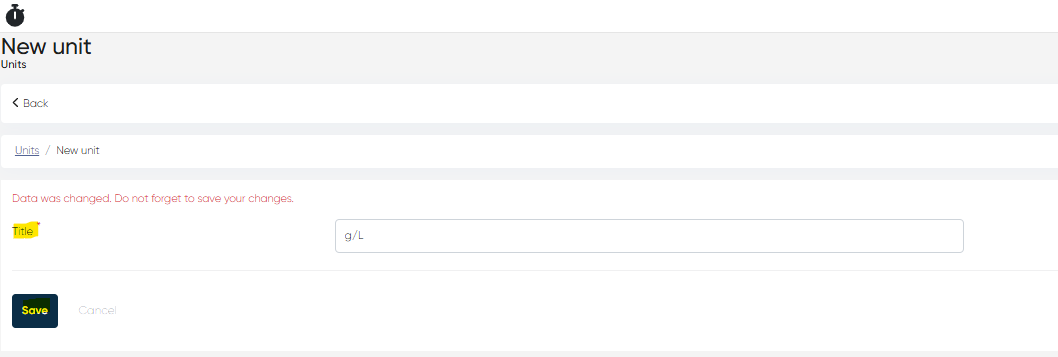
Click + Create Record.
Fill in the following parameter:
Title (Mandatory):
Enter the measurement unit (e.g.,g/L,IU/L,mg/dL).
Click Save to add the unit to the system.
2. Viewing the Units List and Unit Card
Navigation:
Directories > Laboratory Dictionaries > Units
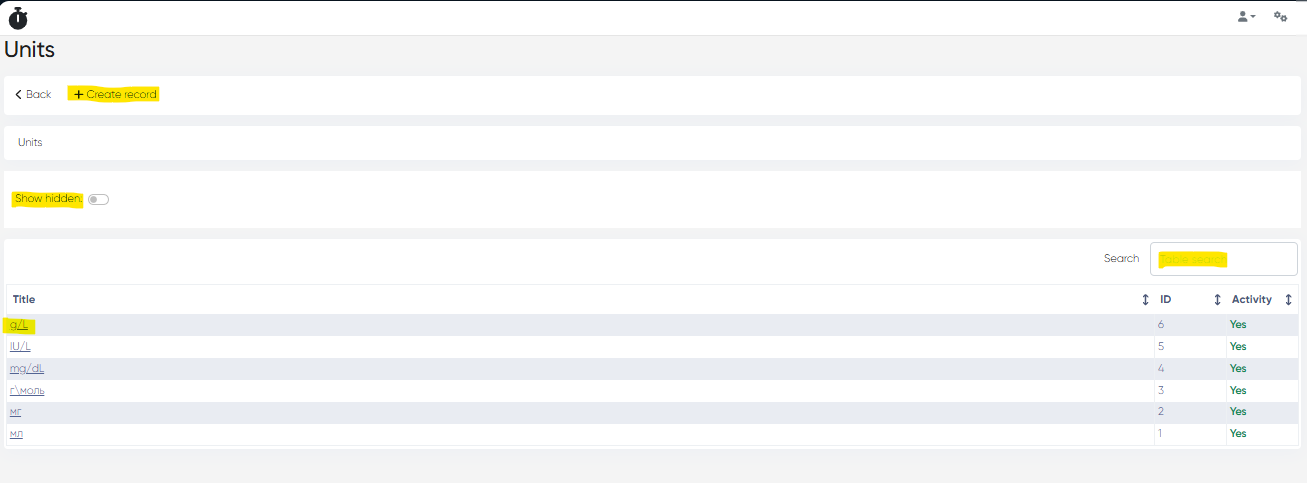
Units List Features:
Displays all created units with columns:
Title – Name of the unit
ID – System-generated identifier
Activity – Status (Active / Disabled)
Tools Available:
Show Hidden Toggle – Display disabled/inactive units
Table Search Bar – Quickly find units by name
Unit Card
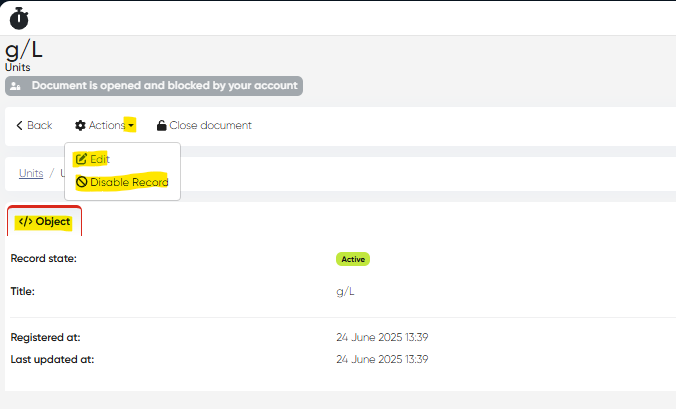
Click on the Title of a unit to open its detailed card.
Tabs & Features:
Object Tab: Displays details entered during creation.
Actions Available:
Edit: Modify the unit title
Disable: Deactivate the unit (does not delete it)
3. Using Units in Other Lab Dictionaries
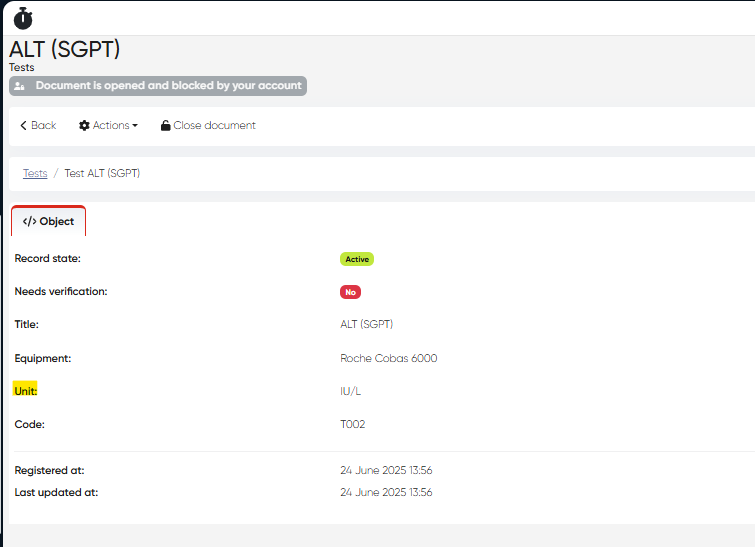
Link to Tests:
When creating or editing a Test, select the unit from the list.
The chosen unit will be displayed in the Test Card.
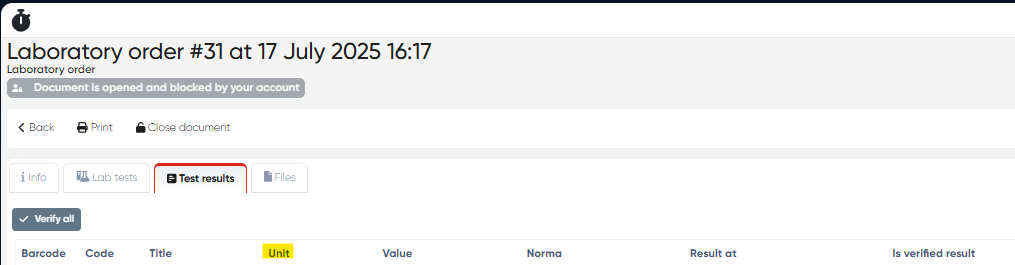
Visible in Lab Test Results:
Units appear as a separate column when viewing Lab Test Results:Navigation:
Main Menu > Laboratory > Choose Laboratory Test Order > Test Results TabColumns include:
Code | Title | Unit | Value | Norma | Result At | Verified
Summary Table
Functionality | Navigation |
|---|---|
Create Unit | Directories > Laboratory Dictionaries > Units > + Create Record |
View/Edit Unit | Directories > Laboratory Dictionaries > Units > Click Title |
Assign Unit to Test | Directories > Laboratory Dictionaries > Tests > Create/Edit |
View Units in Results | Main Menu > Laboratory > Lab Test Order > Test Results Tab |