
Treatment plan management
Treatment Plan Management – EHR Module
The Treatment Plan section in the Medical Document allows clinicians to build and manage structured care plans by selecting services, scheduling their execution, and generating referrals for further treatment or consultation. This tool helps streamline care delivery and ensures continuity across patient visits.
Navigation Path
To access the Treatment Plan section:
Directories > Employees > Choose Employee > Schedule > Select Checked-in Patient > Open Medical Document > Treatment Plan Tab
Main Functional Areas
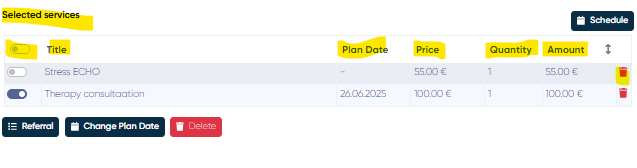
1. Selected Services List
Displays all services currently added to the treatment plan for this patient.
Table Columns:
Service Selection Checkbox
Title
Plan Date
Price
Quantity
Amount
Actions:
Delete Button – Remove a specific service from the list.
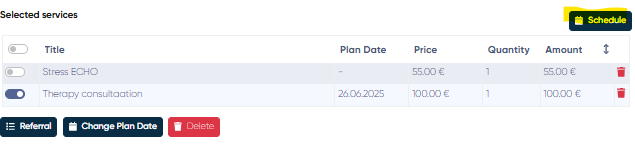
2. Schedule Button
Clicking this opens the Schedule a List of Services window, where you can assign future appointments for the selected services.
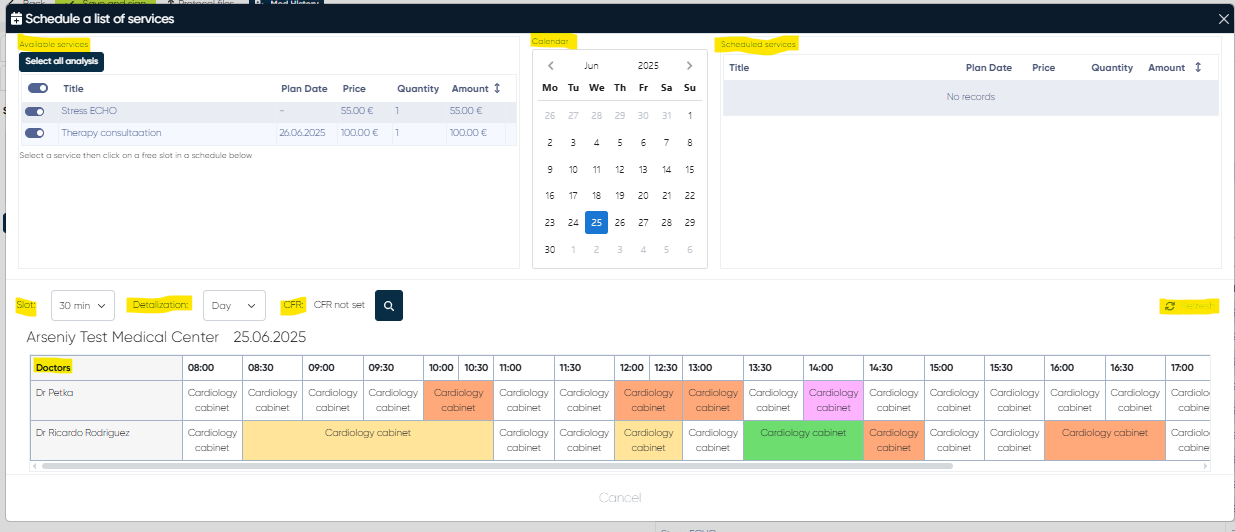
Key Components:
Available Services List – Same format as above, used to select services for scheduling.
Calendar View – Enables date selection for scheduling.
Scheduled Services List – Shows which services are already scheduled, similar structure as the available services.
Slot Duration Dropdown – Choose standard appointment durations (10, 20, 30, 45, 60 minutes, etc.).
Detalization View – Toggle between Day / Week / Month views for calendar precision.
CFR Selection Button – Optional toggle to filter services by Cost Funding Rules (if applicable).
Refresh Button – Reload updated scheduling data.
Doctor’s Schedule Display – Shows availability based on selected service(s).
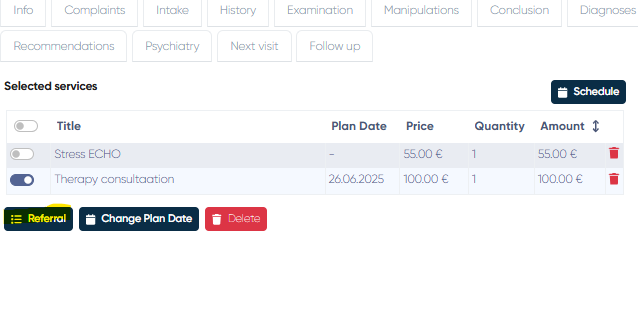
3. Referral Button
Generates a referral document based on selected services and relevant medical data.
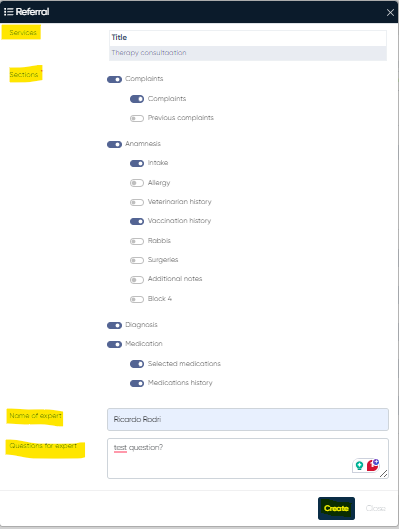
Referral Editing Window Includes:
Selected Services – Displays service names to be included in the referral.
Sections to Include – Toggle which parts of the medical document to copy into the referral:
Complaints (Current and Previous)
Anamnesis (Intake, Allergy, Veterinary History, Vaccination, Surgeries, Rabbis, Additional Notes, Block 4)
Diagnosis
Medication (Current + History)
Expert’s Name – Field to specify who will receive the referral.
Questions for Expert – Text field for clarifying the purpose of the referral.
Create Button – Generates a referral preview for review and printing.
4. Change Plan Date
Allows for manual adjustment of the planned date for selected services.
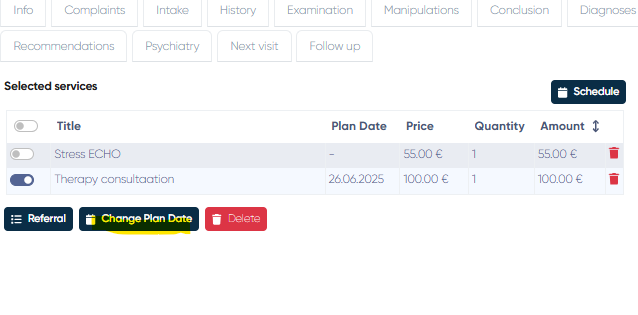
Functionality:
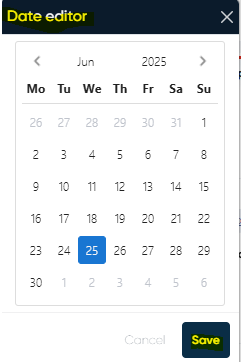
Opens a Date Editor (calendar interface).
Users select a new plan date to apply to one or multiple services.
5. Favourites List
Quick-access section showing pre-saved, commonly used services.
Features:
Service Titles listed
Delete Button to remove a service from favourites

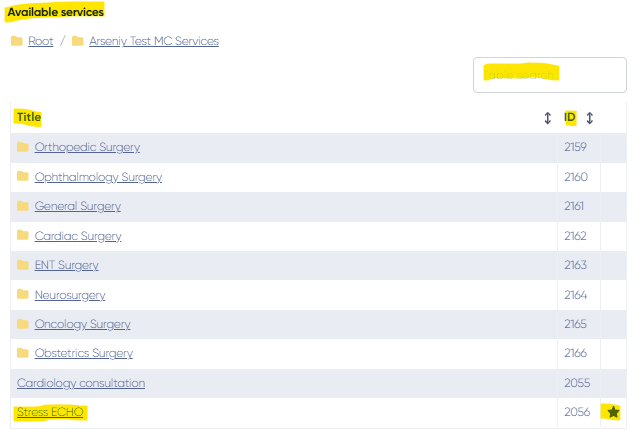
6. Available Services List
Displays a comprehensive list of all services that can be added to the treatment plan.
Features:
Columns: Title, ID
Search Bar: Filter services by name or ID
Click to Add: Clicking on a service will immediately add it to the Selected Services List.
Add to Favourites button for each service
💡 Use Cases
Build a treatment plan with multiple services across visits.
Schedule follow-ups and diagnostics based on staff availability.
Generate customized referrals for expert consultations.
Adjust planned dates to accommodate patient or doctor preferences.
Use favorite services to streamline recurring treatment plans.