Tasks
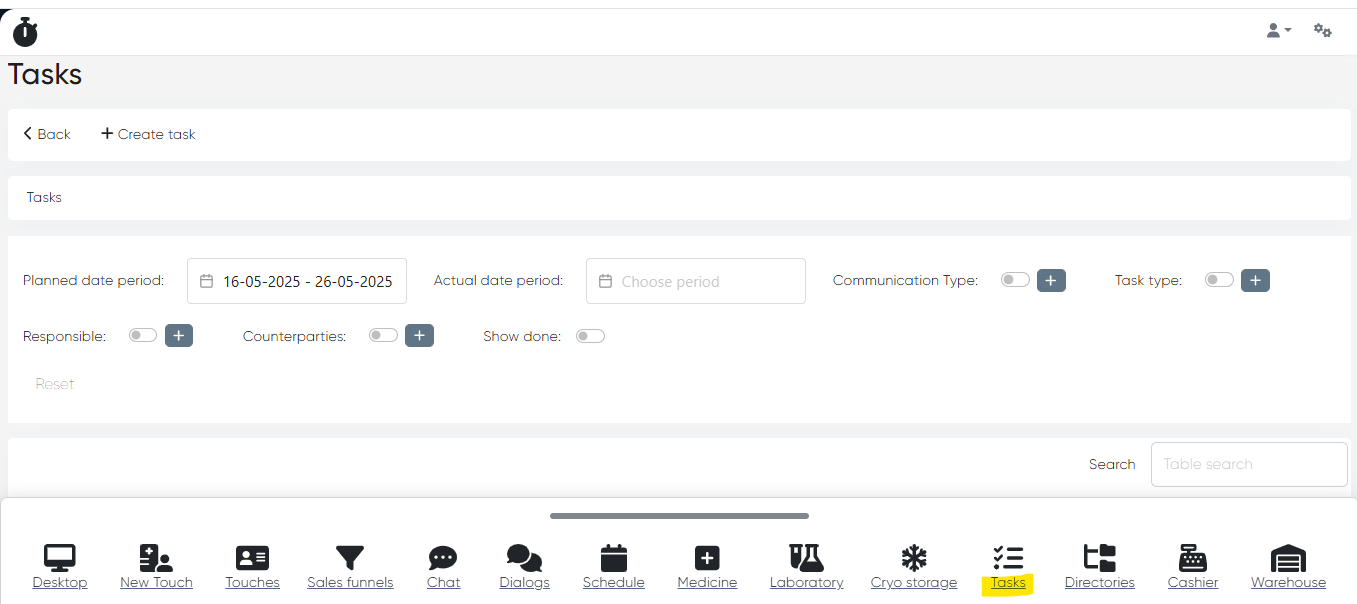
Navigation: Main menu>Tasks
Description
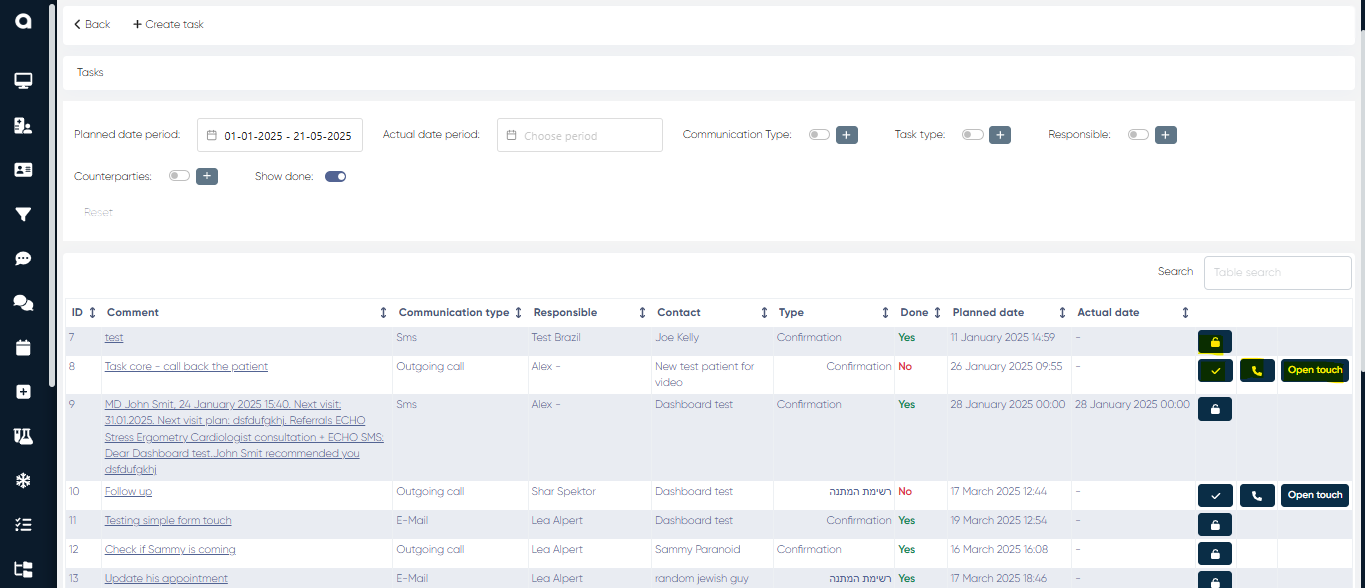
The Tasks section in the CRM module enables clinic staff, coordinators, and partner representatives to manage patient-related and operational activities in an organized, trackable workflow. Tasks can be assigned, scheduled, and monitored to ensure timely and personalized communication, follow-ups, and service delivery.
Key Functions:
Task Creation:
Users can create manual tasks or receive system-generated tasks based on events (e.g., missed appointment, test results ready, new patient registration, upcoming embryo transfer).
To create the manual task, click the Create task button to open New Task window where you can set the task parameters such as the Responsible person from employees list, the Patient Contact from the patient’s list, the Date when task was created, Task type (e.g. Confirmation or Follow up with client about rescheduling appointment), preferred Communication type (e.g SMS, Whatsapp, Outgoing call or E-mail) and any Comments.
When all parameters of the new task are set, click the Save button.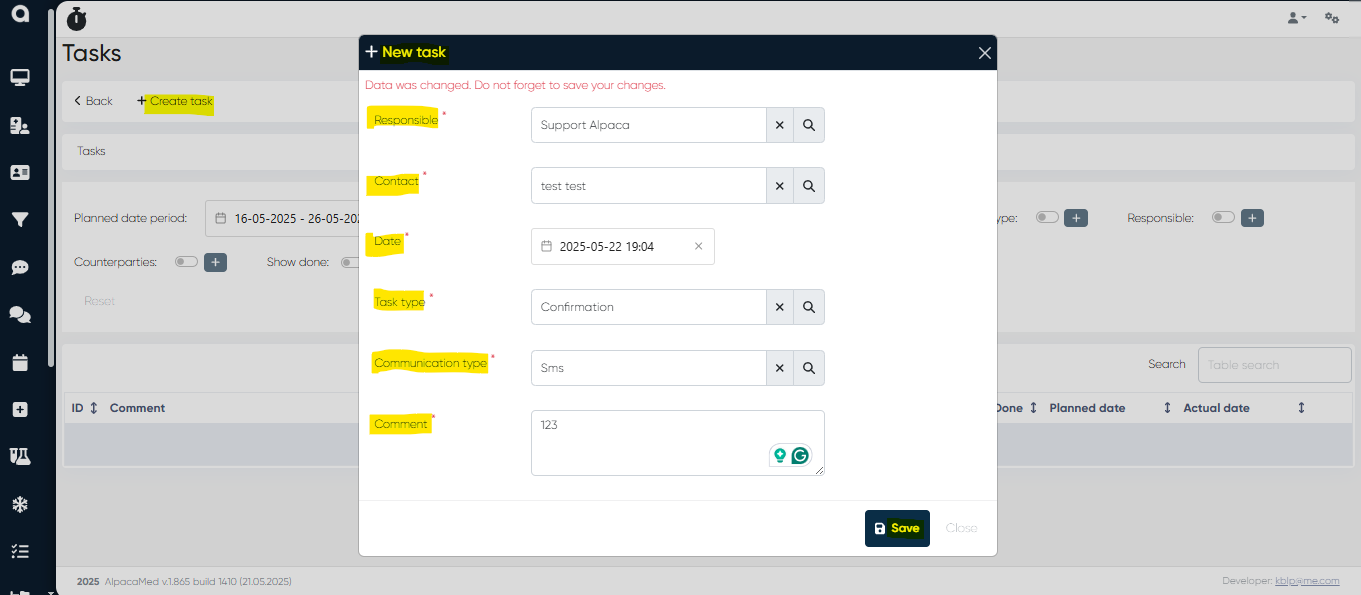
Task Filters & Views:
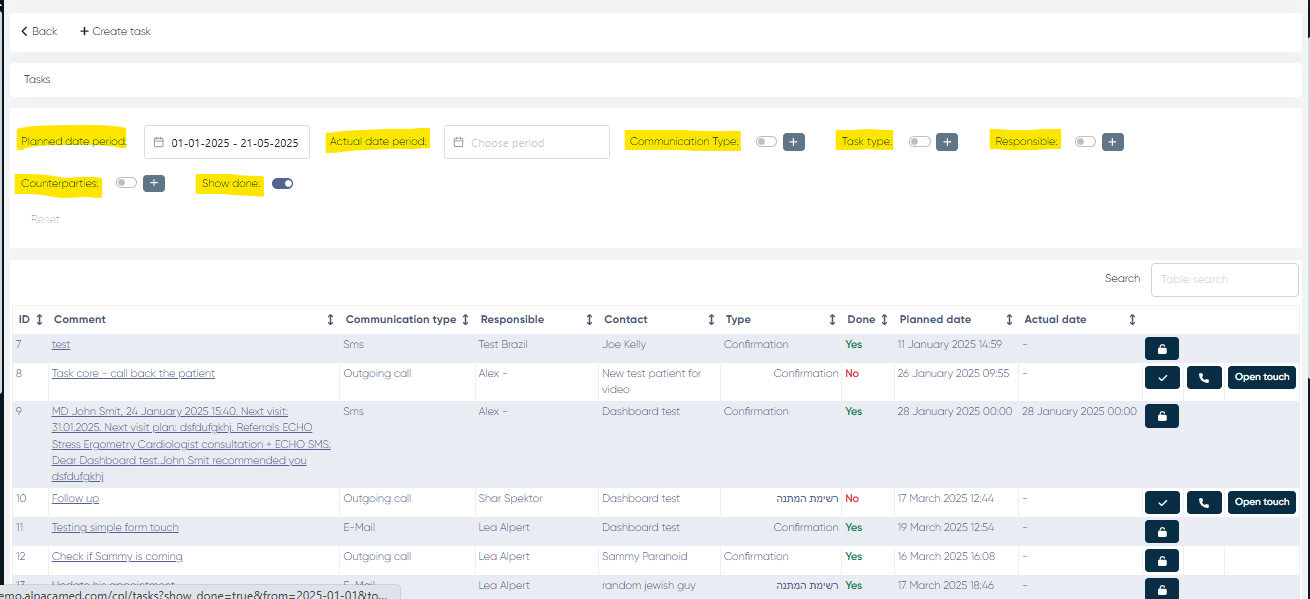
Tasks can be viewed and filtered by:Communication type
Actual and Planned date period
Tasks type
Responsible persons
Counterparties (if applicable)
Done/Undone tasks
Additional features
You can mark each task from the list as Done (click on the right side of the undone task), Undone (click
  on the task if it’s set as done).
Also, you can initiate a Call by clicking on the right side of the task, and after that, Ok in the confirmation window.
In addition to the above, it’s possible to create a New touch (you can check how to do it in New touch section of our knowledge base) for each task.