
Subscriptions
Subscriptions – CRM Module
The Subscriptions module allows clinics to create and manage service-based subscriptions for patients, including setting subscription plans, assigning services and employees, applying promo codes, and tracking active subscriptions.
1. Subscription Dictionaries
All subscription-related settings are configured in the Directories > Subscription section.
a) Subscription Plans
Navigation:Directories > Subscription > Subscription Plans
Features:
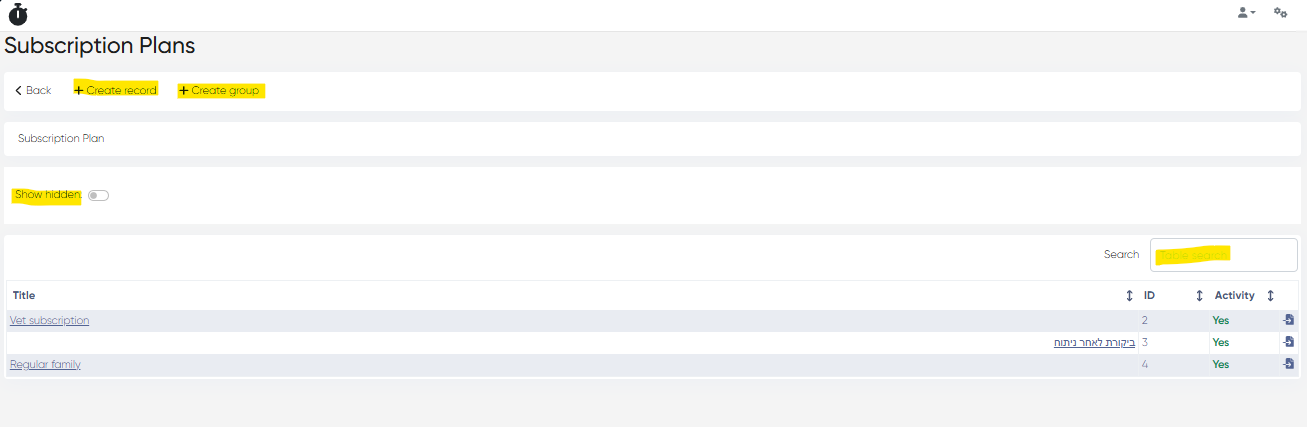
Subscription Plans List:
Columns:
Title
ID
Activity
Move to Folder
Tools:
Show Hidden Toggle
Table Search Bar
+ Create Record
+ Create Group (Folder)
Creating a Subscription Plan:
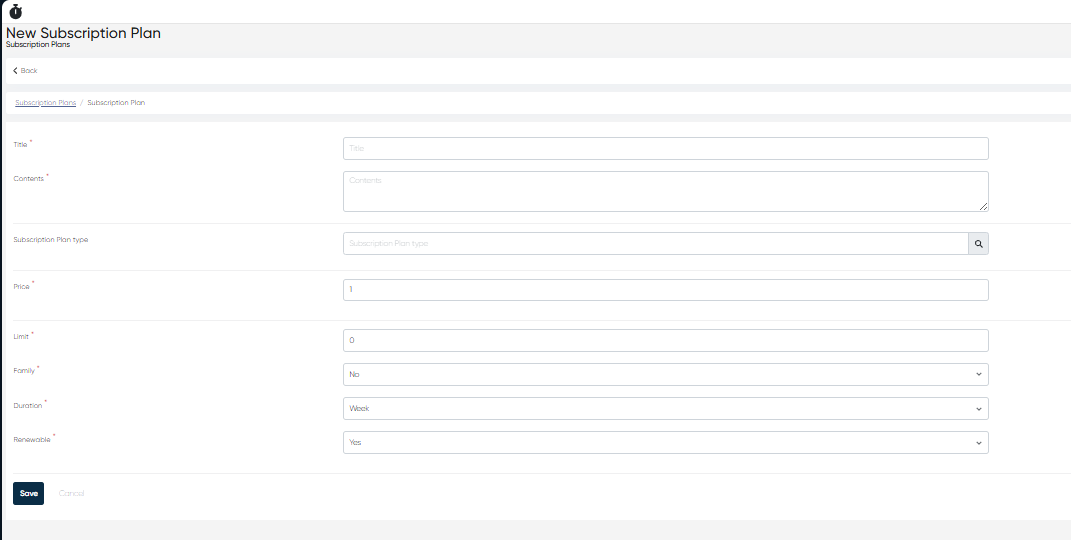
Click + Create Record and set:
Title (mandatory)
Contents – Short description of the plan
Subscription Plan Type – Select from the pre-created list
Price (mandatory)
Limit – Usage or service limit
Family (Yes/No) – Allow family members to use the plan
Duration – Week, Month, or Year
Renewable (Yes/No) – Allow auto-renew or manual renewal
All fields are mandatory except Plan Type.
Plan Grouping:
Click + Create Group and enter Folder Name to organize plans.
Subscription Plan Card
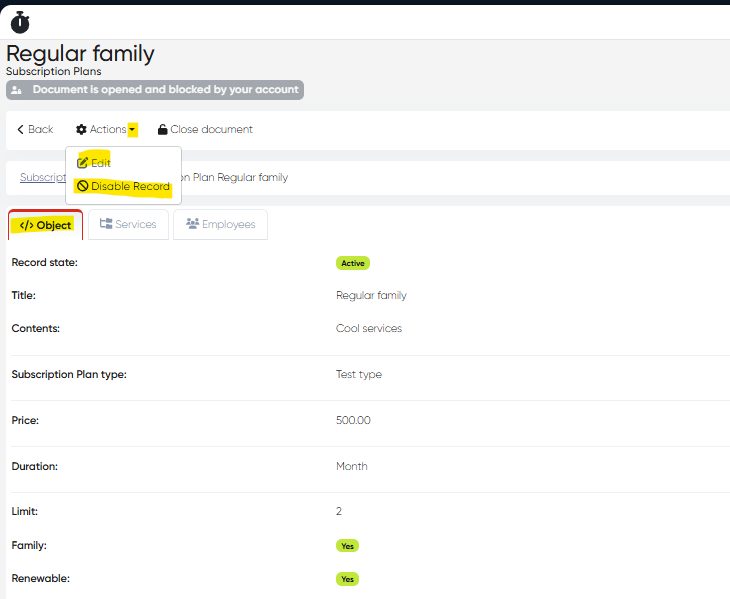
Open a plan by clicking its Title. Tabs inside:
Object Tab: Displays all details entered during creation.
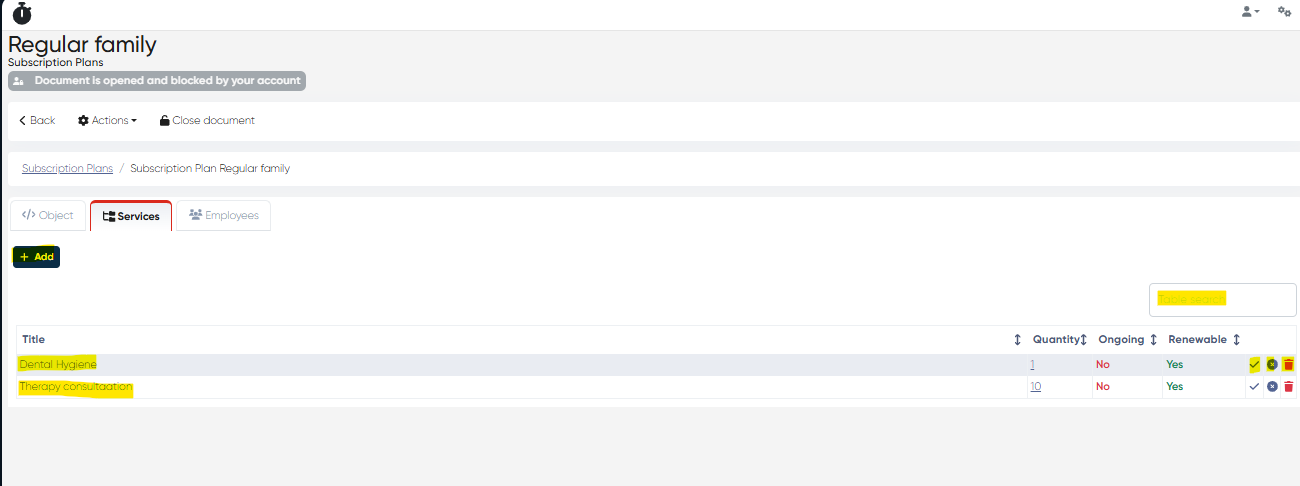
Services Tab:
Columns: Title, Quantity, Ongoing (Yes/No), Renewable (Yes/No), Delete
Tools: Toggle ongoing/renewable, + Add Services
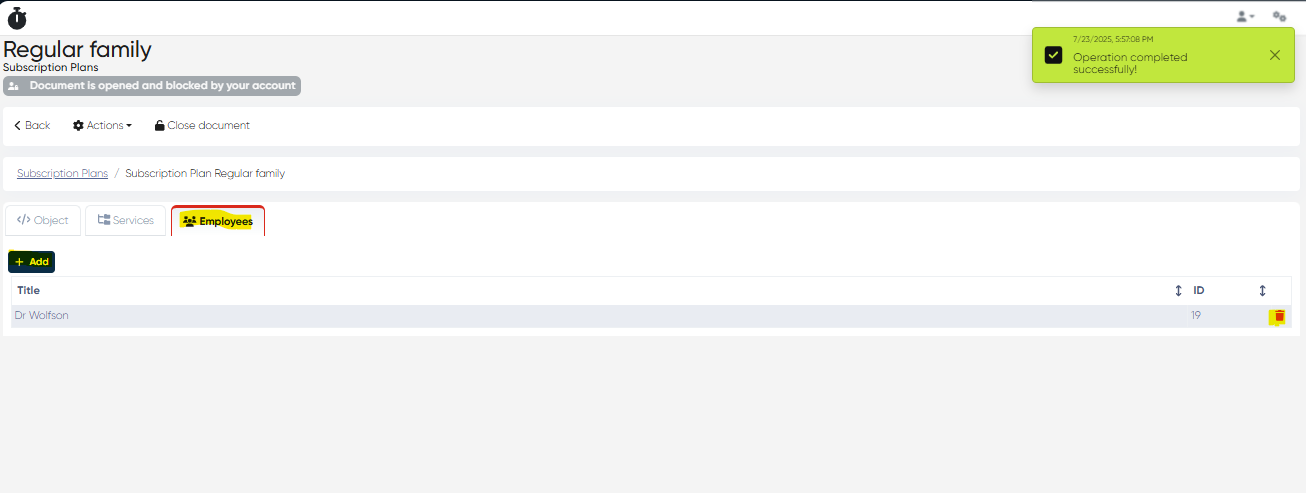
Employees Tab:
Columns: Employee Name, ID, Delete
Tools: + Add Employees
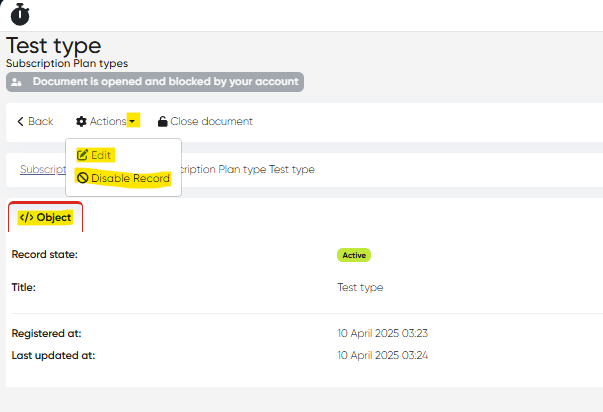
Actions Menu:
Edit
Disable Record
b) Subscription Plan Types
Navigation:Directories > Subscription > Subscription Plan Types
Features:
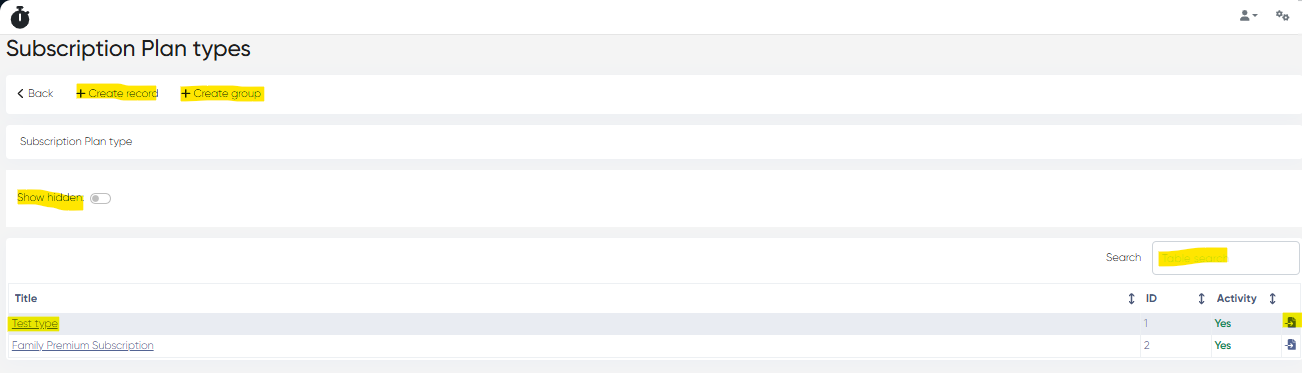
Columns: Title, ID, Activity, Move to Folder
Tools:
Show Hidden Toggle
Table Search Bar
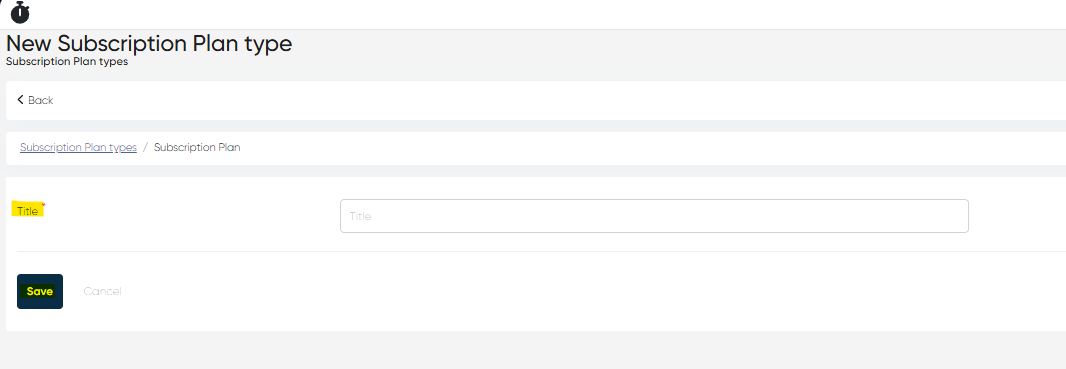
+ Create Record (requires Title)
+ Create Group (Folder)
Plan Type Card: Contains Object Tab with basic info.
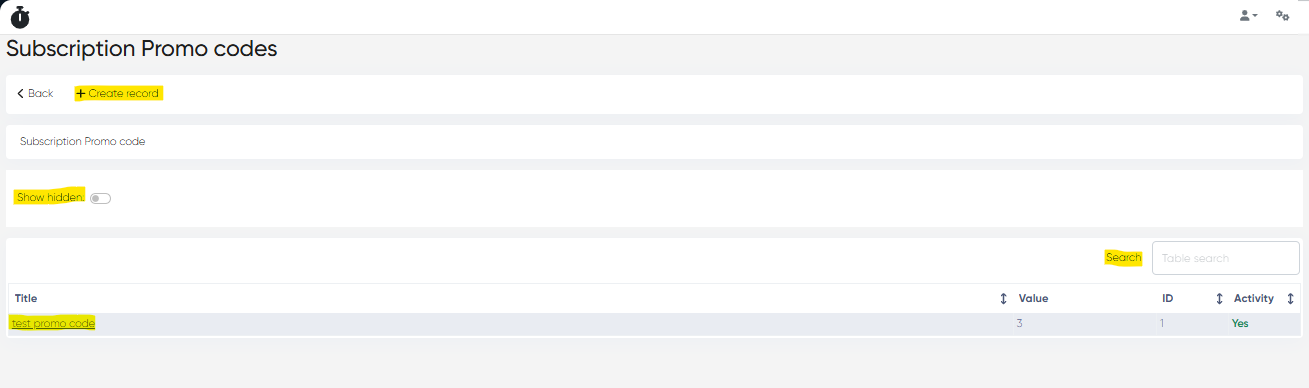
c) Subscription Promo Codes
Navigation:Directories > Subscription > Subscription Promo Codes
Features:
Columns: Title, Value, ID, Activity
Tools:
Show Hidden Toggle
Table Search Bar
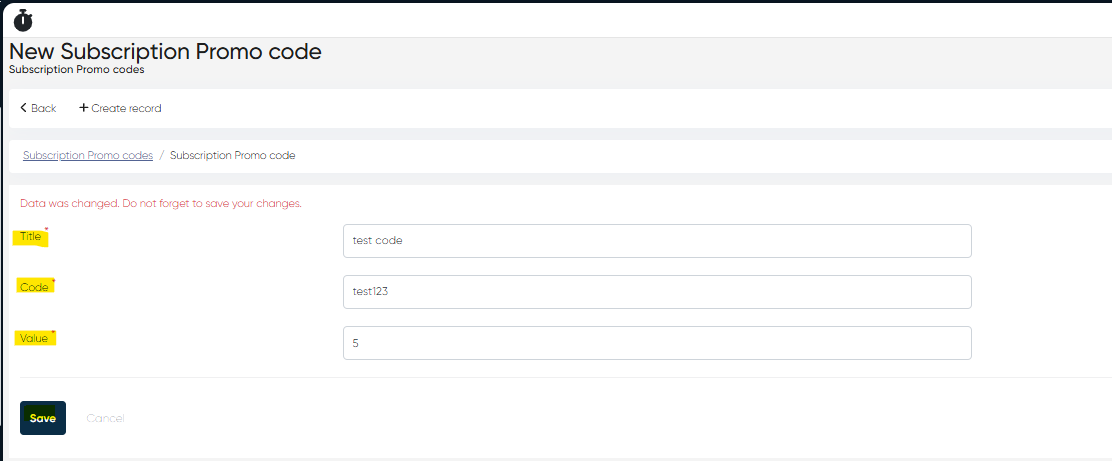
+ Create Record
Parameters: Title, Code, Value (all mandatory)
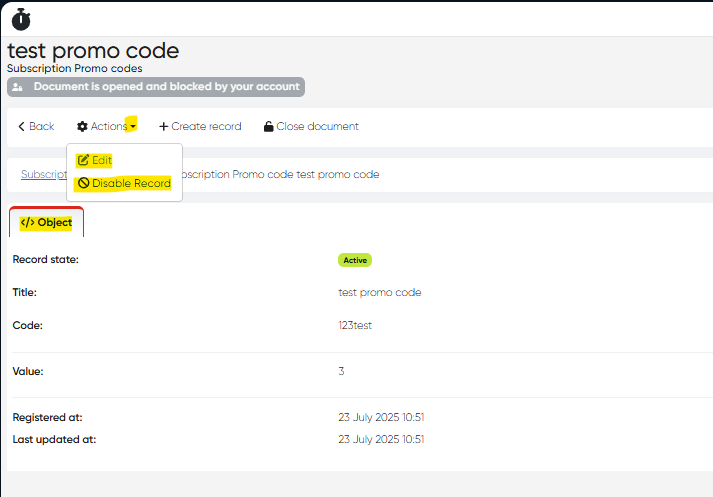
Promo Code Card: Contains Object Tab with entered details.
2. Subscriptions Overview & Management
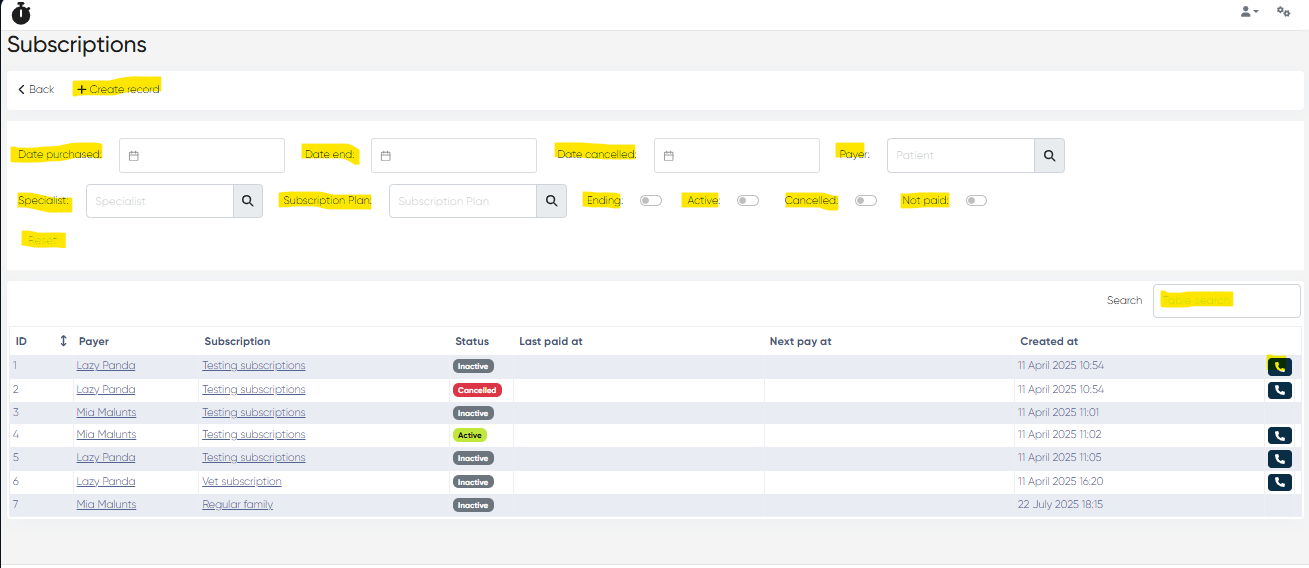
Navigation:Main Menu > Subscriptions
Subscriptions List:
Columns:
ID
Payer
Subscription
Status (Active, Inactive, Canceled, etc.)
Last Paid At
Next Pay At
Created At
Call Payer button
Filters and Tools:
Date Purchased, Date End, Date Cancelled
Payer, Specialist, Subscription Plan
Toggles: Ending, Active, Canceled, Not Paid
Table Search Bar
Reset Button
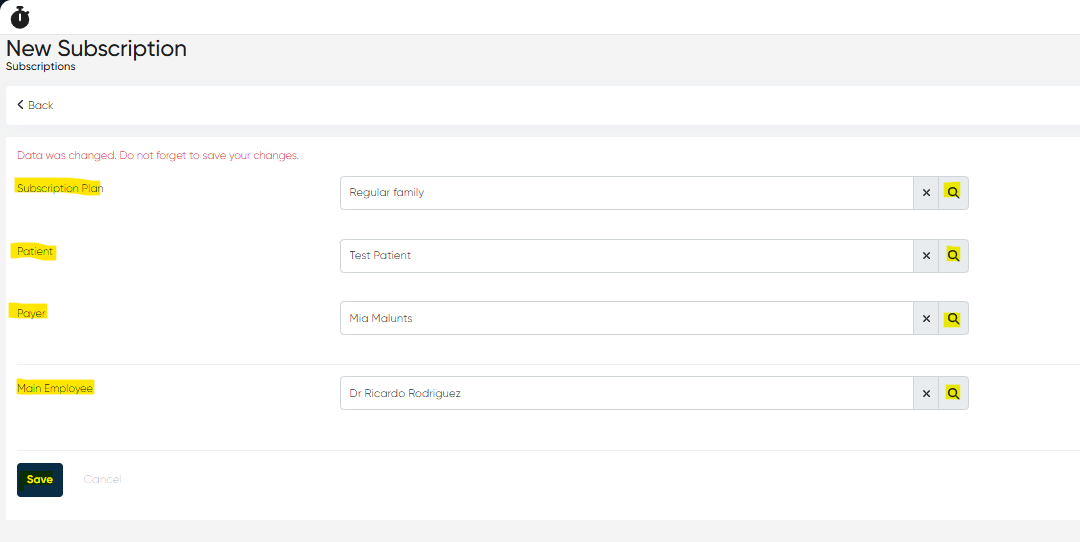
+ Create Record: Opens New Subscription Window:
Parameters:
Subscription Plan (from list)
Patient
Payer
Main Employee
Subscription Card
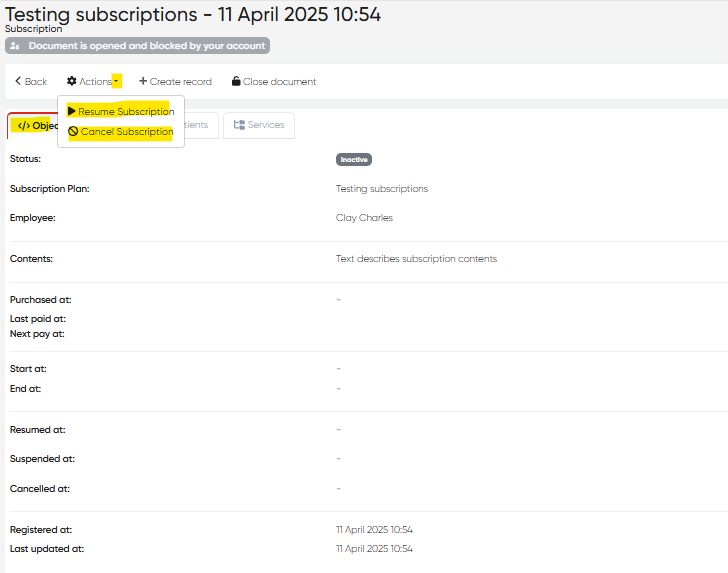
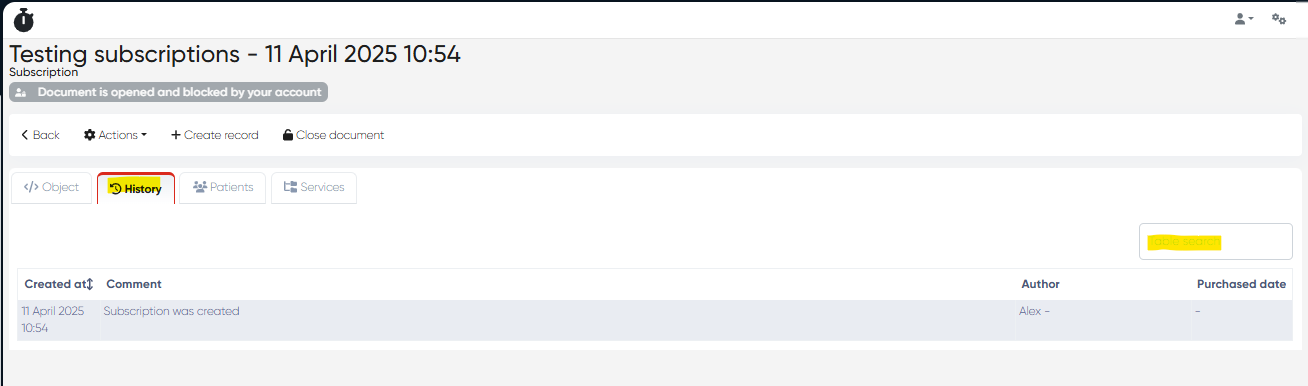
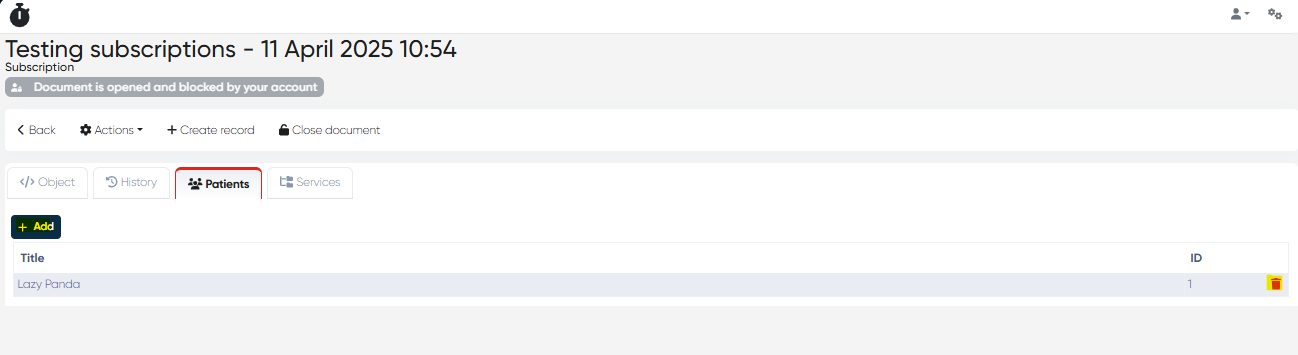
Open by clicking Subscription Title or Payer Name. Tabs inside:
Object Tab: Original subscription details plus additional system info.
History Tab: All activities related to this subscription.
Patients Tab:
View linked patients
+ Add Patient button
Delete patients if needed
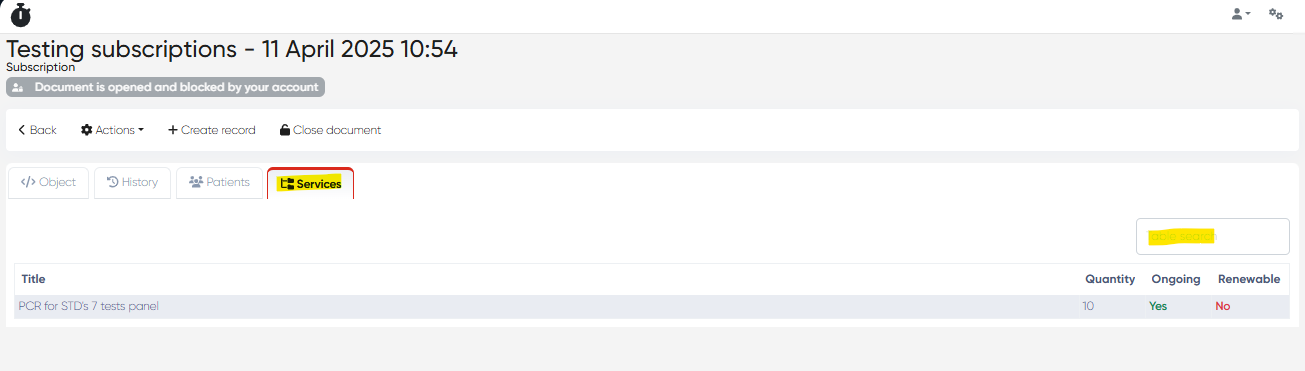
Services Tab:
Columns: Title, Quantity, Ongoing (Yes/No), Renewable (Yes/No)
Actions Available:
Resume Subscription
Cancel Subscription
Key Highlights of Subscription Workflow
Create & Configure Plans → Assign Services & Employees
Add Patients to Subscription → Track usage
Apply Promo Codes → Offer discounts
Manage Renewals & Status (Active, Canceled)
Track Payments → Integration with existing payment methods
Summary Table
Section | Key Actions |
|---|
Section | Key Actions |
|---|---|
Subscription Plans | Create plans, assign services, and employees |
Subscription Plan Types | Organize plans into categories |
Subscription Promo Codes | Create discount codes |
Subscriptions List | View, filter, create subscriptions, call payer |
Subscription Card | Manage patients, services, history, renew/cancel actions |