
Referrers tracking
Referrers Tracking – Reception Module
The Referrers Tracking feature allows clinics to monitor and manage referral sources for each patient appointment. This functionality helps assess referral efficiency, supports collaboration with external doctors or partners, and is crucial for reporting and financial analytics.
Where It Appears
Referral information is visible and manageable in following location:
Contact Card (Client Profile):
In the appointment table, each Patient card includes a Referrer bar on the Additional Info tab displaying the assigned referral source (if applicable).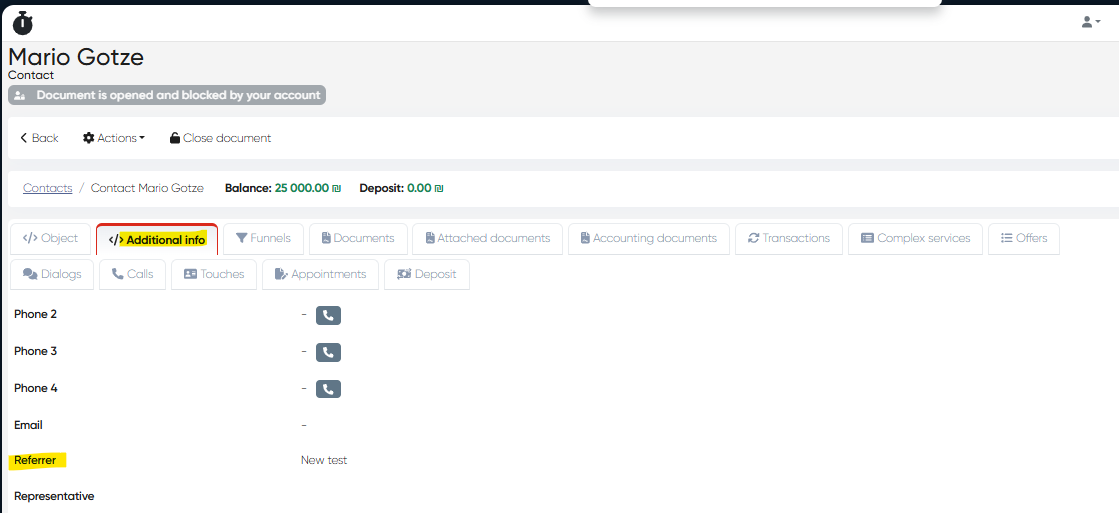
Adding or Editing a Referrer
To add or change a referrer for an appointment:
Go to the Reception > Schedule tab.
Locate the relevant appointment.
Click on the patient’s name to open his contact card.
Select the Actions and then Edit profile.
In the Referrer field - Select from the predefined list of referrers (set in Directories).
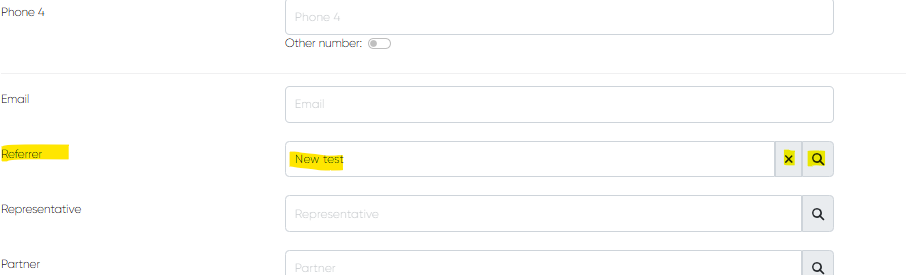
Save the changes.
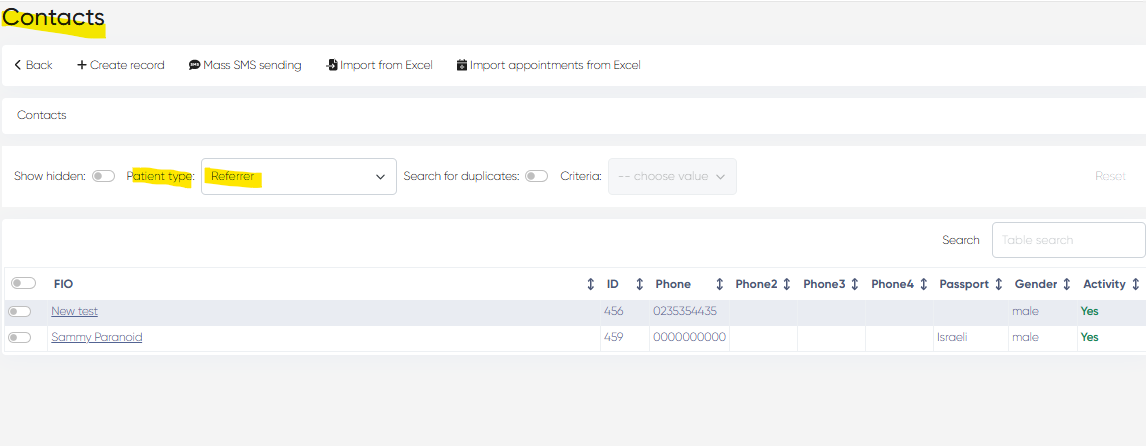
Note: Referrers can be configured via Directories > Contacts>Select 'Referrers” in the Patient type bar, where details such as name, contact info, and affiliation can be added or updated.
Reporting & Tracking
All referral data collected through the Reception module can be used for:
Referral-based performance reporting (via custom reports or integrations).
Commission tracking or incentive management for external partners.
Service source attribution helps clinics understand patient acquisition channels.
Best Practices
Keep your Referrers list in Directories up to date to avoid duplicates or inconsistencies.
Encourage front-desk staff to always record the referrer at the time of booking or check-in.
Use referrer data to analyze trends and improve marketing or partnership strategies.