
References
References (Norms) – LIS Module
The References (Norms) section in the LIS module is used to define normal values or reference ranges for laboratory tests. These norms allow the system to compare test results against standard values and mark them as normal, high, or low for clinical interpretation.
1. Creating Norms
Navigation:
Directories > Laboratory Dictionaries > Norms > + Create Record
Steps to Create a Norm:
Click + Create Record.
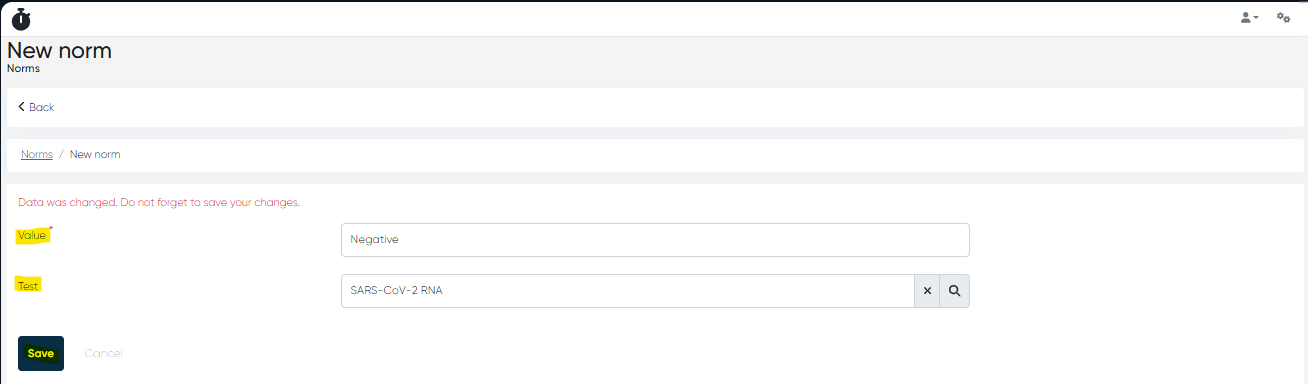
Fill in the following parameters:
Value (Mandatory):
Can be:A single number (e.g.,
5)A range (e.g.,
4.0–6.0)A textual result (e.g.,
Positive / Negative)
Test:
Select the laboratory test (“Test” in the system) to which this norm applies (e.g., Urine Protein, SARS-CoV-2 RNA, Hemoglobin, ALT (SGPT)).
Click Save to add the norm to the system.
2. Viewing the Norms List and Norm Card
Navigation:
Directories > Laboratory Dictionaries > Norms
Norms List Features:
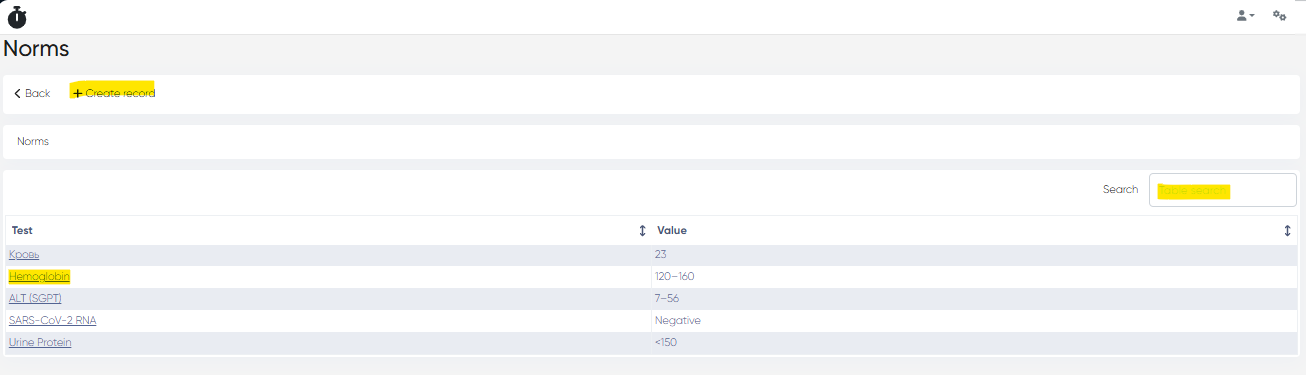
Displays all created norms in a table with columns:
Test – Name of the linked lab test
Value – Reference value or range
Tools Available:
Search Bar – Quickly find norms by test name or value
Norm Card
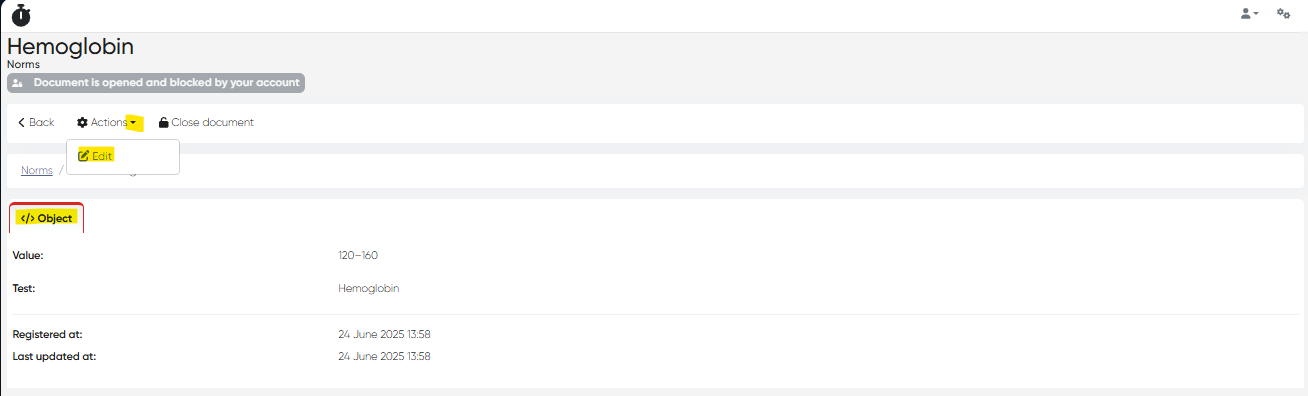
Click on the Test name to open its Norm card.
The card contains:
Object Tab: Displays details entered during creation.
Actions Available:
Edit – Modify norm details
3. Using Norms for Lab Test Results Verification
Navigation:
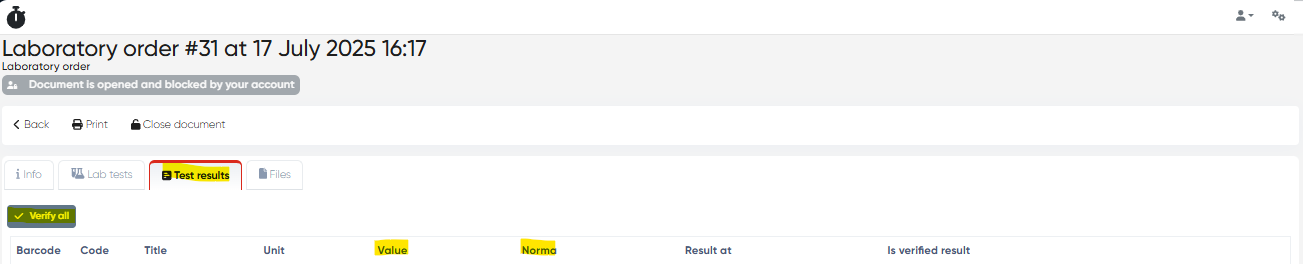
Main Menu > Laboratory > Choose Laboratory Test Order > Test Results Tab
On the Test Results Tab:
The Norma column displays the reference value for each test.
The system uses these norms to:
Compare patient results against defined reference values
Highlight results as normal or abnormal
Assist in verification before finalizing and sending results to the patient
Summary Table
Functionality | Navigation |
|---|---|
Create a Norm (Reference Value) | Directories > Laboratory Dictionaries > Norms > + Create Record |
View/Edit Norm | Directories > Laboratory Dictionaries > Norms > Click Test Name |
Apply Norms to Results | Main Menu > Laboratory > Order > Test Results Tab |