
Protocols via SMS and E-mail
Protocols via SMS and E-mail – EHR Module
The Protocols via SMS and E-mail feature allows automatic delivery of finalized medical documents (protocols) to patients, improving communication and documentation transparency. Once activated, protocols can be sent directly to the patient’s registered e-mail address or phone number via SMS when signed by the physician. The system also supports automated notifications upon follow-up scheduling.
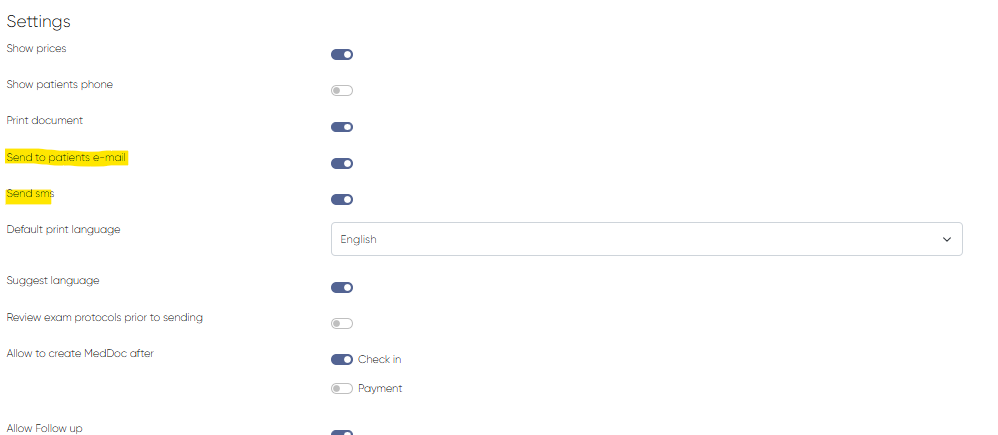
1. Enabling Protocol Delivery by E-mail and SMS
To activate automatic delivery of medical protocols, enable the necessary system settings.
Navigation:Settings > Medical Document Settings > Settings Section
Required Toggles:
Send to Patient’s E-mail – Enables protocol delivery via e-mail
Send SMS – Enables protocol delivery via SMS (includes download link)
Once these toggles are enabled, all properly configured protocols will be sent automatically after the doctor completes the signing process.
2. Sending Protocol After Signing
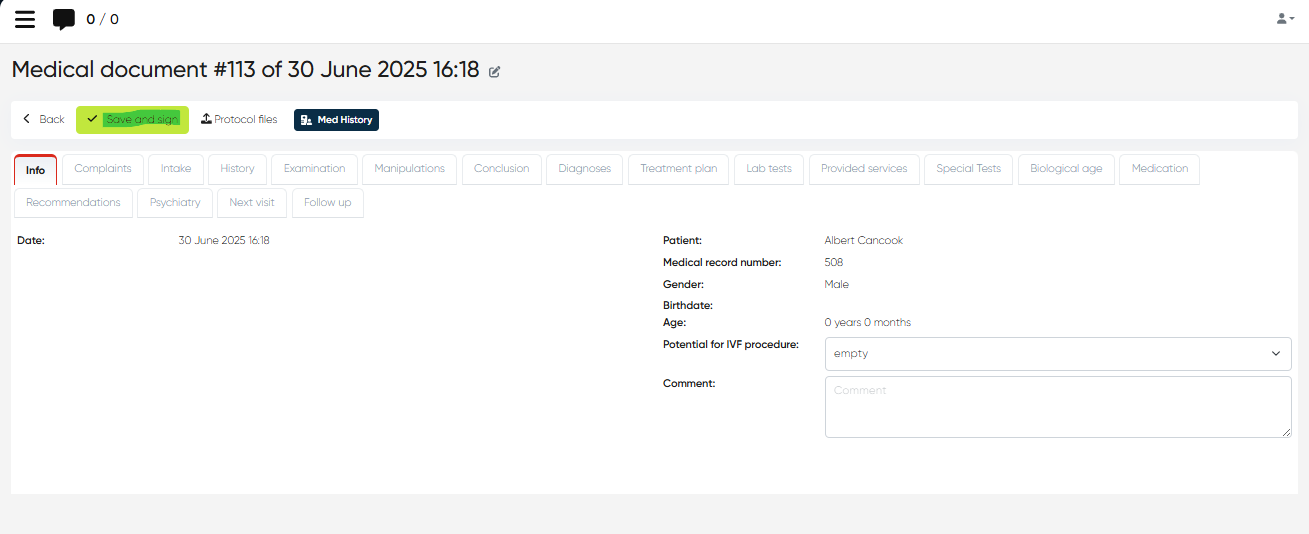
Once a doctor finalizes a medical document during a patient visit, the system automatically sends it via the chosen communication channels (e-mail/SMS) if settings are active.
Navigation:Directories > Employees > Choose Employee > Actions > Open Doctor’s Cabinet > Select Checked-In Appointment > +Med Doc
Workflow:
Complete the medical documentation as required.
Click Save and Sign to finalize the protocol.
The system will immediately dispatch the protocol:
As a PDF attachment to the patient's registered e-mail
As a download link via SMS to the patient’s registered mobile number
The delivery is fully automated—no further manual action is needed.
3. Sending Protocol After Follow-Up is Scheduled
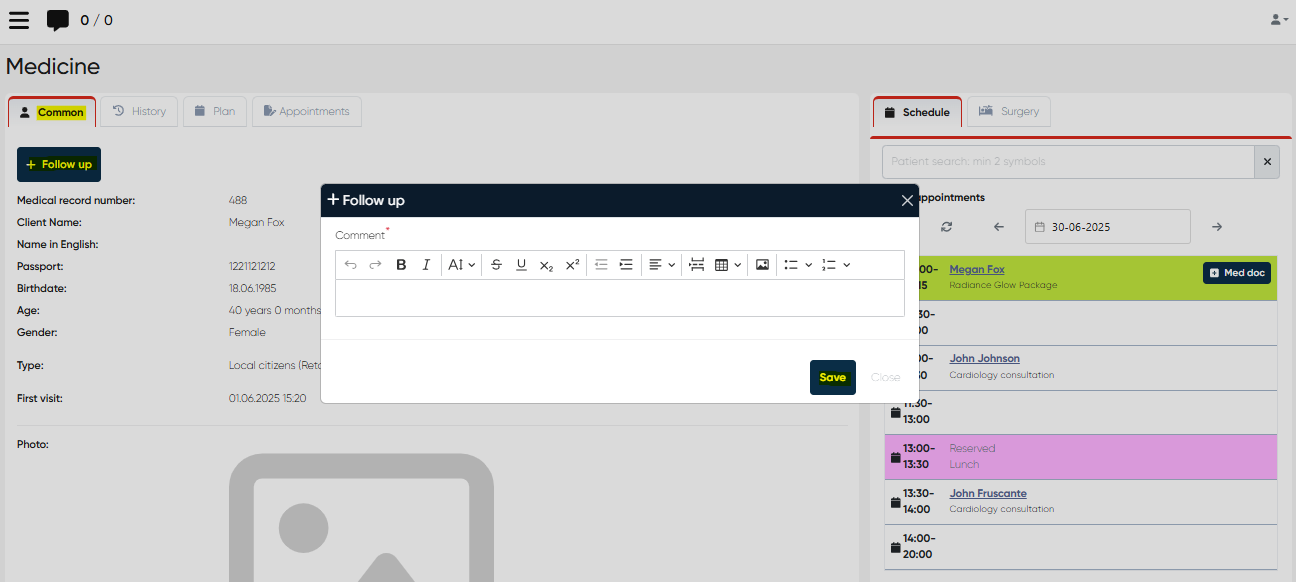
Protocols can also be automatically sent when a follow-up is scheduled via the Common tab of the Patient Review window.
Navigation:Directories > Employees > Choose Employee > Actions > Open Doctor’s Cabinet > Click Patient Name in Appointment List > Common Tab > + Follow-Up
Once the follow-up is saved, the protocol (if completed and signed) will be sent according to the same channel settings (e-mail/SMS).
Important Note: Review Protocols Before Sending
To control whether protocols are sent immediately or only after manual review, use the following setting:
Navigation:Settings > Medical Document Settings > Settings Tab > "Review Exam Protocols Prior to Sending" toggle
Enabled (ON):
Medical protocols will require manual review before being sent.Disabled (OFF):
Medical protocols will be automatically sent to the patient right after Save and Sign.
Ensure this setting is correctly configured based on clinic policy and doctor preference.
With Protocols via SMS and E-mail, clinics can streamline patient communication, reduce administrative workload, and ensure timely sharing of medical information—safely and automatically.