
Multilanguage Support – Forms, Notifications & Autotasks
Multilanguage Support – Forms, Notifications & Autotasks
Module: Administration → Localization and Communication Settings
Navigation:
Forms:
Directories → Print Forms → Actions → EditNotifications:
Settings → Messaging SettingsAutotasks:
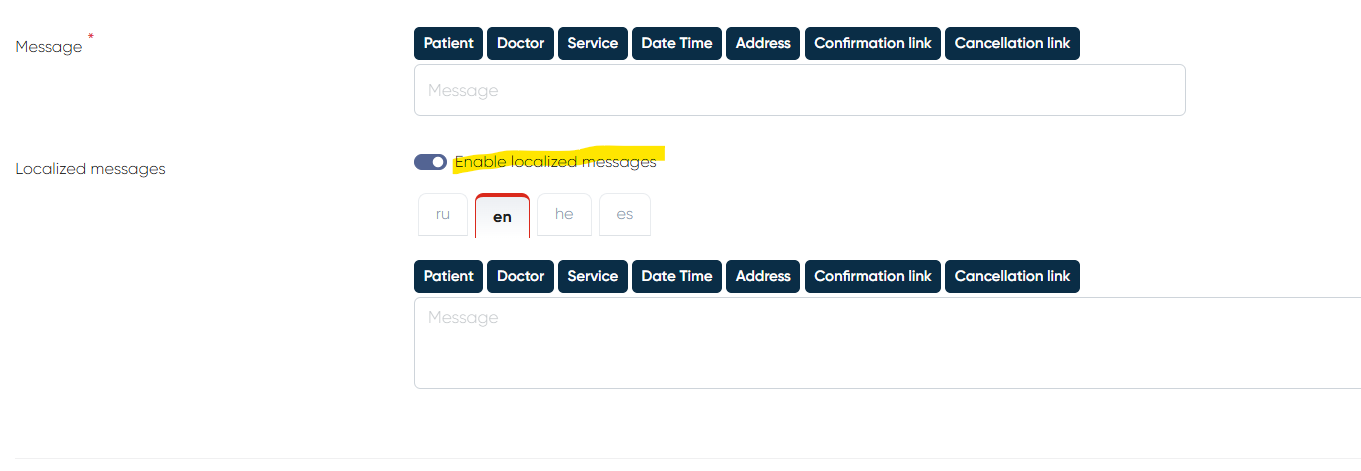
Settings → Automated tasks → Choose from Touch/Appointment/Medical document→Toggle “Enable localized messages“ should be on
Overview
The Multilanguage Support feature ensures that all system-generated forms, notifications, and automated tasks are sent to patients in their preferred language.
This enhancement improves communication accuracy and patient experience, particularly in multilingual clinics and international environments.
1. Preflight Check-In and Check-In Forms
Behavior
Forms are automatically sent in the patient’s profile language (if defined in the system).
If no specific language is assigned to the patient, the default form language is used.
Configuration
To ensure proper localization of forms:
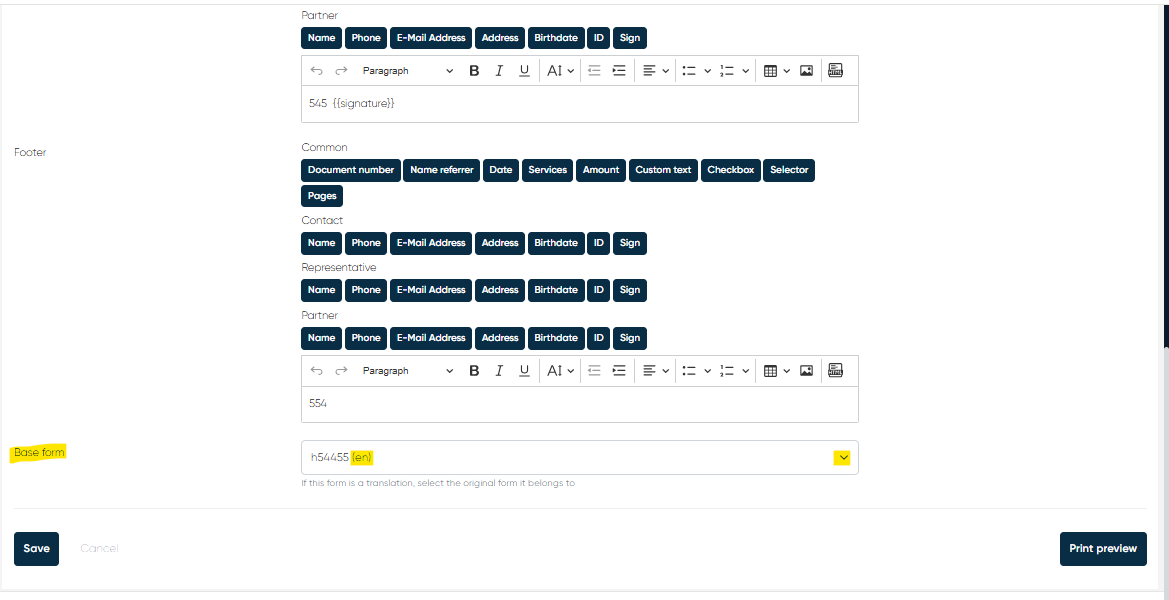
Go to Directories → Print Forms.
Click Actions → Edit on the desired form.
In the Base Form Language field, select the language in which the form should be sent.
Save changes.
This setup ensures that Preflight Check-In and Check-In forms are always delivered in the correct language version.
2. Notifications
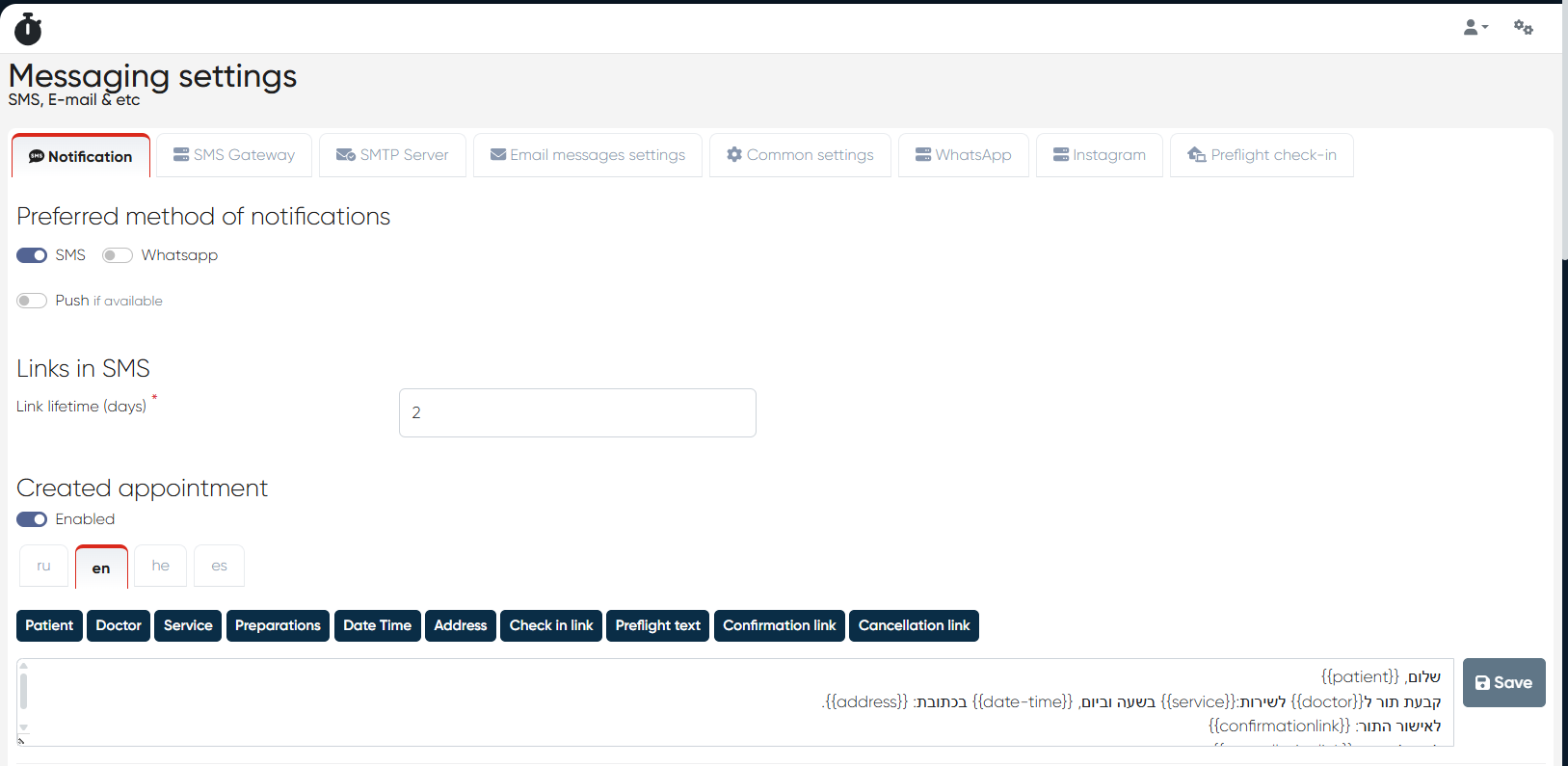
Each notification template now supports language-specific versions.
You can create separate templates for each supported language and link them to the same notification type.
For example:
EN Template: “Your appointment is confirmed for {{date}} at {{time}}.”
ES Template: “Su cita está confirmada para el {{date}} a las {{time}}.”
When a notification is triggered, the system automatically selects the version that matches the patient’s profile language.
3. Autotasks
Autotasks can now be configured with language-based templates.
Each automated workflow (e.g., appointment reminders, feedback requests, or payment follow-ups) can use localized content according to the patient’s language preference.
This ensures that all automated communications — from messages to reminders — remain consistent and linguistically appropriate.
Notes
The patient’s profile language can be set during registration or editing in Directories → Contacts → Patient Card.
If no profile language is defined, the system default language applies.
Each form, notification, or autotask must have its localized template saved individually.
Multilanguage support extends to all messaging channels (SMS, Email, WhatsApp, etc.).