
Goods selling
Goods Selling – Reception Module
The Goods Selling feature in the Reception module enables clinics to sell consumables, medications, or materials directly to patients. Orders can be created, managed, and paid within the system, ensuring full financial and stock integration.
1. Navigation
Create Goods Order: New Touch > Select Patient/Create Patient > Complex Form > Goods tab
View Orders & Payments: Reception > Goods
2. Creating Goods Orders
When working with a patient in the New Touch complex form:
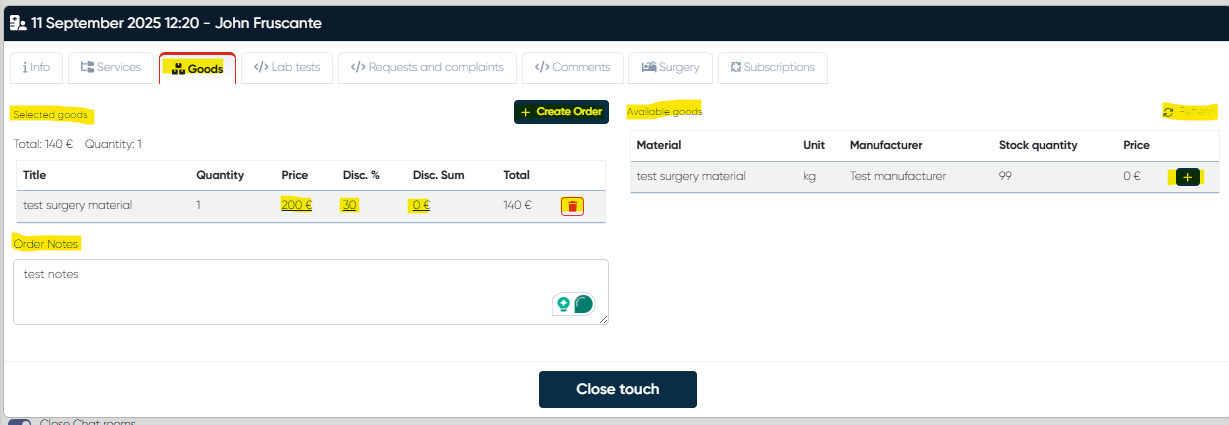
Open the Goods tab.
Select items from the Available Goods List (columns: Material, Unit, Manufacturer, Stock Quantity, Price).
Use the + button to move items into the Selected Goods List (columns: Title, Quantity, Discount %, Discount Sum, Total).
Make corrections if necessary:
Price can be manually adjusted.
Discount % or Discount Sum can be applied.
Add optional Order Notes for internal use.
Click +Create Order – the order is saved and appears in the Goods Order List in Reception.
3. Viewing and Editing Orders
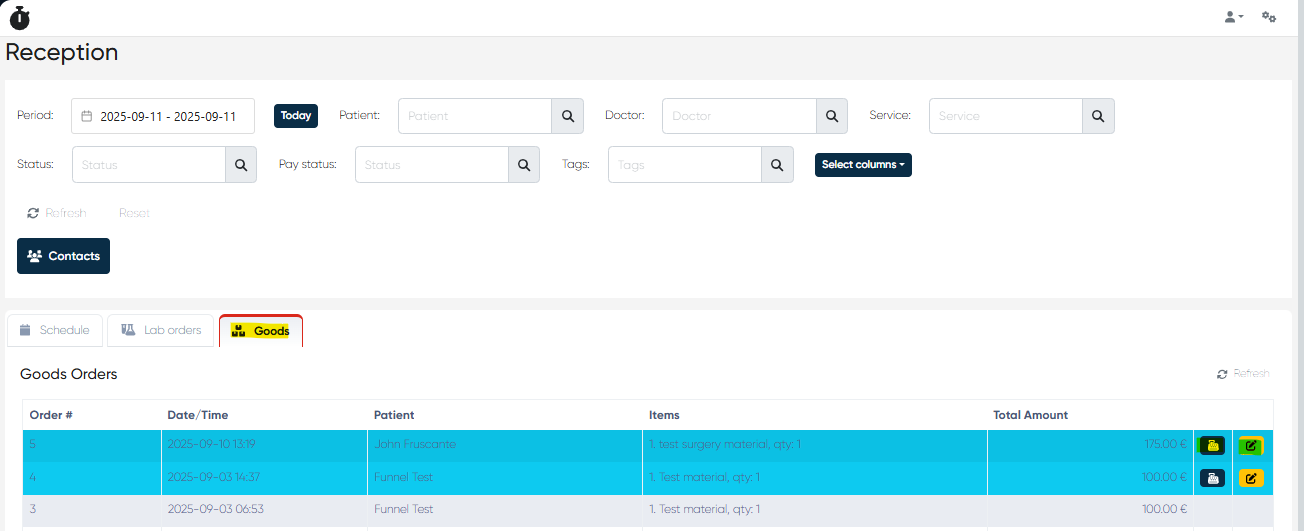
Navigation: Reception > Goods
The Goods Orders List table includes:
Order #
Date/Time
Patient
Items
Total Amount
Each order has:
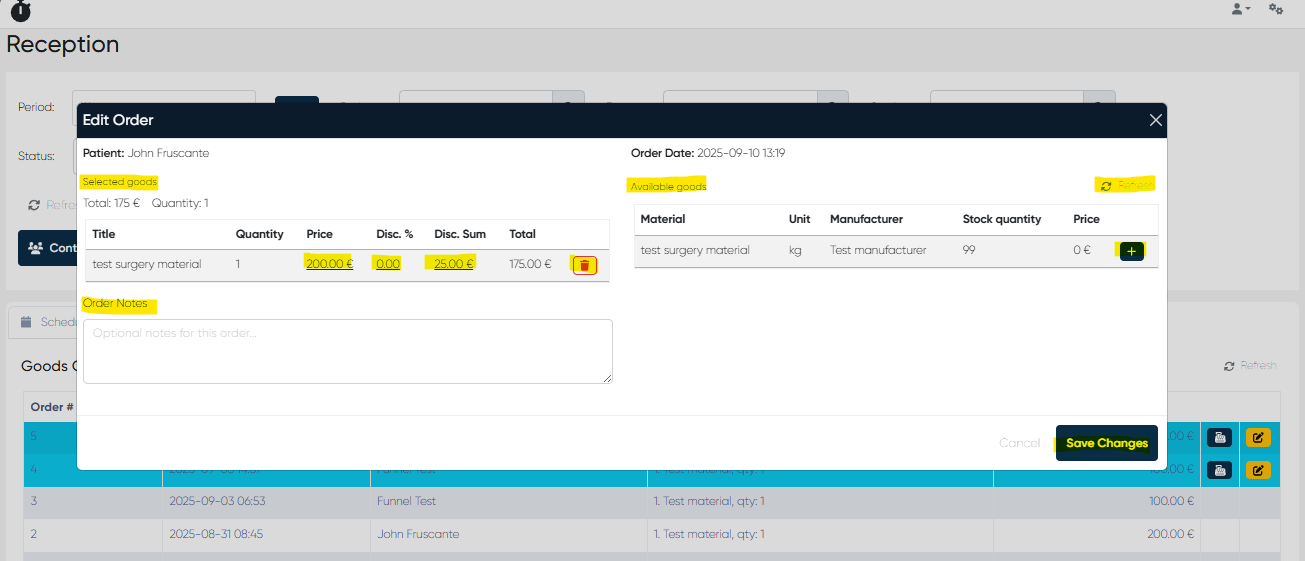
Edit Order button – opens the order form (same as creation screen), allowing modifications and resaving.
Pay button (if permissions allow).
4. Payment Processing
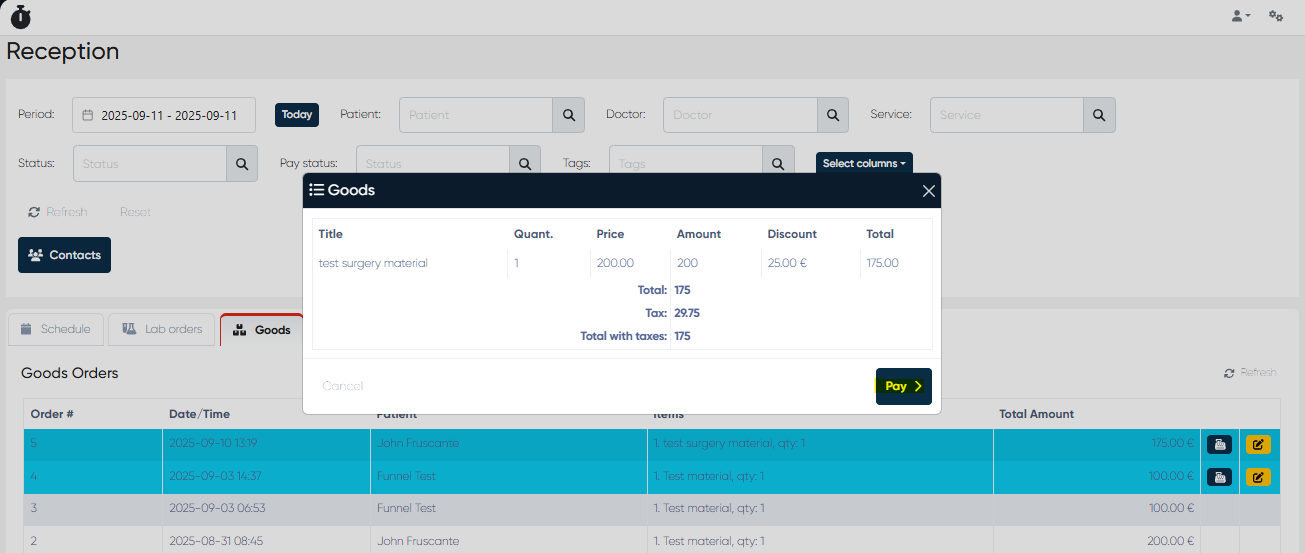
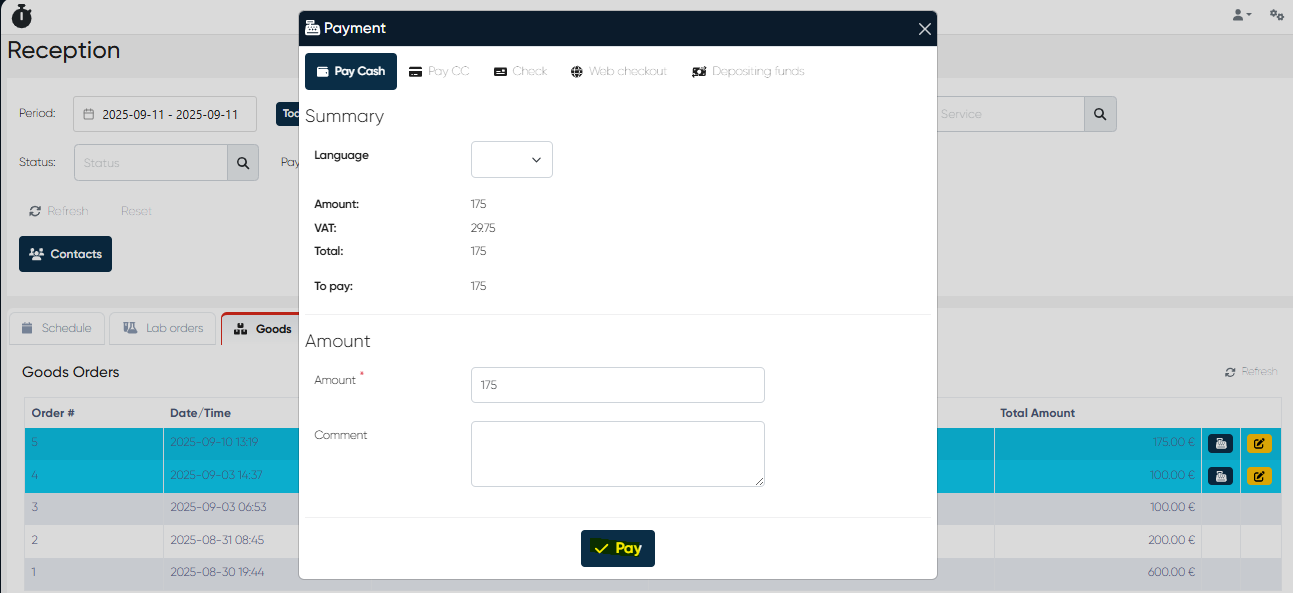
From the Goods Orders List, select an order and click Payment.
The Order Summary opens, showing all selected items, discounts, and total.
Payments can be processed using the methods available in your payment module (e.g., Cash, Card, Mixed, Online).
5. Stock & Integration
All sold goods automatically reduce available stock levels.
Reports and analytics on goods sales are included in financial reporting.
Combined with discounts, this allows tracking of material consumption and revenue from sales.
Summary: Goods Selling in the Reception module streamlines sales of clinic consumables and materials, linking them directly to patient records and financial workflows. The feature ensures accuracy in inventory, transparency in transactions, and convenience for both staff and patients.