
Files instead of protocols
Files Instead of Protocols – EHR Module
The Files Instead of Protocols feature within the EHR module allows clinicians to upload external files (such as PDFs, scans, handwritten notes, diagnostic reports, etc.) directly in place of filling out a structured protocol-based medical document. This simplifies documentation when protocols are unavailable, non-standardized, or replaced by third-party content.
This workflow is particularly useful for clinics that handle external consultation reports, handwritten diagnostic findings, or scanned patient histories.
1. Enabling the Feature
Before using this functionality, the option must be activated in the system settings.
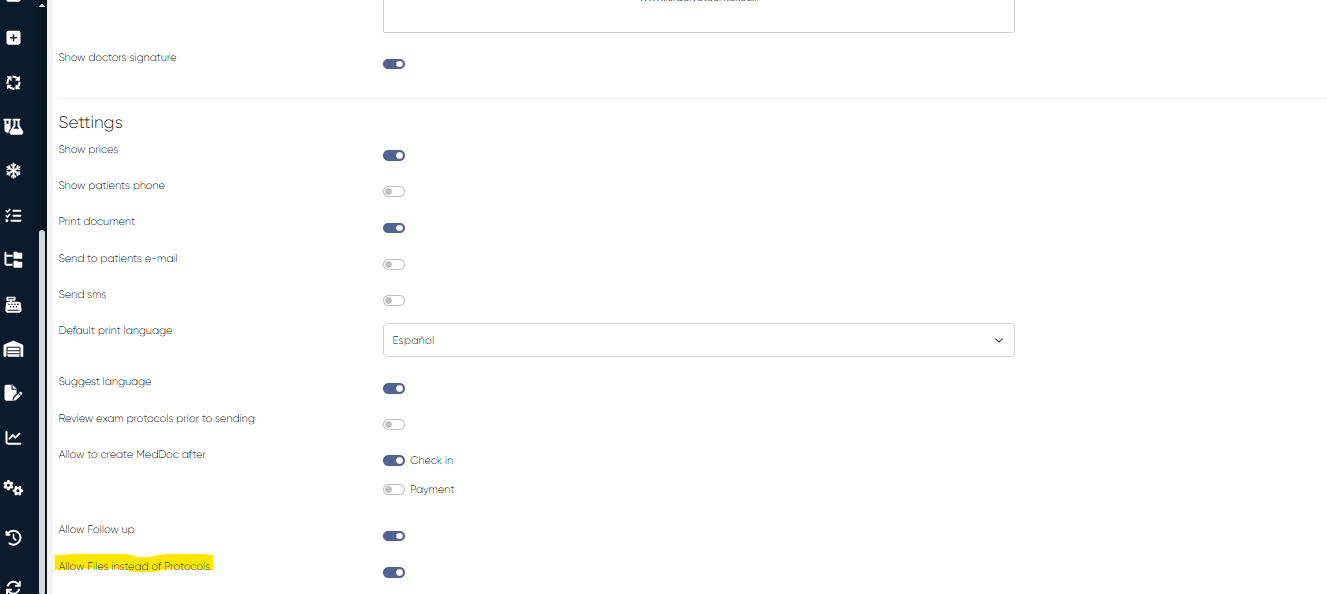
Navigation:Settings > Medical Document Settings > Settings
Locate the setting:
Allow Files Instead of Protocols
Enable this toggle to activate the Protocol Files interface in medical documentation.
2. Uploading Protocol Files
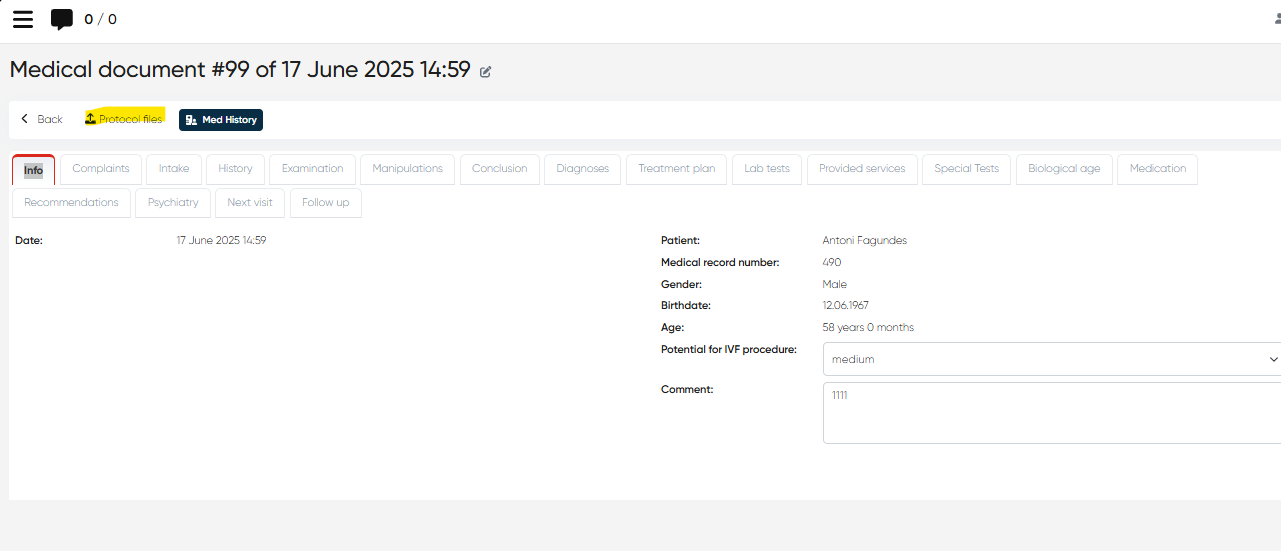
Once enabled, protocol file management becomes available through the medical documentation interface during a patient’s appointment.
Navigation:Directories > Employees > Choose Employee > Actions > Open Doctor’s Cabinet > Select Appointment (Check-In or Paid) > +Med Doc > Protocol Files
3. Protocol Files Interface
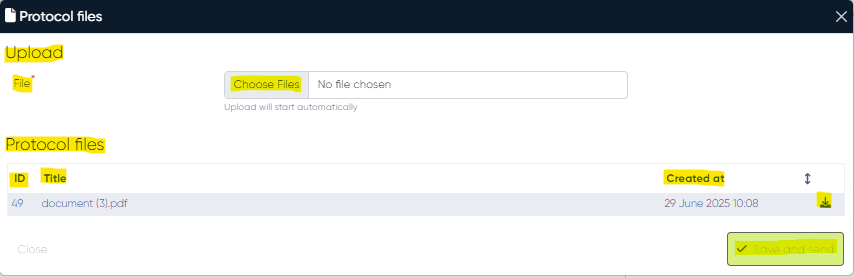
This section replaces the traditional structured protocol tab when the “Files Instead of Protocols” setting is enabled. It provides a straightforward UI for uploading and managing files attached to the current medical document.
Components:
a) Files Upload Bar
Drag-and-drop or browse to upload one or multiple files. All common file types (PDF, DOCX, JPEG, PNG, etc.) are supported depending on the clinic configuration.
b) Protocol Files List
A table listing all uploaded files associated with the current appointment.
Columns:
ID – Unique identifier for the file within the system
Title – Name of the uploaded file (editable in some versions)
Created At – Date and time the file was uploaded
Upload Button – Allows replacing or updating the specific file (if permitted)
Each file entry represents a part of the clinical record and is stored within the medical document's archive.
c) "Save and Send" Button
Finalizes the list of uploaded files and allows you to:
Save the files to the patient’s EHR securely
Send them to the patient via email if communication options are enabled (based on system settings and permissions)
By using the Files Instead of Protocols feature, clinicians can maintain complete, auditable medical documentation without needing to structure every interaction through pre-defined protocol blocks. This increases flexibility and supports hybrid paper/digital workflows, especially in multidisciplinary environments or partner-based practices.