
Equipment management
Navigation:
Directories → Equipment– Equipment DictionariesMain Menu → Warehouse → Equipment Activities– Availability & ReservationsStatistics → Equipment Report– Usage AnalyticsSettings → General Settings → Equipment Load Tracking– Scheduling Rules
Overview
The Equipment Management Module introduces a complete system for registering, monitoring, and reporting on the usage of medical and technical equipment in the clinic.
It supports the entire lifecycle of equipment — from registration and service linking to availability tracking, reservation, and performance reporting.
This module ensures transparency in resource allocation, prevents double-booking, and provides usage statistics per service, cabinet, and doctor.
1. Equipment Dictionaries
Navigation: Directories → Equipment
Purpose
Used for registering all clinic equipment and maintaining an up-to-date directory of active and inactive devices.
Features
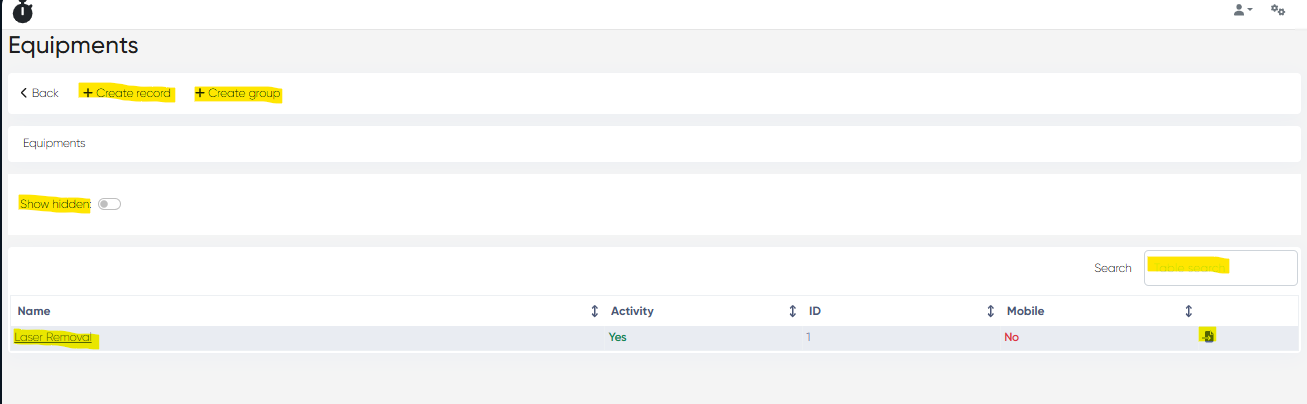
Equipment List with columns:
Name, Activity, ID, Mobile (Yes/No)Tools:
Show Hidden toggle
Search Bar
+ Create Record
+ Create Folder
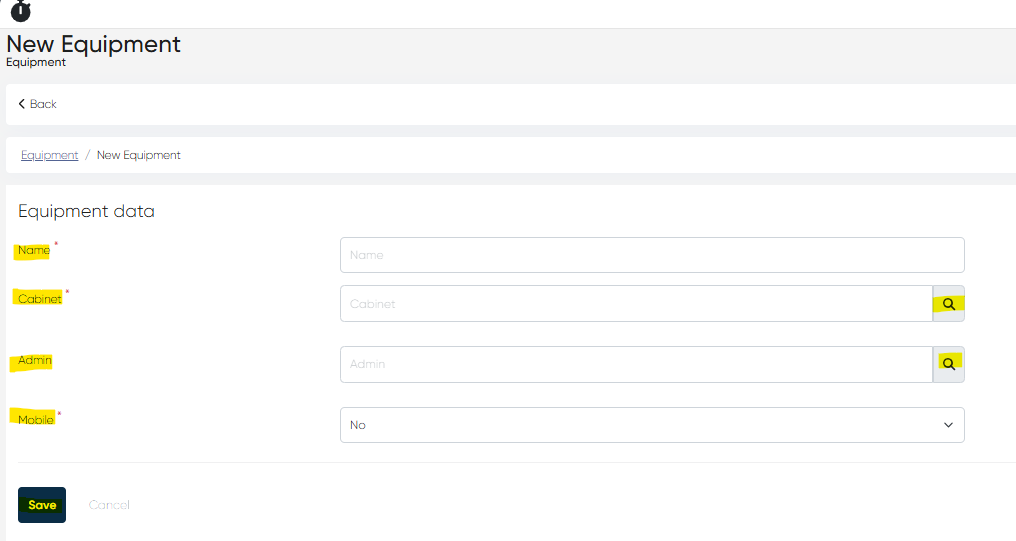
New Equipment Record Parameters
Field | Description |
|---|---|
Name | Equipment name (mandatory) |
Cabinet | Location or room where the equipment is assigned (mandatory) |
Admin | Responsible staff member |
Mobile (Yes/No) | Defines whether the equipment can be moved between cabinets or branches |
2. Equipment Card
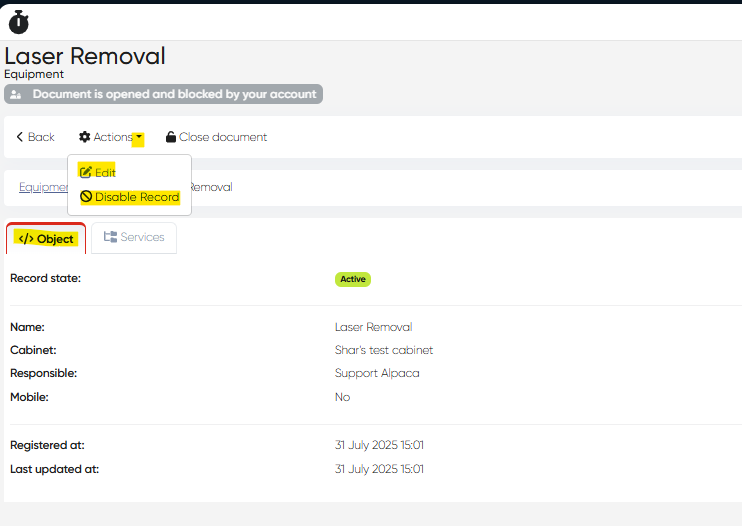
Open: Click on any equipment name in the list to open its detailed card.
Tabs
Object Tab: Displays the core record details (Name, Cabinet, Admin, Mobile).
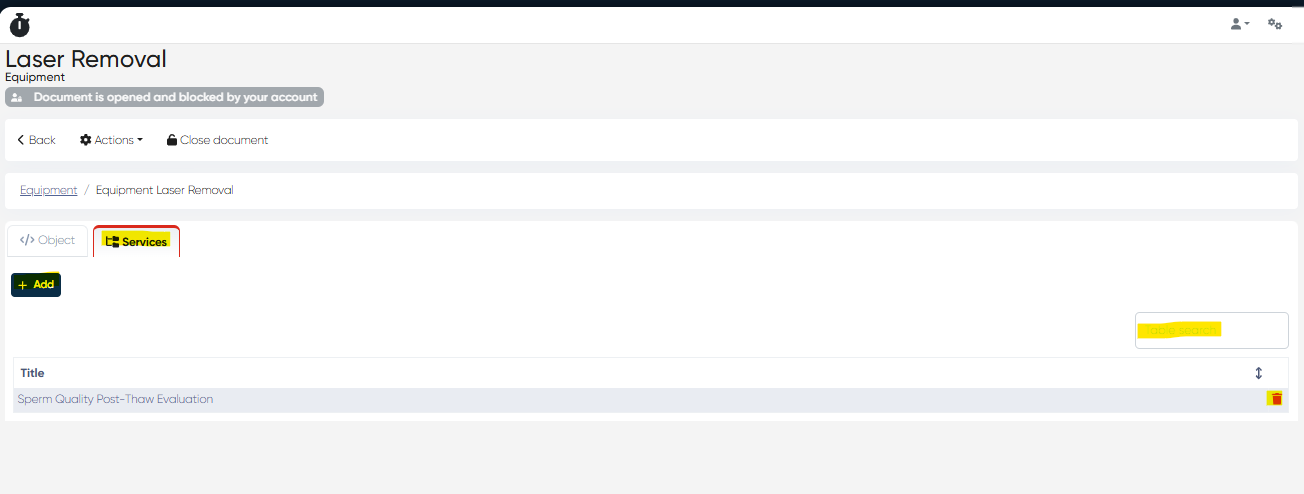
Services Tab: Lists all services linked to this equipment.
Tools within the Services Tab
Table Search — quickly locate linked services
Delete Button — remove linked services.
+ Add Button — link additional services from the directory
Actions Dropdown
Edit — modify equipment details.
Disable Record — deactivate equipment without deleting it
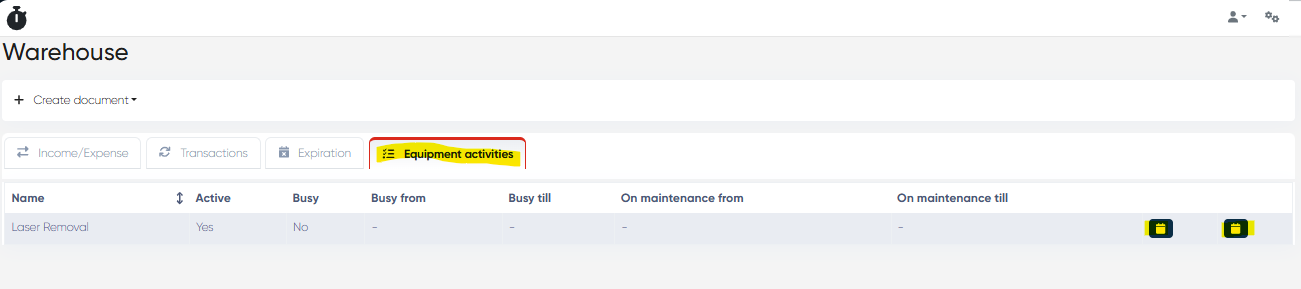
3. Equipment Activities Tab (Warehouse Section)
Navigation: Main Menu → Warehouse → Equipment Activities
Purpose
Manages availability, reservations, and maintenance schedules for equipment items.
List Columns
Name | Active | Busy | Busy From | Busy Till | Maintenance From | Maintenance Till
Actions
Reserve — Book the equipment for a specific time slot.
Maintenance — Mark equipment as under maintenance for defined periods.
4. Equipment Report
Navigation: Statistics → Equipment Report
Purpose
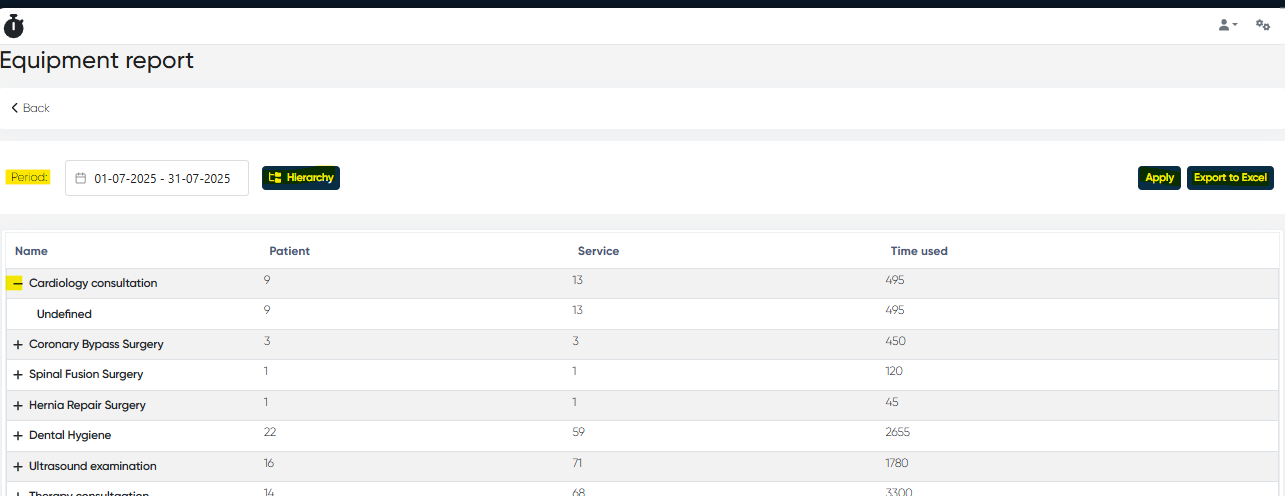
Provides analytical insight into equipment utilization, categorized by service and doctor.
Report Columns
Name (Service → Doctor → Equipment) | Patients | Services | Time Used
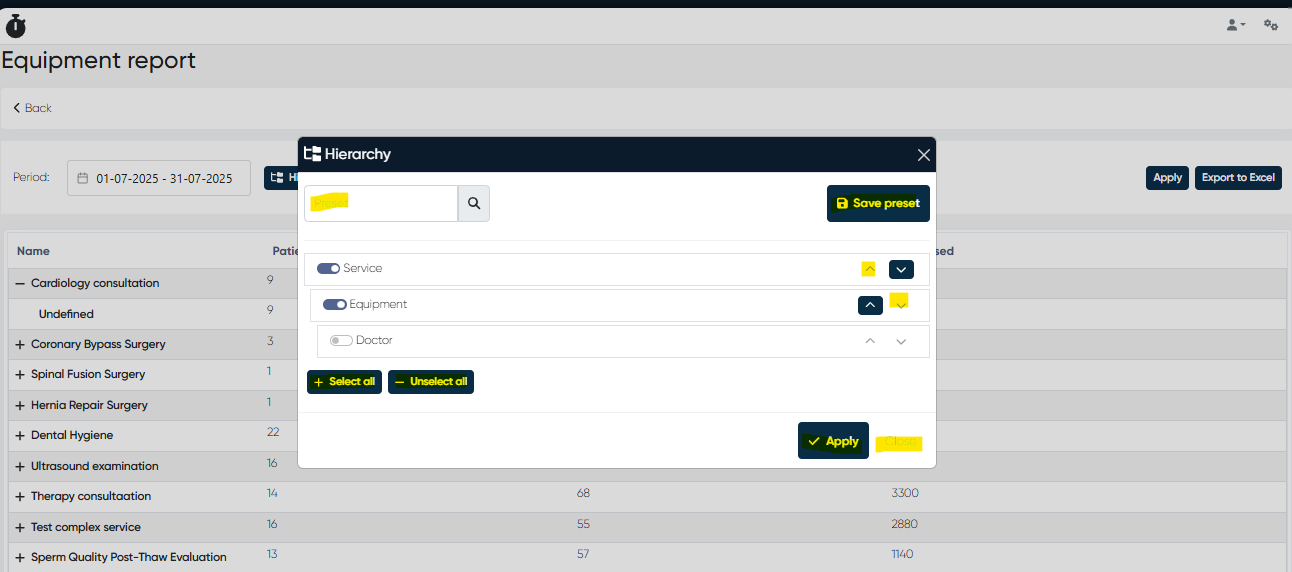
Hierarchy Settings
Opened via the Hierarchy button.
You can configure report grouping and order using the following options:
Sections to Select: Service, Equipment, Doctor
Move Up / Move Down: Adjust hierarchy order.
Select / Unselect All: Modify included sections.
Save Preset: Save a custom hierarchy for reuse.
Search Preset Bar: Quickly find existing presets
Apply / Close: Confirm or exit changes
Additional Tools
Period Selector — set date range for reporting
Export to Excel — export the report dataset
Apply Button — refresh report with chosen parameters
5. Equipment Load Settings
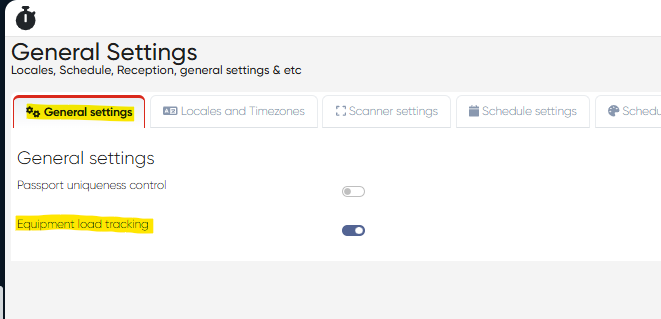
Navigation: Settings → General Settings → Equipment Load Tracking (toggle)
Purpose
Prevents double-booking of equipment during appointment scheduling by automatically checking availability in real time.
Behavior
When the Equipment Load Tracking toggle is enabled:
The system checks whether a service requires specific equipment.
It verifies whether the equipment is already in use for the selected time slot.
If busy, the system blocks the appointment booking until the equipment becomes available.
Benefits
Centralized equipment registry with structured access.
Accurate tracking of usage, reservations, and maintenance periods.
Prevents scheduling conflicts through automatic equipment load checks.
Comprehensive utilization analytics for managerial reporting.
Supports operational transparency and efficient clinic logistics.
Notes
Only authorized users with administrative or warehouse roles can modify equipment data.
Disabled equipment records remain stored for audit and history purposes.
Load tracking impacts both Reception and the Doctor’s Cabinet scheduling modules.