
Drugs management
Drugs Management – EHR Module
The Drugs Management feature enables healthcare providers to efficiently manage patient medications during medical documentation, as well as maintain the master list of drugs used across the clinic. This ensures consistent prescription practices, traceability of treatment history, and compliance with medical standards.
Access Points
Drugs management can be handled in two main areas of the system:
1. Inside the Medical Document
Navigation:Directories > Employees > Choose Employee > Schedule > Select Patient (with check-in) > Med Doc Medication Tab
This view is used for patient-specific drug assignment and prescription.
2. Through the Drugs Directory
Navigation:Directories > Drugs
This area is used for clinic-wide management of the drug catalog.
1. Drugs Management in Medical Document
Located within the Medication tab of the patient’s medical document, this section allows you to assign, view, and prescribe medications during the consultation.
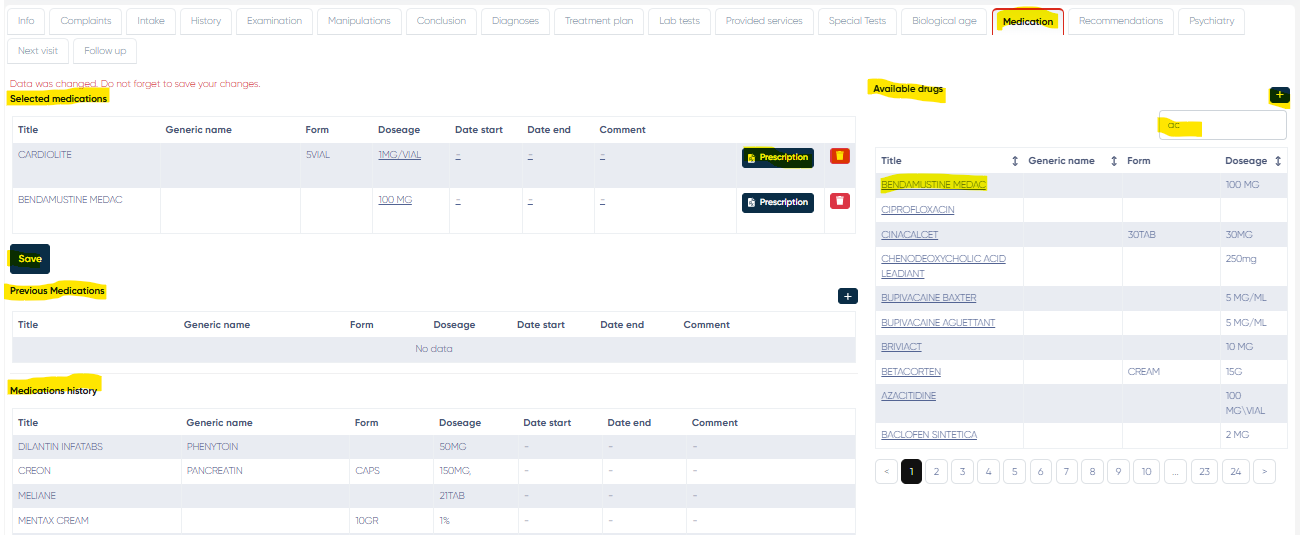
a) Selected Medications Table
Displays all currently prescribed drugs for this specific visit.
Columns:
Title
Generic Name
Form (e.g., tablet, injection)
Dosage
Date Start
Date End
Comment
Actions per row:
Prescription – Generate a formal prescription for the drug.
Delete – Remove the drug from the selection.
b) Previous Medications Table
This section displays drugs prescribed in earlier visits to help with tracking and treatment continuity.
Columns:
Same as above (Title, Generic Name, Form, Dosage, etc.)
c) Medications History Table
A compiled list of all medications ever prescribed to the patient, useful for long-term tracking and reviewing medical history.
Columns:
Same as above.
d) Available Drugs Section
A searchable list of all drugs currently available in the clinic’s drug database.
Click on a drug’s name to add it to the Selected Medications table.
Search Bar – Quickly locate drugs by title or generic name.
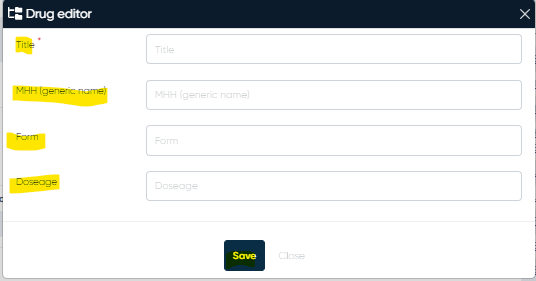
“+” Button – Opens the Drug Editor window to add a new drug manually.
Drug Editor Fields:
Title – Mandatory
МНН (Generic Name)
Form
Dosage
2. Drugs Management via Directory
This centralized view allows for the global configuration and management of the clinic’s drug inventory.
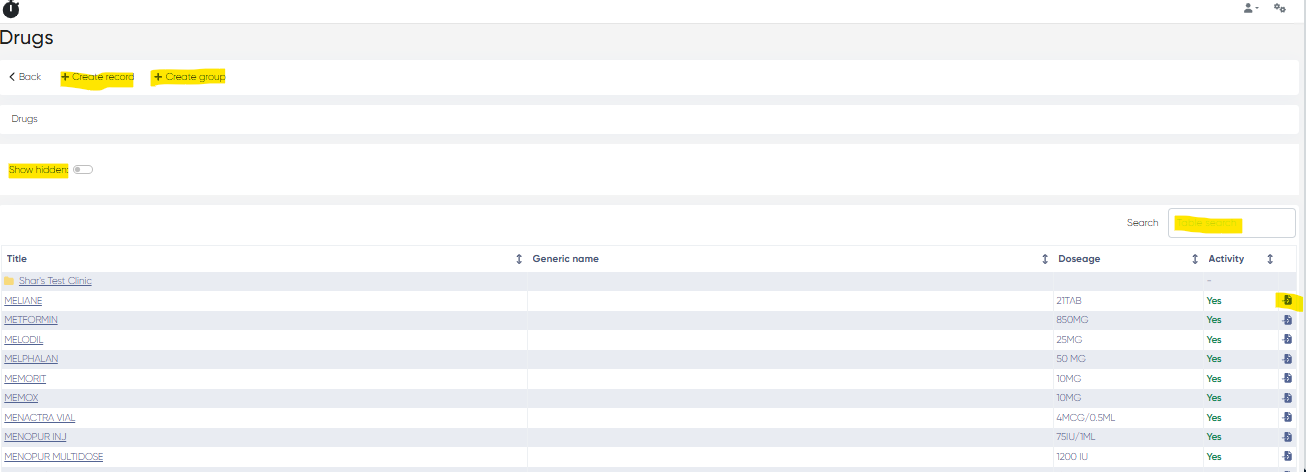
a) Drugs List Table
A complete list of all available drugs in the system.
Columns:
Title
Generic Name
Dosage
Activity (Active/Inactive)
Actions:
Move drugs into organizational folders (groups) for better management.
b) Buttons and Actions
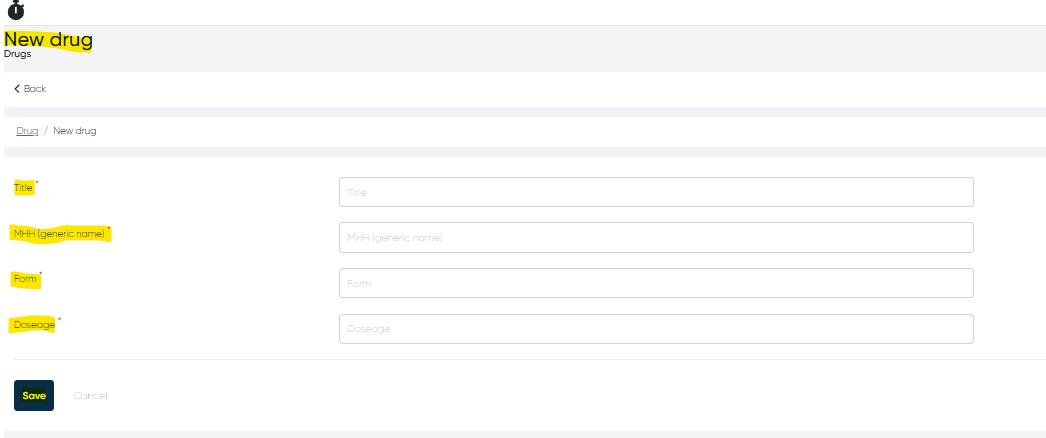
Create Record – Add a new drug to the system.
Parameters:
Title (mandatory)
МНН (Generic Name) (mandatory)
Form (mandatory)
Dosage (mandatory)
Create Group – Create folders (groups) to organize drugs (e.g., Antibiotics, Painkillers).
Show Hidden – Display inactive or hidden drug records.
Practical Use Cases
Assign and document prescribed medications during patient visits.
Track previous medications and avoid prescription conflicts.
Maintain a consistent and standardized list of drugs across all departments.
Generate and print formal prescriptions in compliance with medical regulations.