
Custom packages
Navigation:
Directories>Services>Create record
Description
The Custom Packages feature allows reception staff to create personalized service bundles tailored to a client's specific needs. This is particularly useful for offering promotional packages, bundled treatments, or client-specific pricing.
Staff can build a custom package by selecting individual services from the clinic’s catalog, adjusting quantities, applying discounts, and setting a package name.
How to create a custom service package
Go to Directories> Services> Create record button
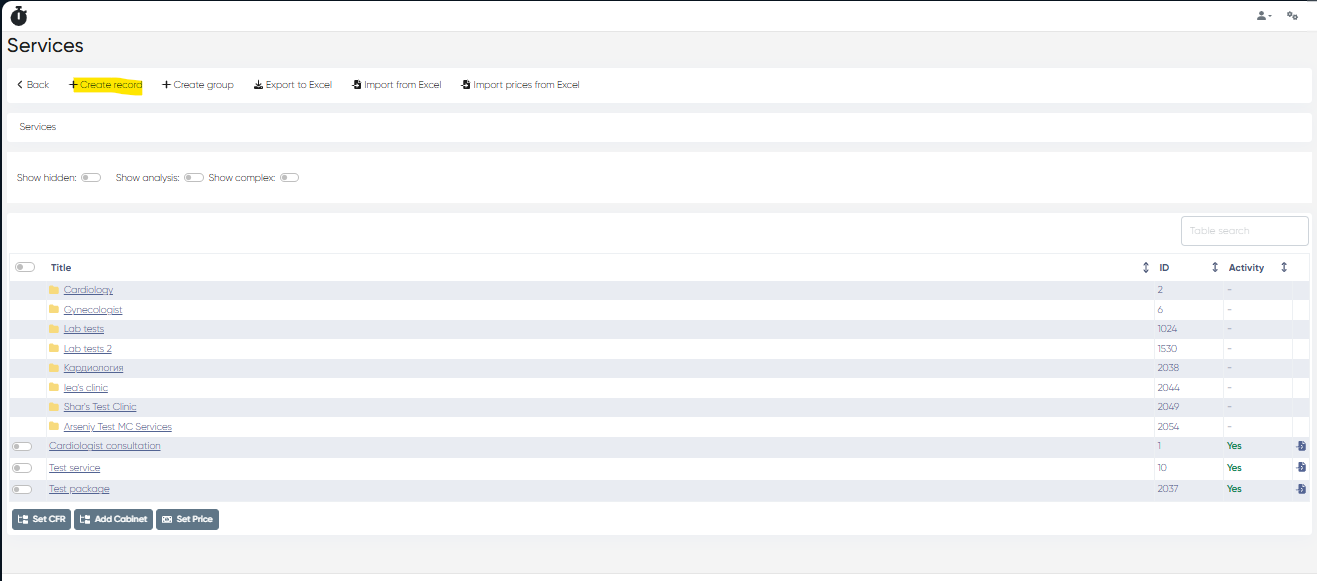
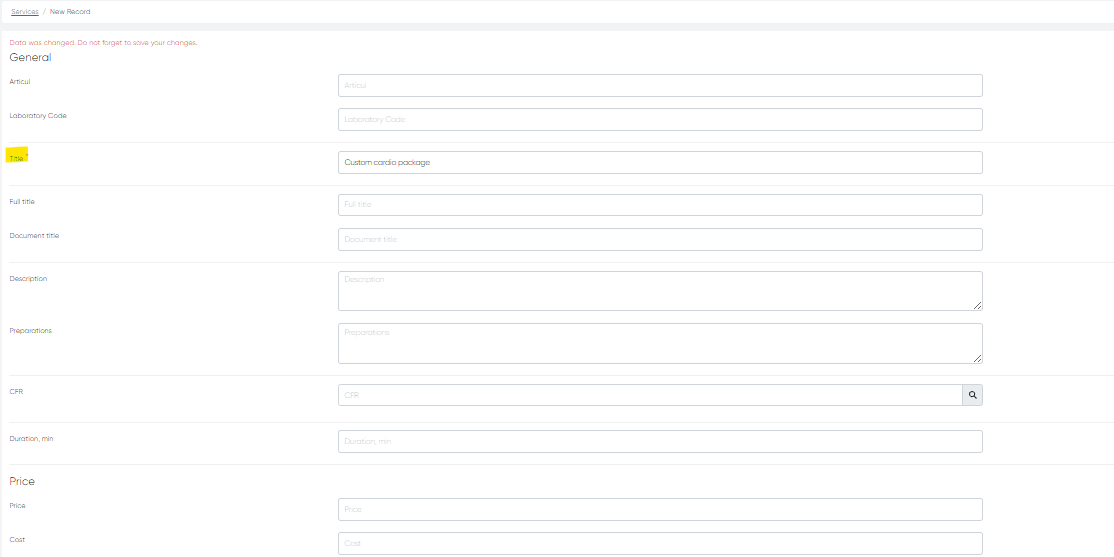
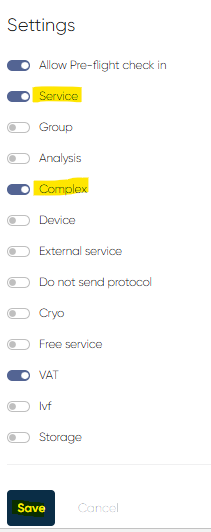
Fill in the package's information in the New record window. Only the Title field is mandatory here, all other fields are optional (e.g., Articul, Laboratory code, Description, Duration, Preparation, Price info, etc.). To make the new record a service package, push the Service and Complex buttons above the informational fields. After all the required info is filled, click the Save button to create a new service package.
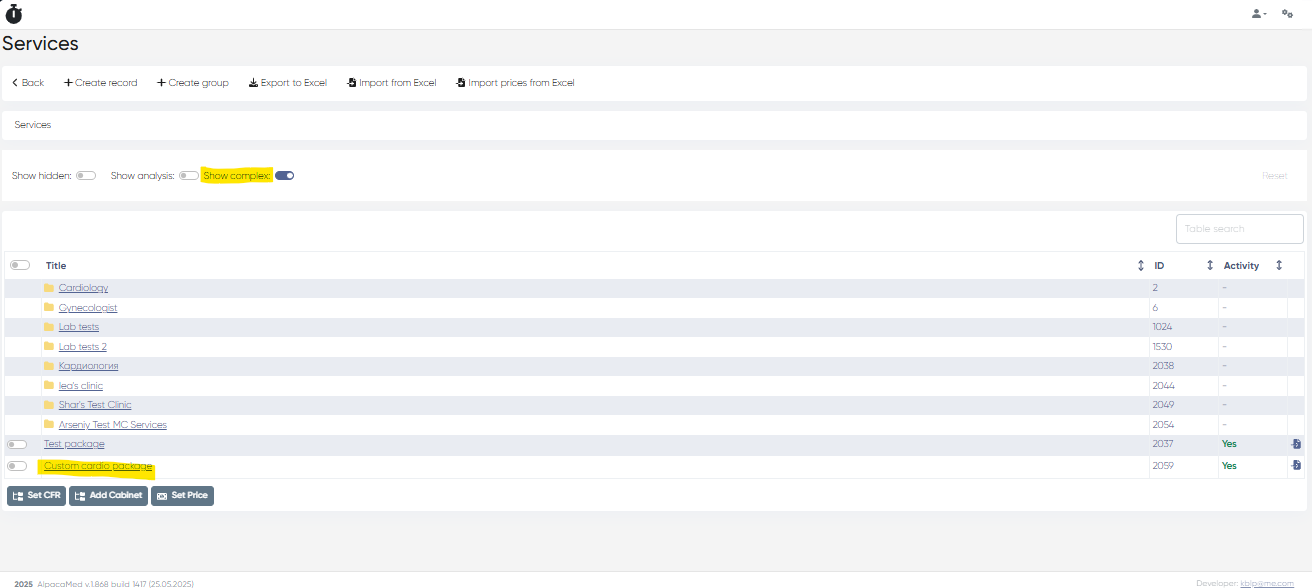
Now it's needed to add the services to the created package. Go to Directories> Services and find and click on your service package name in the list (it’s easier to find the needed service package if you enable Show complex filter).
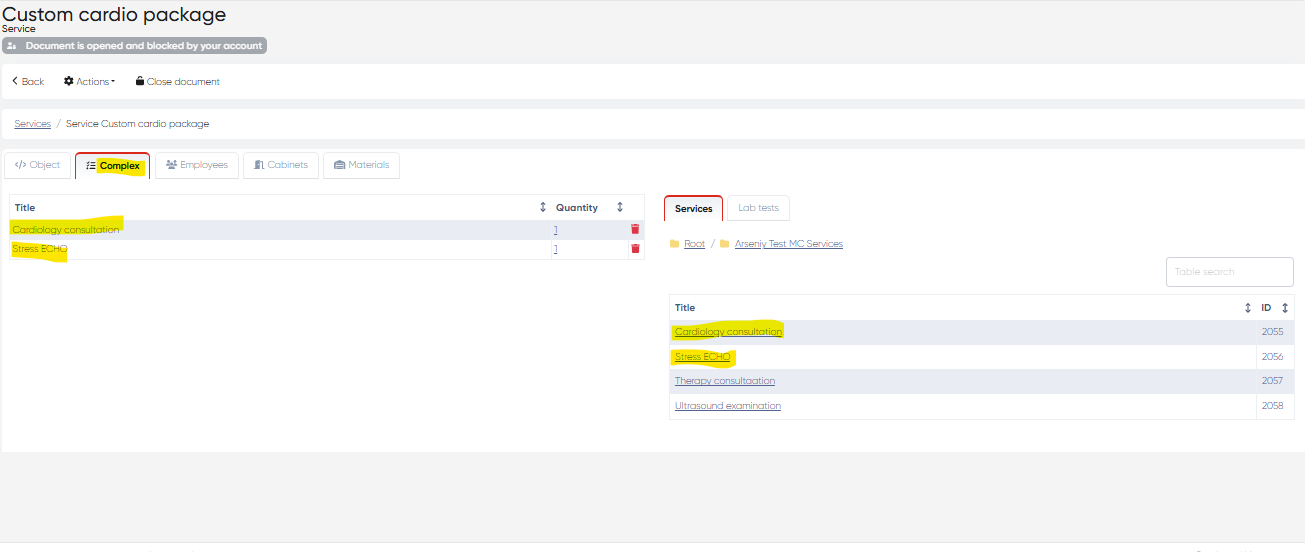
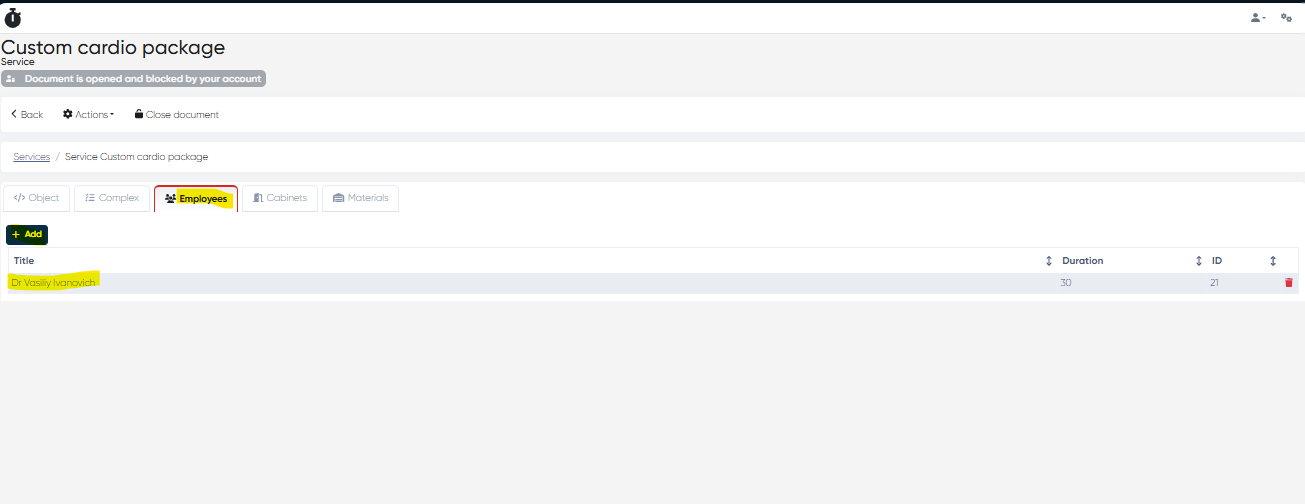
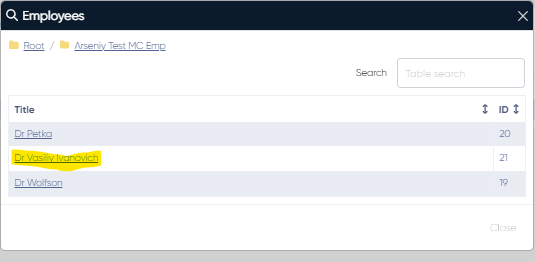
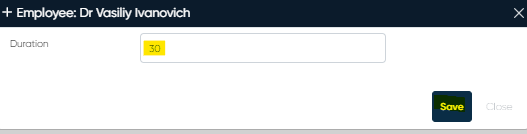
Add all needed services by clicking on their titles on the right side of the Complex tab. After that, you can link the employees who can provide this service package on the Employees tab. Click +Add, select the employee from the list, and set the procedure duration of the service package procedure for this employee in minutes. To finish the process, click Save.
Service packages will show up in the New Touch section of the system’s main menu, and can be further customized for clients during price offer generation.