Cryo Storage
Cryo Storage – EHR Module
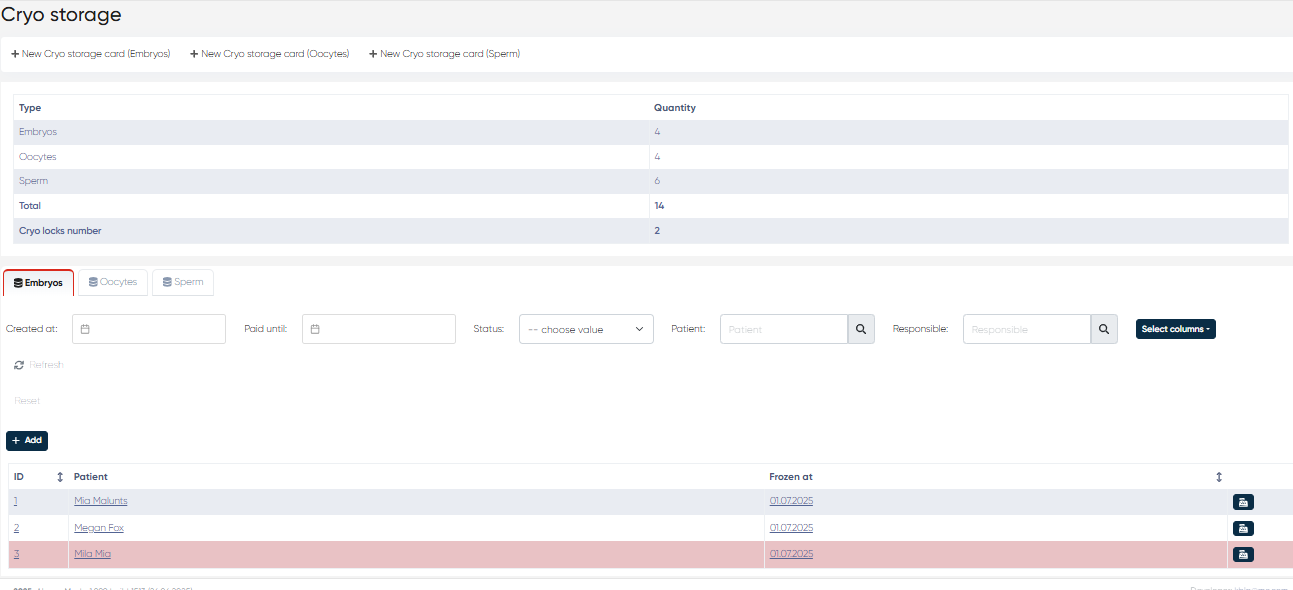
The Cryo Storage section of the EHR module is designed to manage the cryopreservation lifecycle of reproductive samples - embryos, oocytes, and sperm. It supports detailed documentation, secure storage tracking, payment management, and integration with clinical services and responsible personnel. Cryo storage data is accessible via its dedicated Cryo menu section.
1. New Cryo Storage Card (Embryos)
Button: + New Cryo Storage Card (Embryo)
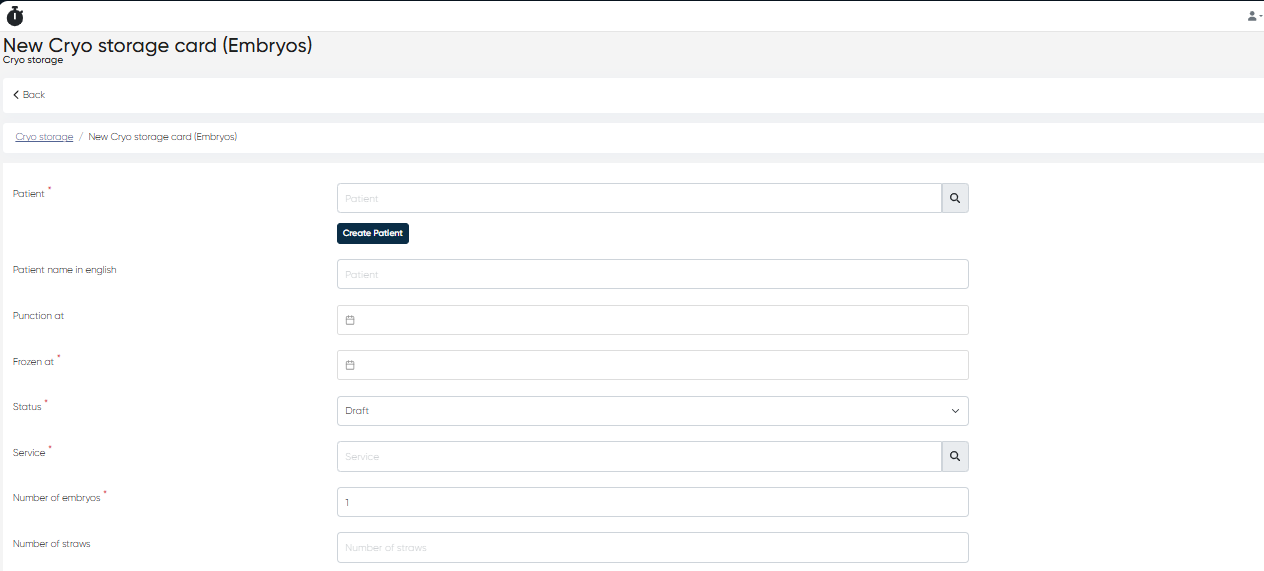
This option opens a detailed record creation form for embryo samples.
Form Fields:
Patient (mandatory): Select or create a patient. Links the cryo record with their clinical file.
Patient Name in English: Used for multilingual export or standardization.
Puncture At: Date of ovarian puncture for embryo extraction.
Frozen At (mandatory): Date embryos were cryopreserved.
Status (mandatory): Current state (
Draft,In Storage,Transferred to Patient, orDestroyed).Service (mandatory): Select a cryopreservation service preconfigured for your clinic.
Number of Embryos (mandatory): Total embryos in this entry.
Number of Straws: Units used for embryo freezing.
Freezing Environment: Cryoprotectant or method applied.
Storage Address: Specific freezer location.
Cryobank: The storage institution, selected from a pre-created list.
Serial Number: Unique identifier for tracking.
Goblet: Holder used for the straws.
Color: Select from a palette for visual reference.
Embryologist: Assigned staff from your personnel list.
Defrost Date: Date of thawing (if applicable).
Defrosted Embryos: Quantity of embryos thawed.
Remain: Remaining embryos in storage.
Days of Evolution: Number of days cultured before freezing.
FET: Frozen Embryo Transfer details if applicable.
Embryos Quality: Clinical or morphological assessment.
Transferred Embryos: Total already used in procedures.
PGD: Indicate if Preimplantation Genetic Diagnosis was performed.
Reproductologist: A Fertility physician linked to the procedure.
Paid Until: Validity of payment for ongoing storage.
Responsible: Technician or staff in charge.
Manager: Medical or administrative manager.
2. New Cryo Storage Card (Oocytes)
Button: + New Cryo Storage Card (Oocytes)
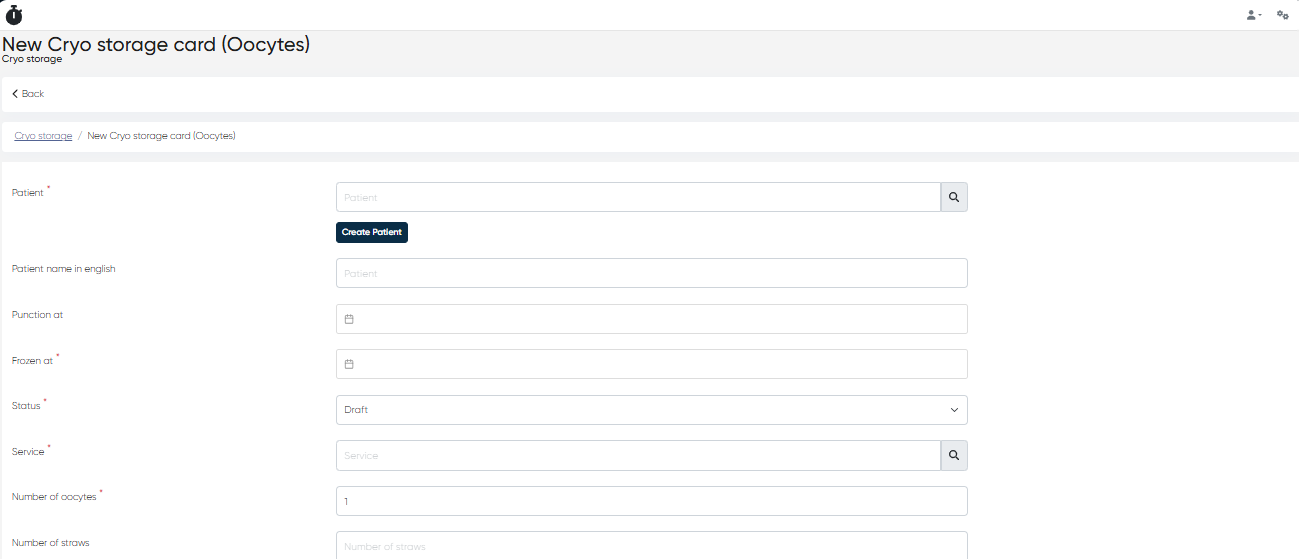
Used to record and manage stored oocytes.
Form Fields:
Patient (mandatory): Connects the record with the patient's profile.
Patient Name in English: For cross-border documentation.
Puncture At: Oocyte retrieval date.
Frozen At (mandatory): Oocyte freezing date.
Status (mandatory): Choose from
Draft,In Storage,Transferred to Patient, orDestroyed.Service (mandatory): Cryo service assigned.
Number of Oocytes (mandatory): Total oocytes stored.
Number of Straws: Storage unit count.
Freezing Environment: Cryopreservation media used.
Storage Address: Physical location in the cryobank.
Cryobank: Chosen from internal directory.
Serial Number: Record reference ID.
Goblet: Holder unit for straws.
Color: Optional visual tag.
Embryologist: Assigned lab specialist.
Defrost Date: When the oocytes were thawed.
Defrosted Oocytes: Count of oocytes thawed.
Remain: Remaining samples.
Paid Until: Payment validity date.
Responsible: Person in charge of the record.
Manager: Clinic administrator or lab lead.
Comment: Notes or special instructions.
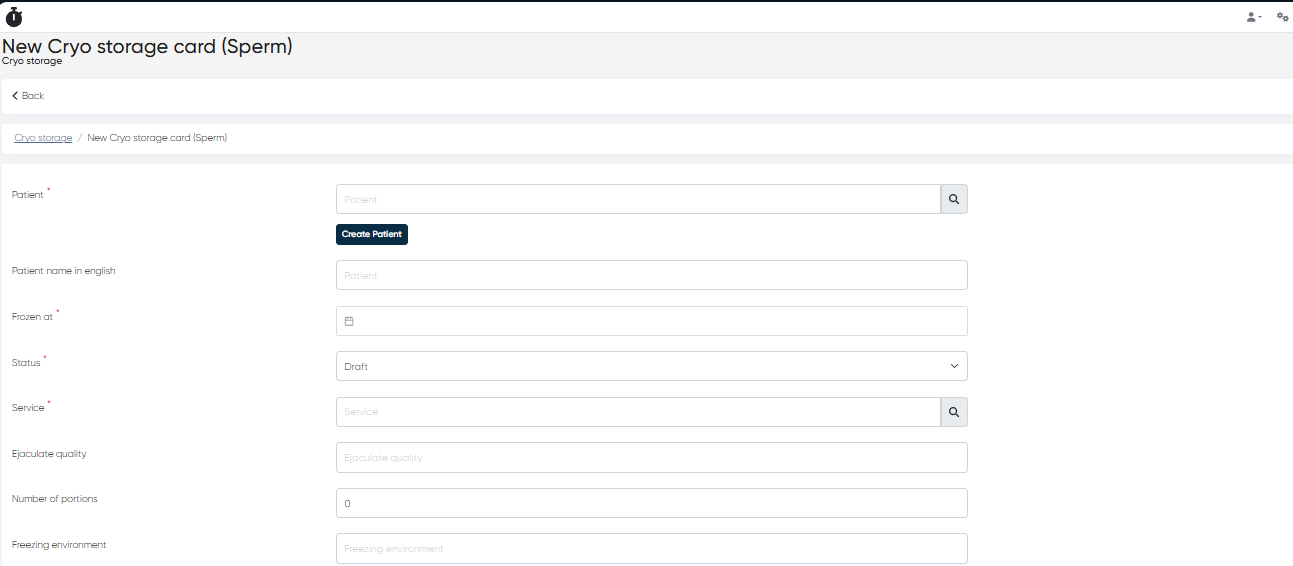
3. New Cryo Storage Card (Sperm)
Button: + New Cryo Storage Card (Sperm)
Form for recording sperm samples.
Form Fields:
Patient (mandatory): Existing or new patient.
Patient Name in English: For standardized exports.
Frozen At (mandatory): Date of freezing.
Status (mandatory): Sample status.
Service (mandatory): Cryo service used.
Ejaculate Quality: Clinical quality report of the sample.
Number of Portions: Number of separate samples frozen.
Freezing Environment: Type of freezing medium.
Storage Address: Cryo cabinet/shelf location.
Cryobank: Chosen from the clinic directory.
Serial Number: ID for internal tracking.
Goblet: Physical holder.
Color: Visual cue for sorting.
Embryologist: Staff responsible.
Defrost Date: Thawing date.
Defrosted Portions: Used portions.
Remain: Remaining count.
Paid Until: Until what date storage has been paid.
Responsible: Overseer of the storage entry.
Manager: Person managing the cryo program.
Comment: Additional record information.
4. Cryo Storage Dashboard Overview
At the top of the Cryo section, you will find a summary panel showing:
Total Number of Samples: Separate counters for Embryos, Oocytes, and Sperm.
Total Storage Volume: Combined sample count across all types.
Cryo Locks Number: Number of occupied locks or secured storage zones in use.
This dashboard helps assess storage capacity and status at a glance.

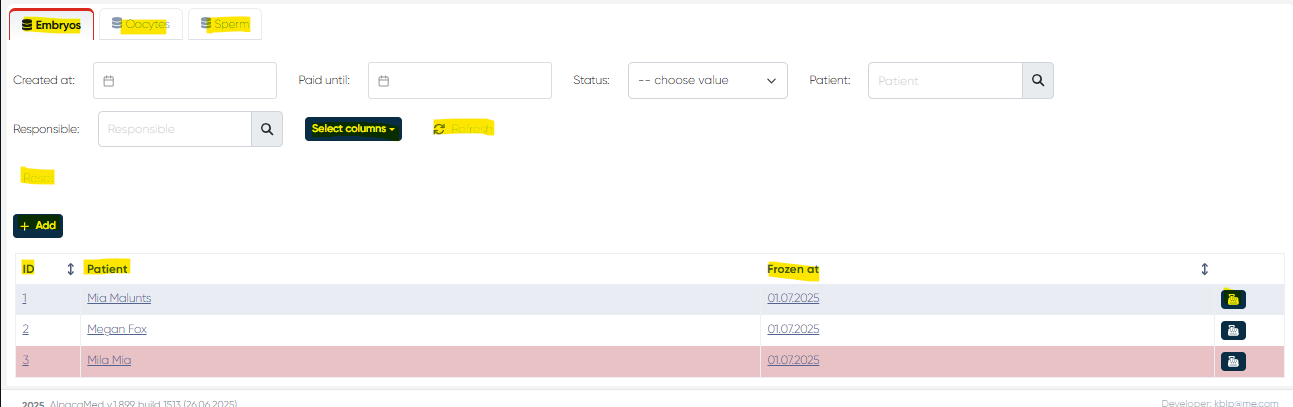
5. Sample Management Tabs: Embryos, Oocytes, Sperm
Each sample type is listed in its own tab with a searchable and filterable data table.
Default Columns:
ID
Patient
Frozen At
Pay Button (to process payment extension or renewals)
Available Filters & Tools:
Created At: Filter by card creation date (with calendar picker)
Paid Until: Date filter to find overdue or prepaid samples
Status: Draft, In Storage, etc.
Patient: By name or ID
Responsible: Assigned staff member
Select Columns: Add/remove visible columns from the sample list
Refresh Button: Reload table content
Reset Button: Clear all filters
+Add Button: Create a new storage record directly from this tab
This structured and comprehensive section allows full oversight of cryo operations, ensuring quality control, traceability, and clinical accuracy throughout the sample lifecycle.