
Calling via VOIPE
Navigation:
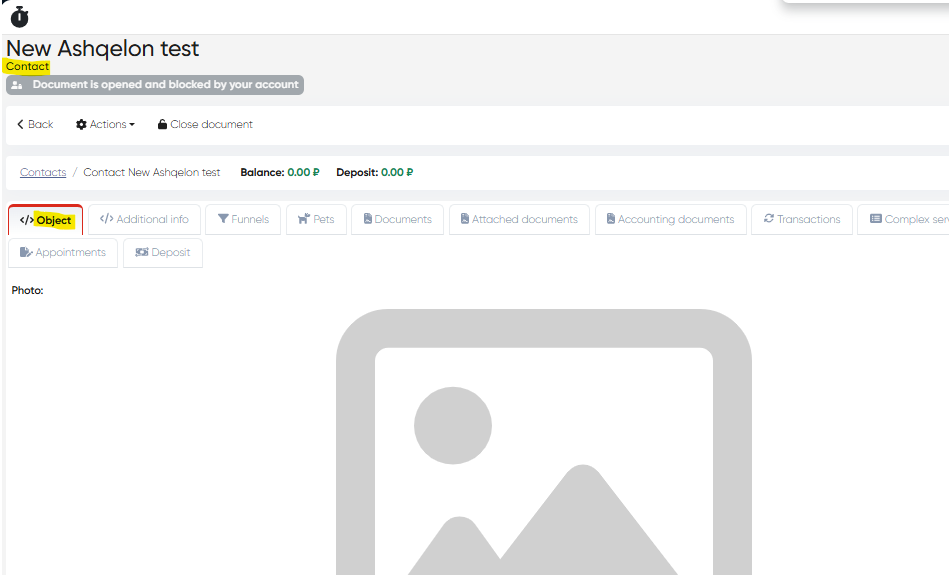
Reception → Contacts → Choose Patient → Object Tab → Phone →or
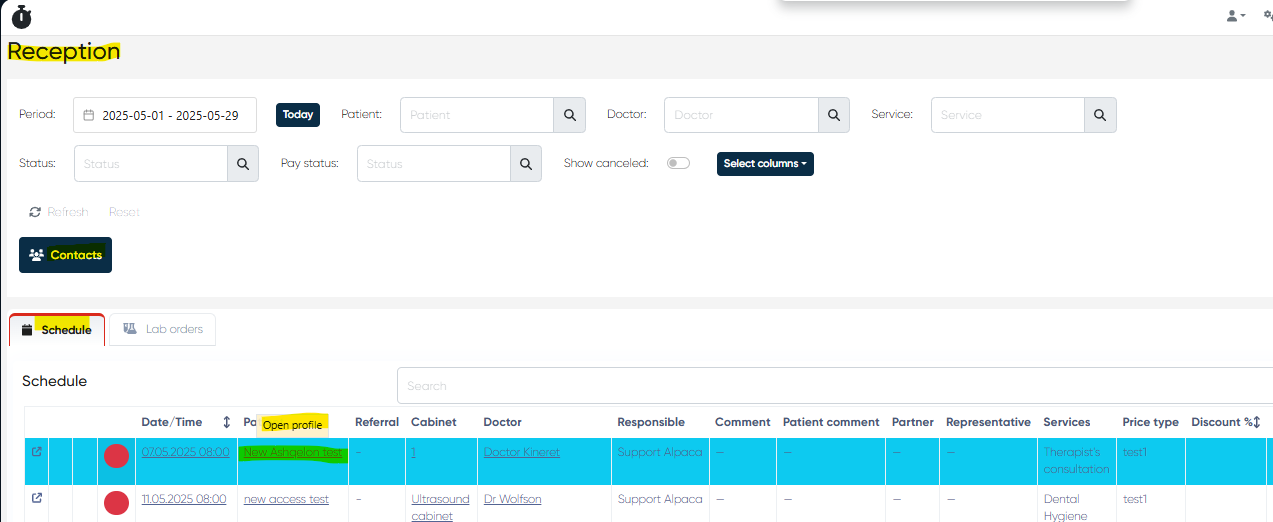
Reception → Schedule → Choose Appointment → Open Patient’s Profile → Object Tab → Phone →
Overview
The VOIPE Calling Integration enables users to initiate voice calls directly from within the system, eliminating the need for external dialing software or manual number entry.
This enhancement streamlines clinic communication by allowing reception staff, doctors, and administrators to call patients or contacts instantly from the Reception interface or appointment view.
Functionality
Once configured, the VOIPE integration connects your user account’s extension number to the clinic’s phone system.
When you click the Phone icon beside a patient’s number, the system automatically triggers the call through the assigned extension.
Calls are logged within the system, maintaining a consistent communication record linked to the corresponding patient or appointment.
Configuration Requirements
Before initiating VOIPE calls, ensure that your phone extension number is correctly configured:
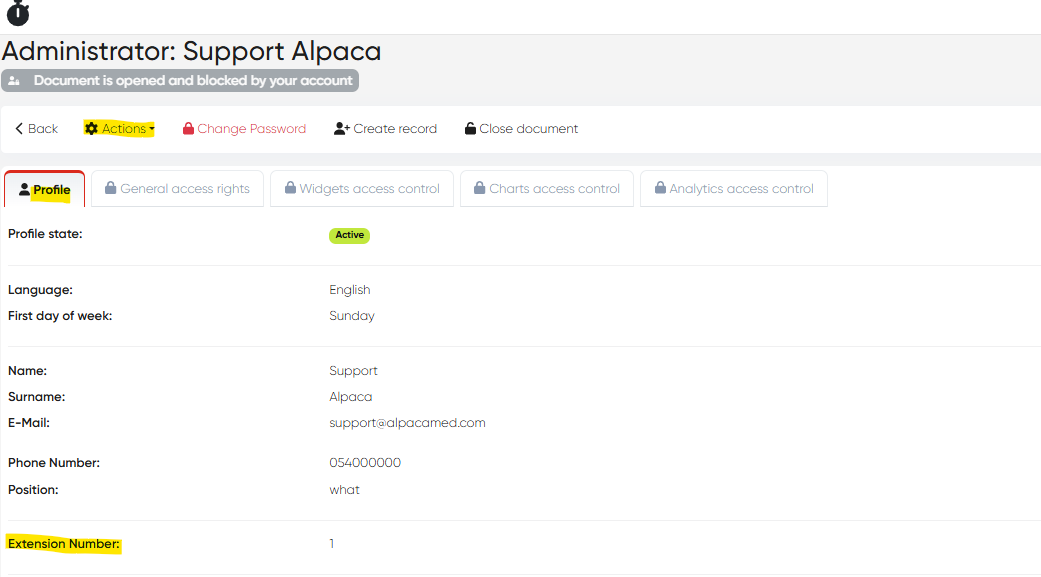
Navigate to Settings → Administrators.
Choose your user account.
Open the Profile tab.
Verify that the Extension Number field is populated.
If empty, click Actions → Edit Profile and enter the assigned extension number.
Click Save to apply changes.
Once your extension is set, VOIPE calling will be automatically enabled for your user account.
How to Make a Call
Go to Reception → Contacts or Reception → Schedule.
Open the relevant patient’s profile or appointment.
Navigate to the Object tab → Phone field.
Click the Phone icon .
The system initiates the call through VOIPE using your assigned extension.
You can perform this action both from the contact card and from within appointment details.

Benefits
Seamless integration — initiate calls directly from patient or appointment records.
Time-saving — no need to switch between applications or manually dial numbers.
Centralized communication — all calls are initiated and tracked within the same system.
Improved coordination — integrates with existing call notifications and extensions setup.
Notes
Each user must have a valid extension number configured in the Administrator Settings to make VOIPE calls.
Call initiation follows the same permission and routing rules as other PBX integrations.
The feature works in conjunction with shared extensions and call notifications, allowing multi-admin coverage where configured.