Book an appointment
Navigation: Main Patient’s App screen>Book an appointment
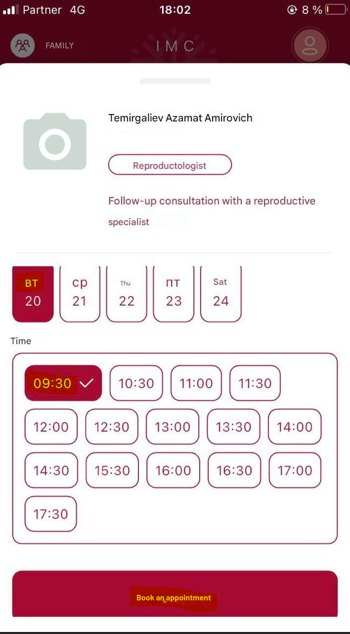
The Book an Appointment section allows patients to schedule medical visits through a user-friendly interface. Patients can choose from available time slots and specify the purpose of the visit.
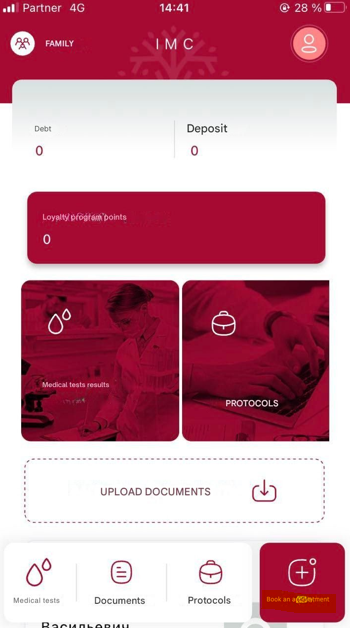
Key features include:
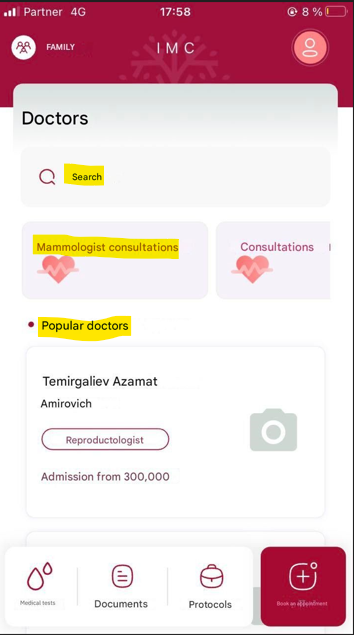
Specialty & Doctor Selection: Browse by department or directly search for a specific doctor via the search bar.
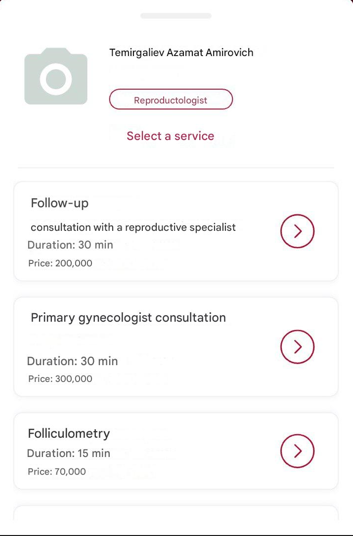
Visit Type Options: Choose between primary or follow-up appointments, or specific procedures.
Real-Time Availability: View and select from up-to-date appointment slots based on doctor schedules. Patient can choose date, time and tap Book an appointment button.