
Biomaterials
Biomaterials – LIS Module
The Biomaterials section in the Laboratory Information System (LIS) module allows you to manage the biological materials required for laboratory tests (e.g., Whole Blood, Serum, Plasma). These biomaterials are later linked to Lab Tests for accurate sample handling and process tracking.
1. Creating Biomaterials
Navigation:
Directories > Laboratory Dictionaries > Biomaterials > + Create Record
Steps to Create a Biomaterial:
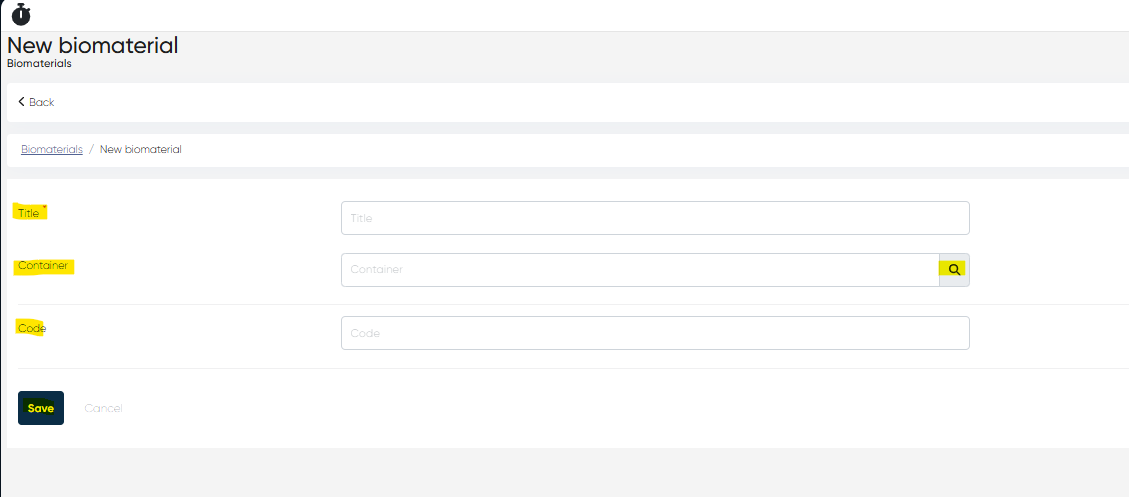
Click + Create Record.
Fill in the following parameters:
Title (Mandatory) – Full name of the biomaterial (e.g., Whole Blood, Serum).
Container – Select the container type from the pre-created list (e.g., EDTA Tube, Urine Cup).
Code – Enter the internal or external code for the biomaterial.
Click Save to add the biomaterial to the system.
2. Viewing the Biomaterials List & Biomaterial Card
Navigation:
Directories > Laboratory Dictionaries > Biomaterials
Biomaterials List Features:
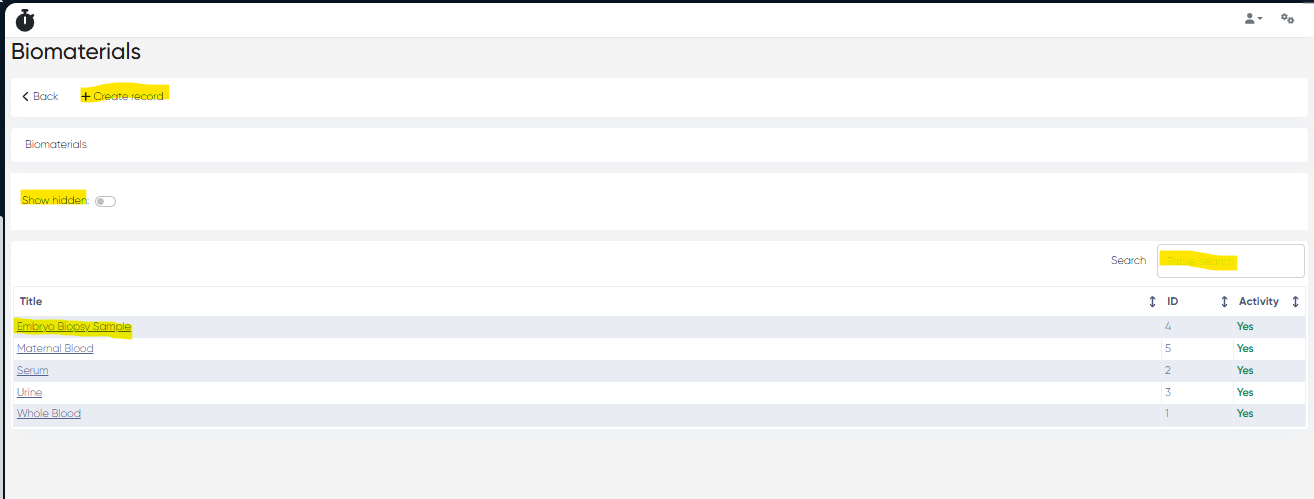
Displays all created biomaterials in a table with columns:
Title – Name of the biomaterial
ID – System-generated identifier
Activity – Status (Active / Disabled)
Tools Available:
Show Hidden Toggle – View inactive/disabled biomaterials
Table Search Bar – Quickly find biomaterials by name
Biomaterial Card
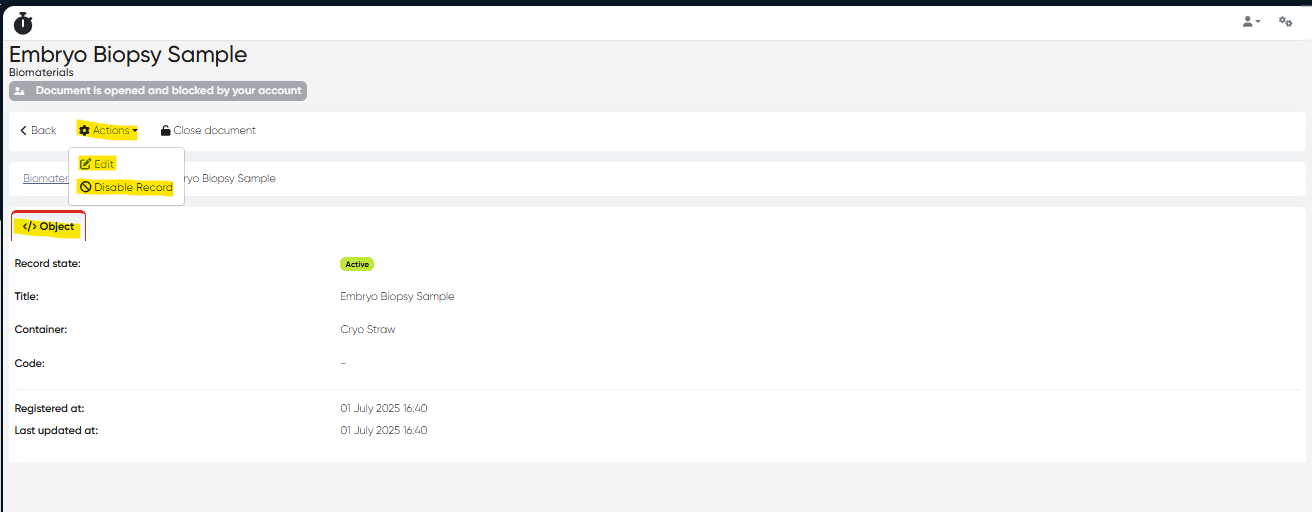
Click on the biomaterial name to open its card.
The card contains:
Object Tab: Displays details entered during creation.
Actions Available:
Edit – Update biomaterial details
Disable – Mark as inactive (does not delete the record)
3. Using Biomaterials in Other Lab Dictionaries
Biomaterials created in this section are used in:
Lab Tests Dictionary – Assign a biomaterial to each lab test for sample collection requirements.
Navigation:
Directories > Laboratory Dictionaries > Lab Tests > Create or Edit Test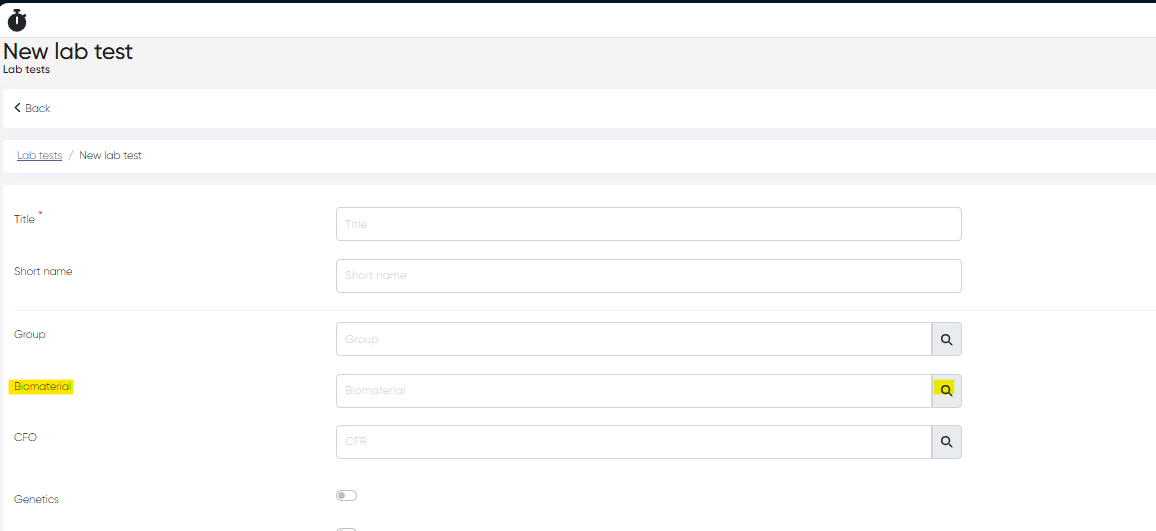
Summary
Action | Navigation |
|---|---|
Create Biomaterial | Directories > Laboratory Dictionaries > Biomaterials > + Create Record |
View/Edit Biomaterial | Directories > Laboratory Dictionaries > Biomaterials > Click Title |
Assign to Lab Tests | Directories > Laboratory Dictionaries > Lab Tests > Create/Edit |